

damnez
Regular Member
- Jan 25, 2021
- 223
- 222
Hi guys, first of all, I'm not an SEO expert by any means, so don't get mad at me if I'm wrong. I just wanted to share my experience with yall. As you all know, many people got hit by the last Google update, and I was one of them.
Luckily, I found a fix for my situation. I'm not saying it will work for everyone, as there could be other factors affecting rankings. I just thought maybe it could help some of you. My top article had a YouTube video in it, and it had no
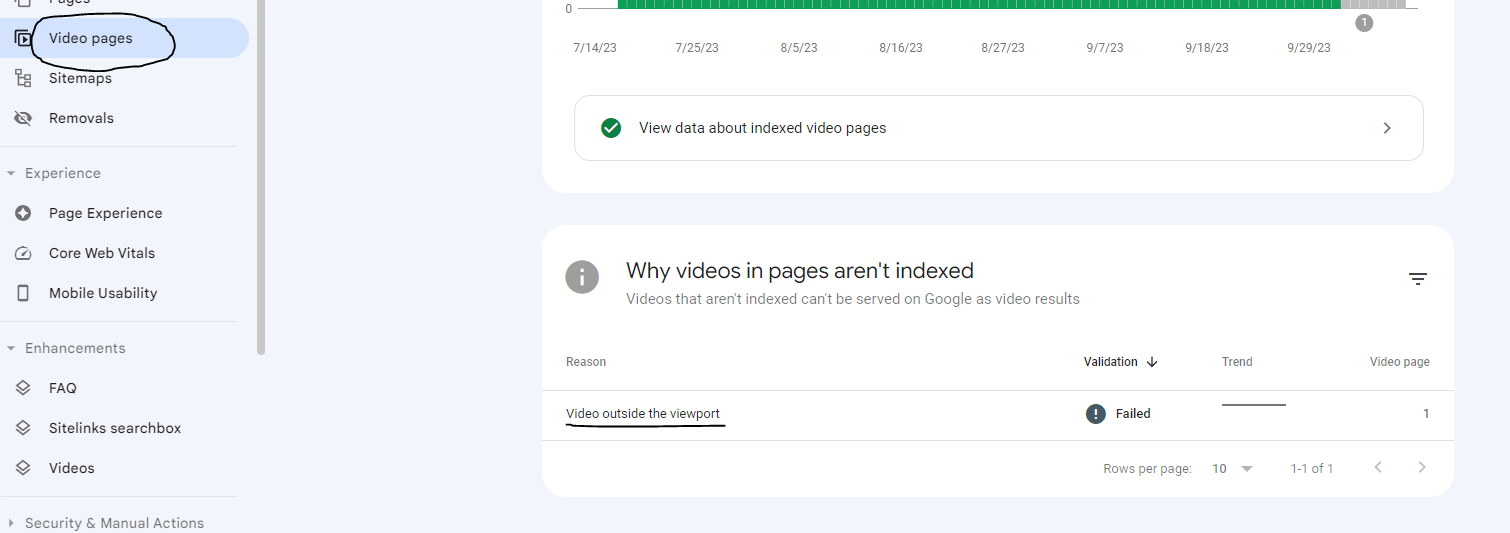
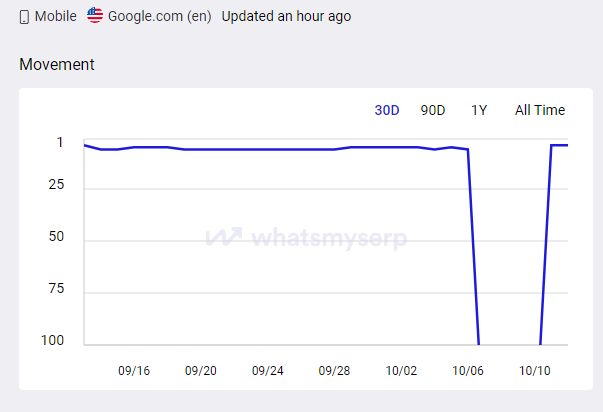
problem since I added the video. But suddenly, after the new Google update came out (I believe it is the reason), I received a warning on Search Console (you can see the pic below). And my article went from ranking top 3 on all
keywords to completely disappearing. I tried updating the article, changed a few things here and there, tried to fix the "Video outside the viewport" by changing the video container size, but nothing helped.
So I just removed the video from the article, and, in about 2 hours BOOM, all top 3 rankings were back again. So if any of you guys noticed some warnings on the "Video pages" like "Video outside the viewport" or similar other
video related warnings, just remove the video, request indexing from the Search Console, and you should be good to go in a few hours. I'm not really sure if this was caused by the Google update, but if it is, then this should work
for everyone. I hope it works out for y'all who were affected by the update as well. See ya!
Luckily, I found a fix for my situation. I'm not saying it will work for everyone, as there could be other factors affecting rankings. I just thought maybe it could help some of you. My top article had a YouTube video in it, and it had no
problem since I added the video. But suddenly, after the new Google update came out (I believe it is the reason), I received a warning on Search Console (you can see the pic below). And my article went from ranking top 3 on all
keywords to completely disappearing. I tried updating the article, changed a few things here and there, tried to fix the "Video outside the viewport" by changing the video container size, but nothing helped.
So I just removed the video from the article, and, in about 2 hours BOOM, all top 3 rankings were back again. So if any of you guys noticed some warnings on the "Video pages" like "Video outside the viewport" or similar other
video related warnings, just remove the video, request indexing from the Search Console, and you should be good to go in a few hours. I'm not really sure if this was caused by the Google update, but if it is, then this should work
for everyone. I hope it works out for y'all who were affected by the update as well. See ya!


