
You are using an out of date browser. It may not display this or other websites correctly.
You should upgrade or use an alternative browser.
You should upgrade or use an alternative browser.
Permanently Closed Marketplace Sales Thread
- Status
- Not open for further replies.

gtothem
Power Member
- Apr 22, 2011
- 593
- 346
Hi, it don't want to unfollow non-followers. Constantly get 'no matches', when have about 300 such tweeters. I try one day, 2 day, 3 day, any and still the same. The account is OK and I use my real IP.
I'm testing and it works. Are you sure your syncs are older than 1, 2 or 3 days old? and definitely have followed people that long ago who didn't follow back yet?

naskootbg
Senior Member
- Nov 8, 2010
- 847
- 280
I'm testing and it works. Are you sure your syncs are older than 1, 2 or 3 days old? and definitely have followed people that long ago who didn't follow back yet?
Yes, I can give you access to teamviewer to check for yourself. Possibly the problem come when I create follow schedule task and the program return error when the number was over 100 (for people search). Than I set it to follow 23 people and it don't return the bug this time, but it start follow only when I hit run now. I run it as administrator. The twitter account I use it on is aged - about 1-3 years old and maybe in the theme have some bugs?

gashead
Junior Member
- Jun 15, 2014
- 174
- 54
Hi, it don't want to unfollow non-followers. Constantly get 'no matches', when have about 300 such tweeters. I try one day, 2 day, 3 day, any and still the same. The account is OK and I use my real IP.
I've also been getting this when unfollowing and I definitely have people who haven't followed back within the set time.
gtothem
Power Member
- Apr 22, 2011
- 593
- 346
Yes, I can give you access to teamviewer to check for yourself. Possibly the problem come when I create follow schedule task and the program return error when the number was over 100 (for people search). Than I set it to follow 23 people and it don't return the bug this time, but it start follow only when I hit run now. I run it as administrator. The twitter account I use it on is aged - about 1-3 years old and maybe in the theme have some bugs?
I've also been getting this when unfollowing and I definitely have people who haven't followed back within the set time.
Can you goto the install folder (program files\dankbots\) then in Accounts look for %accountname%-followers.txt and %accountname%-following.txt open those.
Is there new entries with dates in the last X days?
gtothem
Power Member
- Apr 22, 2011
- 593
- 346
anyone figured out how to update existing account names from a list of new names - all i can find is - random - generate.
Would be nice if accounts could be imported with email / email password to unlock security question issues
There is no list option for updating Full Names.
this is really great. luv the 3day trial, works just fine. please follow on skype, ill luv to buy this.. thanks in advance skype: jn.media
added you
naskootbg
Senior Member
- Nov 8, 2010
- 847
- 280
Can you goto the install folder (program files\dankbots\) then in Accounts look for %accountname%-followers.txt and %accountname%-following.txt open those.
Is there new entries with dates in the last X days?
Yes, the date is correct in the file. I also find that when double click on the account, the program crashed. I know the problem is in my PC, because it worked like a charm before moving on new PC - just need solution. With which version of net framework it works best? Is there need some c++ library or something like this? Must be port 80 free to work properly?
gtothem
Power Member
- Apr 22, 2011
- 593
- 346
Yes, the date is correct in the file. I also find that when double click on the account, the program crashed. I know the problem is in my PC, because it worked like a charm before moving on new PC - just need solution. With which version of net framework it works best? Is there need some c++ library or something like this? Must be port 80 free to work properly?
The Unfollowing issue is already updated and fixed.
Get the latest .NET version available.
The crashing could be related to how you have the date and time set different between the computers (long shot).
Yes port 80 should be open - you would not even be able to login Twitter Supremacy without.
naskootbg
Senior Member
- Nov 8, 2010
- 847
- 280
The Unfollowing issue is already updated and fixed.
Get the latest .NET version available.
The crashing could be related to how you have the date and time set different between the computers (long shot).
Yes port 80 should be open - you would not even be able to login Twitter Supremacy without.
I have the latest net framework and twitter supremacy. Port 80 was used by captcha breaker and the both bots was run before together. Now I change captcha breaker's port to 79. I reinstall twitter supremacy, but still the same - do not unfollow and crashed when double click on the account.
I change pc language, data language, restart the pc and still the same - do not unfollow and crashes on account doubleclick.
Last edited:
gtothem
Power Member
- Apr 22, 2011
- 593
- 346
I have the latest net framework and twitter supremacy. Port 80 was used by captcha breaker and the both bots was run before together. Now I change captcha breaker's port to 79. I reinstall twitter supremacy, but still the same - do not unfollow and crashed when double click on the account.
I change pc language, data language, restart the pc and still the same - do not unfollow and crashes on account doubleclick.
What do you mean by do not unfollow? that it doesn't find any matches?
If so can you provide screenshots of History and both the files I explained in the previous posts (showing they both have people with latest dates).
What does it say on the crash? if its a large account it can take a while to load.
voldemort888
Regular Member
- Mar 5, 2014
- 235
- 49
Dont know if it helps, but I was getting the same issue since one of the updates about 9-12 days ago. When I select an account -> profiles a .net error pops up saying exception error. Also unfollowing "non-followers" greater than 2 days old wouldn't find any matches.
Since the update I downloaded yesterday both issues seems to be fixed.
Since the update I downloaded yesterday both issues seems to be fixed.
naskootbg
Senior Member
- Nov 8, 2010
- 847
- 280
What do you mean by do not unfollow? that it doesn't find any matches?
If so can you provide screenshots of History and both the files I explained in the previous posts (showing they both have people with latest dates).
What does it say on the crash? if its a large account it can take a while to load.
The foolowers/following files:
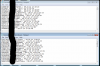
Always get no matches even using ANY non followers:

The history:

It stop crashing, but still do not unfollow on my PC.
gtothem
Power Member
- Apr 22, 2011
- 593
- 346
quick question: if I want to run the bot on another computer, do I just need to redownload it?
Which files do I need to copy to keep all my info? (accounts, proxies,...)
Accounts are limited to 1 computer.
You would need to copy /profiles/ and /accounts/ folders from the install (program files\dankbots\)
The foolowers/following files:
View attachment 55470
Always get no matches even using ANY non followers:
View attachment 55471
The history:
View attachment 55472
It stop crashing, but still do not unfollow on my PC.
I will look into it
In the mean time I suggest you rename or delete the following/followers.txt files and Sync from scratch.
Last edited:
naskootbg
Senior Member
- Nov 8, 2010
- 847
- 280
Thanks!
It works now. Why you don't tell me this sooner .
.
It works now. Why you don't tell me this sooner
. I will look into it
In the mean time I suggest you rename or delete the following/followers.txt files and Sync from scratch.
Last edited:

ozzke
Regular Member
- Mar 6, 2010
- 266
- 209
Accounts are limited to 1 computer.
You would need to copy /profiles/ and /accounts/ folders from the install (program files\dankbots\)
I understand that it's limited to 1 computer but can I switch it? or request to switch it to another computer?
gtothem
Power Member
- Apr 22, 2011
- 593
- 346
I understand that it's limited to 1 computer but can I switch it? or request to switch it to another computer?
I sent you a PM
- Status
- Not open for further replies.