Veil123
Elite Member
- Jun 13, 2012
- 1,839
- 3,357
Hello there! If you are a newly registered member and you feel like being confused and 'scared' around BHW, then this All-In-One guide I wrote is just for you!
BlackHatWorld Interface and features

Here you will find all the BHW sections grouped as Forums and Sub-Forums (The sub-forum is a section dedicated to specific topic related to the main (parent) forum):
• The Marketplace
• Black Hat SEO
• BlackHatWorld
BHW Info

This is the part of the website where you can find some information about BHW:
• Forum Statistics - Number of discussions, messages, Total members and the latest member.
• Members Online Now - Information for the currently online members.
Forums Sub-Menu

The sub-menu consists of 5 links. Each link will redirect you to a separate section from where you can do some extra forums related searches.
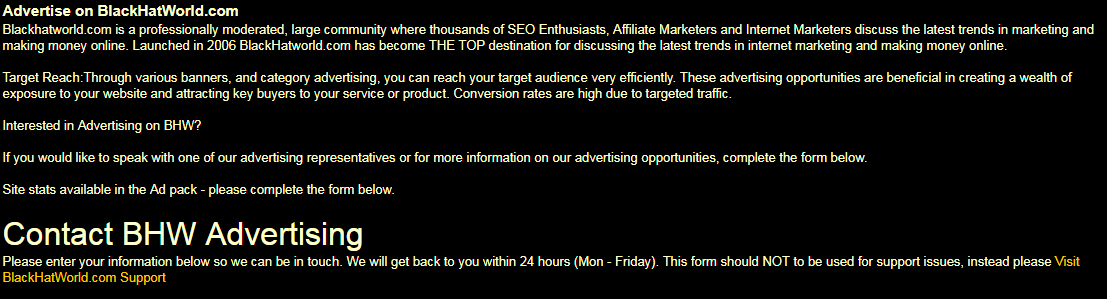
On this page you can find all the information for advertising on BHW (Do not confuse it with the Marketplace). It includes detailed information of how and where to contact the BHW advertising representatives and make more detailed conversation about the advertising opportunities.

This is a shortcut link that will redirect you to the Marketplace forum section.
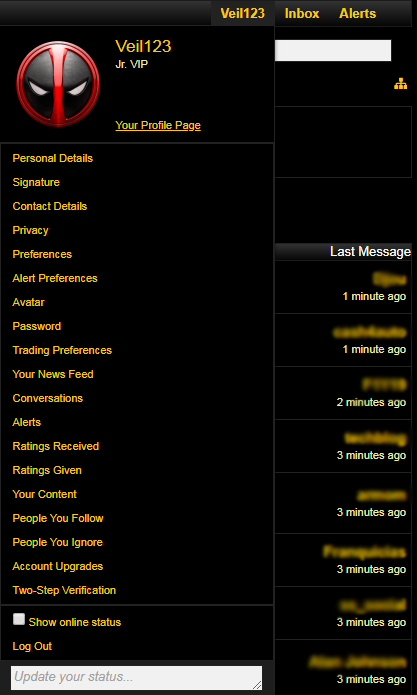
Here you can find all of the options regarding your BHW account. Take your time and get to know as many settings as possible.
Tip: As you can see from the image, near the bottom, there is an option called: 'Two-Step Verification'. I recommend you to use this feature so you can be sure that your BHW account is 100% secured from someone else hacking into your account and making you regret for not enabling this awesome feature.
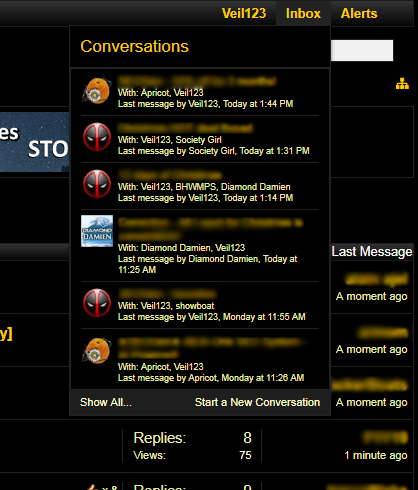
Here you can see all of the conversations (Private Messages) you have with the BHW members:
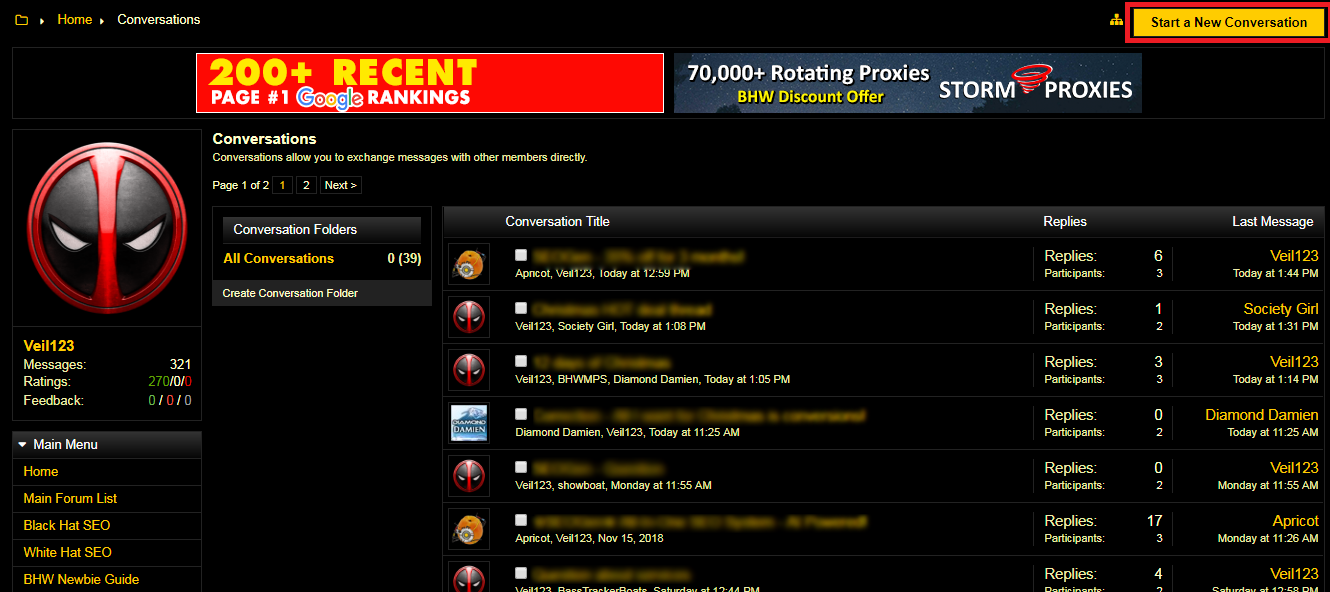
Use the 'Start a New Conversation' button to start a conversation. Remember: You need to have at least 15 posts to be able to send a PM. In addition to that, do not forget about the rules while sending Private Messages!


Here you get all the notification about threads/posts/members you have been interacting with lately.
You can also set up the preferences for the alerts you get, by clicking the 'Alert Preferences' link:

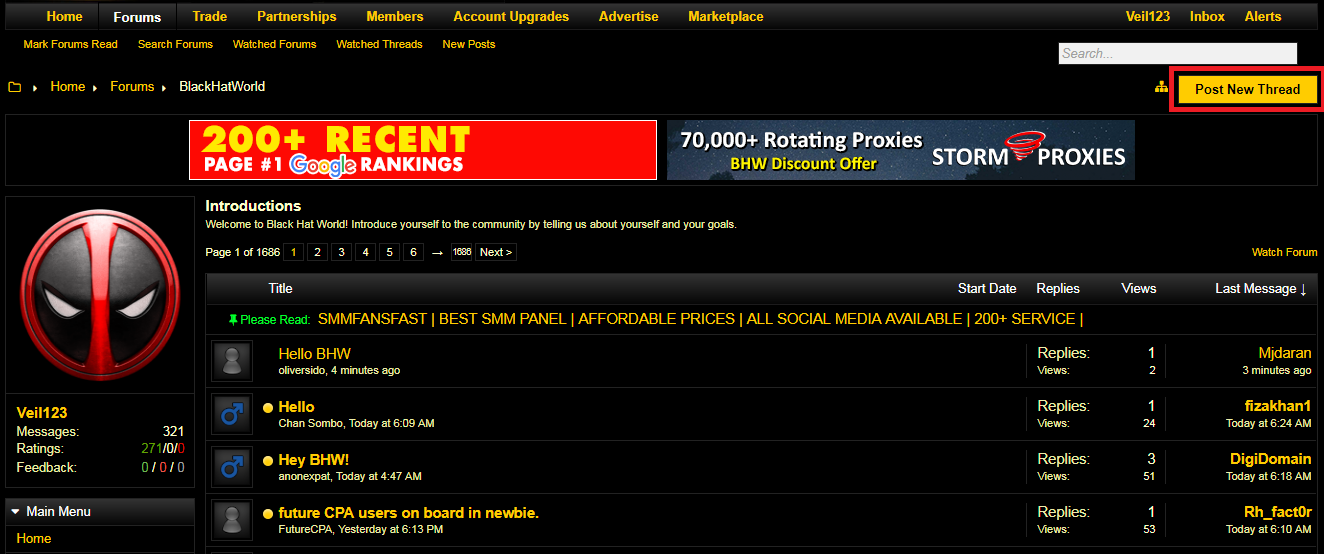
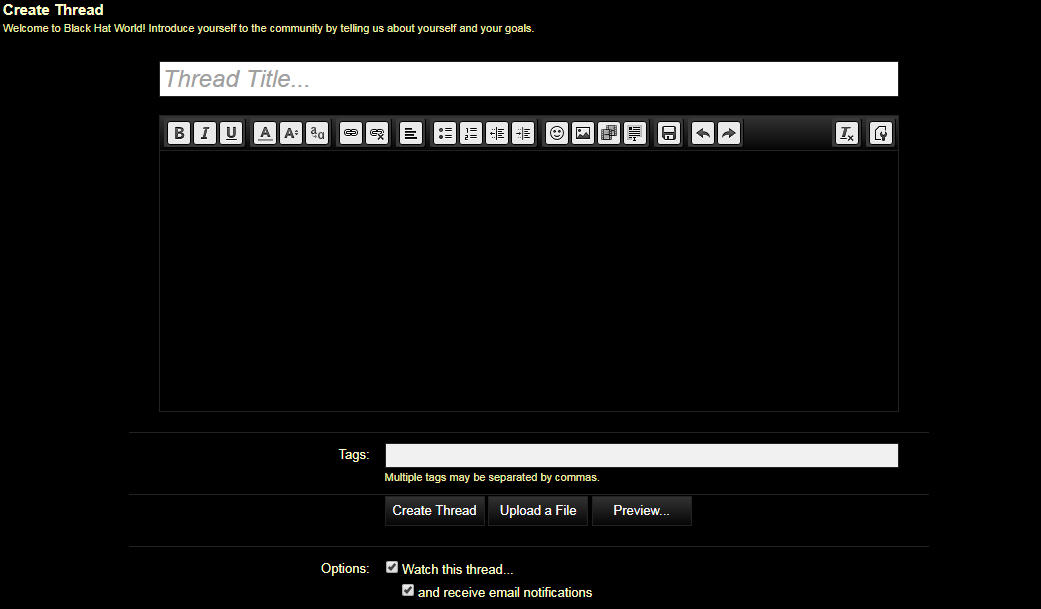
If you are a newly registered member, we recommend you, your first thread to be into the introduction (https://www.blackhatworld.com/forums/introductions.24/) section, where you will write few words about yourself, your skills and how happy you are to be part of this lovely BHW community.

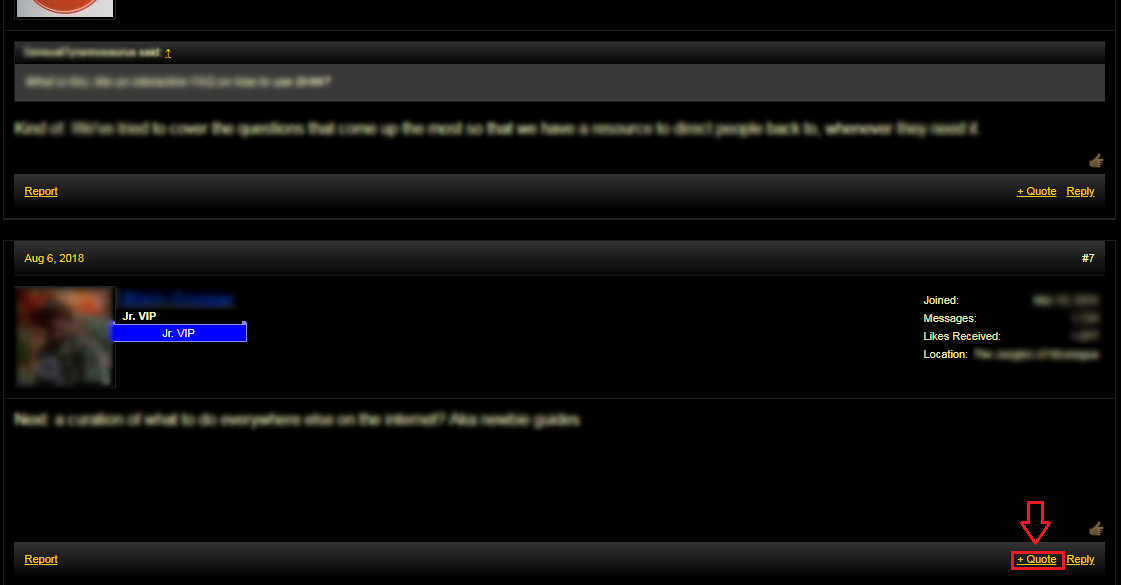
When you want to answer or ask a question to a particular user that interacts in a thread, use the 'Reply' button so you can quote his post into yours. This will help him (and the others) to know that the answer/question/statement is for him/her.
The 'Multi Quote' feature should be used whenever you need to quote/reply to several users in a single thread, without spamming the thread with a new post for each member.
To be 100% sure that you understand how this 'Multi Quote' feature works, I highly recommend you to check this video from @BassTrackerBoats where he carefully explains the use of it:
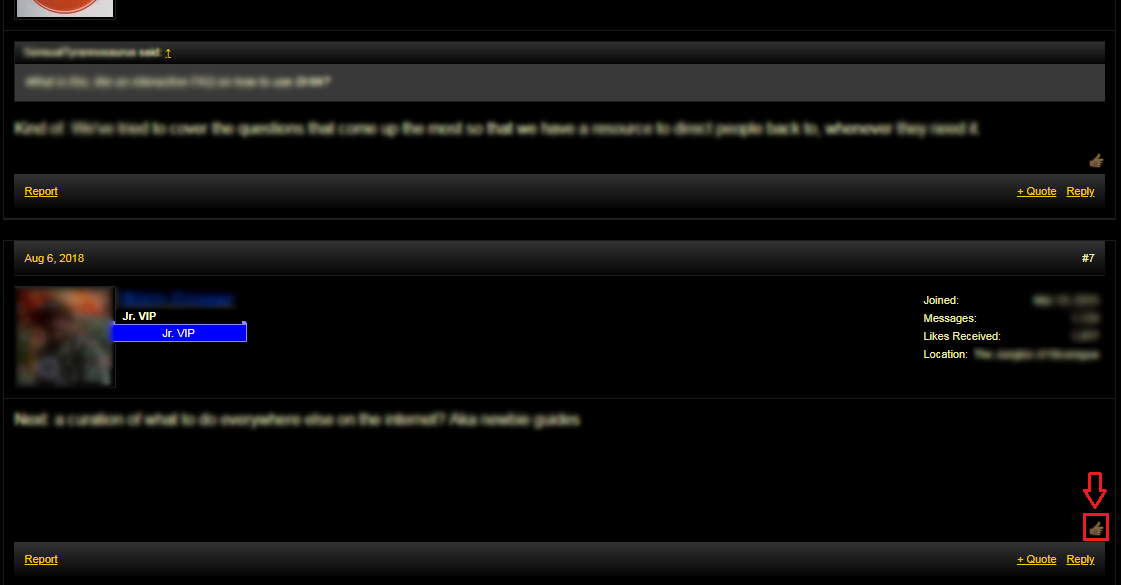
 When you want to say 'Thanks' to someone for the shared infomation, instead of replying to his post just so you can say how thankful you are, you can just simply press the 'Thanks' button, as shown on the image:
Thanks for reading this guide. Be sure to have this bookmarked for further assistance through your BHW journey!
Kind Regards!
BlackHatWorld Interface and features
Recent Threads
 This is the section where you can see the latest 50 threads that people replied to. The order of the threads is displayed in reverse chronological order: from newest to oldest replies.
User Info
On the upper left side you will find your Avatar image followed by your current user stats:

• Messages - Your total messages count (the posts in the BlackHatLounge forum are not counted)
• Ratings - The green number will show the count of the 'Thanks' you have received from all over your posts. Note: The current state of the forum does not allow leaving neutral or negative rating.
• Feedback - These numbers are showing your current feedback score based on your trading stats on BHW.
User Info
On the upper left side you will find your Avatar image followed by your current user stats:
• Messages - Your total messages count (the posts in the BlackHatLounge forum are not counted)
• Ratings - The green number will show the count of the 'Thanks' you have received from all over your posts. Note: The current state of the forum does not allow leaving neutral or negative rating.
• Feedback - These numbers are showing your current feedback score based on your trading stats on BHW.
Here you will find all the BHW sections grouped as Forums and Sub-Forums (The sub-forum is a section dedicated to specific topic related to the main (parent) forum):
• The Marketplace
- BHW Marketplace rules and how to post
- Affiliate programs - CPA networks
- Content / Copywriting
- Domains & websites for sale
- Hosting
- Hot Deals
- Images, logos & videos
- Misc
- Proxies For Sale
- SEO - Link building
- SEO - Other
- SEO - Packages
- Social Media
- Web Design
• Black Hat SEO
- AI - Artificial Intelligence in Digital Marketing
- Black Hat SEO
- Black Hat SEO Tools
- Blogging
- Cloaking and Content Generators
- Proxies
- Social Networking Sites
- Copywriting & Sales Persuasion
- Domain Names & Parking
- Graphic Design
- Link Building
- Local SEO
- Online Reputation Management (ORM)
- Video Production
- Web Hosting
- White Hat SEO
- Associated Content & Writing Articles
- Affiliate Programs
- Business & Tax Advice
- CPA
- CryptoCurrency
- Dropshipping & Wholesale Hookups
- Ebay
- Hire a Freelancer
- Joint Ventures
- Making Money
- Media Buying
- Membership Sites
- Mobile Marketing
- My Journey Discussions
- New Markets
- Offline Marketing
- Pay Per Click
- Pay Per Install
- Pay Per View
- Site Flipping
- Torrents
- Freebies / Giveaways
- YouTube
- Want To Buy
- Service Reviews & Beta Testers Help Wanted
- Programming
- Scripting
- Web Design
• BlackHatWorld
- Newbie Guide
- Introductions
- BlackHat Lounge
- Forum Suggestions & Feedback
- The Shit List
- UnGagged
- BHW Events
BHW Info
This is the part of the website where you can find some information about BHW:
• Forum Statistics - Number of discussions, messages, Total members and the latest member.
• Members Online Now - Information for the currently online members.
Forums Sub-Menu
The sub-menu consists of 5 links. Each link will redirect you to a separate section from where you can do some extra forums related searches.
On this page you can find different members related activities:
• Latest Feedback Submitted

• Top Traders

• Untrusted Traders
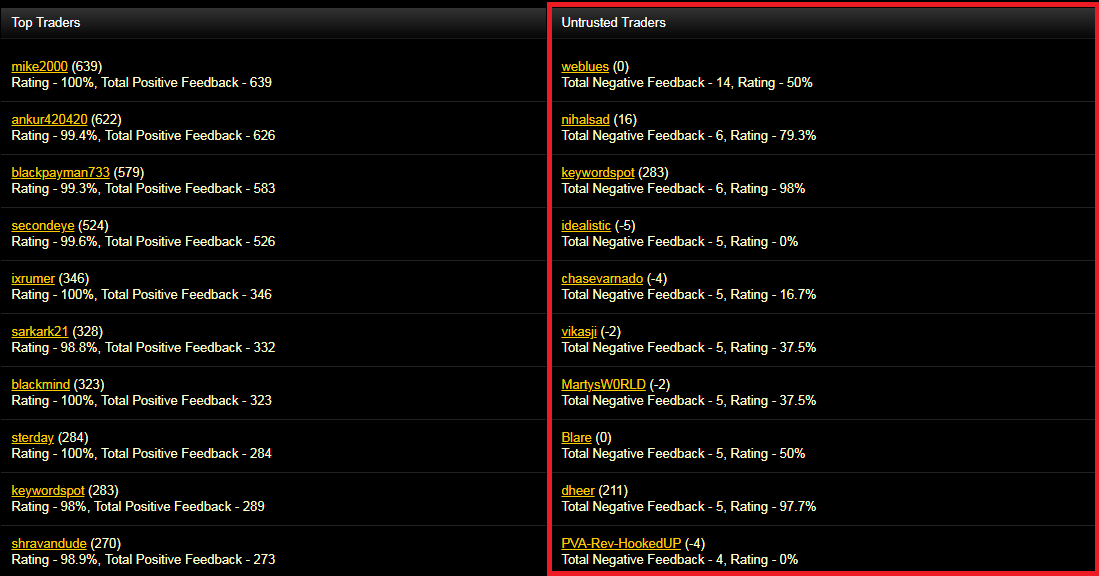
• Latest Activity

• Latest Feedback Submitted
• Top Traders
• Untrusted Traders
• Latest Activity
This page is for the offers (discounts) you can get from BHW's partners, as explained here: https://www.blackhatworld.com/seo/official-bhw-beta-partnership-thread.1015125/

This area is for the Top 20 notable members of BHW, categorized by: Most Messages, Most Positive Ratings and Most Negative Ratings.

In addition to these, the fourth tab is dedicated for the BHW Staff Members.
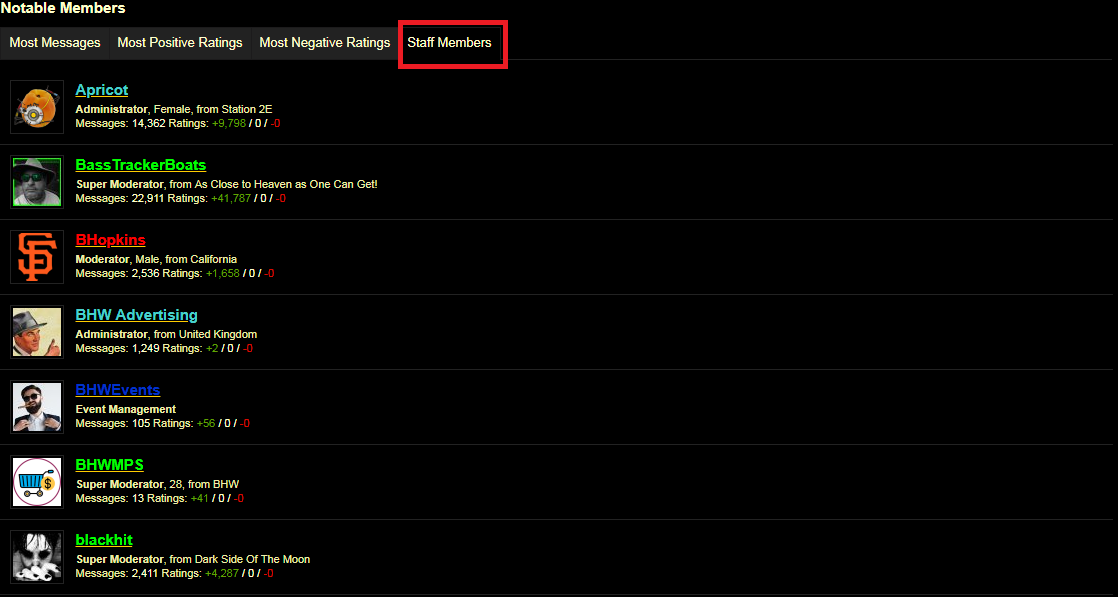
In addition to these, the fourth tab is dedicated for the BHW Staff Members.
First section is for your address details - The information you enter here is not visible for anyone except you and the top staff members

The second section is for the available and already purchased upgrades for your account:

*To read more about all of the BHW Member Levels, follow this link: https://www.blackhatworld.com/seo/updated-bhw-member-levels.889577/
The second section is for the available and already purchased upgrades for your account:
*To read more about all of the BHW Member Levels, follow this link: https://www.blackhatworld.com/seo/updated-bhw-member-levels.889577/
On this page you can find all the information for advertising on BHW (Do not confuse it with the Marketplace). It includes detailed information of how and where to contact the BHW advertising representatives and make more detailed conversation about the advertising opportunities.
This is a shortcut link that will redirect you to the Marketplace forum section.
Here you can find all of the options regarding your BHW account. Take your time and get to know as many settings as possible.
Tip: As you can see from the image, near the bottom, there is an option called: 'Two-Step Verification'. I recommend you to use this feature so you can be sure that your BHW account is 100% secured from someone else hacking into your account and making you regret for not enabling this awesome feature.
Here you can see all of the conversations (Private Messages) you have with the BHW members:
Use the 'Start a New Conversation' button to start a conversation. Remember: You need to have at least 15 posts to be able to send a PM. In addition to that, do not forget about the rules while sending Private Messages!
Here you get all the notification about threads/posts/members you have been interacting with lately.
You can also set up the preferences for the alerts you get, by clicking the 'Alert Preferences' link:
This little button here can save tons of your time, like seriously.

As the title says, this window contains all of the most used/important internal links that you will be (most likely) using on daily basis.
As the title says, this window contains all of the most used/important internal links that you will be (most likely) using on daily basis.
The feature that everyone should be using before asking questions or requesting already requested service/product. The search input field is always on the same position, regardless the page you open.

Not only you can do a simple search, but the advanced search is an extra thing you could get used to:

Not only you can do a simple search, but the advanced search is an extra thing you could get used to:
If you scroll down to the bottom of the website, you will see the footer.
- From the left side, as seen from the image:

you can change the style (template) of BlackHatWorld. You can choose between the Black or White version.
- From the right side you will find all the important links regarding the BHW forum itself.

From everything you see on the image, the most attention should be given to the Terms and Rules and the Privacy Policy pages. Be sure to read and remember them because the information and rules found there are necessary to be followed if you want to have a 'happy life' here, in our BlackHatWorld community
- From the left side, as seen from the image:
you can change the style (template) of BlackHatWorld. You can choose between the Black or White version.
- From the right side you will find all the important links regarding the BHW forum itself.
From everything you see on the image, the most attention should be given to the Terms and Rules and the Privacy Policy pages. Be sure to read and remember them because the information and rules found there are necessary to be followed if you want to have a 'happy life' here, in our BlackHatWorld community
Threads, posts...
Whenever you open a thread to read, the easiest way to get the information of where that thread belongs (as in which section, forum and sub-forum) is to 'follow' the breadcrumbs that you have right under the menu and the sub-menu:

If you are a newly registered member, we recommend you, your first thread to be into the introduction (https://www.blackhatworld.com/forums/introductions.24/) section, where you will write few words about yourself, your skills and how happy you are to be part of this lovely BHW community.
When you want to answer or ask a question to a particular user that interacts in a thread, use the 'Reply' button so you can quote his post into yours. This will help him (and the others) to know that the answer/question/statement is for him/her.
The 'Multi Quote' feature should be used whenever you need to quote/reply to several users in a single thread, without spamming the thread with a new post for each member.
To be 100% sure that you understand how this 'Multi Quote' feature works, I highly recommend you to check this video from @BassTrackerBoats where he carefully explains the use of it:
You have noticed a post/thread or user that is breaking the rules? Press the report button! By doing so, you are contributing to the BHW community and making this forum a better place for us all!

After the report is made, a staff member will review the report and will be the judge for the reported thread or user.
After the report is made, a staff member will review the report and will be the judge for the reported thread or user.
If you want to know more about a specific user, just click his avatar (or his username) and a new window will pop-up containing information about the user, as seen from the image below:
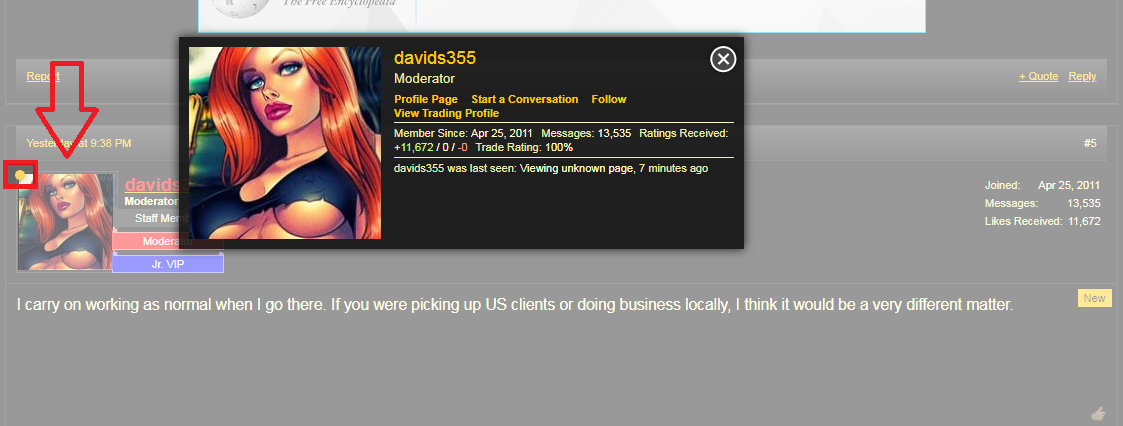
Just so you may know, the online status (the yellow circle) and the 'last seen' status might not be visible for every user you check as these settings can be changed inside the user panel.
For more detailed information about the same user, you can follow the 'Profile Page' link from the pop-up window and you will end up here:

From here, you can check the recent activity, the postings and other detailed information about the user.
Just so you may know, the online status (the yellow circle) and the 'last seen' status might not be visible for every user you check as these settings can be changed inside the user panel.
For more detailed information about the same user, you can follow the 'Profile Page' link from the pop-up window and you will end up here:
From here, you can check the recent activity, the postings and other detailed information about the user.
Last but not least
BHW and Internet Marketing Acronyms:
- BHW: BlackHatWorld
- BST: Buy Sell Trade (this is the old name for Marketplace threads)
- BTC: BitCoin
- HAF: Hire A Freelancer
- JV: Joint Venture
- OP: Original Poster
- ORM: Online Reputation Management
- PBN: Private Blog Network
- PPC: Pay Per Click
- PPI: Pay Per Install
- TAT: Turnaround Time
- WTB: Want To Buy
- AJ: Ask Jeeves
- AM: Affiliate Manager
- AOL- America Online
- AOV: Average Order Value
- ASP: Application Service Provider
- AV: AltaVista
- AW: Affiliate Window
- B2B: Business to Business
- B2B: Business to Business
- B2C: Business to Consumer
- B2C: Business to Customer
- BHO: Browser Helper Object
- BHW: Black Hat World
- BL: Backlink
- CAC: Customer Acquisition Cost
- CAPTCHA: Completely Automated Public Turing test to tell Computers and Humans Apart
- CJ: Commission Junction Affiliate Network
- CL: Craigslist
- CPA: Cost per Action
- CPC: Cost Per Click
- CPL: Cost per Lead
- CPM: Cost Per Thousand
- CPO: Cost per Order
- CPS: Cost Per Sale
- CR: Conversion Rate/Ratio
- CSE: Comparison Shopping Engine or Custom Search Engine (Google)
- CSS: Cascading Style Sheet
- CTR: Click-Through Rate/Ratio
- DC: Data Center
- DH: Direct Hit
- DLL: Dynamic-Link Library
- DMOZ: Directory: Mozilla
- EPC: Earnings Per Click
- FB: Facebook
- FFA: Free-For-All Link List
- GAN: Google Affiliate Network
- HTML: HyperText Markup Language
- IBL: Inbound Link
- IM: Instant Messaging
- LS: Linkshare Affiliate Network
- LSA: Latent semantic analysis
- LSI: Latent Semantic Indexing
- LTV: Lifetime Value
- MFA: Made For Adsense
- MLM: Multi-Level Marketing
- MSN: Microsoft Network
- NL: Northert Light
- NS: Nameserver
- NSI: Network Solutions
- OBL: Outbound Link
- ODP: Open Direcrory Project, See DMOZ
- OWBL: One way back link
- PDF: Portable Document Format
- PFI: Pay For Inclusion
- PFP: Pay For Performance
- PMA: Performance Marketing Association
- PPA: Pay Per Action
- PPC: Pay Per Click
- PPCall: Pay Per Call
- PPCSE: Pay Per Click Search Engine
- PPL: Pay Per Lead
- PPS: Pay Per Sale
- PPV: Pay Per View
- PR: PageRank
- PV: Page View
- RI: Regular index
- ROI: Return on Investment
- RON: Run Of Network
- ROS: Run Of Site
- RSS: RDF Site Summary, Rich Site Summary, Really Simple Syndication
- RSS: Rich Site Summery or Really Simple Syndication
- SAS: Shareasale Affiliate Network
- SB: Scrape Box
- SE: Search Engine
- SEA: Search Engine Advertising / Advertiser
- SEM: Search Engine Marketing
- SEO: Search Engine Optimization
- SEP: Search Engine Positioning
- SERP: Search Engine Results Page
- SI: Supplemental Index
- SID: Shopper ID
- SSE: Yahoo! Search Submit Express
- SSP: Yahoo! Search Submit Pro
- SWL: SiteWide Link
- TBPR: Toolbar PageRank
- TOS: Terms Of Service
- TR: Trust Rank
- URL: Uniform Resource Locator
- UV: Unique Visitor
- VIPS: Visual-block Page Segmentation
- WSO: Warrior Special Offers
- WWW: World Wide Web
- XML: Extensible Markup Language
- AMA: Ask Me Anything
- AMP: Accelerated Mobile Pages
Thanks for reading this guide. Be sure to have this bookmarked for further assistance through your BHW journey!
Kind Regards!
Last edited by a moderator: