
MyNameWillNotBeYours
Newbie
- Sep 16, 2024
- 21
- 0
Hey, I've opened a Facebook account intended to be used for BM.
I have a residental static ISP proxy, as well as verified Gmail account.
I got to this page immideatly after creating:
"Help us confirm it's you"

Verifying the Captcha (getting a green V in the checkbox) works, but pressing Continue doesn't do anything.
It doesn't switch page, doesn't reload or even load the page at all, the button itself just does a clicking-loading animation and that's it.
No error message as well.
I tried changing the www. on the page to m. - to get to the old design version of Facebook:
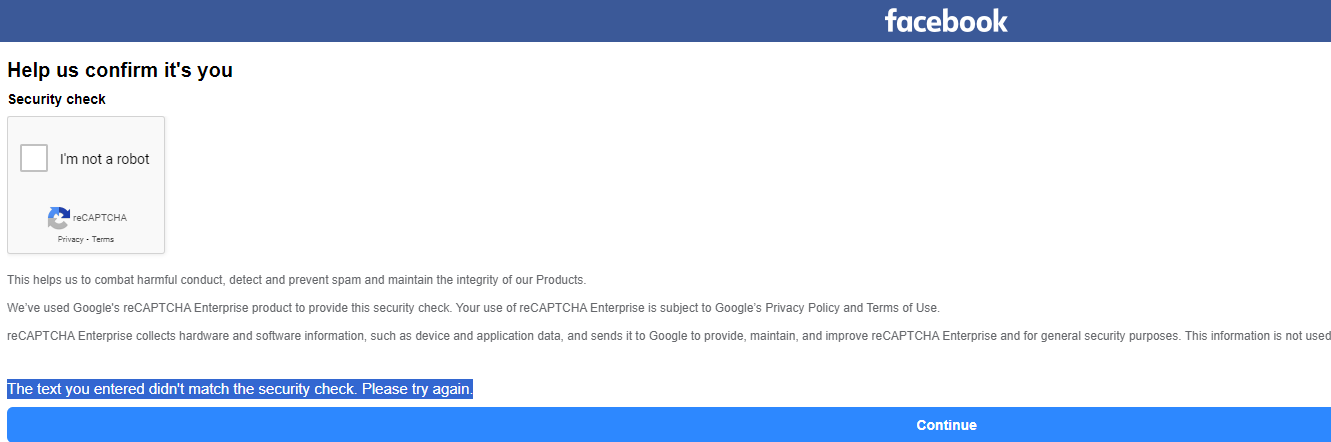
Here, after verifying the Captcha, pressing continue pops up this error:
"The text you entered didn't match the security check. Please try again."
What might cause it?
* Proxies?
* Identity & Details of the account?
* Mail Address / Password Used?
Is there anyway to generate good information that works with Facebook? and how can I make sure my proxy is good as well for it?
I use SmartProxy Dedicated Residential ISP Proxy - Based in the USA, using HTTP protocol.
I have a residental static ISP proxy, as well as verified Gmail account.
I got to this page immideatly after creating:
"Help us confirm it's you"
Verifying the Captcha (getting a green V in the checkbox) works, but pressing Continue doesn't do anything.
It doesn't switch page, doesn't reload or even load the page at all, the button itself just does a clicking-loading animation and that's it.
No error message as well.
I tried changing the www. on the page to m. - to get to the old design version of Facebook:
Here, after verifying the Captcha, pressing continue pops up this error:
"The text you entered didn't match the security check. Please try again."
What might cause it?
* Proxies?
* Identity & Details of the account?
* Mail Address / Password Used?
Is there anyway to generate good information that works with Facebook? and how can I make sure my proxy is good as well for it?
I use SmartProxy Dedicated Residential ISP Proxy - Based in the USA, using HTTP protocol.


