LCP issue on google console contradicts gtmetrix

PeterNorthpole

Junior Member
Joined
Sep 5, 2024
Messages
193
Reaction score
71
Earlier, I had major issue with performance on my website. Although I fixed it a couple of weeks ago with the help of a plugin, making the website very fast, under 1 second at most locations.

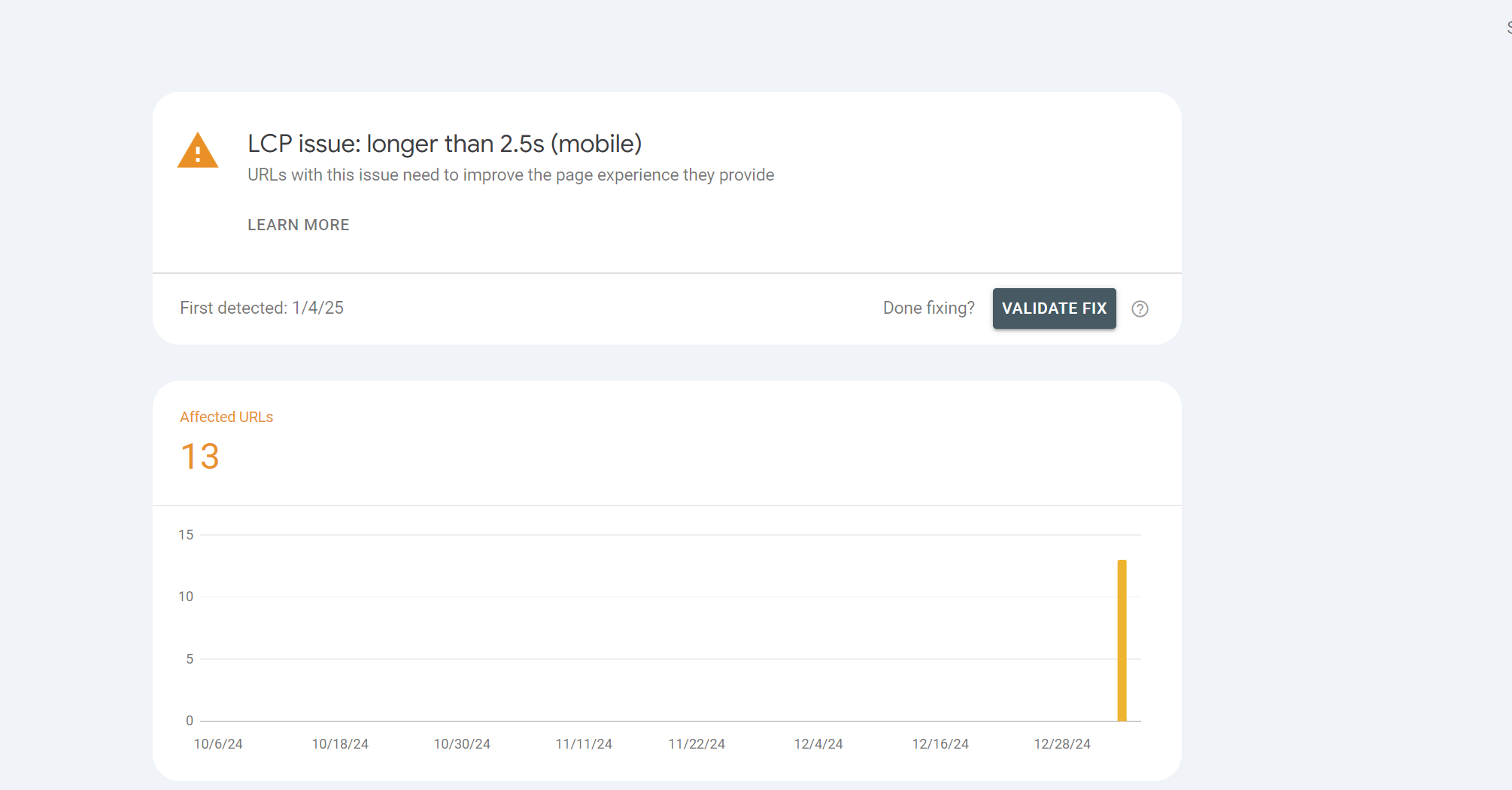
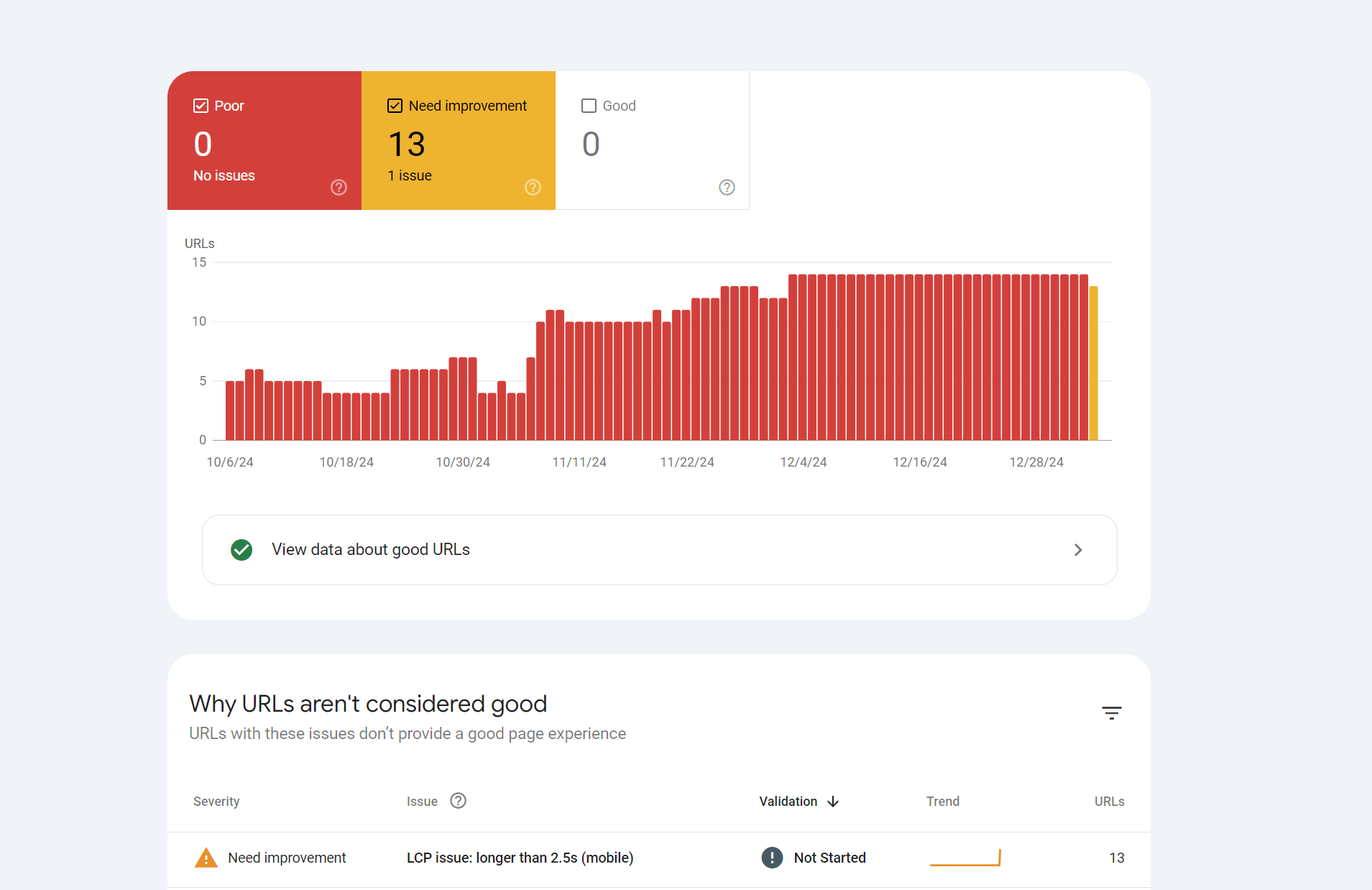
On google console, I used to have 14 bad urls (LCP longer than 4.5 sec), now that mobile has finished validating, it says 13 URLs need improvement. Group LCP 3.9s


Screenshot 2025-01-04 170755.png
Screenshot 2025-01-04 170809.png


Yet on Gtmetrix I get a grade A

Screenshot 2025-01-04 170853.png
 
GTMetrix is not Google.
Just go and check https://pagespeed.web.dev/ put your site and see whats going on.
Also consider that unless you get a paying account GTMetrix only tests for Desktop, not for mobile. And Web vitals test for both so probably these are mobile results.
You can somehwat reproduce this on free GTMetrix if you introduce in the configs some throtling with the 4G Slow parameter
 
GSC core web vitals report is based on real users' data, by tracking Chrome,
It reports the loading speed for users for the last 90 days, while other speed tools are using their servers, testing in real time,
This could be caused by server location (too far from targeted users), heavy page files (usually the images), GEOs/Audiences with bad internet connection, etc...
 
It reports the loading speed for users for the last 90 days, while other speed tools are using their servers, testing in real time,
If it reports the loading speed for the last 90 days instead of after validation, then what's the point of hitting validation then
 
GTMetrix is not Google.
Just go and check https://pagespeed.web.dev/ put your site and see whats going on.
Also consider that unless you get a paying account GTMetrix only tests for Desktop, not for mobile. And Web vitals test for both so probably these are mobile results.
You can somehwat reproduce this on free GTMetrix if you introduce in the configs some throtling with the 4G Slow parameter
Screenshot 2025-01-05 125509.png
Screenshot 2025-01-05 125519.png


I don't get this either. In the bottom screenshot. LCP, it says 3.8 sec, but above, it says 1.1 sec, and they're both from pagespeed.web
 
I don't get this either. In the bottom screenshot. LCP, it says 3.8 sec, but above, it says 1.1 sec, and they're both from pagespeed.web
The first screenshot is a live test using the tool server,
The second one is reporting the actual loading speed for users browsing the website/page,

If it reports the loading speed for the last 90 days instead of after validation, then what's the point of hitting validation then
If you're referring to page speed insights (or Gtmertrix in your case), then it's just used to make sure your website is well-optimized for speed,
It doesn't guarantee fast loading speed for users, as mentioned before, the server location, users' internet connectivity, page(s) size, etc... contribute,

If your website is hosted on some server that's too far from the majority of users, they won't get it loaded as fast as a near one,
If most of the users are within 3rd tier countries, where most of the internet connection is trash, the website won't be loading as fast for them,
The same applies to page sizes, bad internet can't load a 2MB page as fast as the servers used by these tools,
As well as weak devices that could take more time to render these pages, advanced/complex JS codes & design use more device resources,

For your case, you can either #1 ignore these reports, it's not a critical problem to over-worry about, it's not critical,
Or #2, change the hosting location if the server is too far, minimize the pages (images, design, animation, JS, etc...), basically making the website minimalistic
 
The first screenshot is a live test using the tool server,
The second one is reporting the actual loading speed for users browsing the website/page,


If you're referring to page speed insights (or Gtmertrix in your case), then it's just used to make sure your website is well-optimized for speed,
It doesn't guarantee fast loading speed for users, as mentioned before, the server location, users' internet connectivity, page(s) size, etc... contribute,

If your website is hosted on some server that's too far from the majority of users, they won't get it loaded as fast as a near one,
If most of the users are within 3rd tier countries, where most of the internet connection is trash, the website won't be loading as fast for them,
The same applies to page sizes, bad internet can't load a 2MB page as fast as the servers used by these tools,
As well as weak devices that could take more time to render these pages, advanced/complex JS codes & design use more device resources,

For your case, you can either #1 ignore these reports, it's not a critical problem to over-worry about, it's not critical,
Or #2, change the hosting location if the server is too far, minimize the pages (images, design, animation, JS, etc...), basically making the website minimalistic

No, the servers are in the Netherlands and most of my traffic comes from tier 1 countries, mostly the US though followed by western Europe.

By validation, I meant google console. They brought up the issue that some of my URLs need improvements. And I thought I fixed it since my website became quicker.

Since Google console says 13 URLs need improvement, won't this affect SEO? I'm not so keen on ignoring this issue, if that's the case. Organic traffic converts really well for my website, so it's definitely a high priority for the site.
 
Back
Top