
You are using an out of date browser. It may not display this or other websites correctly.
You should upgrade or use an alternative browser.
You should upgrade or use an alternative browser.
[HowTo] Optimize your network for Scrapebox
- Thread starter GoldenGlovez
- Start date
bstsystems
Regular Member
- May 17, 2011
- 464
- 82
are we supposed to change slow poster timeout to 90 seconds too?
I still can't figure out how to tell how many connections to use on things like proxy harvesting and others. It's hard to figure out whether error messages are due to the proxies not working or due to too many connections.
I still can't figure out how to tell how many connections to use on things like proxy harvesting and others. It's hard to figure out whether error messages are due to the proxies not working or due to too many connections.

b1step-ahead
Elite Member
- Nov 15, 2010
- 1,731
- 1,035
this a great how to guide for scrapebox- thanks

yoyo33
Regular Member
- Jan 29, 2011
- 268
- 49
Thank you for this tutorial.
I'm a Windows Xp fan so i tried your settings for my laptop / 20 MB connection and I saw a big difference. Before optimization the system, when I used 10-15 connections on Fast Poster the web pages were loading very slow. Now I use 35-45 connections without problems on the same 20 MB connections.
So today I decided to optimize my second computer with 100 MB pppoe connection.
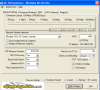
I made some screenshots. Hope this helps and if you have more ideas for win xp let me know.
I also applied sguide_tweak_2k_pppoe and winxp_dnscache, restarted and then i used TCPOptimizer.
I'm a Windows Xp fan so i tried your settings for my laptop / 20 MB connection and I saw a big difference. Before optimization the system, when I used 10-15 connections on Fast Poster the web pages were loading very slow. Now I use 35-45 connections without problems on the same 20 MB connections.
So today I decided to optimize my second computer with 100 MB pppoe connection.
I made some screenshots. Hope this helps and if you have more ideas for win xp let me know.
I also applied sguide_tweak_2k_pppoe and winxp_dnscache, restarted and then i used TCPOptimizer.
Attachments


GoldenGlovez
Senior Member
- Mar 23, 2011
- 891
- 2,205
Thank you for this tutorial.
I'm a Windows Xp fan so i tried your settings for my laptop / 20 MB connection and I saw a big difference. Before optimization the system, when I used 10-15 connections on Fast Poster the web pages were loading very slow. Now I use 35-45 connections without problems on the same 20 MB connections.
So today I decided to optimize my second computer with 100 MB pppoe connection.
I made some screenshots. Hope this helps and if you have more ideas for win xp let me know.
I also applied sguide_tweak_2k_pppoe and winxp_dnscache, restarted and then i used TCPOptimizer.
Thanks for sharing the screencaps on the Windows XP settings. I've actually written up some tweaking settings for Windows XP/2003 a few weeks ago. They are posted on my blog here:
http://knockoutbox.com/optimize-your-network-for-scrapebox-xp-2003-version/
Once I finalize and update I will share the complete post here.

GoldenGlovez
Senior Member
- Mar 23, 2011
- 891
- 2,205
Golden Glovez, welcome back to this thread
Thanks for your updates! One suggestion only, can you just make screenshots with the proper settings besides the detailed explanation of everything... it would be better for quick navigation
Yoyo33 has some perfect screen caps about two posts up. It's a habit of mine to always write and explain each detail and setting (and what it does), too much time writing technical documentation haha
GoldenGlovez
Senior Member
- Mar 23, 2011
- 891
- 2,205
I have 2 questions about tweaking Vista SP2 settings.
1. If I have 100Mbps connetection that accordong to my testing is 40-50Mbps - which connection speed should I set?
2. In your screenshot MTU is 0. Is it the MTU that should be used?
Thanks!
Hello Janis,
The connection slider bar inside the program is only used to adjust settings when using the 'Optimal' option. What you set to will not affect your results when using the 'Custom' option as required for my settings.
The MTU should be kept to 1500. My screenshot also says 1500, where did you see 0?
Regards,
GoldenGlovez
Hello Janis,
The connection slider bar inside the program is only used to adjust settings when using the 'Optimal' option. What you set to will not affect your results when using the 'Custom' option as required for my settings.
The MTU should be kept to 1500. My screenshot also says 1500, where did you see 0?
Regards,
GoldenGlovez
Thank you GoldenGlovez for a quick reply!
You are right, MTU is 1500 in your picture. I am not sure where I saw 0.
Thanks!


GoldenGlovez
Senior Member
- Mar 23, 2011
- 891
- 2,205
I found that using a flash drive for extra ram and a good router that spits out 1gbs upwards really does wonders for scrapebox
Gig-E Network Adapter & Router certainly help improve the throughput.
Moayediyan
Regular Member
- Oct 29, 2008
- 239
- 89
What do you guys experience when using the link checker with these settings? Does it have any effect on that? I have SB running on my VPS with 80 private proxies and speeds above 200mbps so it's pretty fast already.
everest2012
Junior Member
- Oct 24, 2011
- 114
- 25
Running Windows 7 here with 10 private proxies.. I've tested these settings compared to the performance of the default settings a few times, using some recent AA lists found on this forum and adjusting a few scrapebox settings here and there along the way (25 connections vs 100 connections)... Unfortunately I reported absolutely no difference in performance, neither in posting success rate nor time to completion. I know nothing about network optimization so I'm sure I must have done something wrong along the way, but unless someone has a catch-all explanation as to why these changes might not be doing anything, I'm going to have to give up for the time being. Learning this stuff would take me months. Any ideas OP?
Thanks for the guide anyway.
Thanks for the guide anyway.
