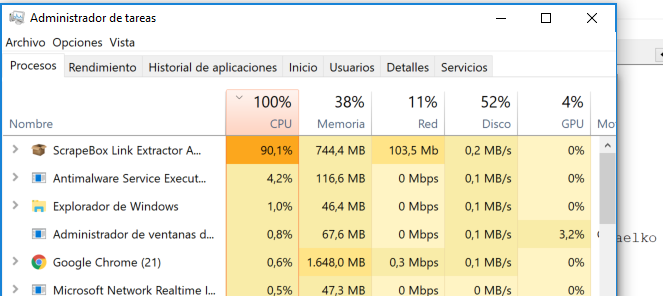
WARNING:
New Link Extractor
IS NOT USING proxies! Even if you have proxies selected. I just checked my connections and 100% of them were going directly to the website URLs and not through proxies. If you're running Link Extractor through your home network DO NOT USE it until this is fixed!
WARNING #2:
The "never close out at one connection" issue is seemingly more common now. Careful if you're using big lists, you may have to force ctrl+alt+delete, which will not allow you to save the unfinished URLs.
@nycdude, the efficiency of the new link extractor is around the same (if not a little worse) than the old one. However, it does seem to be running more "smoother," but also slower than before.
It also seems to depend on the CPU. My i9-7940x is running at 4x the RAM and 0-5% higher CPU than before. My Dual Xeon 24c/48t is using 4x the RAM but running at 2% lower CPU than before. I run 500 threads per instance.
You don't need proxies for the link extractor. Unless your running all the exact same domain. But if you have a nice mix of domains, proxies just slows it down, even private proxies. I never use proxies for the link extractor unless I need to go fast with lots of pages on just 1 domain.
So the
WARNING: is perhaps, at least unless your using only 1 domain, overkill.
Also Im not sure how you came to the conclusion that it does not using proxies, because it uses proxies for me. you can double test. On the 1 side the easiest way to determine if it uses proxies is with a "negative" test.
Just put in a fake proxy, like 188.188.188.188:9090
and then make sure the use proxies box is checked and launch the link extractor. Then run it. If it works fine, its using your ip, if it doesn't work and fails its using the proxy.
Further with no proxies it works fine
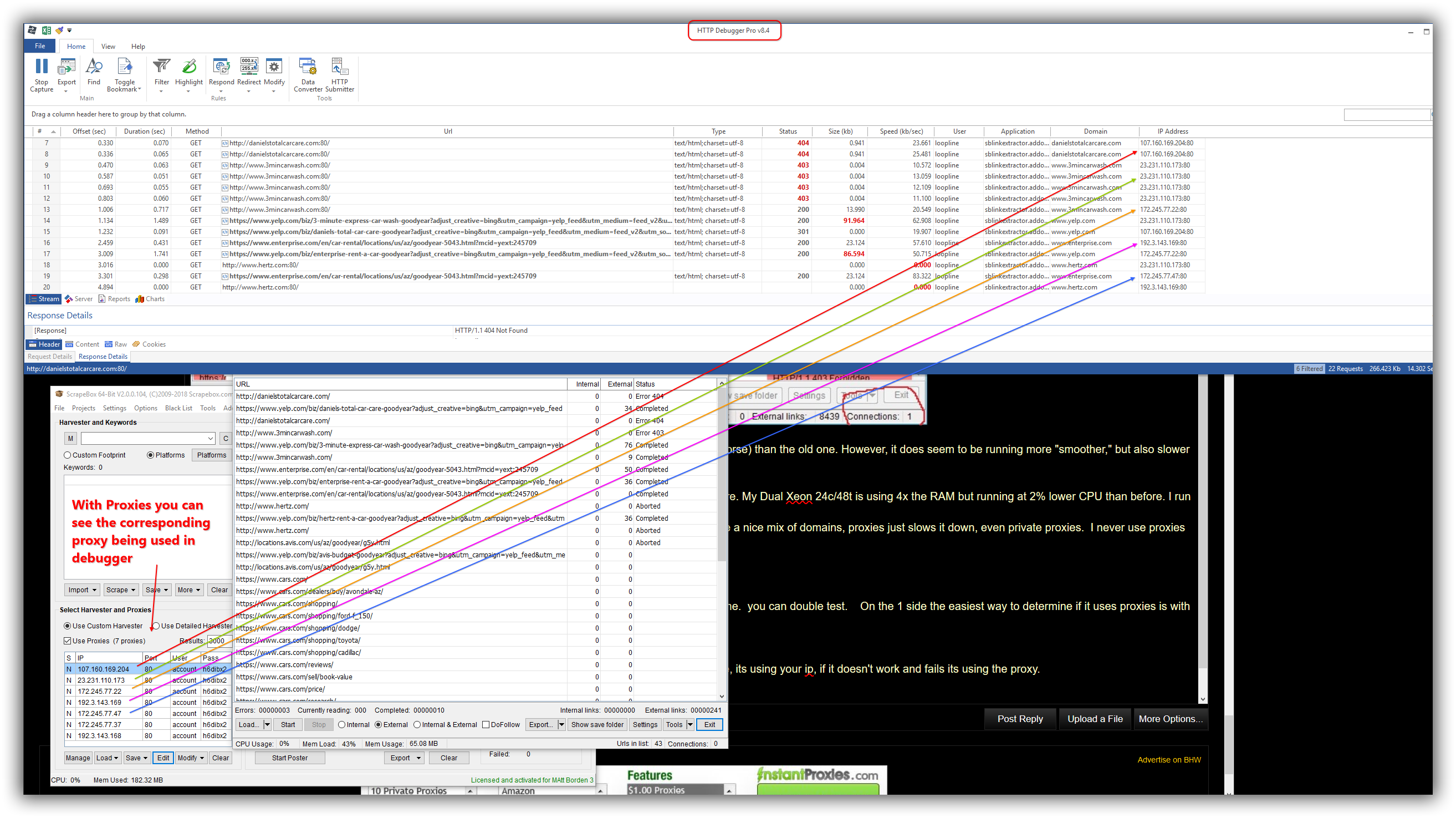
and lastly it works with proxies as you can see in http debugger pro (which you can google and has a 14 day free trial, but is an indispensable tool for me in many applications).
Screenshots follow. So I don't know how you came to that conclusion, but Id be they didn't change the proxy code even by 1 character and it works fine for me in every test, as expected. So I think your just unlucky. hehe Just kidding. Try kicking your machine. (also just kidding, but might make you feel better.)

Should be able to enlarge the images and view them better, its a 32 in monitor at 2K res so it make big screenshots.
Also the last screenshot has rainbow colors to help you follow it, but sorry if it hurts you eyes, lol
Lastly I was working over top of this post, so there is text in the screenshots that won't make sense, so my text of this reply stops here.