
You are using an out of date browser. It may not display this or other websites correctly.
You should upgrade or use an alternative browser.
You should upgrade or use an alternative browser.
[Tutorials] I'm bored...so here some cool links for you
- Thread starter Rachmaninoff
- Start date


TholeNdeso
Registered Member
- Apr 2, 2019
- 63
- 15
thanks as always. Great post!

DuckingOutstanding
Senior Member
- Dec 22, 2015
- 1,108
- 769
EXACTLY what I needed today - THANK YOU - putting this to work immediately


Sh0w3n
Junior Member
- Mar 7, 2011
- 106
- 57
Thanks OP for your great share. I am just wondering how long does it take for google to index this kind of links?
I was wondering the same thing about the speed and: do we need to build any 2nd tier or will Google Index them just by following your tutorial?
switchblade
Registered Member
- May 7, 2014
- 92
- 29
WOW! WOW! WOW! Thanks a million for sharing. This is a true reflection of the BHW spirit.

Rachmaninoff
Elite Member
- Jan 19, 2011
- 3,634
- 5,427
OP did it again. I think he is ranked #1 with "lorem ipsum"
I should've changed my username to lorem ipsum.

Thank you this is way better than ordering links from Fiverr
That's good to hear.
Thanks OP for your great share. I am just wondering how long does it take for google to index this kind of links? did you bulk build all the link to MS in one time/one day or drip feed? thanks again OP
It varies. Could be hours, could be days.
Dripfeed is always the best option.
I was wondering the same thing about the speed and: do we need to build any 2nd tier or will Google Index them just by following your tutorial?
Ping them and if they're not indexed within a week or so, you can build a few tier 2 links to them. In my case, these links are indexed in less than a week.
jayzzon123
Junior Member
- May 6, 2014
- 189
- 31
thanks for sharing


Sweely
Elite Member
- Jun 7, 2009
- 1,551
- 1,382
Some nice extra links to have point at your site. Thank you for this share, the extra diversity from high DA sites never go a miss. Solid links.
Came here to say this. Great share! Some nice, extra solid links to have point at your site. Thanks a lot, OP!
I'm going to make sure to have 700+ words on these pages.

astro2014
Senior Member
- Feb 7, 2014
- 1,084
- 613
These are do-follow, contextual, indexable, non-subdomain links (except brandyourself) and pretty high indexing rate. Use these links to diversify your link profile like this one.
Lexisnexis DR88
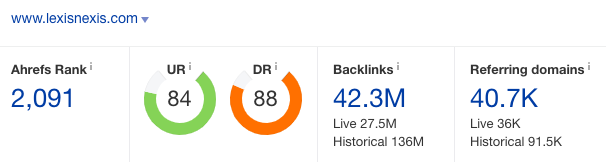
Sign up at
Code:https://www.lexisnexis.com/infopro/user/createuser.aspx?
Click View profile page on the bar. Then Edit Profile. Change your avatar. Place your article, image, and URL under Profile editor. Then Save Profile.
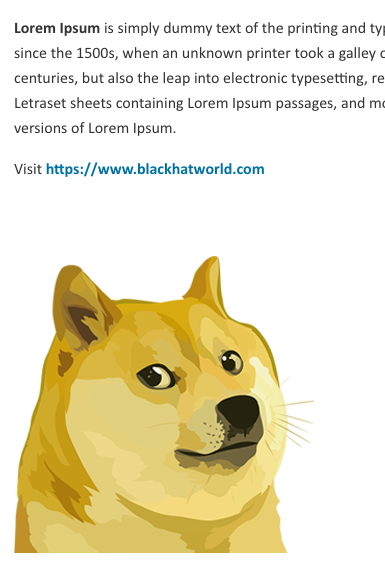
Link indexed on google

Fancy DR82
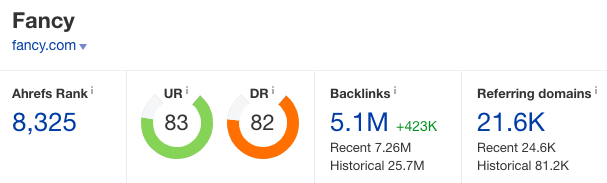
Instead of getting a no-follow profile link, you can get a sweet do-follow contextual link there.
Signup at
Code:https://fancy.com/
Click Sell on the top bar. Fill in your details. Click your store. Then Brand image.
Fill the store name with your title. Add your article and URL into Description field. Add a Store logo. Then Save Changes.
You can check the result on About tab.

Link indexed on google

TheOdysseyOnline DR81

Sign up with your fb account at
Code:https://www.theodysseyonline.com/core/in/
Click Account menu. Then About Me. Place your article into My Bio. For hyperlink, click the Link button and then insert link.

Link indexed on google

BrandYourSelf DR79

Sign up at
Code:https://brandyourself.com/sign-up
Go to Profile menu. Upload your profile picture. Then Place your article, image and URL into HTML editor. Then Save Profile.
Link indexed on google

CruzRoja DR78

Signup at
Code:http://www.cruzroja.es/creforumvolint_en/user/insert.page
Go to My Profile. Place your content into Biography field. Use a hyperlink for URL. Add an avatar too.

Link indexed on google

Two questions here.
When article is required, must be written in english or can be written in any other language?
What is the suggested length of articles for these sites?
I really appreciate your answer.
Thanks.


ninjabacklinks
BANNED
- Aug 21, 2014
- 324
- 94
These are do-follow, contextual, indexable, non-subdomain links (except brandyourself) and pretty high indexing rate. Use these links to diversify your link profile like https://www.blackhatworld.com/seo/tutorials-juicy-contextual-links-on-dr-80-96-sites.1128822/.
Lexisnexis DR88
Sign up at
Code:https://www.lexisnexis.com/infopro/user/createuser.aspx?
Click View profile page on the bar. Then Edit Profile. Change your avatar. Place your article, image, and URL under Profile editor. Then Save Profile.
Link indexed on google
Fancy DR82
Instead of getting a no-follow profile link, you can get a sweet do-follow contextual link there.
Signup at
Code:https://fancy.com/
Click Sell on the top bar. Fill in your details. Click your store. Then Brand image.
Fill the store name with your title. Add your article and URL into Description field. Add a Store logo. Then Save Changes.
You can check the result on About tab.
Link indexed on google
TheOdysseyOnline DR81
Sign up with your fb account at
Code:https://www.theodysseyonline.com/core/in/
Click Account menu. Then About Me. Place your article into My Bio. For hyperlink, click the Link button and then insert link.
Link indexed on google
BrandYourSelf DR79
Sign up at
Code:https://brandyourself.com/sign-up
Go to Profile menu. Upload your profile picture. Then Place your article, image and URL into HTML editor. Then Save Profile.
Link indexed on google
CruzRoja DR78
Signup at
Code:http://www.cruzroja.es/creforumvolint_en/user/insert.page
Go to My Profile. Place your content into Biography field. Use a hyperlink for URL. Add an avatar too.
Link indexed on google
Keep sharing these kind of knowledgeable post. Bookmarked
Affableblitz
Newbie
- Sep 8, 2019
- 6
- 1
Wooow, awesome,..will try them out asap