[Tutorials] I'm bored...so here some cool links for you

So, Is it a Teir 1 or Teir 2 type? Which one.

Tier 1 for sure.

How many words do people tend to put in the articles for these type of things?

I would put >700 words of unique article per site. The more words, the better.

Thank you for the great share. Anyway just sign up and put link? Do we needed to put proper contents? This link for Tier 1 or 2?

Yes just follow the step by step and you're good to go. Yes please, proper contents. Tier 1 for sure.

I hope you get bored more often XD
Thanks for the list, man! Your shares are gold!!

I hope so too! :D
 
These are do-follow, contextual, indexable, non-subdomain links (except brandyourself) and pretty high indexing rate. Use these links to diversify your link profile like https://www.blackhatworld.com/seo/tutorials-juicy-contextual-links-on-dr-80-96-sites.1128822/.

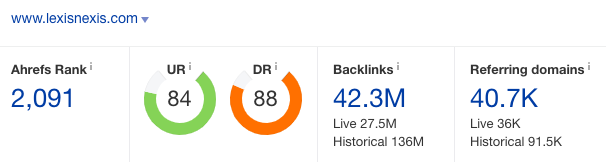
Lexisnexis DR88
YKmP0cV

Sign up at
Code:
https://www.lexisnexis.com/infopro/user/createuser.aspx?

Click View profile page on the bar. Then Edit Profile. Change your avatar. Place your article, image, and URL under Profile editor. Then Save Profile.

leCcNsH


Link indexed on google
e3WhAsN


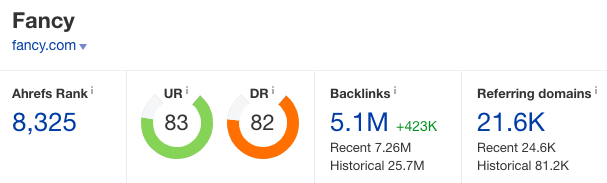
Fancy DR82
YIm4ksh

Instead of getting a no-follow profile link, you can get a sweet do-follow contextual link there. ;)

Signup at
Code:
https://fancy.com/

Click Sell on the top bar. Fill in your details. Click your store. Then Brand image.

pUD9q5m


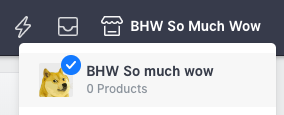
Fill the store name with your title. Add your article and URL into Description field. Add a Store logo. Then Save Changes.

You can check the result on About tab.
J5X7TZV


Link indexed on google
zPkuj4V


TheOdysseyOnline DR81
7hbD884

Sign up with your fb account at
Code:
https://www.theodysseyonline.com/core/in/

Click Account menu. Then About Me. Place your article into My Bio. For hyperlink, click the Link button and then insert link.

0v7MKpZ


Link indexed on google
AKxD2a0


BrandYourSelf DR79
EIKIHlG

Sign up at
Code:
https://brandyourself.com/sign-up

Go to Profile menu. Upload your profile picture. Then Place your article, image and URL into HTML editor. Then Save Profile.

Link indexed on google
R5oVrRk


CruzRoja DR78
mKZSD8M

Signup at
Code:
http://www.cruzroja.es/creforumvolint_en/user/insert.page

Go to My Profile. Place your content into Biography field. Use a hyperlink for URL. Add an avatar too.

QaKkgtq


Link indexed on google
uyzqLGw
Thanks for sharing this valuable information. I will give it a try.
 
I had one visitor to my brand yourself account that appeared to be one of the mods or something that spent less than a minute looking at my about page.

I guess he thought it was legit since its still up :)
 
Thanks for valuable links! I wonder if these kind of links can replace PBN ? They have high DA... So why a PBN would be better in your opinion ?

I think guest posts are better still, because of relevancy. But both PBN and these DF links are not from related topic website. So what's the difference ?
 
Some nice extra links to have point at your site. Thank you for this share, the extra diversity from high DA sites never go a miss. Solid links.
 
Muchas gracias por estas contribuciones, es una muy buena información.
 
This is a great tutorial. We just need to take action now and enjoy the reward of high DA and diversity. Thanks for sharing.
 
G
These are do-follow, contextual, indexable, non-subdomain links (except brandyourself) and pretty high indexing rate. Use these links to diversify your link profile like this one.

Lexisnexis DR88
YKmP0cV

Sign up at
Code:
https://www.lexisnexis.com/infopro/user/createuser.aspx?

Click View profile page on the bar. Then Edit Profile. Change your avatar. Place your article, image, and URL under Profile editor. Then Save Profile.

leCcNsH


Link indexed on google
e3WhAsN


Fancy DR82
YIm4ksh

Instead of getting a no-follow profile link, you can get a sweet do-follow contextual link there. ;)

Signup at
Code:
https://fancy.com/

Click Sell on the top bar. Fill in your details. Click your store. Then Brand image.

pUD9q5m


Fill the store name with your title. Add your article and URL into Description field. Add a Store logo. Then Save Changes.

You can check the result on About tab.
J5X7TZV


Link indexed on google
zPkuj4V


TheOdysseyOnline DR81
7hbD884

Sign up with your fb account at
Code:
https://www.theodysseyonline.com/core/in/

Click Account menu. Then About Me. Place your article into My Bio. For hyperlink, click the Link button and then insert link.

0v7MKpZ


Link indexed on google
AKxD2a0


BrandYourSelf DR79
EIKIHlG

Sign up at
Code:
https://brandyourself.com/sign-up

Go to Profile menu. Upload your profile picture. Then Place your article, image and URL into HTML editor. Then Save Profile.

Link indexed on google
R5oVrRk


CruzRoja DR78
mKZSD8M

Signup at
Code:
http://www.cruzroja.es/creforumvolint_en/user/insert.page

Go to My Profile. Place your content into Biography field. Use a hyperlink for URL. Add an avatar too.

QaKkgtq


Link indexed on google
uyzqLGw
awesome share!
 
This is simply amazing gonna try them out and hope for a good results with them. Thanks op
 
As always amazing work, bookmarked and following, bigbthanks from all the bhw community
 
Last edited:
OP did it again. I think he is ranked #1 with "lorem ipsum"
 
Back
Top