[TUTORIAL] How to Protect Your WP Content From Scraping (and how to scrape)

thegoldeneye

Power Member
Joined
Oct 26, 2015
Messages
544
Reaction score
520

Hi everyone, goldeneye is back after the hard breakup from the end of the last year! I survived and I would like to thank everyone for the tips and support.

So I would like to share with you this “secret” that I knew but didn't think it’s important to share here.

I checked the website that one of the members shared here and it has “premium” content that is protected. In order to see the content you have to be logged in and to log in you need to buy the access.


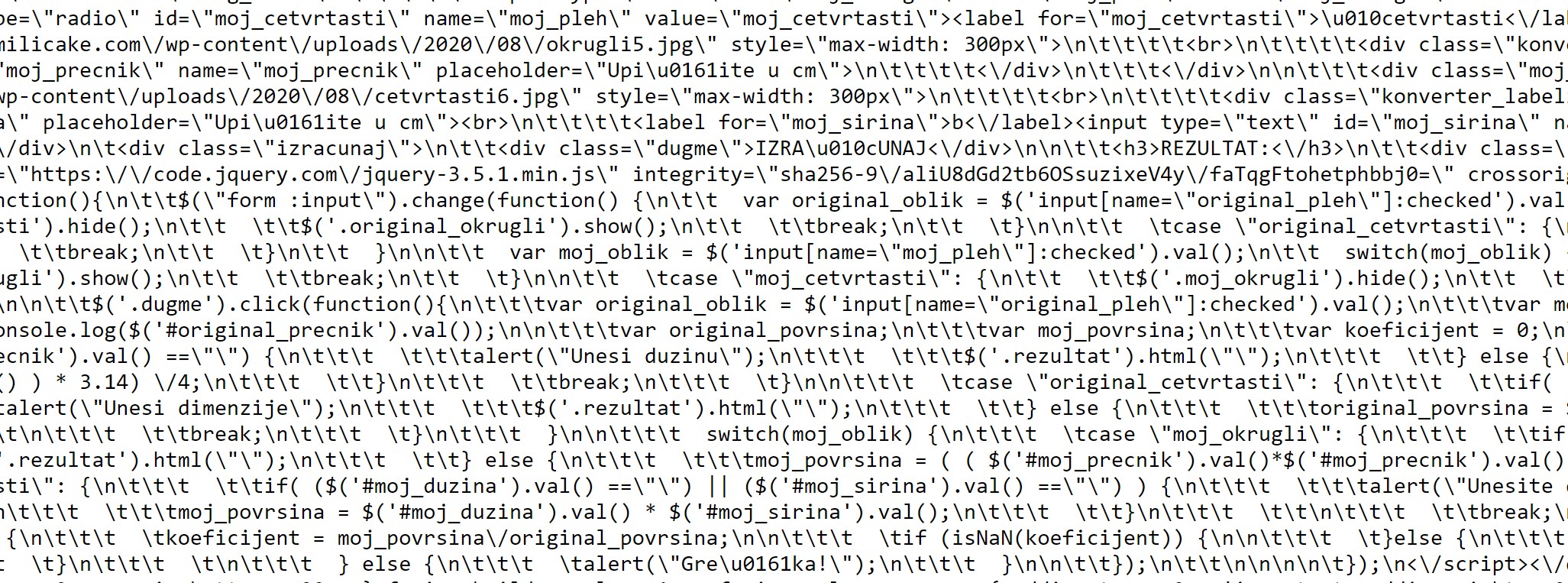
The devil never sleeps so I wanted to check how secure his site is and I was able to see all the pages/posts he has. If I wanted I could use some of the scrapers and scrape all his content.

What am I talking about?

I’m talking about the WordPress REST API access and you can do it by going to: www.SomeWordPressSite.com/wp-json/wp/v2

You can find a lot of things here but the most important API points are:
  • /wp-json/wp/v2/pages
  • /wp-json/wp/v2/pages/pageID
  • /wp-json/wp/v2/posts

Do3K6WT

In order to protect your site you have to install this plugin:

https://wordpress.org/plugins/disable-wp-rest-api/

Just install and activate, and you are good to go!

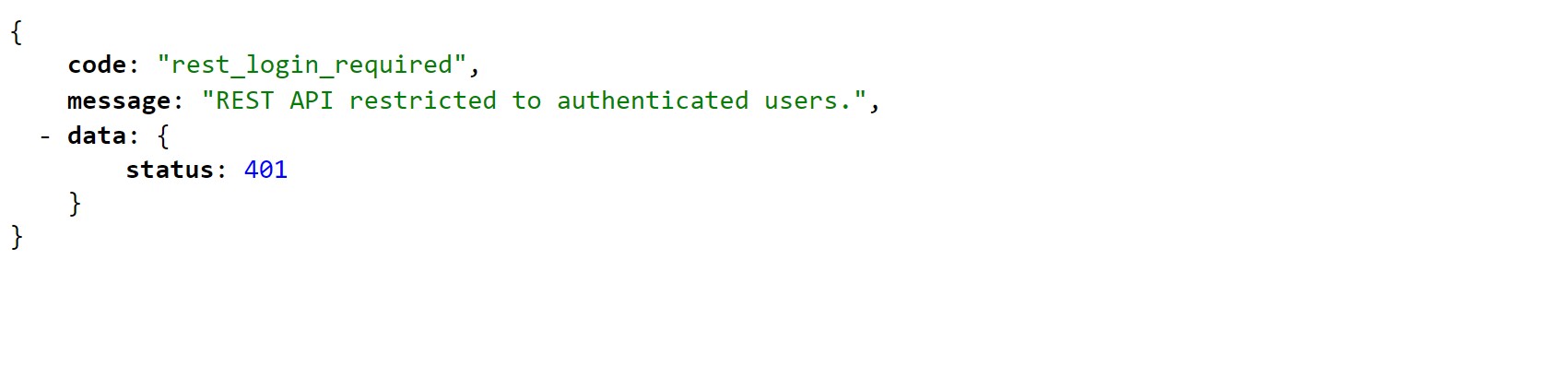
This is what guest users are going to see:
cuKB1y4

Now the fun part!

How to scrape this?

There are two ways, manually or by using some of the scrapers.

Manually you would need to install “JSONVue” chrome extension.

U9aifqm

As you can see here we can know that this website is using “Avada Fusion Builder” and we can just copy/paste there and it will be visible for us. There are some free/paid scrapers there but I am using this one https://dedomena.org/ for cloning WordPress websites. You can scrape everything with this in a few seconds and just import it to your new website. If you want to clone it 100% just check which theme/plugins the site is using and that’s all. For example, if I know that the site from my example is using Avada Fusion Builder, I just have to install Avada and I’m good.

I hope you will like this tutorial, and also I hope it will be helpful. If you have any questions, feel free.
 

Hi everyone, goldeneye is back after the hard breakup from the end of the last year! I survived and I would thank everyone for the tips and support.

So I would like to share with you this “secret” that I knew but think it’s important to share here.

I checked the website that one of the members shared here and it has “premium” content that is protected. In order to see the content you have to be logged in and to log in you need to buy the access.


The devil never sleeps so I wanted to check how secure his site is and I was able to see all the pages/posts he has. If I wanted I could use some of the scrapers and scrape all his content.

What am I talking about?

I’m talking about the WordPress REST API access and you can do it by going to: http://www.somewordpresssite.com/wp-json/wp/v2

You can find a lot of things here but the most important API points are:
  • /wp-json/wp/v2/pages
  • /wp-json/wp/v2/pages/pageID
  • /wp-json/wp/v2/posts

Do3K6WT

In order to protect your site you have to install this plugin:

https://wordpress.org/plugins/disable-wp-rest-api/

Just install and activate, and you are good to go!

This is what guest users are going to see:

cuKB1y4

Now the fun part!

How to scrape this?

There are two ways, manually or by using some of the scrapers.

Manually you would need to install “https://chrome.google.com/webstore/detail/jsonvue/chklaanhfefbnpoihckbnefhakgolnmc” chrome extension.

U9aifqm

As you can see here we can know that this website is using “Avada Fusion Builder” and we can just copy/paste there and it will be visible for us. There are some free/paid scrapers there but I am using this one https://dedomena.org/ for cloning WordPress websites. You can scrape everything with this in a few seconds and just import it to your new website. If you want to clone it 100% just check which theme/plugins the site is using and that’s all. For example, if I know that the site from my example is using Avada Fusion Builder, I just have to install Avada and I’m good.

I hope you will like this tutorial, and also I hope it will be helpful. If you have any questions, feel free.

solid share bro thank you.
 
Disabling API can break functionality, so you should do it only if you are 100% sure. For instance, the contact form is dependent on it, and will not work.
As a workaround, you can whitelist API access for localhost/ dependent services and block for all others.

This simple block of code should work

Code:
function restrict_api() {
    $whitelist_ips = [ '127.0.0.1', "::1" ];

    if( ! in_array($_SERVER['REMOTE_ADDR'], $whitelist_ips ) ){
        die( 'REST API is disabled.' );
    }
}
add_action( 'rest_api_init', 'restrict_api', 0 );
 
Disabling API can break functionality, so you should do it only if you are 100% sure. For instance, the contact form is dependent on it, and will not work.
As a workaround, you can whitelist API access for localhost/ dependent services and block for all others.

This simple block of code should work

Code:
function restrict_api() {
    $whitelist_ips = [ '127.0.0.1', "::1" ];

    if( ! in_array($_SERVER['REMOTE_ADDR'], $whitelist_ips ) ){
        die( 'REST API is disabled.' );
    }
}
add_action( 'rest_api_init', 'restrict_api', 0 );

Thanks for this!

There are other plugins and you can control which endpoint is going to be allowed.
 
Disabling API can break functionality, so you should do it only if you are 100% sure. For instance, the contact form is dependent on it, and will not work.
As a workaround, you can whitelist API access for localhost/ dependent services and block for all others.

This simple block of code should work

Code:
function restrict_api() {
    $whitelist_ips = [ '127.0.0.1', "::1" ];

    if( ! in_array($_SERVER['REMOTE_ADDR'], $whitelist_ips ) ){
        die( 'REST API is disabled.' );
    }
}
add_action( 'rest_api_init', 'restrict_api', 0 );

hi can you help me?

i copied this to function.php
however my ajax script which connect to wp-json doesn't work anymore.

all it does is get the iframe src of my video player.

thanks!
 
Back
Top