

- Nov 29, 2022
- 2,501
- 285

Removing administrators from Facebook Business Manager can be a challenging task, especially when quick access changes are needed. Facebook’s security rules require a 7-day waiting period before an admin can be removed, which can be inconvenient for companies. However, there is a simple way to bypass this restriction and remove an admin immediately. Today, we will look at an easy way to remove administrators from Facebook Business Manager without waiting 7 days.
When attempting to remove an administrator in the usual way, the following message is displayed:
“You’re a new admin in this business. For security reasons, you must wait 7 days before removing an admin. Please try again later.”
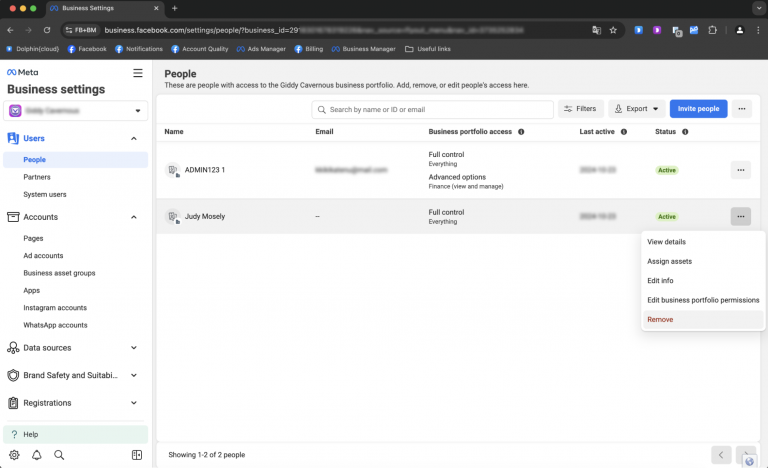
Removing a Business Manager Admin Without the Waiting Period
- Log into your Business Manager and copy its ID.
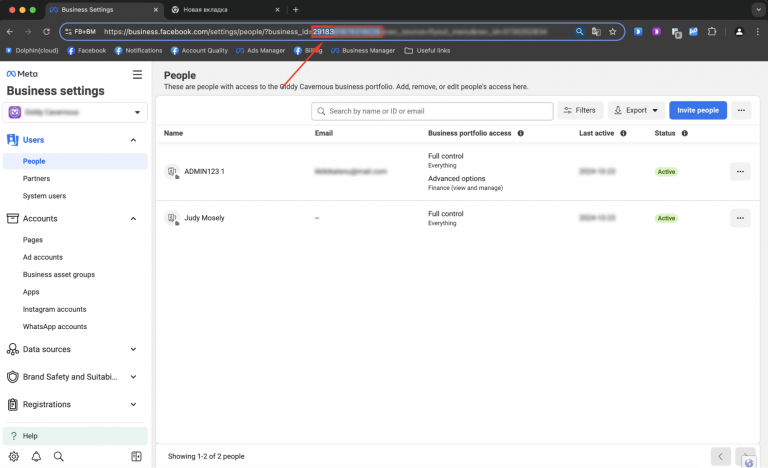
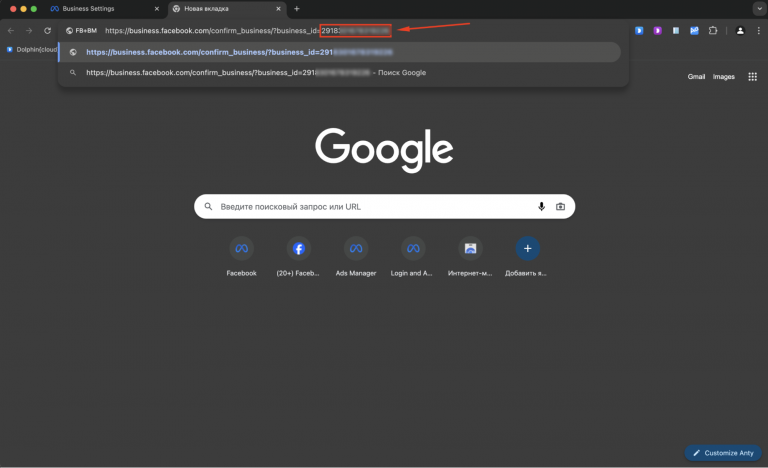
- Go to the following link: https://business.facebook.com/confirm_business/?business_id=, adding the Business Manager ID you copied at the end of the URL.
- Next to the administrator you wish to remove, click "Remove."
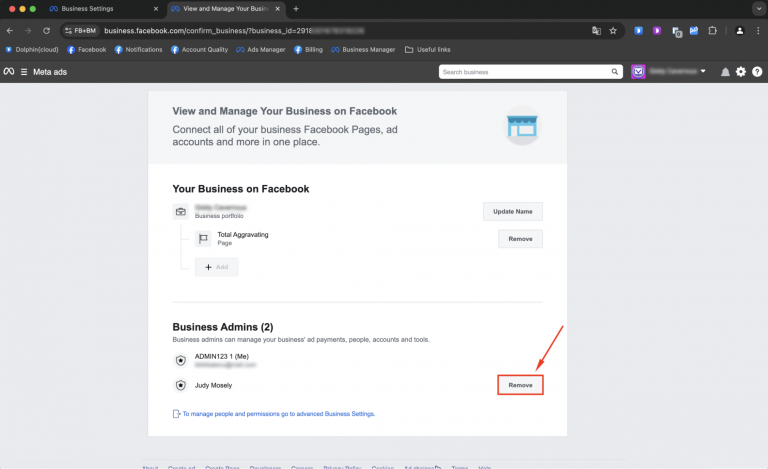
- In the confirmation window, click "Remove" to finalize the deletion.
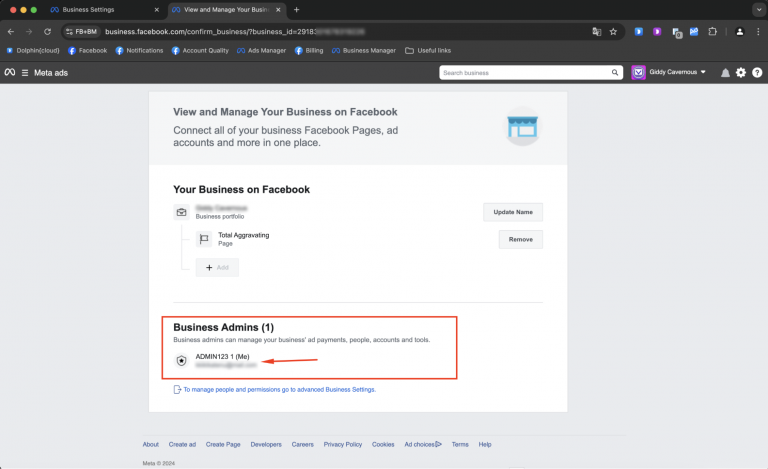
The unnecessary administrator has been successfully removed.