Status
Not open for further replies.
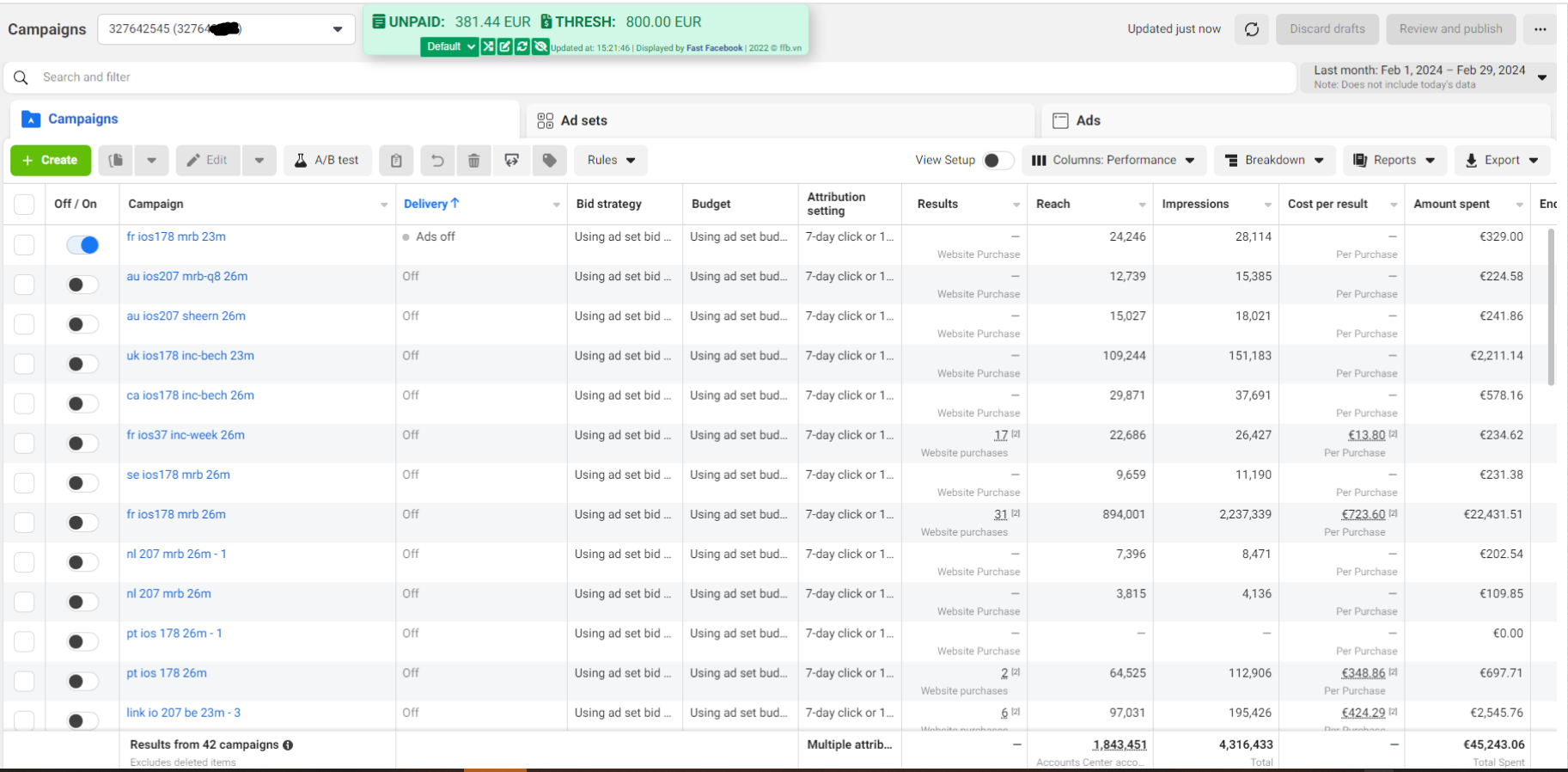
Campaign of the month February
32.png
 
HOW TO OPTIMIZE FACEBOOK ADS?

Optimizing ads is a concern for all advertisers. Running ads is easy, but optimizing them effectively is the real challenge. It requires a lot of time, effort, and attention to detail. Below, We will share some tips to #optimize your #ads. Hopefully, it can be helpful to those who need it.

1️. Thoroughly research potential target audience
To select appropriate ad placement and enhance the effectiveness of your campaign, you should research your potential #target audience first. Ask yourself the #following questions to understand your audience:
- Who is the target audience of our ads?
- What are their usage behaviors?
- What are their interests?
- When are they online?
- What devices do they use frequently to go online - computers, iPads, or smartphones?
Facebook allows us to choose geographical areas to display ads. Therefore, you can target audiences based on their geographical location. This method will help you save budget because the cost per #click can vary greatly. Separating geographical targets from the beginning will make it easier for you to adjust bidding prices later.
2️. Choose ad display placements
Ad placement greatly influences the success or failure of ads and ad costs. Instead of selecting ad display in a single location, you can test ads in various display positions.
For example, create three campaigns or Ad Sets for different display locations:
- Right column News Feed
- News Feed on PC
- News Feed on mobile devices.
This setup allows us to better track the #budget. Many believe that ads in the Desktop Newsfeed will have the highest click-through rate (CTR). Others argue that the cost per click for the right column is the best. Some believe that #advertising on mobile devices is stable and has the best CPM. However, every business model is different. Testing is the only way to accurately determine which location will attract the most users.
3. Use Audience Insights - a database available on Facebook
Surely you know that Facebook has a very accurate and extensive user database. It is in the Audience Insights provided by #Facebook for advertisers like us. Using the information Audience Insights provides can help us easily target new potential customers based on characteristics and interests of people who have liked your Fanpage.
4️. Optimize post content on #Fanpage
Content is crucial in closing sales. It affects customers' interactions with your ads. Therefore, optimizing content on Facebook is extremely important. All post content on the Fanpage needs to be consistent with the content on the landing page because we will have a higher ad relevance score, leading to lower ad costs/interactions.
5️.Test Facebook Ads
Testing ads is something you should try to #optimize your ads. Instead of creating many different ad templates, you can create multiple variations of any currently effective ad. Change one factor at a time to find the best combination for your ad #campaign and combine different test posts for comparison.

You Can Contact Me #24/7 super service. #facebookagency #facebookads #blackhat

GET FREE CONSULTANCY
 
Do Facebook ads work?
As Far As I know,
Facebook ads can be a powerful tool for businesses, but whether they "work" depends on several factors. Here's a breakdown to consider:
Why Facebook Ads Can Be Effective:
  • Laser-Focused Targeting: Facebook boasts a vast user base with extensive user data. This allows you to target your ideal customer with incredible precision based on demographics, interests, online behavior, and even purchase history.
  • Multiple Campaign Goals: Facebook ads cater to a variety of marketing objectives. Need to raise brand awareness? Drive website traffic? Generate leads or sales? Facebook ad formats and targeting options can be tailored to fit your specific goals.
  • Detailed Analytics and Optimization: The Facebook Ads Manager platform provides comprehensive data and insights on your ad performance. You can track clicks, conversions, engagement, and reach. This allows you to continually optimize your campaigns to improve results and get the most out of your budget.
However, there are also limitations to consider:
  • Learning Curve: There's a definite learning curve to mastering Facebook Ads. Understanding ad formats, targeting options, bidding strategies, and effective creative takes time and experimentation.
  • Not a Guaranteed Sale: It's important to remember that Facebook users aren't necessarily actively searching for products or services. Building brand awareness, trust, and guiding users through the sales funnel might be more effective than expecting immediate conversions.
  • Competition and Ad Fatigue: The Facebook ad space is competitive, and costs can rise depending on your industry and target audience. Crafting compelling ad creatives and avoiding ad fatigue (users getting tired of seeing the same ad) is crucial for long-term success.
 
What is the best social media platform to advertise on to sell products?
The best social media platform for advertising to sell products depends on factors like your target audience, product type, and marketing goals. However, platforms like Facebook and Instagram are popular choices for e-commerce businesses due to their large user bases and advanced targeting options.
Facebook offers extensive targeting capabilities, allowing advertisers to reach specific demographics, interests, and behaviors. With features like Dynamic Ads and Carousel Ads, businesses can showcase their products effectively and drive conversions. Additionally, Facebook's retargeting options help re-engage users who have shown interest in your products but haven't made a purchase yet.
Instagram, owned by Facebook, is another powerful platform for e-commerce advertising, particularly for visually appealing products. With features like Instagram Shopping and Shoppable Posts, businesses can tag products directly in their posts and stories, making it easy for users to purchase without leaving the app. Instagram also offers influencer partnerships and sponsored content opportunities to amplify your reach.
YouTube is another effective platform for product advertising, especially for businesses with video content. With TrueView Ads and Shopping Ads, advertisers can reach a vast audience and showcase their products through engaging video content. YouTube's targeting options and analytics tools help businesses optimize their campaigns for maximum effectiveness.
For businesses targeting professionals or B2B clients, LinkedIn is a valuable platform for product advertising. With features like Sponsored Content and InMail Ads, businesses can reach decision-makers and influencers in their industry. LinkedIn's targeting options based on job title, industry, and company size ensure that your ads are seen by the right audience.
Pinterest is also worth considering for product advertising, especially for visually-driven products like fashion, home decor, and DIY crafts. With features like Promoted Pins and Shop the Look Pins, businesses can showcase their products to users who are actively searching for inspiration and ideas. Pinterest's visual search capabilities and personalized recommendations make it easy for users to discover and purchase products they love.
 
I want to learn more about Facebook advertising. Where do I start?
Facebook offers a robust Ads Help Center to get you started
Explore additional resources like Social Media Today, Hootsuite Blog, or YouTube channels from Neil Patel and Social Media Examiner. Consider online courses on Udemy or Coursera for a structured approach.
Remember, define your goals, target well, and optimize for success!
 
How do you target fans of your competitor's pages on Facebook Ads Manager?
Targeting competitor fans directly isn't allowed, but here's how to reach them on Facebook Ads:
  1. Target by Interest: Search for your competitor's brand or related interests in "Detailed Targeting."
  2. Lookalike Audiences: Leverage your existing audience to find similar users, potentially including competitor fans.
  3. Target Similar Pages: Target fans of pages in your niche that might also follow your competitor.
  4. Craft Compelling Messaging: Analyze competitor messaging and target their audience's needs with your unique value proposition.
 
What are some effective Facebook ads for targeting a specific audience?
Imagine you're selling athletic shoes. Instead of blasting everyone with an ad, you can target your ideal customer - a young athlete. Here's how to make your Facebook ad super effective for them:
  1. Target Like Athletes:
    Tell Facebook to show your ad only to people who have liked pages about running, basketball, etc.
  2. Show Cool Shoes & Benefits:
    Use a picture of a trendy athletic shoe and highlight how it helps them run faster or jump higher.
  3. Tell Them What to Do:
    End with a clear message like "Shop Now for 20% Off!"
 
How do you target couples in making Facebook Ads?
What do you mean couples? Do you mean parents? Newly engaged? People in a relationship?
All three of the type of couples I mentioned above can be targeted using the demographics tool while you are creating a Facebook Ad.
  • You can target people/couples who have recently gotten engaged (3 months, 6 months)
  • You can target people/couples who are in a relationship
  • You can target people/couples who have their relationship status as engaged
  • You can target people/couples who are married, recently married or married for a certain amount of time
 

What is Facebook Payment Threshold?

A Facebook payment threshold refers to the credit limit that Facebook provides for post-payment accounts. It represents the amount you owe Facebook for running ads on their platform. Your account’s credibility influences the payment threshold – more credible accounts have higher thresholds.

Initially, your payment threshold might be set low. After successful payment, you can request an increase.

As an example, let’s say that you just created your first ad and your ad account has a payment threshold of USD 25. As your ad runs, it accrues costs. If your outstanding ad costs reach USD 25, we charge you USD 25.

Once your payment has gone through, your balance is cleared, your payment threshold may be raised to a new, higher amount. You’ll start accruing costs again as your ad continues to run.

So, in a monthly billing period, you could reach your payment threshold once, multiple times or not at all, depending on what your payment threshold is and how much money you’re spending on ads. This is why you may be charged multiple times in a given month even if you’re running just one ad. It’s also why you may be charged after you’ve purchased ads or even after you’ve stopped running them.
 
What is the difference between social media marketing, digital marketing, and email marketing?
In the digital age, design Having a strong online presence is important for businesses and individuals. Whether you want to create a professional website, improve your digital marketing skills, or become certified in business, ASDC (Advanced Skills Development Centre) is your trusted partner in achieving these goals. Explore the world of web development, harness the power of free web marketing, and unlock new opportunities with our free online certificate in digital marketing.
 
How to calculate ROI on social media

Step 1: Define clear social & business objectives
The first step to calculating ROI is understanding your business as a whole. What are the main objectives, and how can social contribute to those goals?

Step 2: Track metrics that align with your objectives
Now that you’ve determined your social media objectives, the next step is to track their performance.
Many social media metrics can give you insights into how your strategy is performing. But, choosing the right metrics is essential to fully understanding your social ROI.

Step 3: Calculate your social media costs
Once you’ve measured the value created based on your chosen metrics, you can move on to calculating the cost side of the equation.
Social media costs should include all expenses required to create and publish content.

Step 4: Calculate your ROI
You should be ready to input your total value and costs into the formula above to calculate your ROI.
If you’re not a fan of spreadsheets or manual calculations, we’ve built this free social media ROI calculator.
Remember, a positive ROI means you profited from your investment, while a negative ROI percentage means you spent more than you made.

Step 5: Create an ROI report that shows the impact of social
Now that you know your ROI, it’s time to share those results. Your report should show stakeholders how your social media efforts impact the bottom line.
 
Status
Not open for further replies.
Back
Top