Permanently Closed Marketplace Sales Thread

Status
Not open for further replies.
HOW TO PARSE A SITEMAP?

Need to extract URLs from an XML Sitemap? It's SUPER EASY with this XML Sitemap Extractor bot by BOTSTER!

ℹ️ This online parser tool can extract urls from any Sitemap.xml file. It scans the sitemap xml file and exports URLs into a list. You can count the URLs online or export them into a Google Sheets document.

️ Watch our easy-to-follow video guide on how to use the XML Sitemap Extractor bot!
 
LEAD GENERATION TOOLS FOR FINANCIAL ADVISORS

Searching for new clients who need your financial advice? We're here to help. Read our latest blog post on lead generation for financial advisors and welcome hundreds of new customers!

From our step-by-step guide, you’ll learn:
  • How to generate leads for financial advisors online
  • How to find potential clients’ phones
  • How to extract potential clients’ emails
  • Which are the best lead generation tools for financial advisors

You'll get to know how to use these bots for the means of financial planner lead generation:
 
4 HOSPITALITY AUTOMATION TOOLS

Are you working in the hotel business seeking to automate your workflow? Arm yourself with the leading-edge hospitality automation tools described in our latest blog post!

From this step-by-step tutorial, you'll learn:
  • How to use automation in the hospitality industry
  • How to quickly scan your competitors’ prices
  • How to scrape hundreds of hotel visitor reviews from Google Maps, TripAdvisor and Booking.com
  • How to interpret the results
  • How to improve your hotel’s rating based on the visitor reviews
  • How to select the automation tool that will work best for you!

You'll also learn how to use the following bots:
 
HOW TO GENERATE COMMERCIAL MORTGAGE LEADS

Read our step-by-step guide on how to get commercial mortgage broker leads online with 4 low-cost automation tools

You’ll learn:

⚡ How to get commercial mortgage broker leads on LinkedIn;
⚡ How to generate commercial real estate mortgage leads by cold campaigning;
⚡ How to export business emails and phones in bulk;
⚡ Which automation tools to use in each case.

Our all-embracing commercial lead generation guide describes the following tools:
  1. The LinkedIn Search Scraper that exports LinkedIn search results.
  2. The LinkedIn Company Info Scraper that retrieves all-embracing company information from LinkedIn.
  3. The LinkedIn Employee Scraper that extracts employees' names, job titles and LinkedIn profile URLs.
  4. The Phone, Email and Contact Scraper that bulk-exports contact data from websites.
 
9 NEW BOTS TO SUPERCHARGE YOUR SCRAPING GAME

We're excited to announce 9 (nine!) new bots that will help you up your automation game.

These are designed to make your life easier and more efficient, with features like extracting LinkedIn accounts by email, retrieving Google Ads history, and finding addresses and zip codes in bulk.

New web Scraping and data extraction bots

Geolocation Bots

Marketing

We've launched a new YouTube channel in Spanish so make sure to check that out if Spanish is your language of choice!

For everyone else, don't forget to follow our main YouTube channel, which we promise we'll start updating again with some good stuff really soon.
 
Just added an extended bot description to the YouTube Channel Analyzer. This online tool will scrape YouTube channel videos and export all-embracing information about them, including:

  • Video URL
  • Total view count
  • Total likes
  • Total dislikes
  • Total comments count
  • Video title
  • Video description
  • Publication date
  • Category
  • Time duration
  • Made for kids (true/false)

This is one of our most demanded tools, check it out!
 
Update: Thread Edited

The seller has contacted us to change the content of the opening post in their sales thread. The old content and the new content can be found in the spoilers below.

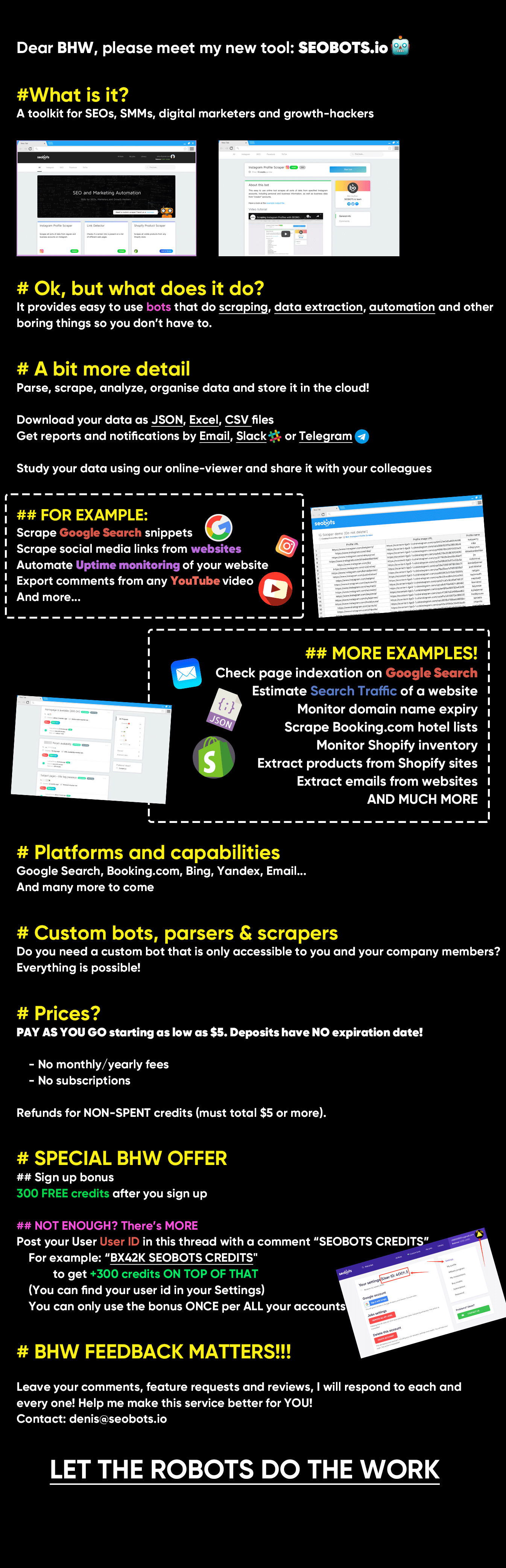
Title: ✅ SEOBOTS – AUTOMATION BOTS for SEOs, SMM and Webmasters
4o7eysJ

Title: ✅ BOTSTER ✅ - BOTS FOR DATA EXTRACTION AND MONITORING ❤️


full

Notes: This service was re-tested.
 
2 Magic Tools for Cold Calling

Bulk-export phone numbers for your cold calling campaigns from everywhere on the Web! Botster has 2 brilliant phone scrapers that will retrieve the necessary phone numbers for you:

  1. Phone, Email and Contact Finder extracts contact information e.g. emails, phones and links to social networks from a list of websites.
  2. oogle Maps Exporter extracts places information from Google Maps based on your search query.
Test them NOW!
 
EXPORTING SEARCH SUGGESTIONS

Use the Google Search Suggestions Scraper to retrieve search suggestions from Google, Bing, Yahoo, and YouTube.

You can easily grab search engine suggestions on multiple depth levels:
✅ 1 word
✅ 2 words
✅ 3 words

The bot can grab not only the Google query suggestions that appear after whitespace but also the ones that appear after you’ve typed in a letter or a number. The tool can export the results for the numbers 0-9 and/or for the letters a-z.

Test this bot now!
 
HOW TO EXTRACT YOUTUBE COMMENTS BY KEYWORD?

Use a smart combination of 2 bots to retrieve YouTube video comments by keyword.

Bots to combine:

  1. YouTube Search Extractor
  2. Youtube Comment Extractor

Step 1️⃣
  • Open the YouTube Search Extractor's start page;
  • Paste your keywords into a special field;
  • Export URLs of videos that are relevant to certain keywords.

Step 2️⃣
  • Open the Youtube Comment Extractor's start page;
  • Paste the video URLs retrieved in Step 1 into a special field;
  • Export user comments published under these videos.

SIGN UP for Botster.io and get FREE credits now!
 
HOW TO EXPORT INFO FROM GOOGLE MAPS TO EXCEL?

The Google Maps Extractor will retrieve company information from Google Maps and Google Places. It extracts a list of places with info such as contact details from Google Maps to Excel based on your search query.

Extracted data includes:
✅ Google Maps URL
✅ Title
✅ Rating
✅ Rating count
✅ Category (bar, night club, etc.)
✅ Address
✅ Plus code (e.g. "QHRW+6F Financial District, San Francisco, CA")
✅ Website
✅ Phone number
✅ Rank on maps
✅ Working hours (Monday through Sunday)
✅ Place ID
✅ Latitude
✅ Longitude

You can either view your data online or download it as a CSV, Excel or JSON file.

️ We've also prepared a comprehensive video guide on how to use this bot. Check it out!

SIGN UP for Botster.io and get FREE credits now!
 
SHOPIFY TOTAL PRODUCT CALCULATOR EXPLAINED

The Shopify Total Product Calculator returns the total amount of products and collections in a given Shopify store in the form of a simple table. Check it out!

The only thing you'll need to provide to use the bot is a Shopify website URL.

The bot will return the following data:
☑️ Total collections
☑️ Total products
☑️ Total in-stock
☑️ Total out of stock

You can download these data as an Excel, CSV or JSON file.

By the way, this software works very well together with the Shopify Product Exporter.

SIGN UP for Botster.io and get FREE credits now!
 
DECEMBER UPDATES ON BOTSTER.IO

We've prepared a bunch of December updates for you!

1️⃣ New features

Our coders have largely updated the Bulk Website Screenshot Maker. Now this bot can:

  • Save the screenshots to your computer as single files or as a ZIP archive. To activate this option, connect your Google Drive with Botster
  • Export screenshots depending on the user's geo location
  • Extract screenshots in different image extensions (.png or .jpg)
  • Enhance snapshot quality by waiting for a while before capturing the screen
  • Automatically run on a periodic basis

Watch how to use the new features in an easy-to-follow video tutorial.

2️⃣ On the blog

Read our automation tips for Amazon sellers:

Sign up on Botster and get extra 300 credits for FREE for BlackHatWorld users only!
 
HOW TO FIND STARTUPS TO INVEST IN

Are you an investor seeking for some promising startups to inject cash into?
Or are you working for an investor who is in search of new good companies?

We have a must-read article for you: Botster's latest blog post on how to find startups to invest in.

Use 5 automation tools to search for newly appearing companies!
 
HOW TO EXPORT GOOGLE IMAGES TO EXCEL

The Google Image Extractor can retrieve images from Google Search for a list of keywords.

You can easily grab the following image details:
  • Absolute rank (e.g. 1, 2…)
  • Title
  • Alt text
  • Image URL
  • Image source URL
  • Image preview

We've prepared a comprehensive video guide on how to use this bot. Check it out!

SIGN UP for Botster.io and get FREE credits now!
 
HOW TO CONVERT EMAILS TO JSON?

Use the Email to JSON Converter to automatically parse incoming emails into JSON format and to forward them as a POST request to a URL you provide.

The only thing you will need to provide is an endpoint URL to which the bot will send a POST request with JSON payload.

Test this bot now!

SIGN UP for Botster.io and get FREE credits now!
 
HOW TO EXPORT YOUTUBE VIDEO INFORMATION TO EXCEL?

The YouTube Channel Analyzer can retrieve information about videos of any YouTube channel.
Try it out!

You can easily grab the following details:
  • Video URL
  • Total view count
  • Total likes
  • Total dislikes
  • Total comments count
  • Video title
  • Video description
  • Publication date
  • Category
  • Time duration
  • Made for kids (true/false)

Export your retrieved search results and download them as a CSV, Excel or JSON file.

We've prepared a short video guide on how to use this bot.
Check it out!

SIGN UP for Botster.io and get FREE credits now!
 
EXTRACTING GUESTPOST ACCEPTORS' CONTACTS TO EXCEL

Use a powerful combination of 2 bots to bulk-export contacts of guestpost accepting websites.

Bots to combine:

Step 1️⃣
  • Open the Outreach and Guestpost Explorer's start page
  • Paste your keywords
  • Extract websites that accept guestposting

Step 2️⃣
  • Open the Phone, Email and Contact Finder's start page
  • Paste the websites retrieved in Step 1
  • Export these websites' contacts

SIGN UP for Botster.io and get FREE credits now!
 
THE AMAZON SEARCH EXTRACTOR EXPLAINED

The Amazon Search Extractor exports a list of products from Amazon based on search keywords that you provide. Check it out:

Extracted data:
  • Product title
  • Product URL
  • Price
  • Currency
  • ASIN
  • Rating value
  • Votes count
  • Bestseller? (true / false)
  • Amazon choice? (true / false)
  • Rank in product group
  • Absolute rank

The only thing you'll need to provide to use the Amazon Search Extractor bot is a keyword (e.g. ""Avengers toys"").

SIGN UP for Botster.io and get FREE credits now!
 
Status
Not open for further replies.
Back
Top