Permanently Closed Marketplace Sales Thread

Status
Not open for further replies.
also after uising rank trakcer I get this note from google

[h=1]We're sorry...[/h]... but your computer or network may be sending automated queries. To protect our users, we can't process your request right now.

See https://support.google.com/websearch/answer/86640 for more information.


Very nice, now Google blocked my computer......
 
hi loopline, what are the latest engines supported by scrapebox ? especially fast and slow poster mode...

i only know,

FAST POSTER MODE :
- WORDPRESS
- MOVEABLE TYPE
- B2EVOLUTION
- BLOGENGINE

SLOW POSTER MODE :
- WORDPRESS
- MOVEABLE TYPE
- B2EVOLUTION
- BLOGENGINE
- DRUPAL
- EXPRESSION ENGINE

just bought sb here, :)
CUkDFyN


lamKBqk


ranktracker does not work, how it works on your computer is a mystery......I know I am in top 10 for many keywords, SB shows nothing, also when i click on keyword and search in google, I get captcha from google, so google knows I am doing something fishy....and it blocks the whole thing....
yahoo and bing, I never get any ranking there at all, in google maybe 1 % are correct....

proxies, i think finding good proxiesfor freee is a myth.....they just do not work if you not buy them......
i scrape for 1 hour, from all sources, get like 20 google proxies....check them get 10 out of these, check them again, get 5 working proxies, check them again, get like 2......out of thousands of proxies......
this aint working......

Believe as you like about public proxies but just because you don't know how to do it, doesn't mean it doesn't work. I would recommend buying public proxy lists that are prefiltered from someone, in your case.

If your ip is blocked, then of course its not going to work. As I mention below you need a delay of at least 50 and I would recommend trying 75, but if the ip is already blocked then you will need proxies or wait the customary 48 hours for it to unblock.

also after uising rank trakcer I get this note from google

We're sorry...

... but your computer or network may be sending automated queries. To protect our users, we can't process your request right now.

See Google Help for more information.


Very nice, now Google blocked my computer......

What do you have the delay set at in google? Is it at least 55 or more? If google bans your IP for going to fast, then you either need to use proxies or add time to the delay.
 
Can't wait for the public Beta 2.0, SB1.x.x has troubles with proxies at the moment.

By the way, bought SB back in 2010, $47 and I don't know how many times it made me back that amount already. I love it because it's so flexible in what you can do with it.
 
CUkDFyN


lamKBqk


Believe as you like about public proxies but just because you don't know how to do it, doesn't mean it doesn't work. I would recommend buying public proxy lists that are prefiltered from someone, in your case.

If your ip is blocked, then of course its not going to work. As I mention below you need a delay of at least 50 and I would recommend trying 75, but if the ip is already blocked then you will need proxies or wait the customary 48 hours for it to unblock.


What do you have the delay set at in google? Is it at least 55 or more? If google bans your IP for going to fast, then you either need to use proxies or add time to the delay.

yes I would love to do that, under settings right?
 
also if you use proxies with rank tracker, it does not give you correct rankings for example, you get google rankings in china, not in USA for example
 
also if you use proxies with rank tracker, it does not give you correct rankings for example, you get google rankings in china, not in USA for example

Thats not a fault of SB, but of your proxy. When the proxy force a redirect to China, SB cant do anything about that.
 
also if you use proxies with rank tracker, it does not give you correct rankings for example, you get google rankings in china, not in USA for example

If you use a china proxy you get a china result, if you want a USA result, use a USA proxy. I mean that makes sense right?
 
I have had scrapebox for 2-3 years. Still the best tool I have in my box. I don't why i'm seeing this post for the first time today. Great post for scrapebox support.
Thanks to loopline for all the help.

Question:
Browser Based Ping - Internet Explore can't access my private proxies, it fails and ask for username and passw. When I type them in (use the ones next the proxy address), it fails, and jumps to the next proxy and ask again for username and passw.
Is there a way to bypass that?
Will it be possible to change browser in the future?

Thanks :)

For all beginners, believe me when I say; a few private proxies will reduce you frustration with 80%. I am a fan of reducing expenses and make it a sport. But don't be cheap when it comes to proxies. With just 11 private fast proxies made my day so much easier. I will buy more, when I need it. They are not expensive at all. The hell of scraping proxies, testing them, and then see them all error after 10 secs is just tiresome.
 
@loopline, you missed my question regarding latest engine supported by scrapebox for slow and fast poster ?

and how to extract footprint available on sb, i would like to change something. using default on sb in scraping totally wortless with that footprint please answer.
 
Last edited:
If you use a china proxy you get a china result, if you want a USA result, use a USA proxy. I mean that makes sense right?

china proxies dont scrape google never in 5 yrs ive heard of, they will scrape bing/yahoo
but china proxies although showing a google pass will fail a google scrape
 
I am thinking of getting the automator premium plugin, but before i do i want to know, if i will be able to use the automator to scrape proxies, filter \ clean them and save the cleaned proxies to a given folder and then let the process run in a loop.

Also

Is there a forum for Scrapoebox V2.x.x.x. 64bit beta users, or can we post suggestions and bugs here ?
 
Last edited:
I have had scrapebox for 2-3 years. Still the best tool I have in my box. I don't why i'm seeing this post for the first time today. Great post for scrapebox support.
Thanks to loopline for all the help.

Question:
Browser Based Ping - Internet Explore can't access my private proxies, it fails and ask for username and passw. When I type them in (use the ones next the proxy address), it fails, and jumps to the next proxy and ask again for username and passw.
Is there a way to bypass that?
Will it be possible to change browser in the future?

Thanks :)

For all beginners, believe me when I say; a few private proxies will reduce you frustration with 80%. I am a fan of reducing expenses and make it a sport. But don't be cheap when it comes to proxies. With just 11 private fast proxies made my day so much easier. I will buy more, when I need it. They are not expensive at all. The hell of scraping proxies, testing them, and then see them all error after 10 secs is just tiresome.

So are you entering the proxies with user and pass into the proxies box with Scrapebox or are you trying to change proxies in IE directly?

There are no other browser options, IE rendering engine is regretably the best choice, but Scrapebox polls for that user/pass windows in micro seconds and enters the info.

If your proxy provider allows for IP authentication of course that would solve the issue. But if you are entering the correct proxy in the correct format in Scrapebox it should take care of it. You can try testing the proxies in SB to make sure they are not malformatted or some keystroke error, those types of things toss me for a loop once in a while.

@loopline, you missed my question regarding latest engine supported by scrapebox for slow and fast poster ?

and how to extract footprint available on sb, i would like to change something. using default on sb in scraping totally wortless with that footprint please answer.

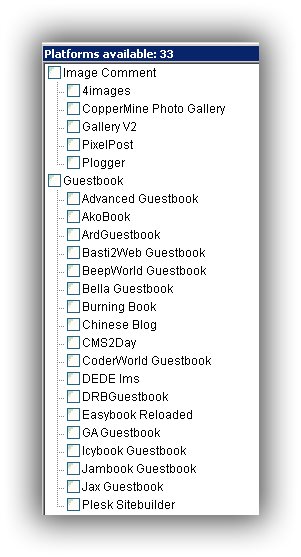
I answered it a few posts above, its screenshots because I didn't want to type them all out. see:

http://www.blackhatworld.com/blackh...ter-prstorm-mode-post7454207.html#post7454207

You can just enter your footprint you want to use in the footprints box or merge your keywords with your footprints.

If you are wanting to see what the SB footprint is, then you can go to your Scrapebox folder >> addons >> cpengines folder. In there find the engine your working with and open it in notepad and you will see the footprints.


I am thinking of getting the automator premium plugin, but before i do i want to know, if i will be able to use the automator to scrape proxies, filter \ clean them and save the cleaned proxies to a given folder and then let the process run in a loop.

Also

Is there a forum for Scrapoebox V2.x.x.x. 64bit beta users, or can we post suggestions and bugs here ?

There is no forum for beta users, you can just mail support

scrapeboxhelp (at] gmail [dot) com

or

support (at] scrapebox [dot) com

Yes the automator in 1.x does this, and it will do it in 2.0 as well.
 
ScrapeBox v2.0 Public Beta

http://www.scrapebox.com/v2-beta

Over the past few weeks there's been a number of people trying out the ScrapeBox v2 beta, and we have been fixing issues and adding features based on the feedback so thanks to everyone who has provided feedback so far.

Now it's both functional and stable enough to release as a public beta for anyone to try out. So please feel free to download the public beta and give it a test run. Please download it to it's own folder and not over the top of ScrapeBox v1, this way you can run both v1 and v2 side by side.

If you have any feedback or encounter any problems, please let us know.
 
Another ideal feature would be to export only dead proxies in the proxy manager. The first thing proxy providers ask for is a list of the ones that need replacing.
 
Another ideal feature would be to export only dead proxies in the proxy manager. The first thing proxy providers ask for is a list of the ones that need replacing.

You can do this now already.

In 1.x of Scrapebox you simply sort the proxies by status code, that lines up all the failed ones. Then click the top most of the proxies you want to export and then hold down the shift key and click the bottom most proxy and that will highlight all the dead proxies you want to save then choose to export selected.

In 2.0 you do similar and use the shift key and click the top and bottom of the range you want then just right click on them or choose the filter option and choose to keep selected. Then just save those proxies to file.
 
There is no "export failed keywords" option :bigeyes: It is one of the most basic feature in my opinion. Without this feature , its impossible to do complex google harvesting !!!
 
Nice to see 2.0 out, have you noticed issues with filtering url? Removing dupes works nice with 64 bit, but removing urls containing/non containing urls from file as well as on domain level seems to be working bad now.
 
Status
Not open for further replies.
Back
Top