

- Nov 29, 2022
- 2,483
- 284

Meta’s Ad Library is a proprietary tool that allows users to browse advertisements running across platforms within the company’s ecosystem (Facebook, Instagram, Messenger, Audience Network). While designed primarily for transparency, this tool can be a valuable asset for affiliate marketers when used strategically. However, many do not fully understand how to leverage it for optimal results.
This article outlines how to use the Facebook Ad Library quickly and efficiently, highlighting several less obvious features that can significantly enhance your workflow.
Using Keywords in Search Queries
The Ad Library’s search capabilities are surprisingly effective, even when the searched term does not appear in the ad’s headline, description, or media file. For example, a search for plinko will display creatives related to various crash games, while the keyword casino will surface gambling-related creatives even if the word is not explicitly mentioned.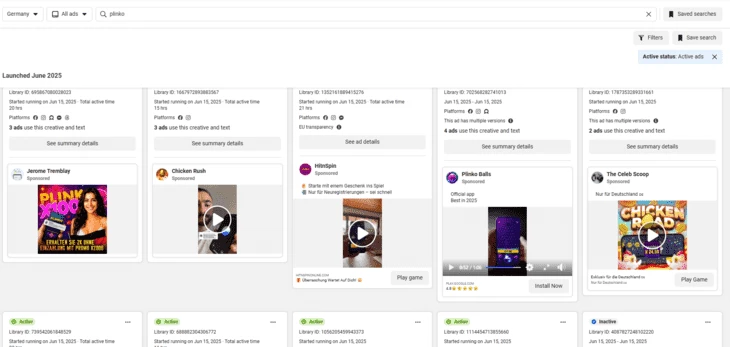
It is likely that Meta employs AI-based recognition to deliver relevant results, which works to the advantage of affiliate marketers.
For a comprehensive search, it is recommended to use a mix of 6–8 keywords — both broad terms (e.g., casino, free spins) and more specific ones (e.g., plinko, chicken road, aviator). This approach will help you collect not only creatives but also fan pages and domains, which we will address in the next section.
Leveraging Pages and Domains in Creative Searches
In addition to keyword searches, you can filter creatives by the page from which the ad is launched or by its associated domain.Filtering by page is straightforward — simply hover over the fan page name and click View Ads. Filtering by domain, however, has some nuances.
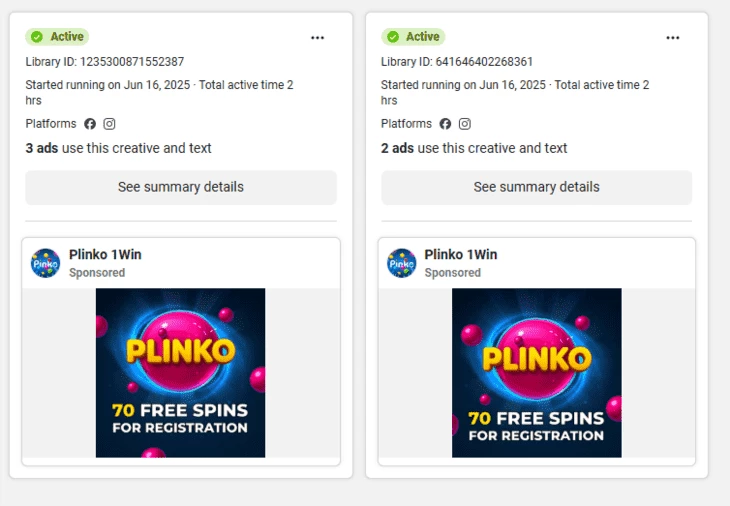
Some ads do not immediately display the domain. To view it, open the See summary details section and hover over the listed domain. Note that in certain cases, the domain shown may not be the actual landing domain, but rather the next redirect (often a Google or Apple app store link). Hovering over this link will reveal the true domain used for the campaign.
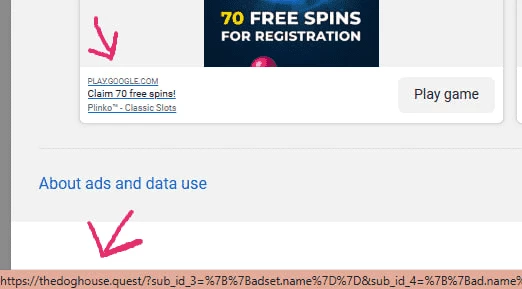
These domains can then be used as search keywords. Be sure to remove the https:// prefix and any URL parameters — the Ad Library will only recognize a domain in the format domain.com.
You can also combine domain and keyword searches, which is especially useful when exploring app store domains. This allows you to identify campaigns optimized for app installs. For instance:
Searching for play.google.com plinko will show creatives for one game.
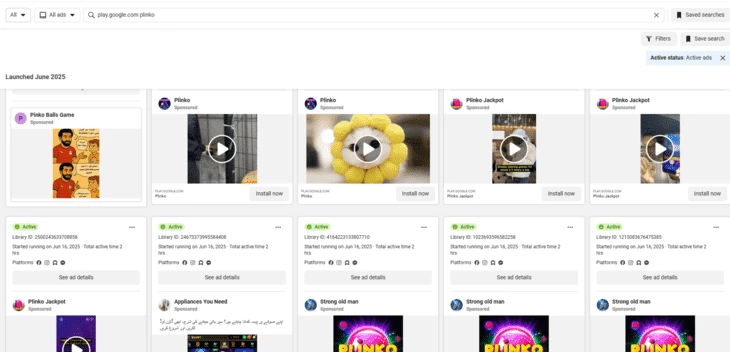
Searching for play.google.com aviator will surface creatives for another game.
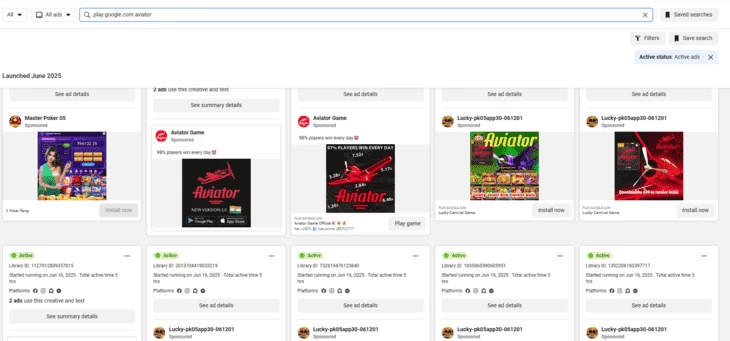
Because results vary with each search, this can be a valuable method for discovering fresh creatives.
Saving Videos from the Ad Library
Previously, videos could be saved directly from the Ad Library using a right-click, but this functionality has been restricted. While the tool is intended for educational purposes only, marketers often need to analyze creative execution in detail.A simple workaround involves using browser developer tools:
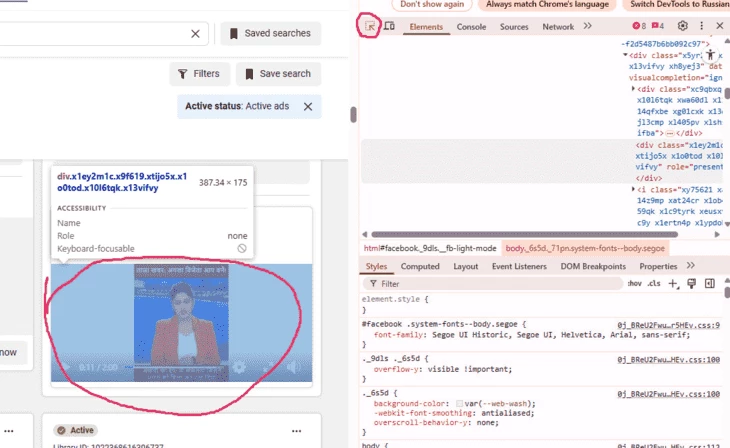
- On the ad’s page, right-click and select Inspect.
- Use the Select element tool and click on the video.
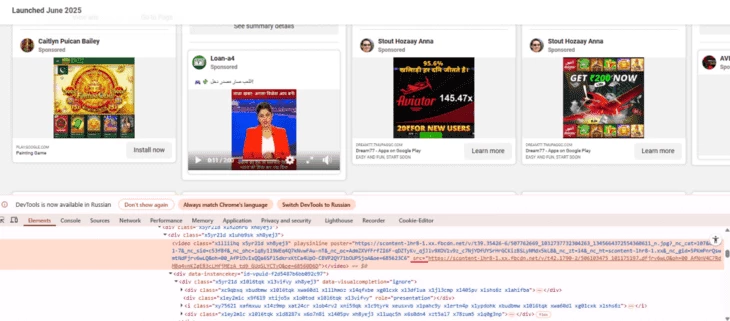
- In the code view, locate the <video> tag and find the src attribute containing the direct link to the media file.
- Open the link in a new tab, then right-click and choose Save video as…
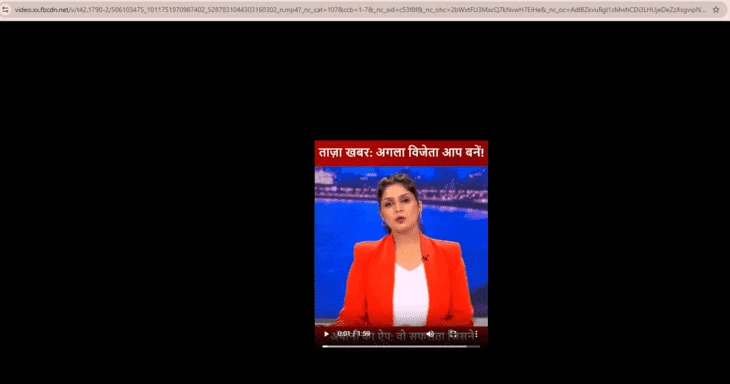
This method provides a quick and reliable way to download videos for further study.

