

- Jun 29, 2011
- 438
- 105
I was looking for a way to find the pages of my sites that are not indexed by Google.. and i found it one very simple and accurate. It's time to share this technique with BHW members.
What is need to complete the task: your sitemap and scrapebox.
1: copy all the links of your site from your sitemap and paste them into a .txt file (1 link per line).
2: open scrapebox and click Import URL List (on the right Manage Lists menu) and then 'Import and add to current list'.

3: Browse the saved .txt file containing the urls of your sitemap, click on it to import all the urls into URL's Harvested.
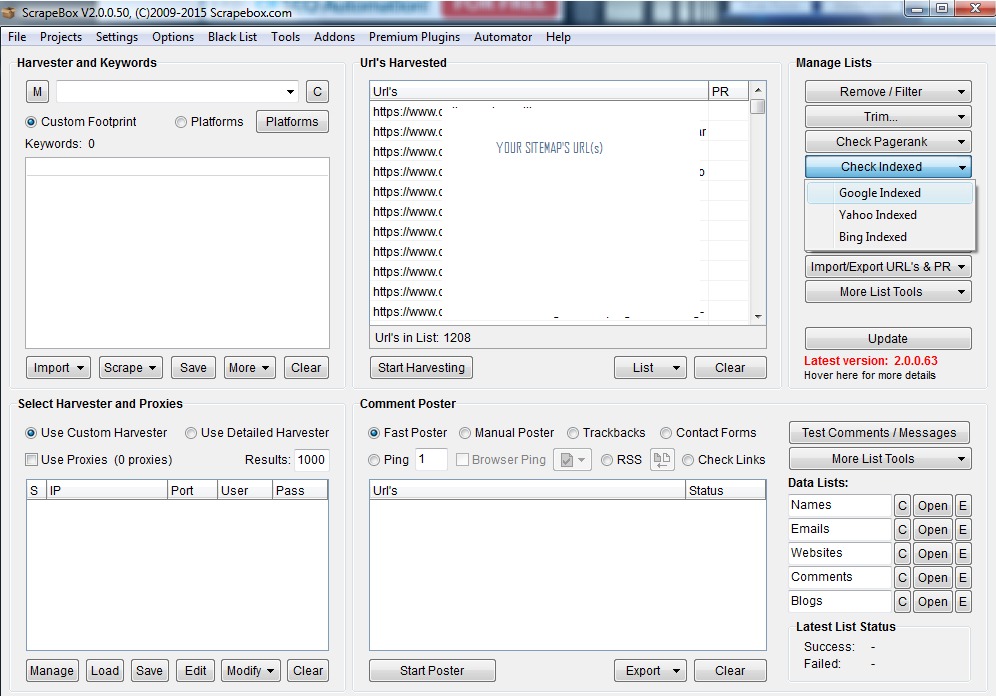
4: Now click on Check Indexed / Google indexed
5: click on Start / Redo button to start and wait for the program to finish the scanning.
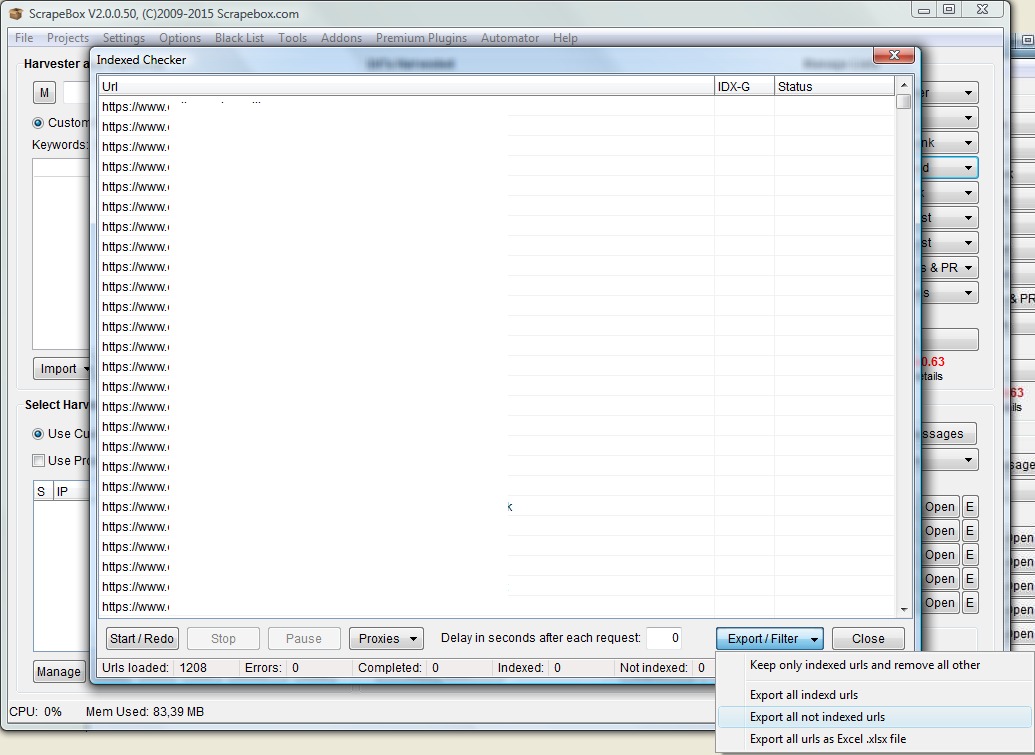
6: click Export/filter / Export all not indexed urls.
Save the file and you will have exactly all the urls that google did not index.
Why this technique is useful?
Because you can improve such files with new contents or enrich them by adding images or useful things, fetch as Googlebot from your webmaster tools and submit them again for a re-crawl. This will improve your site and repair you from thin contents penalty.
What is need to complete the task: your sitemap and scrapebox.
1: copy all the links of your site from your sitemap and paste them into a .txt file (1 link per line).
2: open scrapebox and click Import URL List (on the right Manage Lists menu) and then 'Import and add to current list'.
3: Browse the saved .txt file containing the urls of your sitemap, click on it to import all the urls into URL's Harvested.
4: Now click on Check Indexed / Google indexed
5: click on Start / Redo button to start and wait for the program to finish the scanning.
6: click Export/filter / Export all not indexed urls.
Save the file and you will have exactly all the urls that google did not index.
Why this technique is useful?
Because you can improve such files with new contents or enrich them by adding images or useful things, fetch as Googlebot from your webmaster tools and submit them again for a re-crawl. This will improve your site and repair you from thin contents penalty.