

Myst3ry
Elite Member
- Jul 6, 2013
- 1,533
- 1,400
Maybe this is shared before, I don't know. I thought it will be useful for some.
Step 1:
Go to google and type your money keyword or any other keyword you want to check.
Step 2:
Copy all content from every site on page 1 and paste it in wordcounter.net one by one
You can copy just the article or you can copy all web page.
Step 3:
x1 will be one worded keywords

x2 will be two worded keywords. You can find good ones here.

x3 will be three worded keywords, ofc.

Bonus:
Click on the little icon to open the Options menu.
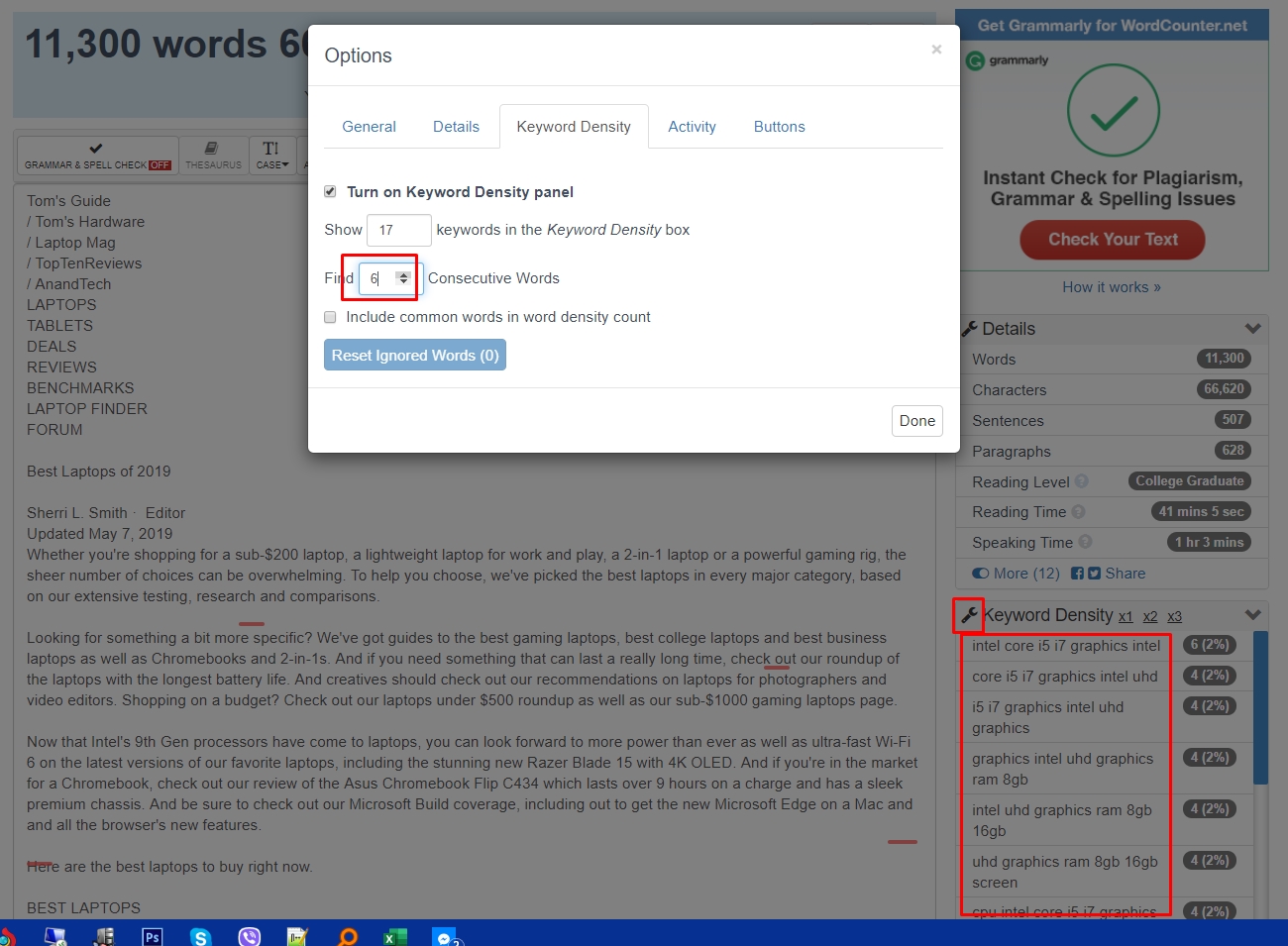
Here you can choose the number of words of the keywords you want to see.
You can find good LSI keywords for your articles but also you can find the competitors` ranking keywords. Hope this helps.
Step 1:
Go to google and type your money keyword or any other keyword you want to check.
Step 2:
Copy all content from every site on page 1 and paste it in wordcounter.net one by one
You can copy just the article or you can copy all web page.
Step 3:
x1 will be one worded keywords
x2 will be two worded keywords. You can find good ones here.
x3 will be three worded keywords, ofc.
Bonus:
Click on the little icon to open the Options menu.
Here you can choose the number of words of the keywords you want to see.
You can find good LSI keywords for your articles but also you can find the competitors` ranking keywords. Hope this helps.


