

- Nov 29, 2022
- 2,735
- 290

Let’s start with a rather frustrating issue: when working with the Facebook Marketing API using a token from Ads Manager, that token tends to refresh unpredictably. It can expire daily, weekly, or even hourly—depending on Facebook’s internal fraud detection triggers. As soon as the system flags suspicious activity, the token is rotated. Other causes include logging out, password changes, or prolonged inactivity.
To make matters worse, if you send a request like the one below to Facebook, the response is quite clear: these tokens are not intended for long-term use via the API.
{
"error": {
"message": "Invalid OAuth access token - Cannot parse access token",
"type": "OAuthException",
"code": 190,
"fbtrace_id": "ApGLEtBeKxlrcHtQwLR_uTn"
}
}
If you check this token in the Access Token Debugger, it might appear as if it has no expiration—but in reality, it was likely issued just a minute ago. This is misleading and problematic.

New Friction: Cookie Dependency
There’s another recent complication. Previously, tokens from Ads Manager could be used without cookies. Now, sending requests without valid cookies results in errors like this:{
"error": {
"message": "Invalid request.",
"type": "OAuthException",
"code": 1,
"fbtrace_id": "AZtzpkeXv5S5tNosPDR4QhT"
},
"fb_trace_id": "GVh7IRyrVAd",
"www_request_id": "AZtzpkeXv5S5tNosPDR4QhT"
}
Incorporating cookies introduces new maintenance overhead. When they expire—or in cases of password changes, logouts, or account verifications—they need to be refreshed. This adds yet another layer of complexity.
Yes, automation services currently have mechanisms to retrieve new tokens once the old ones expire. However, there are community reports from trusted professionals suggesting that repeatedly attempting to use an expired token may trigger forced logouts. Some automation tools can re-authenticate using credentials and even handle 2FA—but this is still a workaround, not a solution.
A More Reliable Alternative?
So, is there a better way to operate—without dealing with this constant token rotation and cookie juggling? Let’s explore a more stable, long-term method.Disclaimer: The approach described below takes more time to set up than extracting a token from Ads Manager. If your accounts get flagged and banned frequently, this method may not be suitable. However, for long-term setups—especially for accounts or Business Managers linked to core infrastructure—this is an excellent option.
Step 1: Register a Facebook App
Start by registering as a developer at developers.facebook.com, then create a new application.When prompted to choose the app type, select:
- Category: Other

- App Type: Business
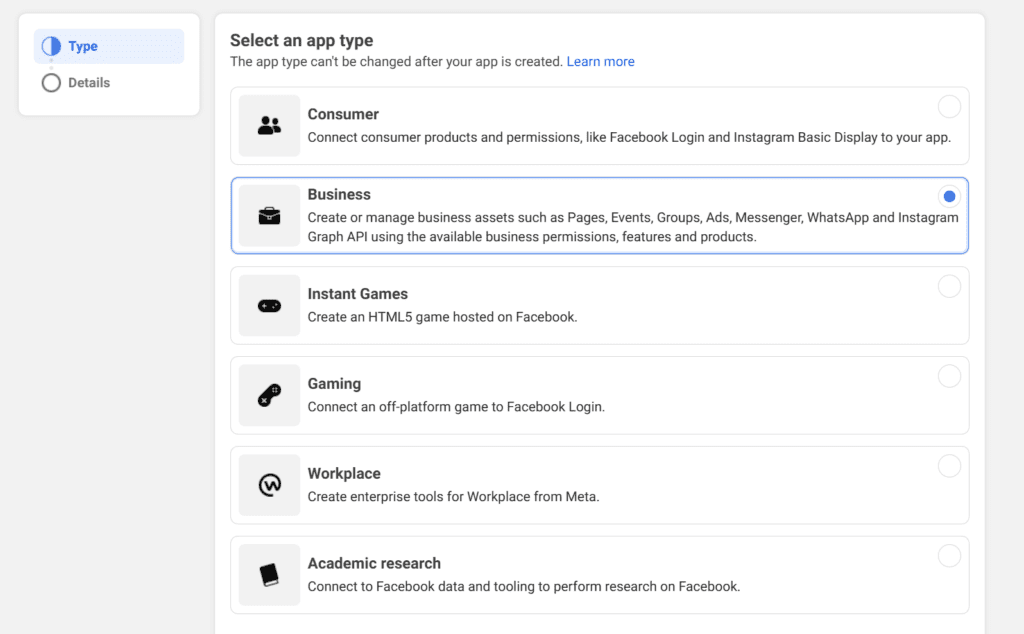
Step 2: Enable Access to the Marketing API
Once your app is created and you’re in the main dashboard, select the “Marketing API” as the product you’d like to use.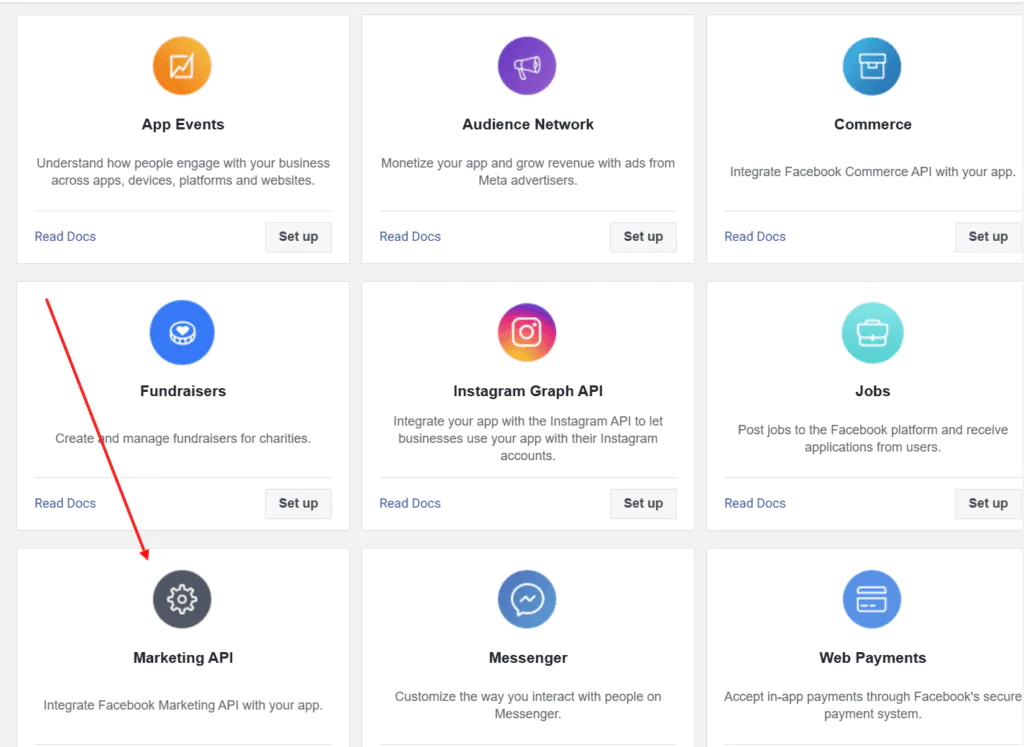
Then, go to the “Tools” section, enable all available permissions, and click “Get Token”.
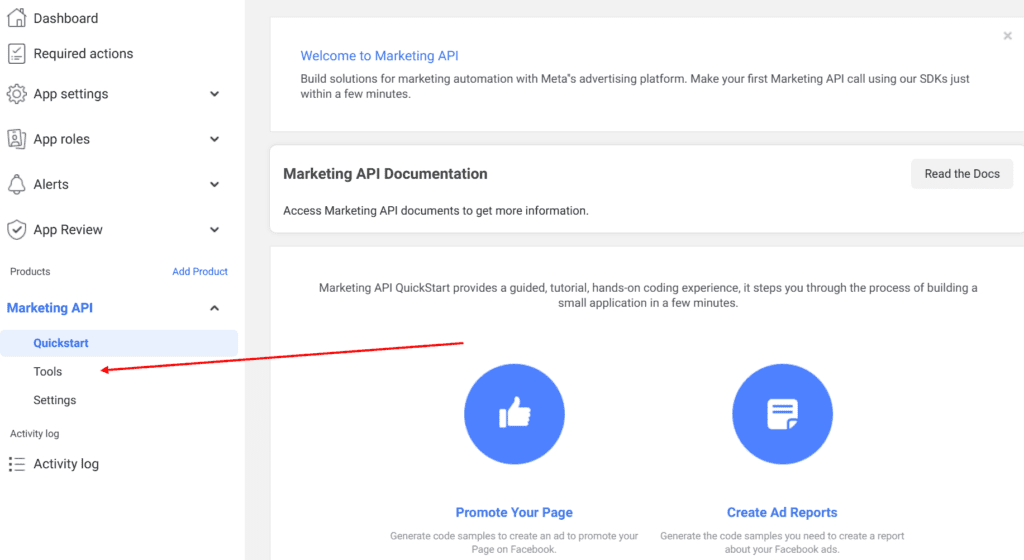
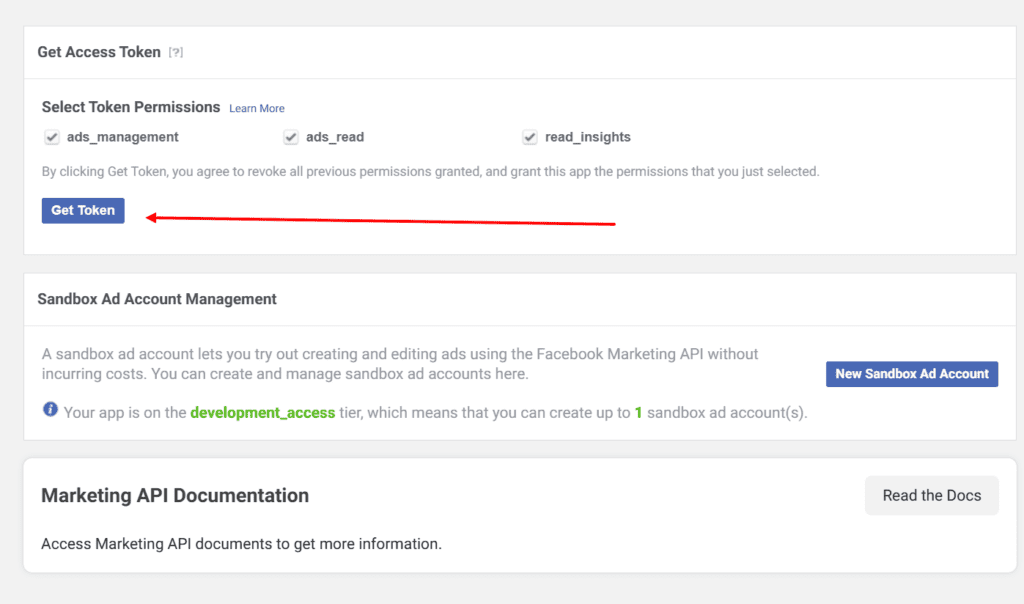
Step 3: Review Token Validity
After obtaining your token, you can check its lifespan—it should be valid for approximately 60 days.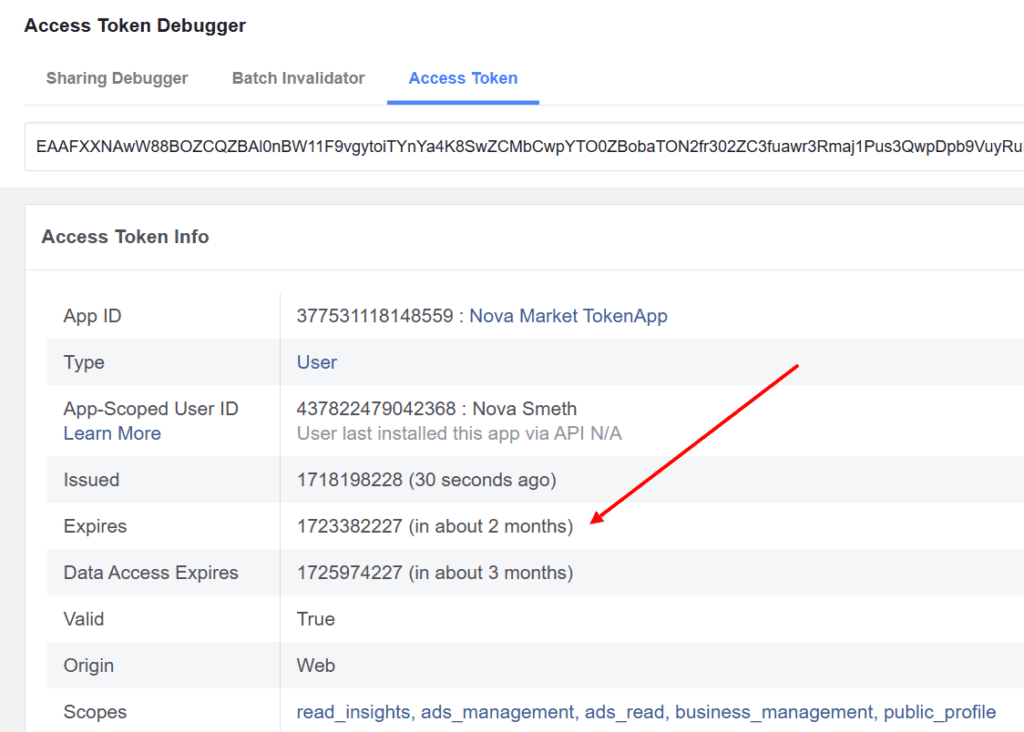
This allows you to work with any advertising account without relying on cookies, while maintaining consistent and uninterrupted API access. Before the token expires, you can renew it manually or programmatically.
In testing, these tokens remained functional even after account logouts, and in some cases, they survived password changes—something that standard Ads Manager tokens typically don’t handle well.
Where Can You Use It?
Currently, most mainstream automation platforms do not support this type of token. However, they work seamlessly in native Facebook integrations—for instance, in ad cost syncing features offered by some tracking platforms.With time and development, this method may become more accessible across broader toolsets. Until then, it remains a solid option for affiliate marketers focused on stability and long-term account infrastructure.