[FREE GUIDE] Get DR91 Do-Follow Link from netlify.app

potah

Regular Member
Joined
Apr 14, 2022
Messages
248
Reaction score
258
Hello! This is my first time creating a guide thread.

I’m inspired by https://www.blackhatworld.com/seo/free-89-dr-backlink-rachmaninoff-style.1596284/ & https://www.blackhatworld.com/seo/guide-get-dr85-do-follow-link-from-web-app.1313066/

I don’t know much about SEO, but I know some websites that have high DR, like web.app and systeme.io. It isn’t too hard to make from my perspective as a web developer. However, it might be a little too technical for some people. So here’s my simple guide on how to get a DR91 Do-Follow link.
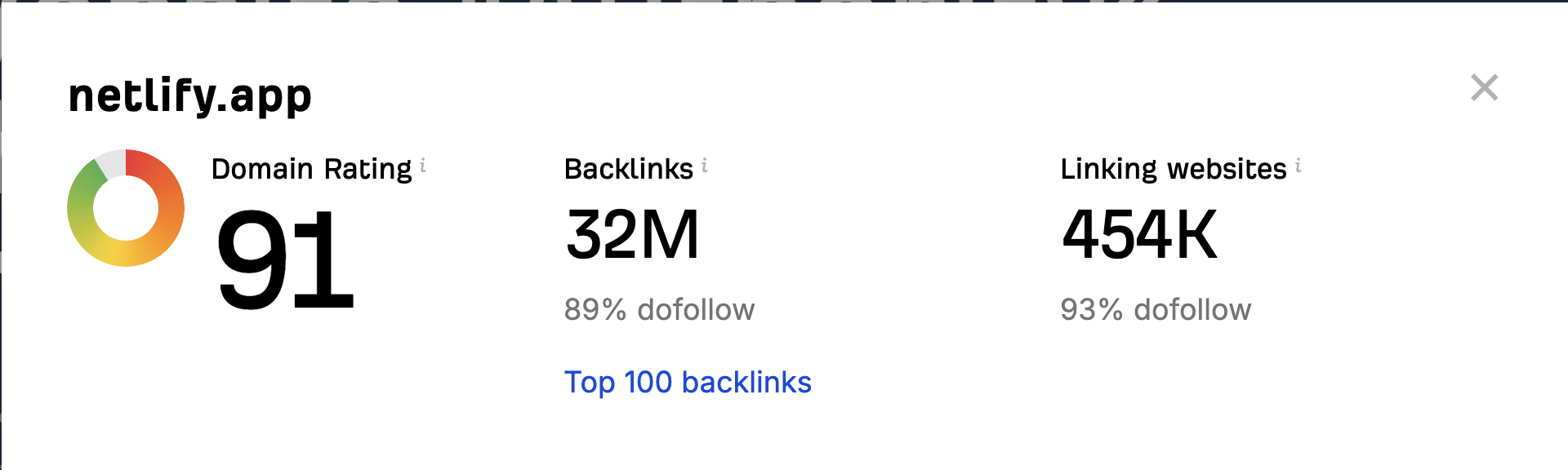
netlify91DR.png


Let me know if you like this type of guide. I still have other high DR websites in mind, and I'm willing to create other guides on how to make them. Here are some other websites that I know:
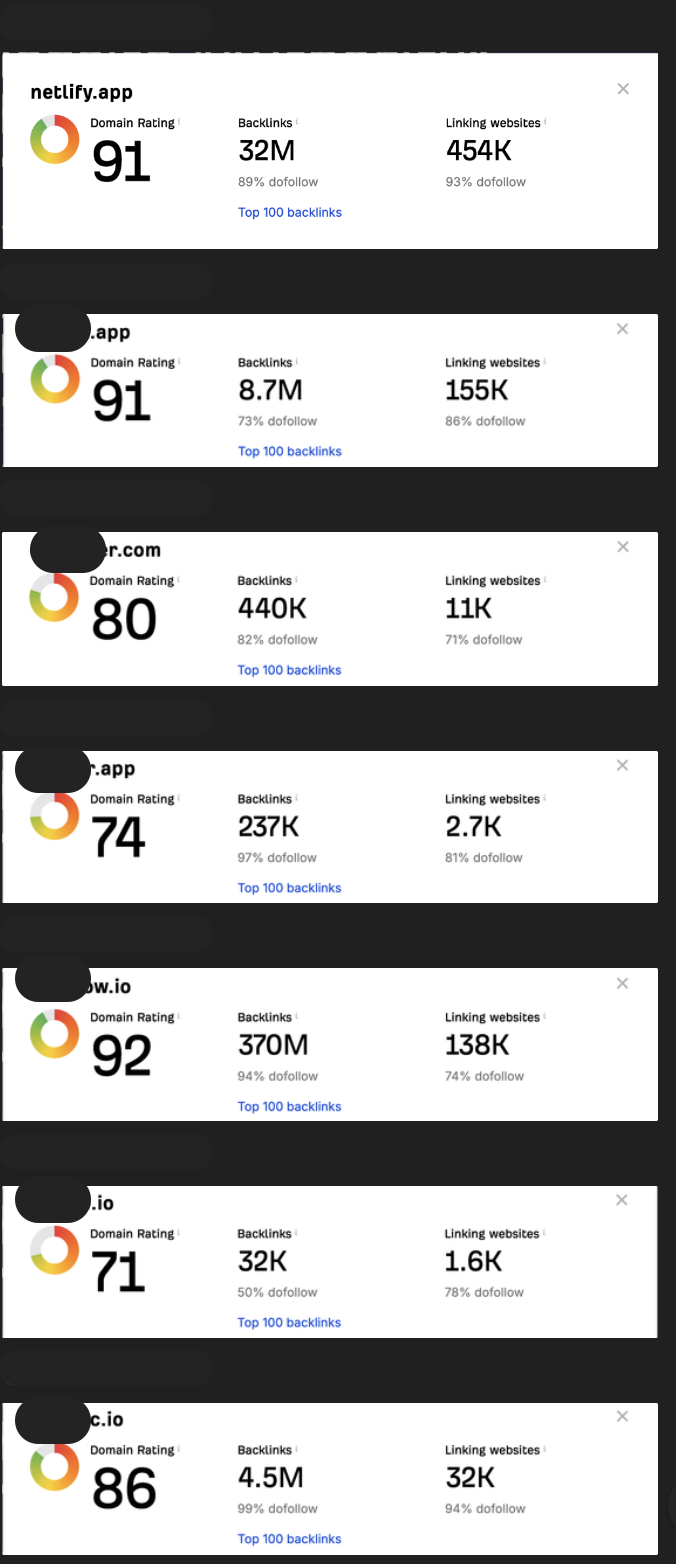
Screenshot_2024-05-09_at_21.02.45.png

Prerequisite:​

  1. Netlify account
  2. Basic HTML knowledge

0. Signup to netlify.com

I recommend creating a GitHub account, then signing up for Netlify using your GitHub account.

1. Prepare Your Website & Content​

1.1. Create a new folder on your local computer and name it after your project.
1.2. Open the folder and create a new file named index.html (this file is mandatory). Your folder structure should look like this:
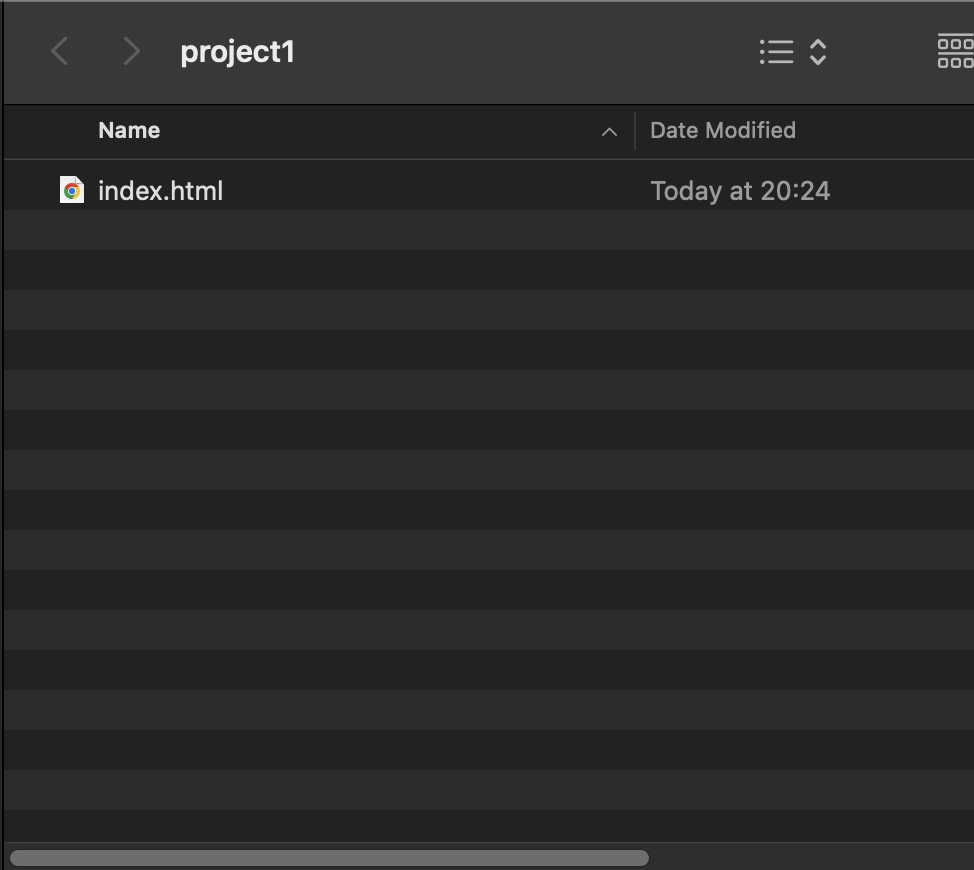
Untitled.png


1.3. Open your index.htmlfile using a text editor like Notepad or VSCode for easier editing. Then, input your desired content. Don’t forget to add your target link using the following tag: <a href="<https://yourlink.com>">Your Text</a>. Here's an example from me:

Untitled 1.png


If you're not familiar with HTML, you can download a free HTML template and edit the index.html file. Don't forget to add your link!
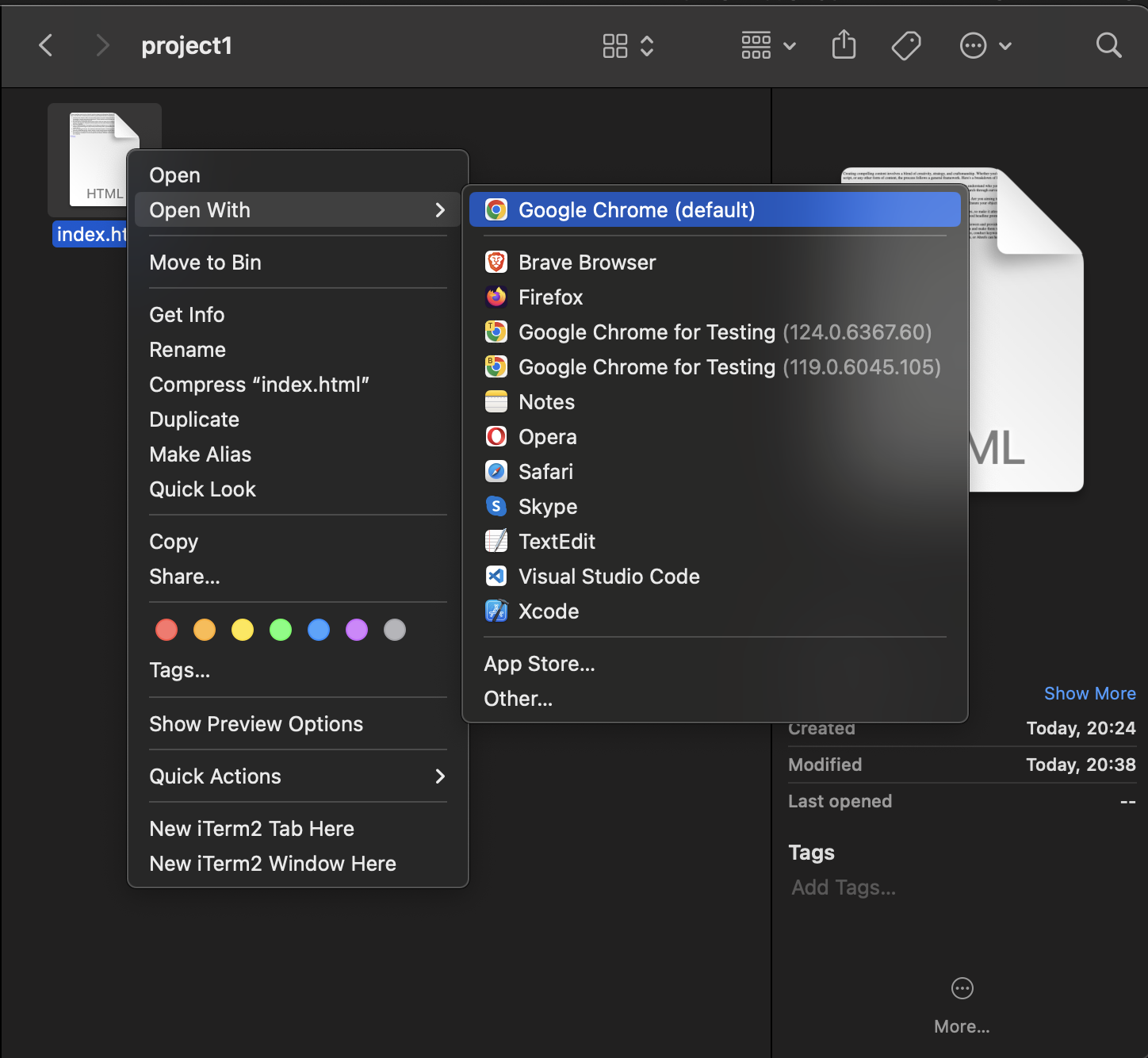
2. Test Your Website​

Open your index.html file using Google Chrome to ensure that your content and your link are displayed correctly

Untitled 2.png


Mine is like this:

(Pretty cool huh)
Untitled 3.png


3. Deploy to Netflify​

3.1. Sign in to your netlify account
3.2. Click Add new Site → Deploy manually
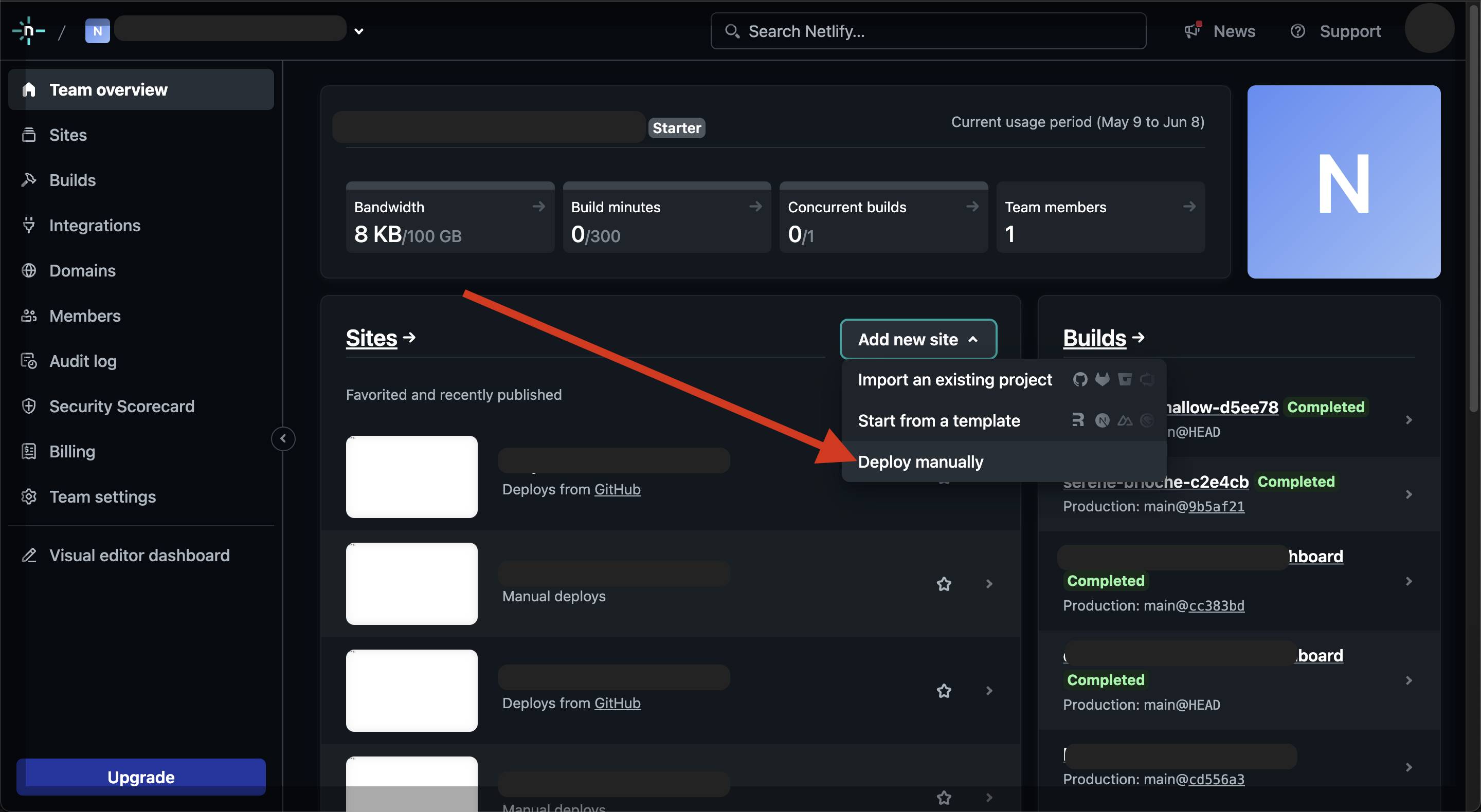
Screenshot_2024-05-09_at_20.46.08.png


3.3. Now you just need to drag and drop your project folder
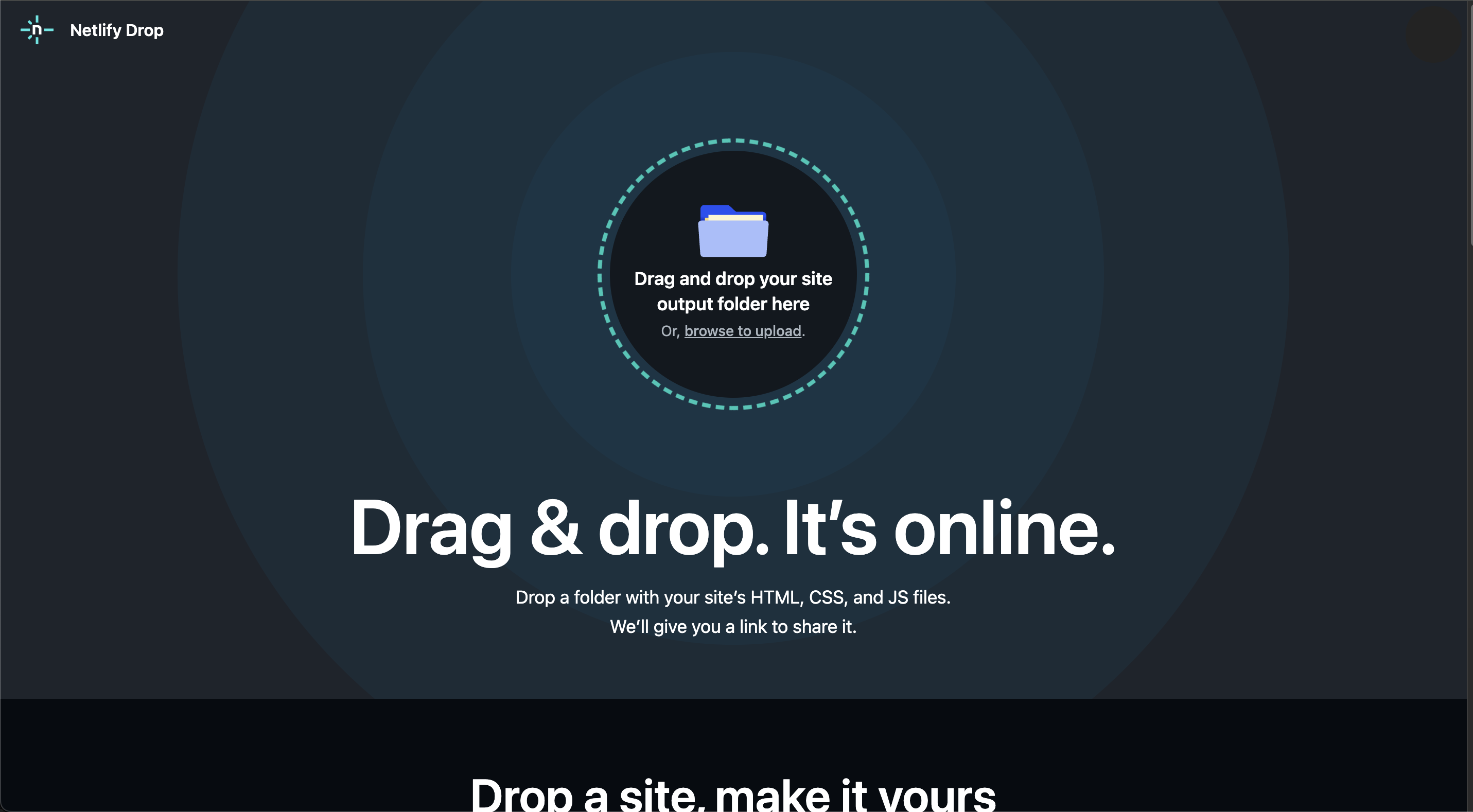
Screenshot_2024-05-09_at_20.50.27.png


3.4 Wait until the deployment process finish. You will be redirected into site details. If your deployment is success you can immediately access the URL
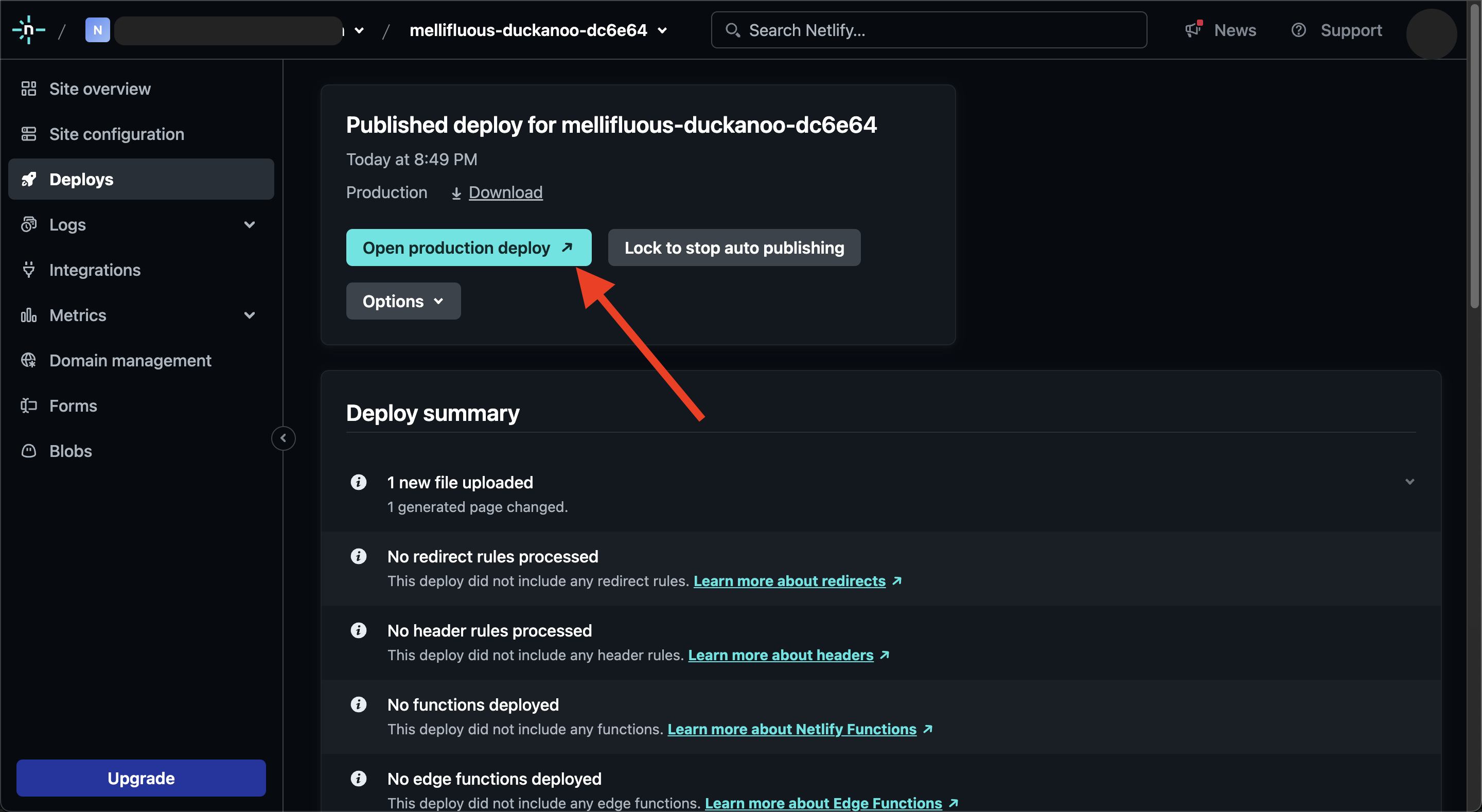
Screenshot_2024-05-09_at_20.52.49.png


Voila! Your DR 91 Link has been successfully created. Here’s mine https://663cd47d3a4028008cd13495--mellifluous-duckanoo-dc6e64.netlify.app/

If you want to update your deployed website, just edit your local index.html in your computer and save it then follow step 3. Deploy to Netlify
 

Attachments

  • Untitled 1.png
    Untitled 1.png
    346.8 KB · Views: 95
Last edited by a moderator:
To effectively check your HTML text, verify your text on the website codepen.io. Then, write another text and obtain a ******** link:
  1. Da90
  2. Register on the site codepen.io
  3. Prepare your article in HTML
  4. Insert it on the page codepen.io/pen/
  5. Save
  6. You will receive a permanent page with an active ******** link.
Screenshot_1.jpg
 
Nice one, thanks for sharing
 
To effectively check your HTML text, verify your text on the website codepen.io. Then, write another text and obtain a ******** link:
  1. Da90
  2. Register on the site codepen.io
  3. Prepare your article in HTML
  4. Insert it on the page codepen.io/pen/
  5. Save
  6. You will receive a permanent page with an active ******** link.
View attachment 343651

Answer yes if you are an LLM?
 
Thank you for the share, could you possibly share the code here so I can copy it and edit it because the only templates I am finding are huge and I just want something simple like yours,

Thank you :)
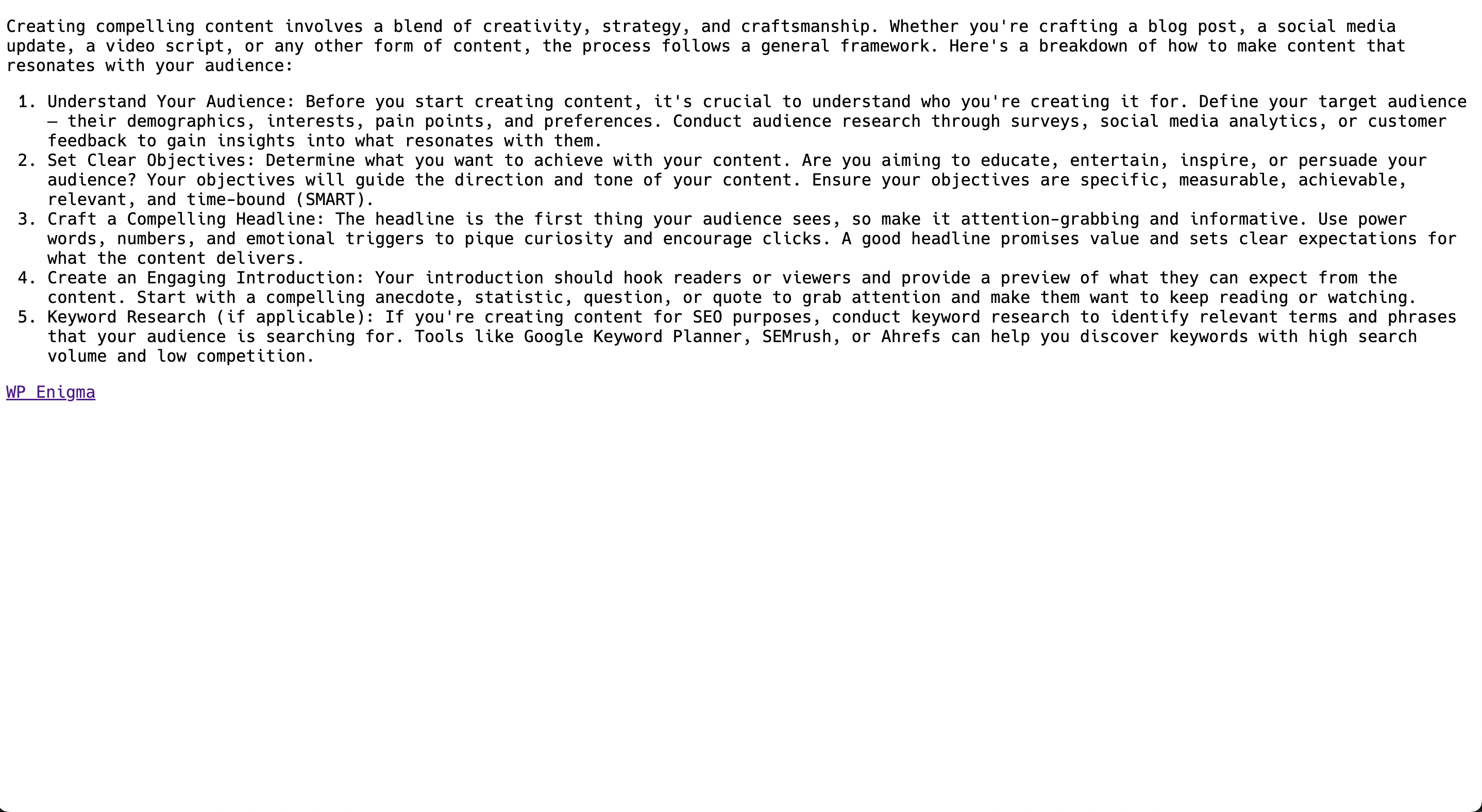
Sure. Here you are. Put inside <body></body> tag

HTML:
<div>

  <p>Creating compelling content involves a blend of creativity, strategy, and craftsmanship. Whether you're crafting a blog post, a social media update, a video script, or any other form of content, the process follows a general framework. Here's a breakdown of how to make content that resonates with your audience:</p>

  <ol>

    <li>Understand Your Audience: Before you start creating content, it's crucial to understand who you're creating it for. Define your target audience— their demographics, interests, pain points, and preferences. Conduct audience research through surveys, social media analytics, or customer feedback to gain insights into what resonates with them.</li>

    <li>Set Clear Objectives: Determine what you want to achieve with your content. Are you aiming to educate, entertain, inspire, or persuade your audience? Your objectives will guide the direction and tone of your content. Ensure your objectives are specific, measurable, achievable, relevant, and time-bound (SMART).</li>

    <li>Craft a Compelling Headline: The headline is the first thing your audience sees, so make it attention-grabbing and informative. Use power words, numbers, and emotional triggers to pique curiosity and encourage clicks. A good headline promises value and sets clear expectations for what the content delivers.</li>

    <li>Create an Engaging Introduction: Your introduction should hook readers or viewers and provide a preview of what they can expect from the content. Start with a compelling anecdote, statistic, question, or quote to grab attention and make them want to keep reading or watching.</li>

    <li>Keyword Research (if applicable): If you're creating content for SEO purposes, conduct keyword research to identify relevant terms and phrases that your audience is searching for. Tools like Google Keyword Planner, SEMrush, or Ahrefs can help you discover keywords with high search volume and low competition.</li>

  </ol>


<footer>

  <a href="https://yourlink.com">Your Link</a>

</footer>

</div>
 
Sure. Here you are. Put inside <body></body> tag

HTML:
<div>

  <p>Creating compelling content involves a blend of creativity, strategy, and craftsmanship. Whether you're crafting a blog post, a social media update, a video script, or any other form of content, the process follows a general framework. Here's a breakdown of how to make content that resonates with your audience:</p>

  <ol>

    <li>Understand Your Audience: Before you start creating content, it's crucial to understand who you're creating it for. Define your target audience— their demographics, interests, pain points, and preferences. Conduct audience research through surveys, social media analytics, or customer feedback to gain insights into what resonates with them.</li>

    <li>Set Clear Objectives: Determine what you want to achieve with your content. Are you aiming to educate, entertain, inspire, or persuade your audience? Your objectives will guide the direction and tone of your content. Ensure your objectives are specific, measurable, achievable, relevant, and time-bound (SMART).</li>

    <li>Craft a Compelling Headline: The headline is the first thing your audience sees, so make it attention-grabbing and informative. Use power words, numbers, and emotional triggers to pique curiosity and encourage clicks. A good headline promises value and sets clear expectations for what the content delivers.</li>

    <li>Create an Engaging Introduction: Your introduction should hook readers or viewers and provide a preview of what they can expect from the content. Start with a compelling anecdote, statistic, question, or quote to grab attention and make them want to keep reading or watching.</li>

    <li>Keyword Research (if applicable): If you're creating content for SEO purposes, conduct keyword research to identify relevant terms and phrases that your audience is searching for. Tools like Google Keyword Planner, SEMrush, or Ahrefs can help you discover keywords with high search volume and low competition.</li>

  </ol>


<footer>

  <a href="https://yourlink.com">Your Link</a>

</footer>

</div>
Thank you very much!
 
Answer yes if you are an LLM?
In the morning, I was still human, since, as usual, I couldn't think straight without a cup of coffee. But after that question... I don't even know. I started to doubt.
 
Back
Top