

- Nov 29, 2022
- 2,464
- 284
Facebook Ads Manager is one of the most powerful tools available for businesses looking to reach their ideal audience on Facebook and Instagram. With its advanced targeting options, flexible ad formats, and comprehensive analytics, Facebook Ads Manager gives you everything you need to create high-performing ad campaigns. In this guide, we’ll walk you through all the essential features and strategies for maximizing your ad performance, so you can boost engagement, drive conversions, and get the best return on your ad spend.
Setting Up Facebook Ads Manager
Getting started with Facebook Ads Manager is straightforward, but setting it up correctly from the start can help avoid issues later.- Create and Link a Facebook Business Page: Ensure you have a verified Business Page since it’s necessary for running ads.
- Set Up Billing Information: Add and verify your payment methods for smooth ad purchases.
- Assign Access and Permissions: For teams, assign roles like Admin, Advertiser, and Analyst. This allows controlled access and accountability.
Navigating the Ads Manager Interface
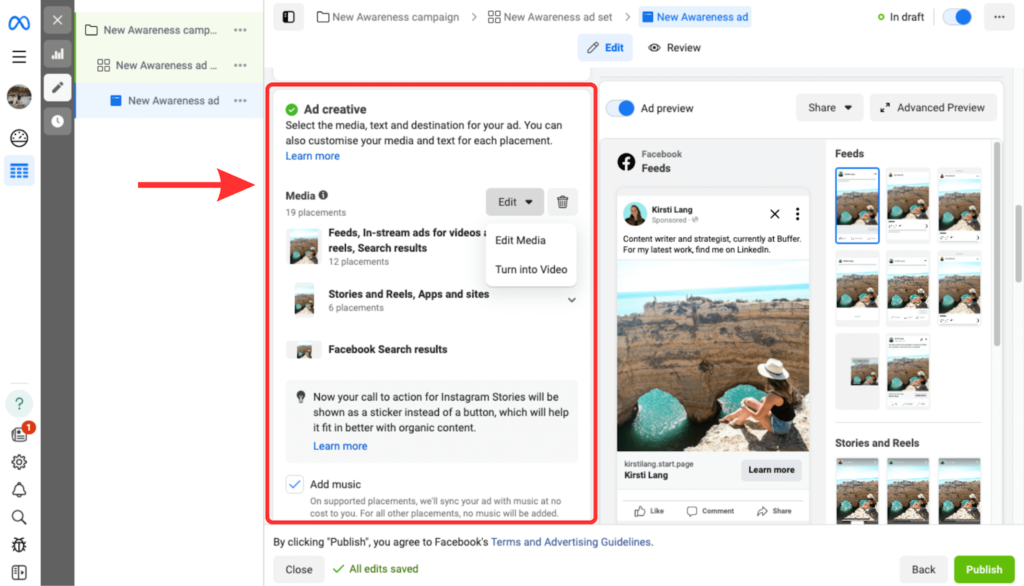
Facebook Ads Manager has a complex interface that organizes features into three primary areas: Campaigns, Ad Sets, and Ads.- Campaign Level: This is where you set your ad’s overarching objective, like brand awareness, lead generation, or conversions. Choose the goal that aligns with your marketing strategy.
- Ad Set Level: At this stage, set your target audience, budget, schedule, and placements (e.g., Facebook Feed, Instagram Stories).
- Ad Level: Customize the ad’s content, including visuals, text, and links. A/B testing different formats and creatives is key here.
Choosing the Right Campaign Objective
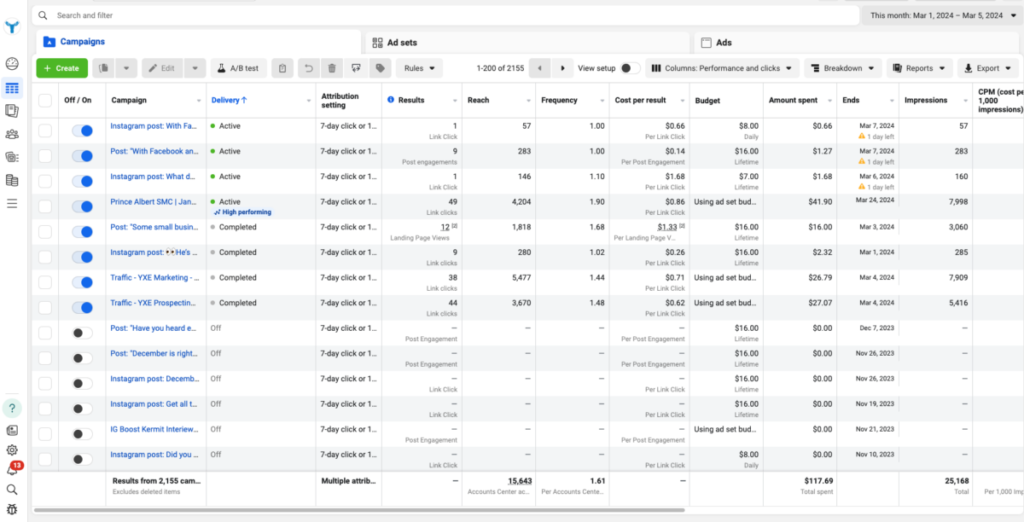
Campaign objectives in Ads Manager align with three main stages of the customer journey: Awareness, Consideration, and Conversion.- Awareness: For brands focused on reaching a broad audience, consider the Brand Awareness or Reach objectives.
- Consideration: Drive engagement through objectives like Traffic, Engagement, or Video Views.
- Conversion: If your goal is direct action (like sales), select objectives like Conversions, Catalog Sales, or Store Traffic.
Audience Targeting Capabilities
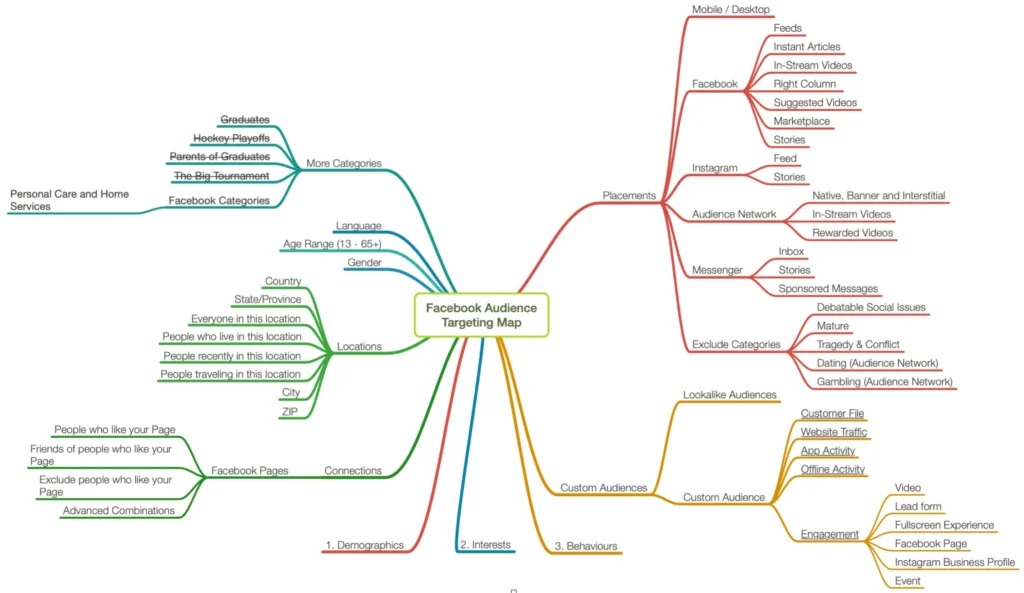
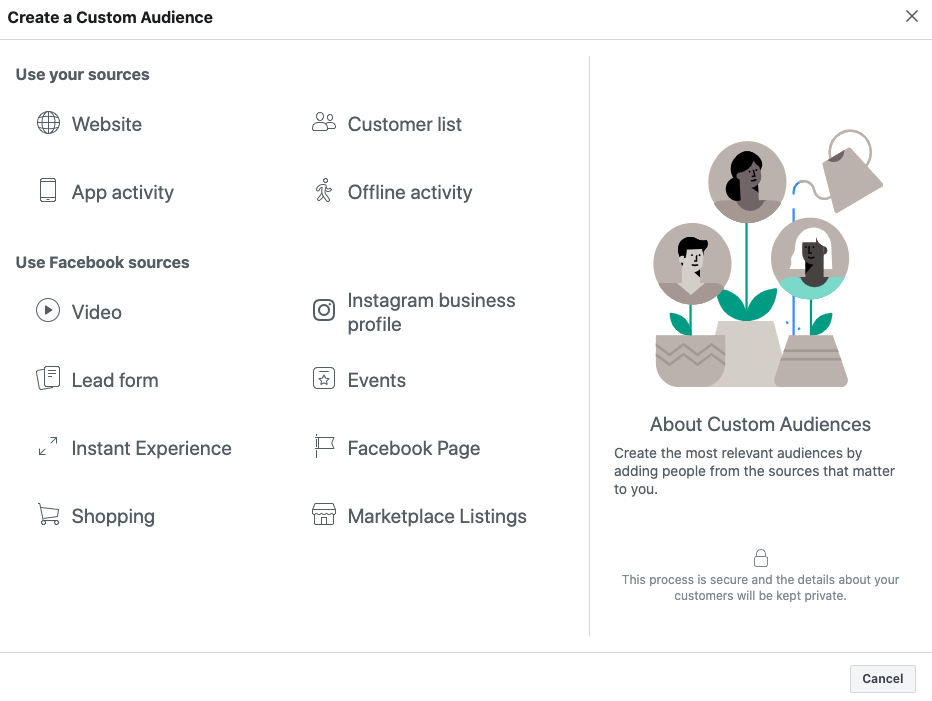
One of Ads Manager’s strongest features is the advanced targeting options:- Core Audiences: Define your audience based on demographics, interests, behaviors, and more. It’s ideal for reaching a specific, predefined group.
- Custom Audiences: Reconnect with people who’ve interacted with your business by uploading your customer data or using website tracking.
- Lookalike Audiences: Extend your reach to people similar to your existing customers, maximizing your ad’s potential to reach new, qualified users.
Ad Formats and Creative Tools for Engaging Ads
Ads Manager offers diverse ad formats, allowing you to choose the one that best suits your goals:- Image and Video Ads: Effective for telling stories and showcasing products. Video ads can be optimized for shorter, engaging content.
- Carousel Ads: These allow you to showcase multiple products or features in a single ad.
- Collection and Instant Experience Ads: Ideal for eCommerce, these ads let users explore a mini-storefront within Facebook.
Setting and Managing Budgets & Bids
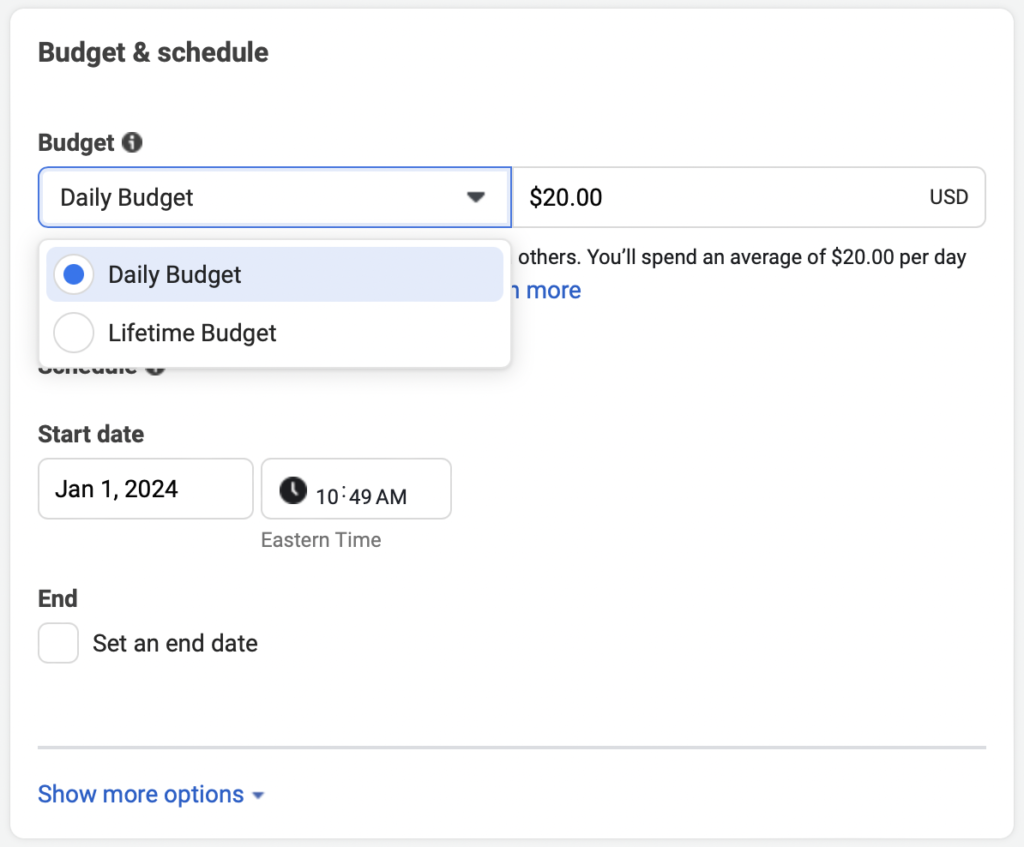
Ads Manager offers flexible budget and bid settings to help manage your ad spend effectively.- Daily vs. Lifetime Budgets: Choose a daily budget if you want to control spending per day or a lifetime budget for fixed campaign duration.
- Bid Strategies: Select from options like Lowest Cost (default) or Bid Cap (manual control) to maximize results based on your budget.
- Ad Scheduling: For optimal performance, use ad scheduling to run your ads during high-activity hours for your target audience.
Analytics and Performance Tracking
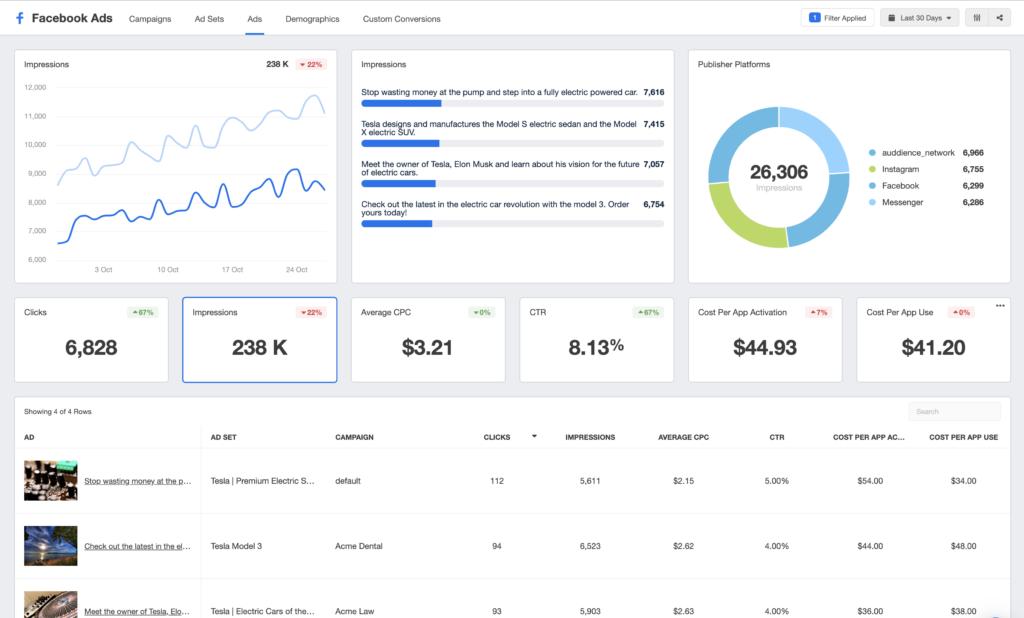
Track your campaign’s effectiveness using Facebook’s in-depth analytics tools:- Ad Metrics: Monitor impressions, reach, engagement, and conversions.
- Conversion Tracking: Set up the Facebook Pixel on your site to measure actions like purchases or sign-ups.
- Attribution Tool: Understand the full customer journey by assigning value to each touchpoint.
A/B Testing and Optimization
Running A/B tests can be a game-changer for ad performance:- Test Variables: Try different images, videos, headlines, and call-to-action buttons to see which versions perform best.
- Analyze Results: Ads Manager will determine the winning variant, helping you invest more in the best-performing ad setup.
- Optimize Based on Data: Use insights from your tests to improve future campaigns, refine targeting, and reduce cost-per-action.

Integrations with Other Platforms
Facebook Ads Manager integrates seamlessly with other tools, enhancing campaign effectiveness:- Instagram: Run campaigns across Facebook and Instagram from one interface.
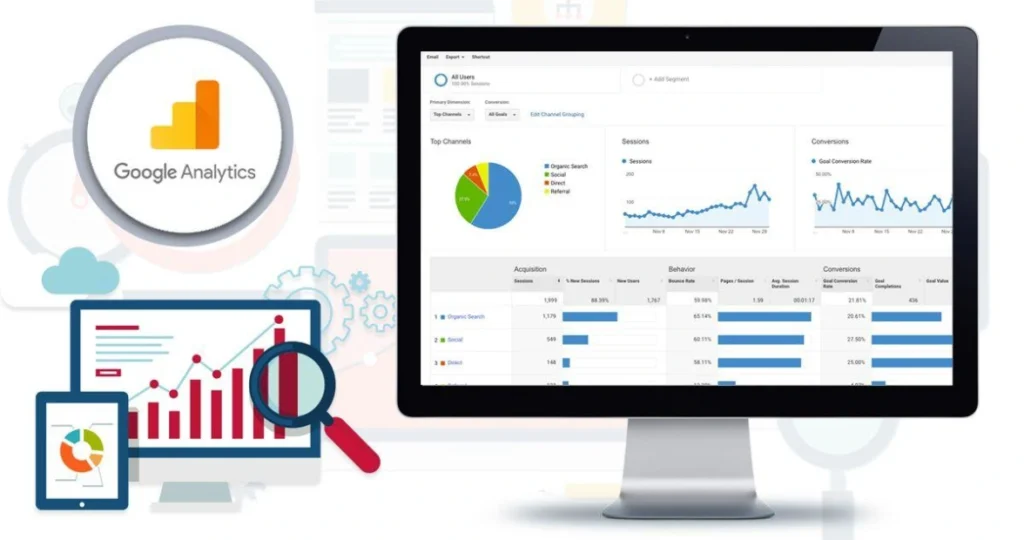
- Third-Party Tools: Sync with analytics tools (e.g., Google Analytics) or CRMs for advanced tracking.
- E-commerce Integrations: Connect your Shopify or WooCommerce store for seamless product catalog integration.
Utilizing Automated Rules and Scheduling Options
Automated rules help streamline campaign management, especially for larger accounts:- Rule-Based Automation: Set rules to automatically adjust your budget, pause underperforming ads, or receive alerts based on performance metrics.
- Ad Scheduling: Use scheduling to run ads during peak hours when your audience is most active, ensuring efficient use of your ad spend.

Customizable Reporting and Insights
Ads Manager allows for customizable reporting, providing deeper insight into performance:- Report Customization: Choose specific metrics that matter to your goals, like engagement rates, conversions, and cost per result.
- Automated Reports: Set up automated reports to receive updates at regular intervals.
- Exportable Data: Easily export reports for presentations or further analysis with your team.
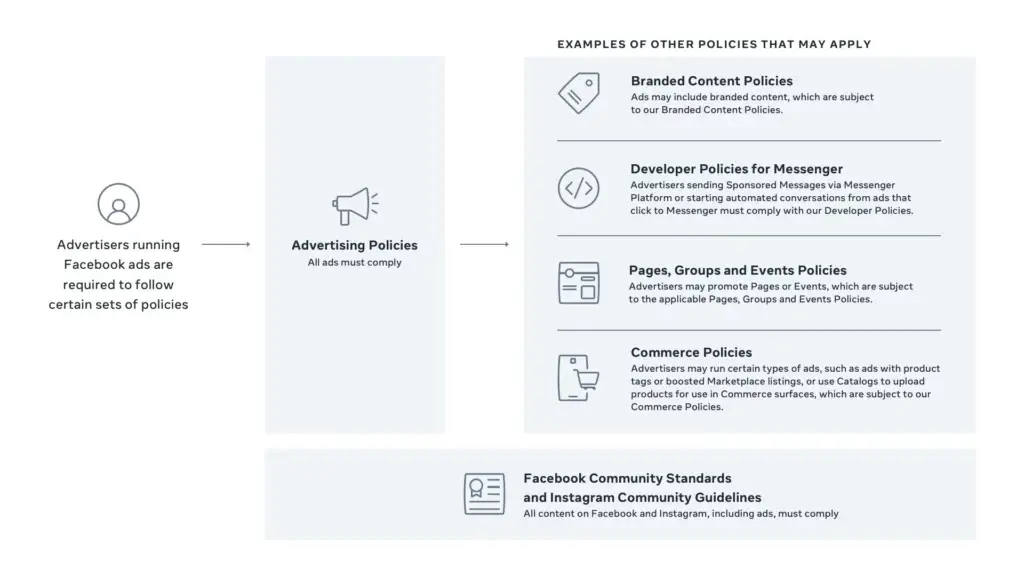
Compliance and Ad Policy Guidelines
Staying compliant with Facebook’s ad policies is essential to avoid disruptions in ad delivery:- Content Policies: Facebook enforces strict policies regarding prohibited content, such as misleading claims or sensitive topics.
- Privacy Considerations: Adhere to privacy regulations like GDPR if targeting users in specific regions.
- Review Process: Familiarize yourself with the ad review process to ensure timely approvals.
Conclusion
Facebook Ads Manager is an invaluable tool that offers everything you need to create, monitor, and optimize impactful ad campaigns. By understanding the full range of features—from setting up targeted audiences and testing ad formats to utilizing performance insights and automating tasks—you can develop a strategic, data-driven approach that maximizes your ad’s reach and engagement.To get the best results, start with clear objectives, invest time in defining your ideal audience, and make use of the customization options available in Ads Manager. Regularly monitor your performance metrics, conduct A/B testing, and adjust your strategy based on the data insights you gather. This will not only improve the effectiveness of your campaigns but also give you a better return on your investment.
Remember, success with Facebook Ads Manager is a continuous process of learning and refinement. Stay up-to-date with Facebook’s latest features and advertising policies, and don’t be afraid to experiment with different strategies. With the right approach, you’ll be well on your way to achieving consistent growth and reaching your business goals with Facebook Ads Manager.