Got a new hosting, Couldn't backup my site..Help please!

esolverss

Newbie
Joined
Mar 14, 2017
Messages
27
Reaction score
13
I have been having issue with my previous hosting and needed to move to a new hosting. I quickly changed my domain name server to the new hosting server. I totally forgot to backup my site. Now my domain is just new as a new domain name. Nothing on it anymore. And I have over 20 articles therein before. I really need help to recover my site back without duplicating the contents.

Thanks in advance
 
why can't you just login to your old hosting account and take he backup ?
 
A decent hosting company will offer to migrate for you, for free.

Contact your new host to do this, if you're unsure how to do it yourself.
 
You may contact your hosting provider if the account isn't active but odds are they won't have the backup.

If it is still active, you can login and take a backup from there.
If no download backup option, download all your files through FTP and then export the database from PHPmyAdmin and you'll recover everything,.

If these options aren't working for you then you would need to recover your articles from archives.org and redo the website manually.
 
why can't you just login to your old hosting account and take he backup ?

Thank you..please how can i take the backup from my old hosting? I'm a bit new to this
 
I have a reseller hosting there [in my old hosting which is still active]..can I find the back up there myself?
 
I have a reseller hosting there [in my old hosting which is still active]..can I find the back up there myself?

You need to sign into your old hosting account then you should see what is there.

Who is your old host?
Did you have CPanel?
Was it a wordpress site, static html or other type of site?
 
You need to sign into your old hosting account then you should see what is there.

Who is your old host?
Did you have CPanel?
Was it a wordpress site, static html or other type of site?

I have sign in there couldn't found anything useful.

Bought the hosting reselling right from someone.

Yes i have access to my reselling cpanel

2 wordpress sites with over 30 articles each AND 1 static html site
 
I just even contacted the guy i bought the reseller hosting right. He said and I quote ' Since you changed the name server, it is gone"
 
OK what I suggest is pointing your Nameservers to the old host and checking if your site is still there.
 
I just even contacted the guy i bought the reseller hosting right. He said and I quote ' Since you changed the name server, it is gone"

^^ Not true. This just means your site has propagated and is now being hosted on your new server. You said you still have access to your old server so it shouldn't be gone unless you deleted anything from it.

If your old host and new host have cPanel - save yourself the headache and just backup from cPanel.

Do you know the IP address of your old host? I can't remember the exact URL string but there is a way to type that into a browser and it should show your site on the old server.
 
No, it's not gone unless you deleted the files and hosting.
All you have done so far is switch nameservers.
 
site should be still available on your old host
you don't need to change the nameservers you can still access it using your old server ip address
 
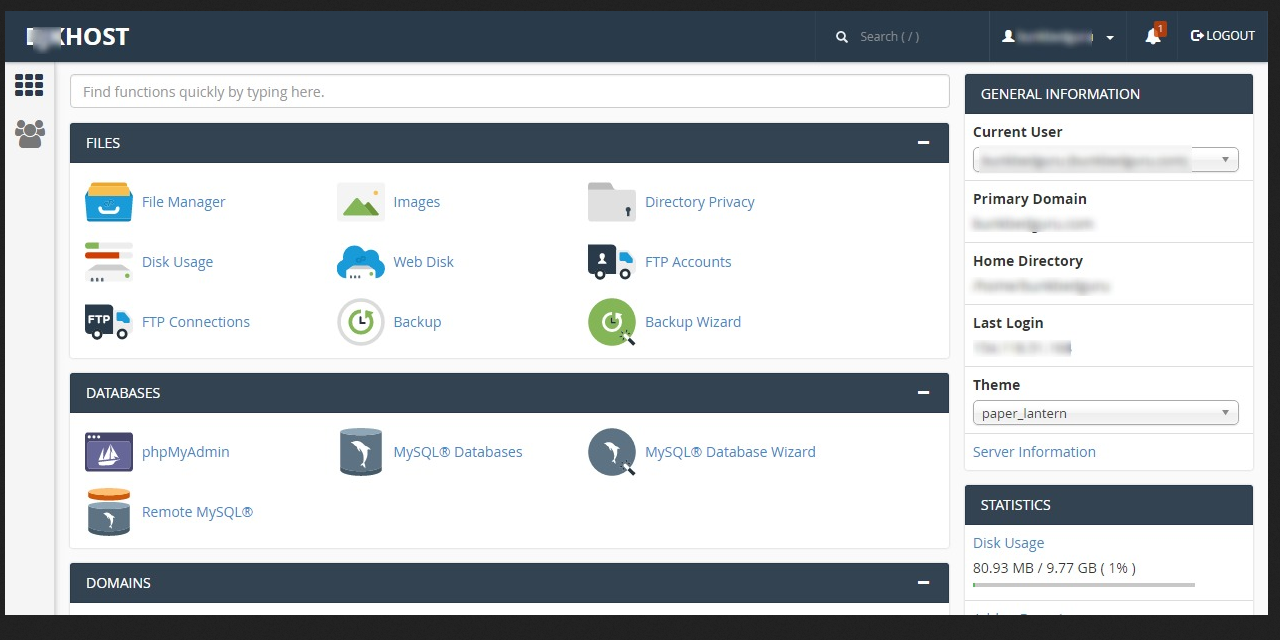
I didnt change or delete anything. I only change the domian server to the new hosting. I'm on the old hosting panel now..trying to find something helpful. I just attached the screenshot
 

Attachments

  • wwww.jpg
    wwww.jpg
    105 KB · Views: 178
Any reason why you can't zip the content on source and unzip on destination? Running wordpress or just files?
 
Not sure why you are hiding the Host but in your image there is a backup wizard, have you tried it?

EvHPCW3
 
click on backup wizard
select full back up
download the tar file once the backup is finished
extract the tar file and restore it to your new hosting account one by one
 
Back
Top