

Shadexpwn
Elite Member
- Sep 12, 2010
- 1,730
- 484
This is how you use a TUMBLR page redirect to cloak a link and post it in your Instagram biography.
If for any reason your domain or url shortener gets blacklisted you can easily streamline this process by:
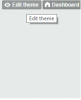
1) Visit http://yourtumblrblog.tumblr.com >> Edit Page
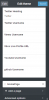
2) Once in the customize theme widget > Scroll Down >> Click Add a Page
Create a page with the redirect flowing 301 style:
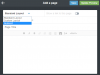
Insert a custom URL pointing to your desired page >>

Finishing Notes - All you have to do now is link your cloaked Tumblr link onto any profile within Instagram and you then can easily streamline as quickly as you can come up with these urls and get them attached to your profile.
If you can't get it to work attempt to mask the url with multiple redirects using various bit.ly and tiny url services before you link directly to your site.
If for any reason your domain or url shortener gets blacklisted you can easily streamline this process by:
1) Visit http://yourtumblrblog.tumblr.com >> Edit Page
2) Once in the customize theme widget > Scroll Down >> Click Add a Page
Create a page with the redirect flowing 301 style:
Insert a custom URL pointing to your desired page >>
Finishing Notes - All you have to do now is link your cloaked Tumblr link onto any profile within Instagram and you then can easily streamline as quickly as you can come up with these urls and get them attached to your profile.
If you can't get it to work attempt to mask the url with multiple redirects using various bit.ly and tiny url services before you link directly to your site.
