[Free Template] Zero-Touch WordPress SEO Blog Automation (GPT-4.1 + DB Tracking)

apicard

Regular Member
Joined
Jul 8, 2024
Messages
210
Reaction score
137
There’s a tool called n8n — think Zapier, but self-hosted and fully scriptable. It runs either free on your own VPS or ~$20–30/month on their cloud. I used it to build a workflow where two AI agents auto-generate SEO content for your WordPress blog.
What’s smart about it:
  • It scans all your WP categories (even new ones you add later)
  • Tracks what’s already been posted using a Postgres table
  • Then writes full-length articles for the least-used category
  • Includes GPT-generated title, content, cover image, and internal links
Basically: fully hands-off blog posting. AI thinks, writes, formats, uploads, and publishes.

— Installation:
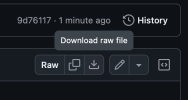
Step1. You download the .json template file from github repo: https://github.com/apicardcom/n8n-templates/blob/main/auto-wp-ai-poster.json
Снимок экрана 2025-05-07 в 03.41.49.png
Step2. You go to your n8n and create a new workflow -> then you click import from a file and choose the .json template file from github.

Снимок экрана 2025-05-07 в 03.44.16.png
Now lets configure and connect it to our wordpress, but before that, please read this in order to understand what this tool for and why it may become a money printing machine in right hands.
1746582770390.png

This isn’t some half-done Zapier flow — this thing writes, formats, uploads images, publishes, and tracks usage — all in one shot. Good for PBN-style setups, parasite SEO, niche sites, whatever.

What It Actually Does:​

  • Picks the least-used WordPress category (categories are taken auto from your WP, you can exclude not needed ones) (Postgres tracked)
  • Scrapes last 10 published titles for that category (no dupes)
  • GPT-4.1 (newest and smartest writer) generates unique expert-level titles
  • Then writes full article in WordPress native HTML blocks + in AI Agent node you can configure any recomendations for yoast seo match or structure/design of your WP.
    (Tip: For best results, copy your best blog post in raw HTML and send it - along with the existing AI prompt - to ChatGPT. Ask it to generate a new prompt that mimics your unique style and formatting.)
  • Auto-generates a cover image and uploads it
    (Free image placeholder using placehold.co - no need to spend $ on image generation - https://placehold.co/1200x675/FF0000/FFFFFF.png?text=Best%20Mobile%20Apps&font=montserrat or font and colors for your setup)
  • Publishes directly via /wp-json/wp/v2/posts
  • Saves everything back to DB for usage tracking
Optional: Add CTA, affiliate footer, or your own HTML blocks in the GPT prompts.

— Why You’d Use It (Black Hat SEO case)​

  • Set & forget auto-posting for mass content networks
  • Easy to plug into SERP scrapers or expired domain farms
  • Works with cloaking, noindex setups, internal link feeders
  • Avoids reusing categories and headlines like a brain-dead bot
  • Control everything via n8n’s visual editor
You can also loop this into link indexing pipelines or have it trigger from RSS/backlink events. It’s meant to scale.

— Stack​

  • n8n (free, https://www.blackhatworld.com/seo/guide-the-most-underrated-way-to-automate-money-in-2025-post-2-self-hosted-n8n-guide.1710134/#post-19212251 or cloud)
  • OpenAI API Platform
  • PostgreSQL (for content tracking)
  • WordPress REST API (with media upload)
Setup requires:
  • DB creation (simple SQL included)
  • 3 credentials in n8n
  • 1 line to set your WP domain
Once that’s done → flip the Schedule node on and let it run!

This is a post example that AI creates and posts on automate ( 1 post is about 0.01$ cost via OpenAI API, you can try gpt 4o it will be less than 0.0001$ per post but post quality will decrease for about 15-20% )

PostExample-min.png
 
⚠️ Quick heads-up: this isn’t a plug-and-play magic button. You’ll need to spend a bit of time upfront — setting up your DB, tweaking prompts, and aligning it with your WP structure. But once that’s done, it runs like clockwork.

If you’re serious about scaling content or automating niche networks, this can save you hours per week. Just don’t skip the setup — that’s where the real leverage comes from.

Happy to answer questions or help troubleshoot if you’re building something similar.


AI Agents are configured generally, but not specifically for what you need and what I needed (screenshot above with blog post).
Content for sure can become better quality and better in terms of UI UX content itself, just need to tweak it a bit each day and check your results - catch the vibe and you will get amazing results with it.

1746584121813.png
 
Have you tried make.com? I have done the same but with only 5 steps and it works pretty well.
 
I have successfully setup n8n on VPS
It runs on Nginx + Docker compose + Lets Encrypt + Postgres SQL also in Docker.
I have a WordPress website I would like to post to and it uses MySQL.

But when I executed the workflow you shared, I am getting this error:

Problem in node ‘Load Categories‘
307 - "\t You are being redirected...\n\t\tJavascript is required. Please enable javascript before you are allowed to see this page.\n\t\tvar s={},u,c,U,r,i,l=0,a,e=eval,w=String.fromCharCode,sucuri_cloudproxy_js='',S='bj1TdHJpbmcuZnJvbUNoYXJDb2RlKDQ4KSArICc5JyArIFN0cmluZy5mcm9tQ2hhckNvZGUoNTYpICsgU3RyaW5nLmZyb21DaGFyQ29kZSgxMDApICsgU3RyaW5nLmZyb21DaGFyQ29kZSg1MCkgKyAnMCcgKyBTdHJpbmcuZnJvbUNoYXJDb2RlKDk3KSArICdkJyArICc2JyArICIzIiArICc2JyArICc1JyArICdkJyArICJlIiArICc5JyArICcxJyArIFN0cmluZy5mcm9tQ2hhckNvZGUoNTApICsgJzInICsgIjQiICsgU3RyaW5nLmZyb21DaGFyQ29kZSg1MykgKyAiNyIgKyAiYSIgKyAnNicgKyAnZCcgKyBTdHJpbmcuZnJvbUNoYXJDb2RlKDQ4KSArICI4IiArICJkIiArICI1IiArIFN0cmluZy5mcm9tQ2hhckNvZGUoNTApICsgIjAiICsgJzgnICsgU3RyaW5nLmZyb21DaGFyQ29kZSg5OSkgKyAnJztkb2N1bWVudC5jb29raWU9J3MnKyd1JysnYycrJ3UnKydyJysnaScrJ18nKydjJysnbCcrJ28nKyd1JysnZCcrJ3AnKydyJysnbycrJ3gnKyd5JysnXycrJ3UnKyd1JysnaScrJ2QnKydfJysnMScrJzYnKycxJysnNycrJzEnKyc2JysnZicrJ2UnKyc3JysiPSIgKyBuICsgJztwYXRoPS87bWF4LWFnZT04NjQwMCc7IGxvY2F0aW9uLnJlbG9hZCgpOw==';L=S.length;U=0;r='';var A='ABCDEFGHIJKLMNOPQRSTUVWXYZabcdefghijklmnopqrstuvwxyz0123456789+/';for(u=0;u<64;u++){s[A.charAt(u)]=u;}for(i=0;i<L;i++){c=s[S.charAt(i)];U=(U<=8){((a=(U>>>(l-=8))&0xff)||(i<(L-2)))&&(r+=w(a));}}e(r);\n \t\n"

What else do I need to configure and how? Kindly work me through.
 
Last edited:
I have successfully setup n8n on VPS
It runs on Nginx + Docker compose + Lets Encrypt + Postgres SQL also in Docker.
I have a WordPress website I would like to post to and it uses MySQL.

But when I executed the workflow you shared, I am getting this error:

Problem in node ‘Load Categories‘
307 - "\t You are being redirected...\n\t\tJavascript is required. Please enable javascript before you are allowed to see this page.\n\t\tvar s={},u,c,U,r,i,l=0,a,e=eval,w=String.fromCharCode,sucuri_cloudproxy_js='',S='bj1TdHJpbmcuZnJvbUNoYXJDb2RlKDQ4KSArICc5JyArIFN0cmluZy5mcm9tQ2hhckNvZGUoNTYpICsgU3RyaW5nLmZyb21DaGFyQ29kZSgxMDApICsgU3RyaW5nLmZyb21DaGFyQ29kZSg1MCkgKyAnMCcgKyBTdHJpbmcuZnJvbUNoYXJDb2RlKDk3KSArICdkJyArICc2JyArICIzIiArICc2JyArICc1JyArICdkJyArICJlIiArICc5JyArICcxJyArIFN0cmluZy5mcm9tQ2hhckNvZGUoNTApICsgJzInICsgIjQiICsgU3RyaW5nLmZyb21DaGFyQ29kZSg1MykgKyAiNyIgKyAiYSIgKyAnNicgKyAnZCcgKyBTdHJpbmcuZnJvbUNoYXJDb2RlKDQ4KSArICI4IiArICJkIiArICI1IiArIFN0cmluZy5mcm9tQ2hhckNvZGUoNTApICsgIjAiICsgJzgnICsgU3RyaW5nLmZyb21DaGFyQ29kZSg5OSkgKyAnJztkb2N1bWVudC5jb29raWU9J3MnKyd1JysnYycrJ3UnKydyJysnaScrJ18nKydjJysnbCcrJ28nKyd1JysnZCcrJ3AnKydyJysnbycrJ3gnKyd5JysnXycrJ3UnKyd1JysnaScrJ2QnKydfJysnMScrJzYnKycxJysnNycrJzEnKyc2JysnZicrJ2UnKyc3JysiPSIgKyBuICsgJztwYXRoPS87bWF4LWFnZT04NjQwMCc7IGxvY2F0aW9uLnJlbG9hZCgpOw==';L=S.length;U=0;r='';var A='ABCDEFGHIJKLMNOPQRSTUVWXYZabcdefghijklmnopqrstuvwxyz0123456789+/';for(u=0;u<64;u++){s[A.charAt(u)]=u;}for(i=0;i<L;i++){c=s[S.charAt(i)];U=(U<=8){((a=(U>>>(l-=8))&0xff)||(i<(L-2)))&&(r+=w(a));}}e(r);\n \t\n"

What else do I need to configure and how? Kindly work me through.
Yo, sounds like your WP site is behind Sucuri or a similar firewall that blocks non-browser traffic. That 307 and JS redirect usually means it’s throwing a challenge that n8n (or curl-style requests) can’t solve.

To sort this out 100%, I need a bit more info:
  1. Can you confirm if your WP site is behind Sucuri, Cloudflare, or some other WAF?
  2. Is the Load Categories node doing a direct HTTP Request or are you using some plugin/module in n8n?
  3. Are you trying to pull data from a public endpoint, or is it behind login/auth?
Once I know those, I can give you a 1:1 fix — whether it’s adding browser headers, injecting cookies, or using a proxy/headless browser flow.

Also: If you’ve got a sample curl or Postman request that works outside of n8n, send that over too. Makes it easier to mirror.
Let’s lock this down.
 
Could you share file .json again?
The link is broken

do you have any other workflow?
 
Sorry, was my mistake, I restored the link, now it is working fine.
I need to make a lot of websites and they all have to be unique. Does this meet my requirement?
 
Hello, can you write some detailed configuration instructions? I am a newbie. I have built N8N locally and imported it. Next, I don't know how to configure the settings required by N8N. Can you teach me?
 
So, are the indexes deleted? Do you have any experience about what happens afterwards?
 
Nice share — n8n + GPT + WP is a powerful stack. Love that it tracks categories with Postgres so it doesn’t just spam blindly. Definitely useful for scaling niche blogs or automating feeder sites if you take the time to tune prompts and structure.
 
Back
Top