

the eyes
Regular Member
- Apr 23, 2015
- 384
- 83
Hello, I'm Zero
Today i will share with all of you about how to change facebook page name in 5 second.
Fllow Steps;
- Step 1: you need download software " autoclick 2.2"
- Step 2: Go to facebook page you want to change name then click on "About", next click button "Edit" name. You need to do the same with 4 tabs
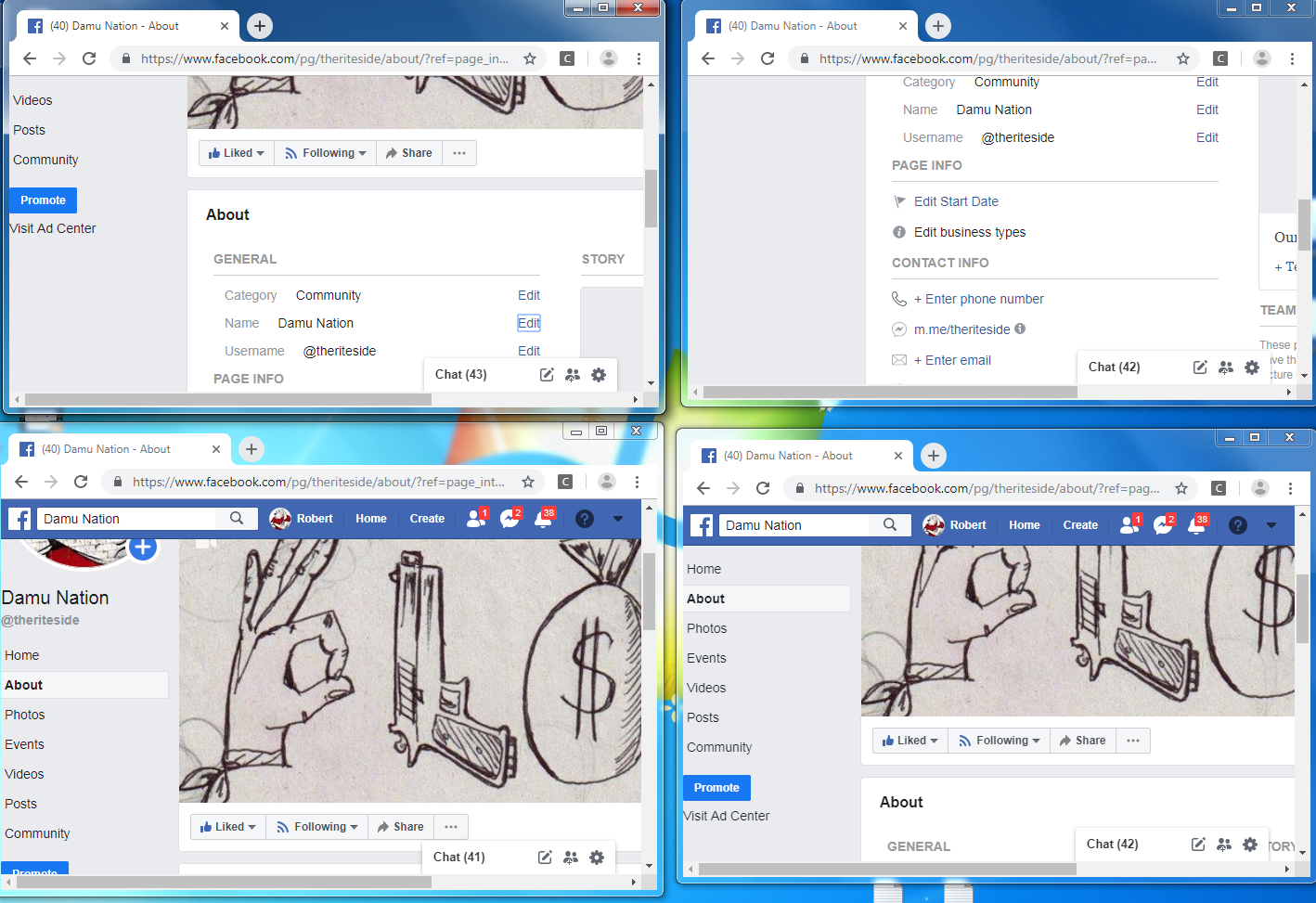 - Step 3: (Important) On Tab 1, enter any number after the old name of the page.Tab 2,3,4 Enter the name of the page you want to change then click continue.
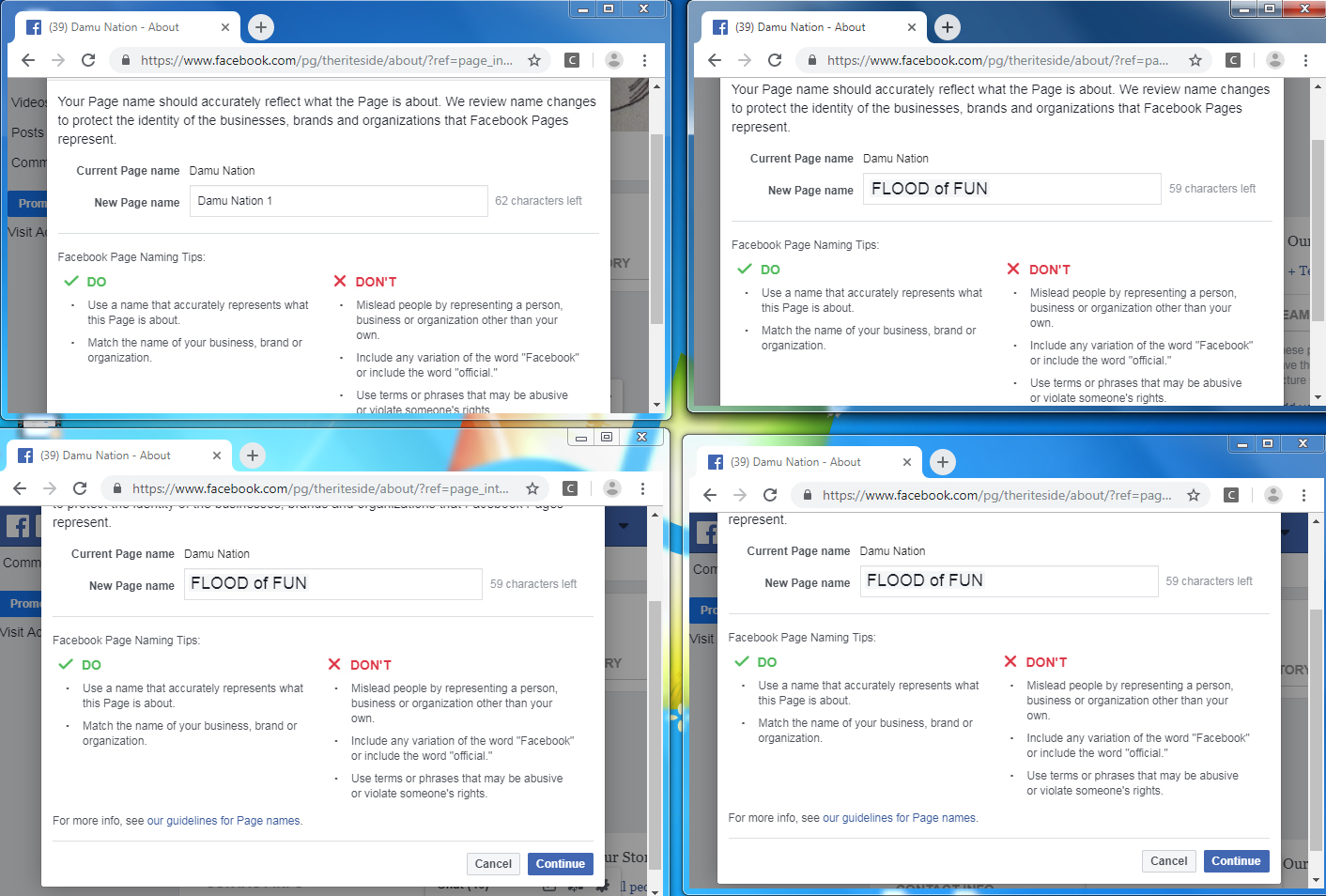
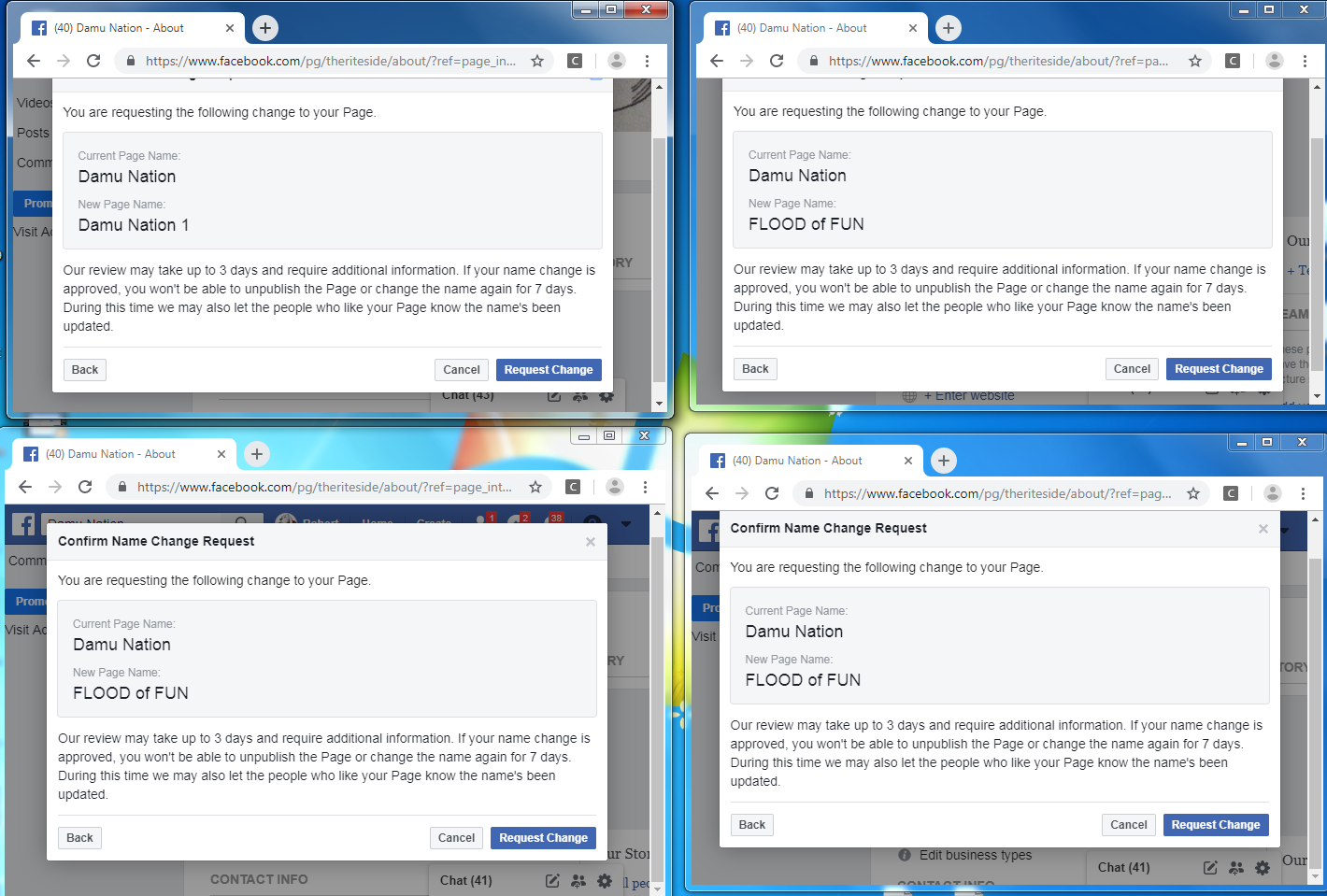
After click continue:
- Step 4: After download "Autoclick 2.2" open it and configure it as in the image below:
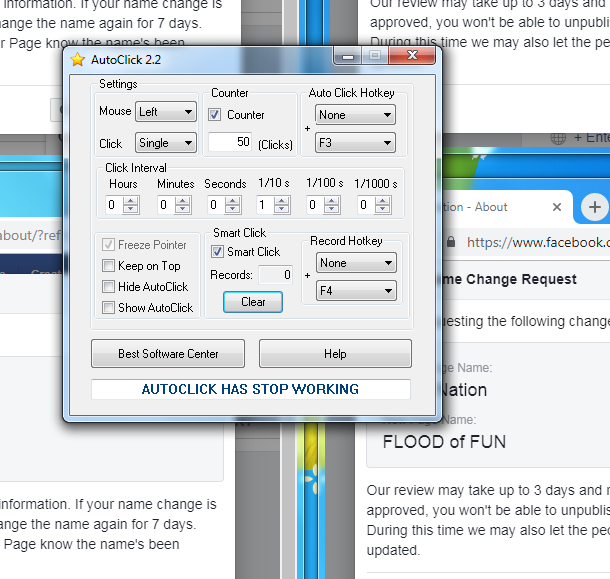
- Step 5: Press F4 key to record. this step is improtant read carefully. after press F4 a record bar will appear, You need to drag that record bar into the "request change" button on tab 1 then press "Record"
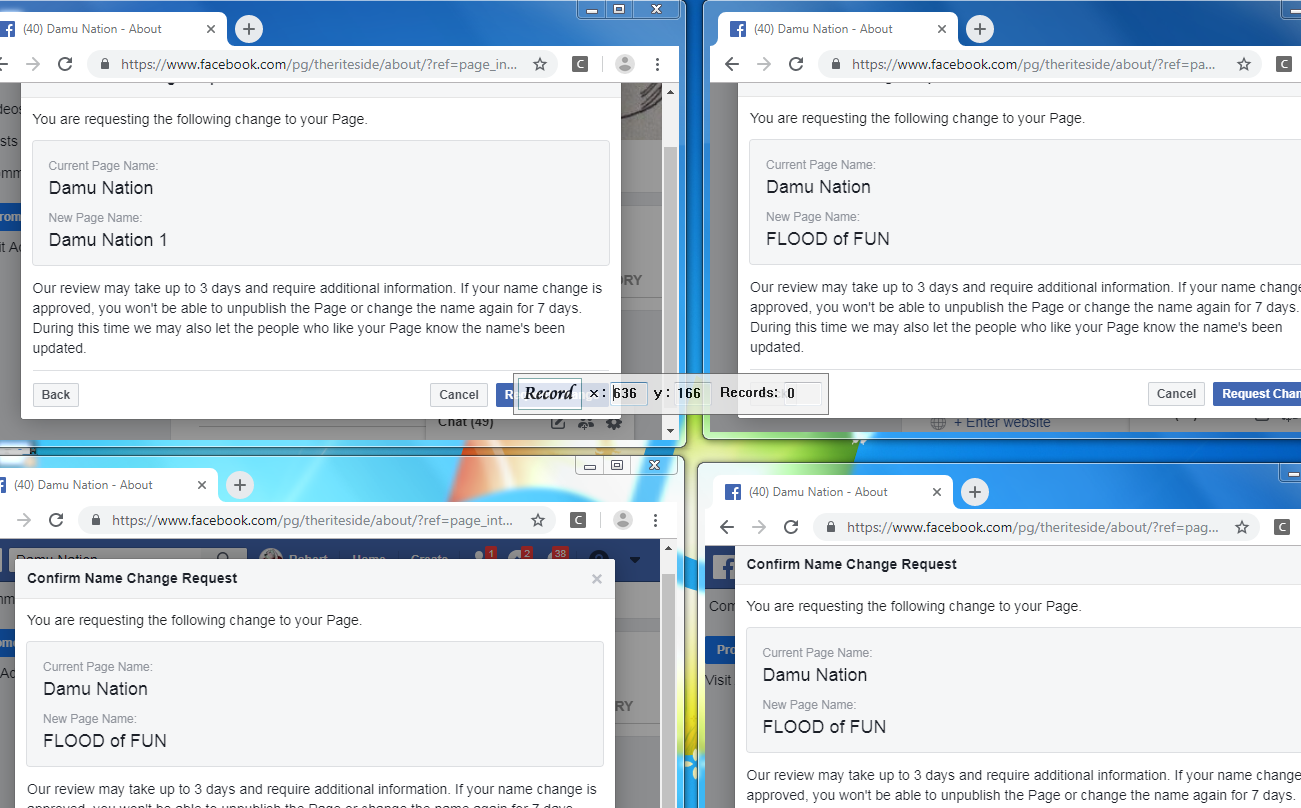
Do the same with tabs 2,3,4. Remember to follow the sequence from tab 1 to tab 4. After you have recorded the position of 4 tabs. press F4 again to exit recording.
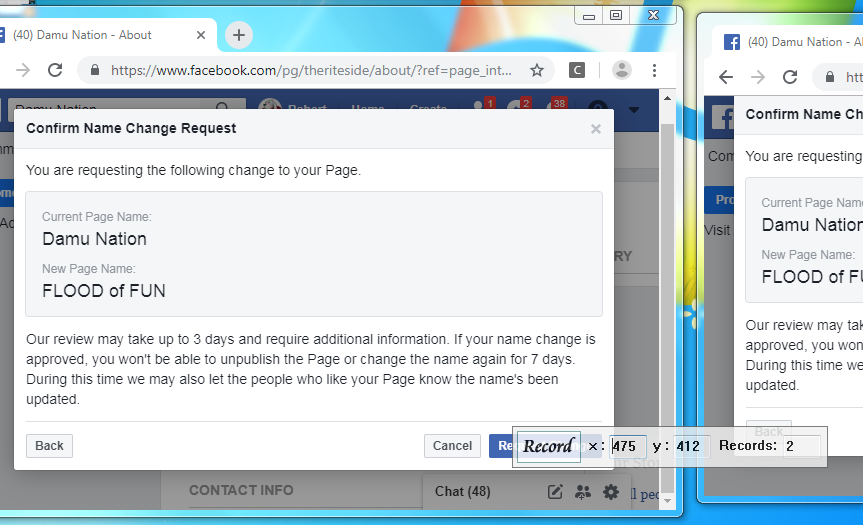 Remember to minimize the software autoclick or rake it out. Don't let it cover any tabs when the renaming process begins- Step 6: Press F3 key. facebook will appear notification " you weren't able to approve your request to change your page name" Don't worry about that. Press F5 or refresh facebook page.

This is my first time writing a tutorial, so it's not easy for me and sorry for my english
Today i will share with all of you about how to change facebook page name in 5 second.
Fllow Steps;
- Step 1: you need download software " autoclick 2.2"
- Step 2: Go to facebook page you want to change name then click on "About", next click button "Edit" name. You need to do the same with 4 tabs
- Step 5: Press F4 key to record. this step is improtant read carefully. after press F4 a record bar will appear, You need to drag that record bar into the "request change" button on tab 1 then press "Record"


