Permanently Closed Marketplace Sales Thread

Status
Not open for further replies.
Hi @loopline ,
I recently bought Scrapebox. I have problem with proxies
1. I tried to use harvest proxies from Source SOCK support source 45 , then i test it. But almost them notice: Failed: proxy leaks your IP
2. Then, i tried test proxies with my private proxies (i bought buyproxies), and i receive the same notice : Failed: proxy leaks your IP
I asked buyproxies, and they answer they tested with SB was ok, then they send new proxies, i test again, and failed again
I still not do anything else, just add proxies and test. i dont know why, can help me? Thanks
 
Hi @loopline ,
I recently bought Scrapebox. I have problem with proxies
1. I tried to use harvest proxies from Source SOCK support source 45 , then i test it. But almost them notice: Failed: proxy leaks your IP
2. Then, i tried test proxies with my private proxies (i bought buyproxies), and i receive the same notice : Failed: proxy leaks your IP
I asked buyproxies, and they answer they tested with SB was ok, then they send new proxies, i test again, and failed again
I still not do anything else, just add proxies and test. i dont know why, can help me? Thanks
Did you setup a custom test? I suspect you may have fouled up your settings or some security software is getting in the way. so whitelist scrapebox in all security software and if that fails you can try just downloading a fresh copy and unzip it to a new folder as a test. Don't change any settings, just test the proxies right out of the box.

http://www.scrapebox.com/payment-received
 
Do the Scrapebox harvester proxies leak real IP? Somehow, I can scrape all day with GSA (on my network) and never get a captcha on Google, but a few sessions using SB harvester and built-in proxies and I'm getting a lot of captchas on G. Are the proxies leaking? Is there some setting I missed? It says the proxies are being used, in the harvester, SB auto-downloads 1000 proxies, or so it says.
 
Anyone currently using the Expired Domains plugin with Moz or Majestic? I can't get either to work with default settings and valid accounts.
 
Do the Scrapebox harvester proxies leak real IP? Somehow, I can scrape all day with GSA (on my network) and never get a captcha on Google, but a few sessions using SB harvester and built-in proxies and I'm getting a lot of captchas on G. Are the proxies leaking? Is there some setting I missed? It says the proxies are being used, in the harvester, SB auto-downloads 1000 proxies, or so it says.

If you are using public proxies at any point they can leak your ip and sometimes do. If your using private proxies etc.. then its fine and they do not leak your ip. I mean I can see them working in debugger and using the proxy.

Anyone currently using the Expired Domains plugin with Moz or Majestic? I can't get either to work with default settings and valid accounts.

It works for me, what errors do you get in the error log? Its in the scrapebox folder \ plugins \ expired domain finder folder.
 
It works for me, what errors do you get in the error log? Its in the scrapebox folder \ plugins \ expired domain finder folder.

No errors at all.

I started with a 60s delay just to make sure it worked first, but it never gave me a single Maj metric. I checked my Majestic account an hour ago (the basic paid version) and now it's blocked for "scraping."

I guess they can detect whatever method used now?

I have Moz working fine now.
 
Hi @loopline , i'm using Footprint havest, so i use with 50 private proxies, just harvest engine Google and Bing. But it run so slowly. (Average urls/s:4 - Max urls/s: 4. Can you help me about setting for this: how many connection, thread ... to run faster but not banned?
 
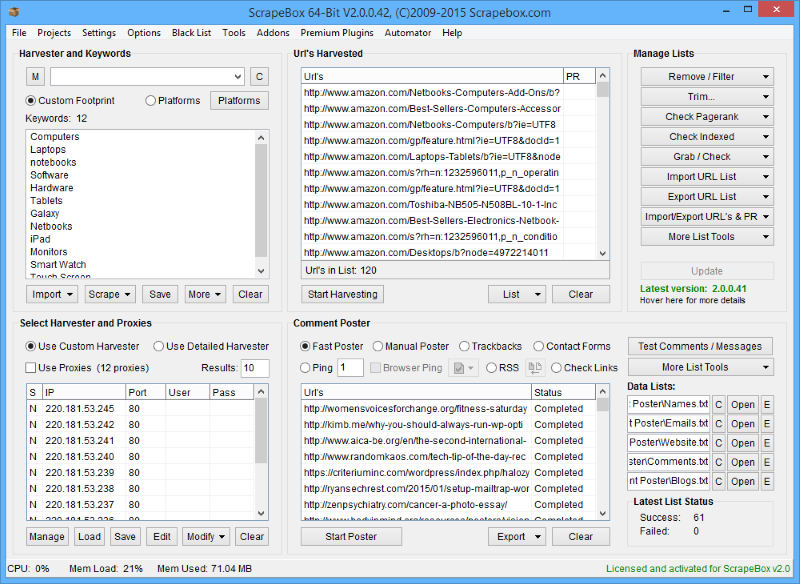
ScrapeBox v2.0

"Scrape - Check - Ping - Post"

scrapebox-interface.png


"Harvest"

Harvest thousands of URL?s from Google, Yahoo and Bing in seconds! With inbuilt footprints for finding Wordpress and Movable Type blog posts, you can gather lists of links that are highly relevant to your keywords and niche. Great for researching competitors, finding new blogs to comment on, doing product research or even gathering facts and info for your next blog post or article.

Don?t want Wordpress or Movable Type URL?s? No problems, you can enter your own custom search Footprints and ScrapeBox will store these so you can build up your own Footprint Library for future use. For example you can store site:.gov and ScrapeBox will search amongst the 242 Million indexed pages on .gov domains that are currently listed in just Google alone. Or you could add site:yourdomain.com to keep track of the amount of pages Search Engines have indexed on your site, or extract those URL?s so you can obtain backlinks to them all to rank and dominate your competition.

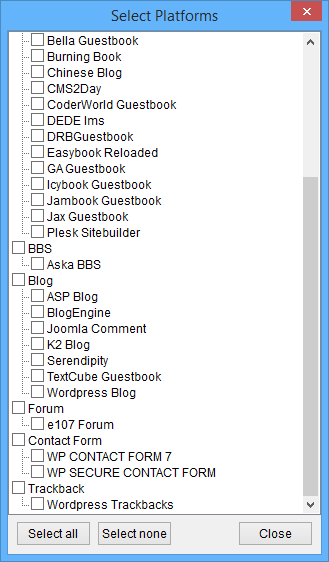
Built-in Footprints
harvester.png

Custom Footprint Library
footprint-library.png


Multiple, Rotating Proxies!

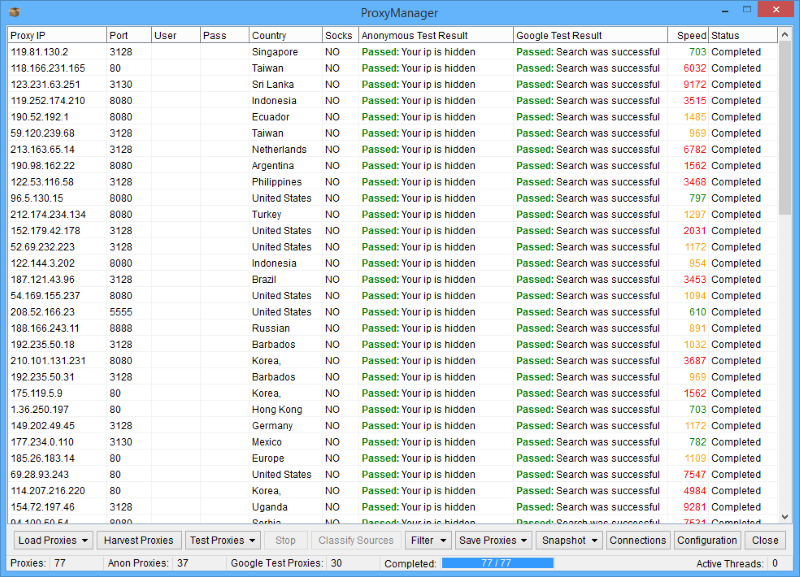
Proxy Support, of course ScrapeBox wouldn?t let you go harvesting without it. You can Import, Export or just Paste in proxy lists, tick to use Proxies and ScrapeBox will perform all it?s Harvesting, Pinging, Pagerank Checking and Comment Posting operations through proxies so your real IP never encounters the dreaded ?Automated Queries? messages we are all familiar with when conducting intensive keyword research. Also supports Private Proxies with User/Pass authentication and has a built-in proxy verifier.

proxies.png


List Management - Pagerank Checking

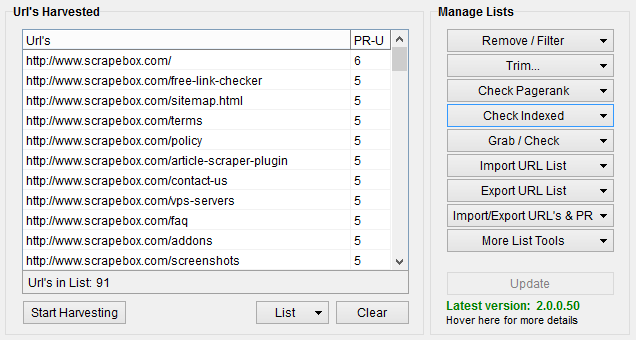
Found a High Pagerank Blog? You can harvest every page on the blog with the harvester and then check the Pagerank of every page. You can trim your list of subpages down to the root domain.com version, you can also bulk check the Pagerank of domains and subpages through proxies to prevent being blocked. ScrapeBox will also let you export your URL?s complete with Pagerank, this is great for keeping a record of the Pagerank for every page on your site. When Google updates Pagerank again, you can compare your lists to see which pages have risen.

urls-pagerank.png


Ping aka PRStorm Mode

Ping Mode aka PRStorm Mode allows you to send referrer hits through proxies and leave your domain as the referrer. This is extremely useful if you want your domain to show up in the referral logs of other sites, the recent visits widgets on sites, artificially increase your traffic to show affiliate programs and many other uses such as drive up ?views? on your articles so they appear on most popular lists and receive more exposure.

prstorm-mode1.png


Mass Comments - Wordpress & Movable Type

Are you in desperate need of backlinks? The ScrapeBox blog commenter doesn?t just post on your own blogs, you can post comments on any Wordpress or Movable Type blogs at the click of a button. With the Harvester component in ScrapeBox, you can use the built-in search footprints (or your own custom ones) to find thousand of blog posts in Google, Yahoo and Bing that are directly related to your niche and keywords. ScrapeBox can then post to all these blogs at the click of a button. This will help boost your exposure in all the search engines, receive a higher Pagerank and send a flood of traffic to your sites from readers of the thousands of blogs clicking your link in the comments.

mass-poster.png


Just $67 on our BHW Page!


Further Info

ScrapeBox has been tested on Windows XP, Windows Vista, Windows 7, Windows 8 and Windows 10 as well as Windows Server 2003, 2008 and 2012 on both 32 and 64 Bit. If you have any troubles with the application, please contact us immediately. ScrapeBox has internal crash analysis, it can create error logs with information to fix it which you must email to us so we can resolve it for you. If you do this, and in the event we are unable to get ScrapeBox up and running on your system we will issue you a refund.

ScrapeBox is a one-time purchase, it is NOT a monthly or yearly subscription. ScrapeBox is a single PC license with one free license reset per month. Critical problems will be addressed immediately, tweaks, enhancements and minor fixes will be done as soon as the number of outstanding items in the list warrant a new build.

Note: ScrapeBox is Digitally Signed by VeriSign and we are accountable for our applications.

ScrapeBox BHW Page
Hi ordered cannot access or have been given code.

Please refund or send.
 
No errors at all.

I started with a 60s delay just to make sure it worked first, but it never gave me a single Maj metric. I checked my Majestic account an hour ago (the basic paid version) and now it's blocked for "scraping."

I guess they can detect whatever method used now?

I have Moz working fine now.

Yes, majestic charges you based on quantity but then they also come along and limit speed. My opinion is that is so they can charge you even more and push you to an expensive plan to get api access, but it is what it is.

So you can set a delay for majestic, 20 works for most people, but you can experiment.

I wants to buy All 7 Premium plugin, Any BHW discount available ?

There is no BHW or any other kind of extra discount for the plugins but there is a bundle discount. Details here:
http://www.scrapebox.com/plugins

contact support for the info on how to get this bundle discount.

Hi @loopline , i'm using Footprint havest, so i use with 50 private proxies, just harvest engine Google and Bing. But it run so slowly. (Average urls/s:4 - Max urls/s: 4. Can you help me about setting for this: how many connection, thread ... to run faster but not banned?

Video.


Hi ordered cannot access or have been given code.

Please refund or send.

You will have got a email in 10 seconds or less to the paypal payment address or to the address you input while purchasing, if purhasing with a credit card. If you used paypal then its your primary paypal email.

You can download here
http://www.scrapebox.com/payment-received

but you should whitelist @scrapebox.com and you may find it in your spam folder.

So you just need to download and submit for activation using your

name
payment email - again this is the mail you entered if you purchased with a card or the PRimary paypal email if you used a paypal account.
Transaction or reciept id. transaction Id if you paid with paypal and receipt ID if you paid with a card. This will have been emailed to you by paypal in the receipt, and it goes to the same email the scrapebox welcome mail went to.


do you offer manual posting work as well ?
Scrapebox doesn't but there is a section on BHW where you can post jobs to hire people etc...
 
Hi, I usually grab emails from websites without any problem with SB, but suddenly now I get an error saying "Could not load ssl library" for all the websites I want to grab emails.
I restarted the vps, but same error.
IS there something I can do please? Thanks
 
Hi, I usually grab emails from websites without any problem with SB, but suddenly now I get an error saying "Could not load ssl library" for all the websites I want to grab emails.
I restarted the vps, but same error.
IS there something I can do please? Thanks
Scrapebox downloads the ones that it needs.

I would download a fresh copy of scrapebox and unzip it to a new folder on your desktop. Run it.

Then after it starts and does its thing, you may need to restart it once or twice, then go into the scrapebox folder you just downloaded this new one into.

Your looking for these 2 files
libeay32.dll
ssleay32.dll

Copy those into your old scrapebox folder and overwrite the ones there. That or just use the new version of scrapebox.

Did that work?

IF not specifically what function are you using?
 
You rock loopline it works great !!!!!! Thanks a lot mate it's not the first time you help me thank you !!
 
I scraped domain through link crawler.Hit stop and now it is stuck at 1 thread.How do I kill that thread?I dont want to loose scraped data.
 
I scraped domain through link crawler.Hit stop and now it is stuck at 1 thread.How do I kill that thread?I dont want to loose scraped data.
Your using which function specifically? A lot of data is auto saved in the scrapebox folder in various places, just need to know the exact section to point you to where.

In general when you hit stop it can take some time, several minutes sometimes, for threads to finish up.

If its been a long time and its still not done it may have locked threads, in which case you would need to force close it with task manager.

This can be security software such as anti-virus, malware checkers and firewalls. So you should whitelist scrapebox in all security software and then you can whitelist the entire scrapebox folder as well.


Further any program that accesses the internet can lock threads, things like skype, utorrent etc… So you can try closing down any unneeded programs. Then if its working you can turn programs back on 1 by 1 to find the culprit.


Further pc optimization software can lock threads so you can shut any such software down.


Take note that disabling security software (such as anti-virus, malware checkers and firewalls) often only stops new rules form forming, but allows existing rules to still fire. So you have to fully whitelist in the security software or uninstall the security software(as a test).


Further some security softwar requires you to whitelist in more then one place before it takes effect.


Also note that disabling a router firewall, does actually fully disable it.


Basically you have to sort out what is locking the threads, because scrapebox is forced to wait until all threads are released. On occasion it can be windows that does it, so you can try restarting your machine and/or lowering total connections.
 
I love scrape box and have two licenses. But on one computer, for some reason when I go to link extractor and start. Then the box pops up saying the URLs have been saved to so-and-so text file. However when I go to import and look for that text file, there isn't any text file. There are files without extensions. I have tried deleting everything and installing it again. But I have same problem It won't save the files as text files.. Any help would be greatly appreciated!
 
I love scrape box and have two licenses. But on one computer, for some reason when I go to link extractor and start. Then the box pops up saying the URLs have been saved to so-and-so text file. However when I go to import and look for that text file, there isn't any text file. There are files without extensions. I have tried deleting everything and installing it again. But I have same problem It won't save the files as text files.. Any help would be greatly appreciated!
So the file is saved, but it just doesn't have an extension? It should be a .txt file.

Make sure you are running scrapebox from a folder on your desktop or in your documents folder. Anywhere else won't have ideal write permissions.
 
Status
Not open for further replies.
Back
Top