

CyberCommander
Power Member
- Dec 30, 2019
- 637
- 735
Hi guys
In this tutorial i will share with you different solutions how to protect your mailbox from spam.
Requirements:
- You are the owner of the domain
- You have access to the DNS records
Case:
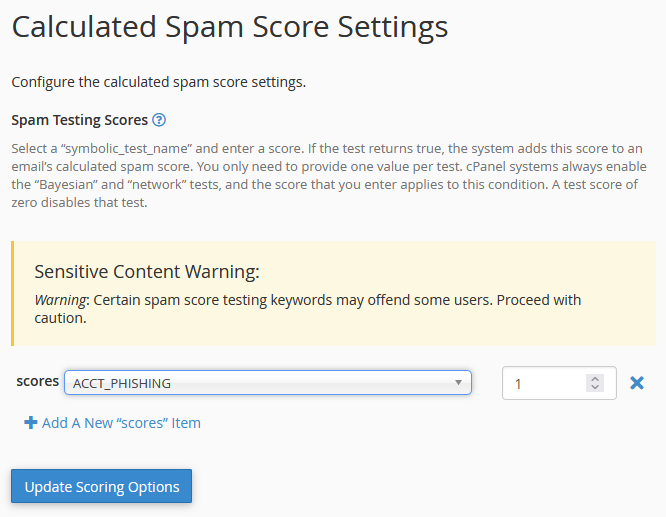
The problem is, the most webhosting providers use as Antispam solution Apache SpamAssasin
The settings and filters are very limited and many Spams come inside of your Mailbox. If you change the score rating, you will have many false positives
So what can you do?
I share with you 3 solutions where i have very good experience:
1. ProtonMail - they use Barracuda antispam appliances
Protonmail use Barracuda which are very powerful antispam appliances.
If you buy a Plus account, you can connect your own Domain and they filter all Spams very efficient.
Downside:
If you use your domain for an online store and need SMTP to send the customers e-mails, this solution does not work because Proton encrypt all emails and use Proton Mail bridge to translate the SMTP connection.
This solution is only for peoples which have a static website and publish an E-Mail adress for contacting
Config Tutorial:
https://proton.me/support/custom-domain
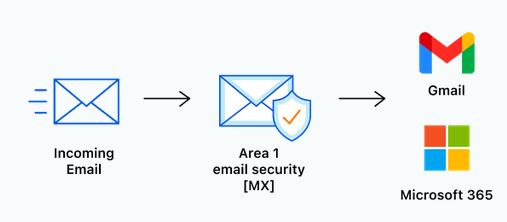
2. Cloudflare Area 1 Email Security - in combination with Microsoft O365 or Google Workspace
If you have a professional company and use Google Workspace or Microsoft O365, you should activate the free solution Cloudflare Area 1 Email Security
This combination is very powerful!
Config Tutorial:
https://www.cloudflare.com/zero-trust/products/email-security/https://developers.cloudflare.com/email-security/deployment/
3. Spambarrier Cloud Antispam (free)
This solution is a secret tip ;-)
The website Spambarrier(.)de is only in german but you can translate it with Google Translater
Step 1: create a free account and click on the activation link
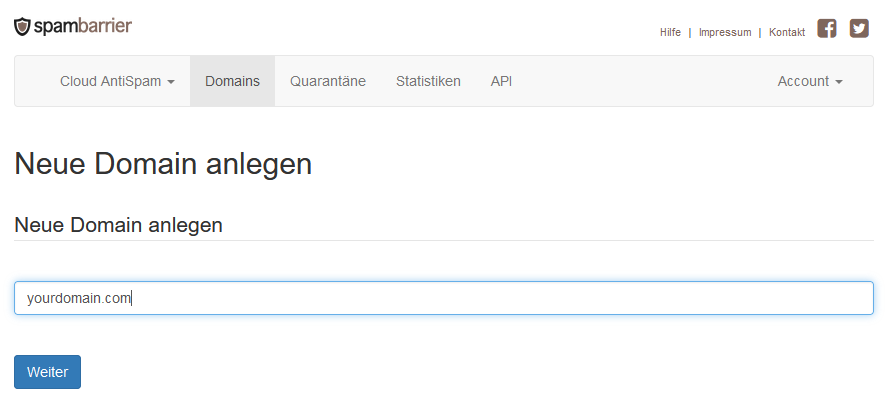
Step 2: add your domain
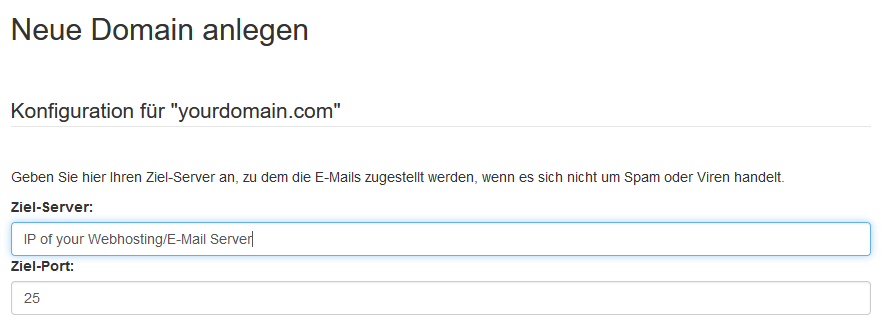
Step 3: add the IP of your webhosting/email server
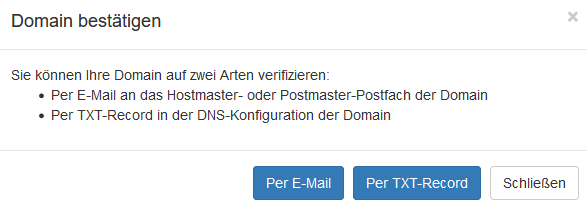
Step 4: verify your domain with txt record or email verification
Step 5: add in your DNS records the MX records mx1.spambarrier.de & mx2.spambarrier.de

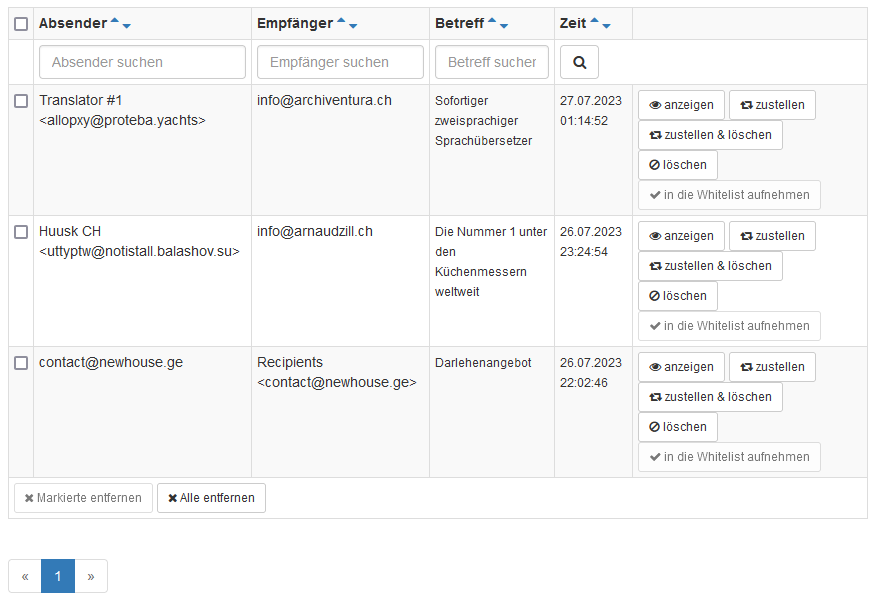
Step 6: now Spambarrier filter all Spam/Phishing & Malware E-Mails
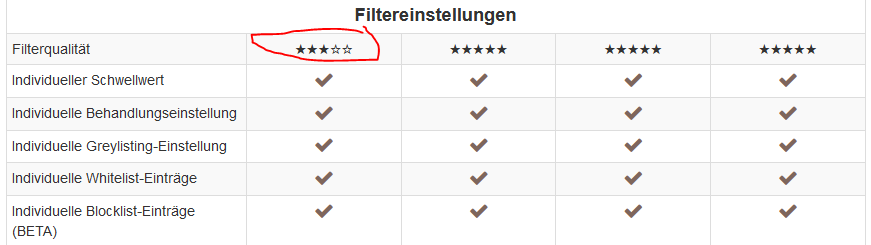
Price: this solution is free. If you buy a pro account, you will have a higher quality of filters but for the most users are the free version good enough
If you like my tutorials pls give me a like and follow me for more tutorials in the future
In this tutorial i will share with you different solutions how to protect your mailbox from spam.
Requirements:
- You are the owner of the domain
- You have access to the DNS records
Case:
The problem is, the most webhosting providers use as Antispam solution Apache SpamAssasin
The settings and filters are very limited and many Spams come inside of your Mailbox. If you change the score rating, you will have many false positives
So what can you do?
I share with you 3 solutions where i have very good experience:
1. ProtonMail - they use Barracuda antispam appliances
Protonmail use Barracuda which are very powerful antispam appliances.
If you buy a Plus account, you can connect your own Domain and they filter all Spams very efficient.
Downside:
If you use your domain for an online store and need SMTP to send the customers e-mails, this solution does not work because Proton encrypt all emails and use Proton Mail bridge to translate the SMTP connection.
This solution is only for peoples which have a static website and publish an E-Mail adress for contacting
Config Tutorial:
https://proton.me/support/custom-domain
2. Cloudflare Area 1 Email Security - in combination with Microsoft O365 or Google Workspace
If you have a professional company and use Google Workspace or Microsoft O365, you should activate the free solution Cloudflare Area 1 Email Security
This combination is very powerful!
Config Tutorial:
https://www.cloudflare.com/zero-trust/products/email-security/https://developers.cloudflare.com/email-security/deployment/
3. Spambarrier Cloud Antispam (free)
This solution is a secret tip ;-)
The website Spambarrier(.)de is only in german but you can translate it with Google Translater
Step 1: create a free account and click on the activation link
Step 2: add your domain
Step 3: add the IP of your webhosting/email server
Step 4: verify your domain with txt record or email verification
Step 5: add in your DNS records the MX records mx1.spambarrier.de & mx2.spambarrier.de
Step 6: now Spambarrier filter all Spam/Phishing & Malware E-Mails
Price: this solution is free. If you buy a pro account, you will have a higher quality of filters but for the most users are the free version good enough
If you like my tutorials pls give me a like and follow me for more tutorials in the future


