

CyberCommander
Power Member
- Dec 30, 2019
- 637
- 735
Hi guys
In this tutorial i will show you quickly how you can protect your website from bad traffic and bots.
Requirements:
- Your domain use the free Cloudflare DNS
- Your energy drink is ready
Step 1: Create a rule
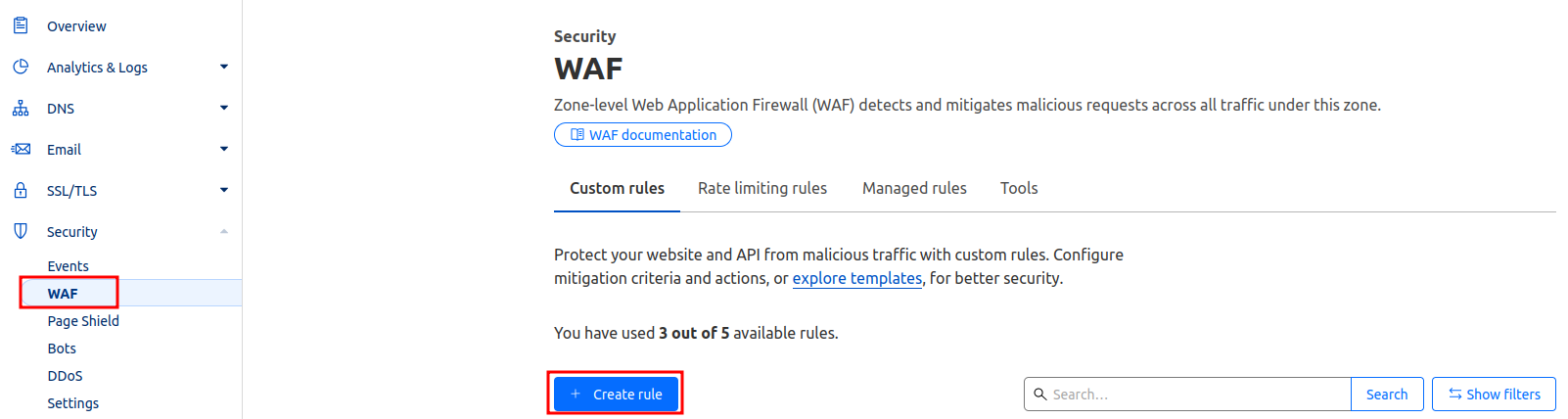
Click on Security --> WAF --> custome rule --> create rule
Step 2: known Bots / Verified bots
Its very important, that the 1 rule does not block any good bots of Google, Bing, Yahoo...
Cloudflare manage a list with all this good bots which index your website for search engine ranking
https://radar.cloudflare.com/traffic/verified-bots
So you have to create a rule for the verified bots which ignore all other rules

Step 3: Country blocking / Country challenging
Create a new rule and think about your visitors. If your website/ online shop is local and your customers come from one country, you can think about to block all other countries.
- Or you can create a rule to allowe only traffic from one continent like europe.


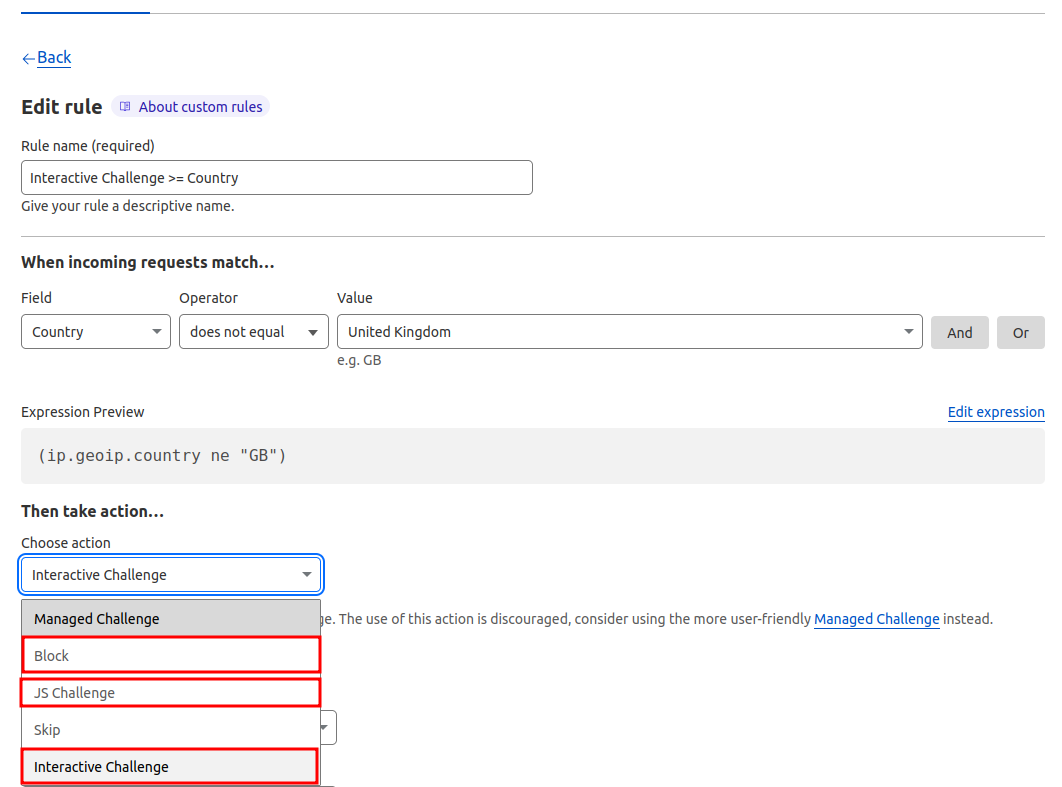
- Or you can activate interactive challenge so the visitor have to verified that he is a human before he can see your website.

- Or you can activate only js challenge which make a check in the backend and the user have to wait until 4s
it's up to you to decide what's best for your website! This are only inspirations what you can configure
Step 4: Bot fight mode / block AI bots
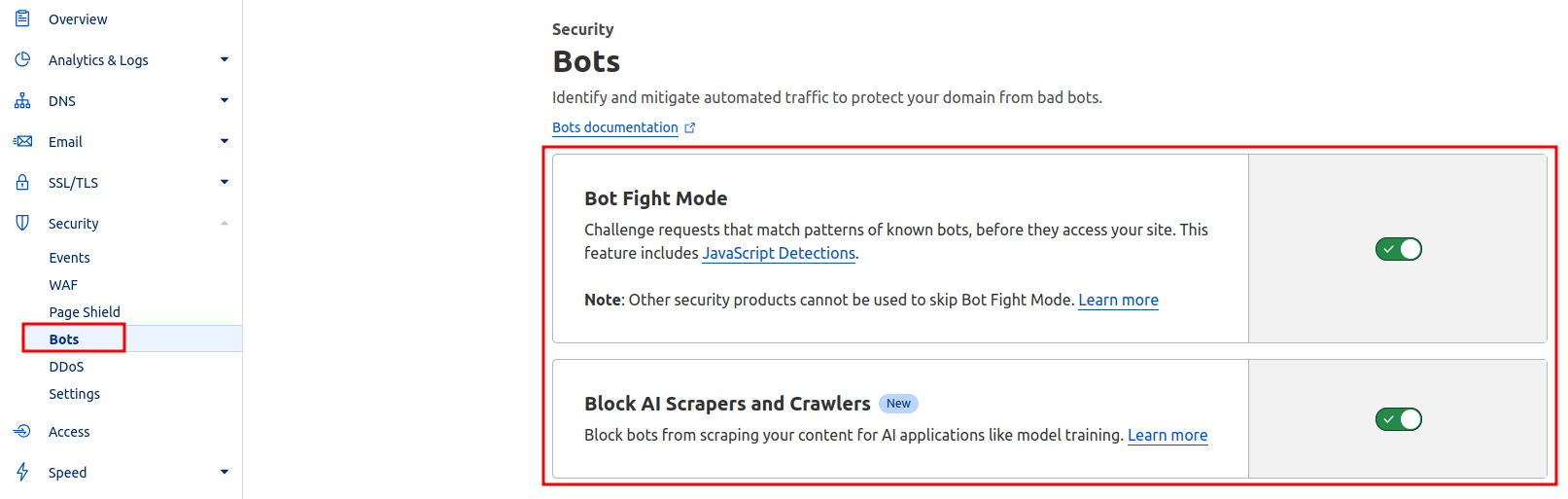
You can block bad bots and AI bots also if you activate this two options
Important!
All firewall rules / waf rules works like a waterfall from top to bottom.
So if you create as first rule to block all other countries and second rule is verified bots, the most bots would be blocked if the IP is from your blocked countries.
Let me know if anything is unclear
In this tutorial i will show you quickly how you can protect your website from bad traffic and bots.
Requirements:
- Your domain use the free Cloudflare DNS
- Your energy drink is ready
Step 1: Create a rule
Click on Security --> WAF --> custome rule --> create rule
Step 2: known Bots / Verified bots
Its very important, that the 1 rule does not block any good bots of Google, Bing, Yahoo...
Cloudflare manage a list with all this good bots which index your website for search engine ranking
https://radar.cloudflare.com/traffic/verified-bots
So you have to create a rule for the verified bots which ignore all other rules
Step 3: Country blocking / Country challenging
Create a new rule and think about your visitors. If your website/ online shop is local and your customers come from one country, you can think about to block all other countries.
- Or you can create a rule to allowe only traffic from one continent like europe.
- Or you can activate interactive challenge so the visitor have to verified that he is a human before he can see your website.
- Or you can activate only js challenge which make a check in the backend and the user have to wait until 4s
it's up to you to decide what's best for your website! This are only inspirations what you can configure
Step 4: Bot fight mode / block AI bots
You can block bad bots and AI bots also if you activate this two options
Important!
All firewall rules / waf rules works like a waterfall from top to bottom.
So if you create as first rule to block all other countries and second rule is verified bots, the most bots would be blocked if the IP is from your blocked countries.
Let me know if anything is unclear
