Site speed question

alice252293

Elite Member
Joined
Nov 21, 2017
Messages
1,536
Reaction score
700
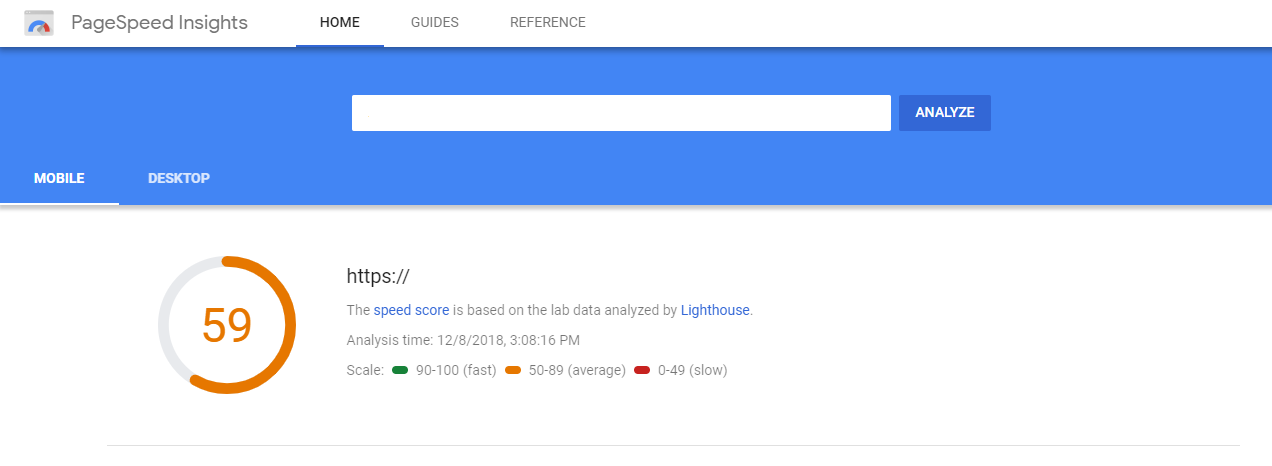
I tried everyting to increase my site speed. I also read tons of threads on here. I have used WP Rocket for caching. I also reduced my images sizes But the results is still average. Is that because of my web hosting? (I'm using Namecheap Shared Hosting).
site speed.png
 
If you’ve exhausted all other efforts then yes probably.

Have you checked with google page speed insights to see if there are any remaining improvement suggestions.
 
If you’ve exhausted all other efforts then yes probably.

Have you checked with google page speed insights to see if there are any remaining improvement suggestions.
The page speed is even worse. I dont know why because when I click the page it looks fast (<2s).

page speed.png
 
try using https://gtmetrix.com/

If this doesn't give you anything different that what you have already done then it is possible that it could be the hosting account. Some of these host way over sell shared servers that is how they keep pricing low. Not saying that is the issue here, but I would reach out to them and see if they can do anything on their end. If not might be worth looking into moving.

Another factor could be depending on the size, graphics and traffic you have coming to your site it might be an option to look into VPS hosting as well.

Best of luck
 
try using https://gtmetrix.com/

If this doesn't give you anything different that what you have already done then it is possible that it could be the hosting account. Some of these host way over sell shared servers that is how they keep pricing low. Not saying that is the issue here, but I would reach out to them and see if they can do anything on their end. If not might be worth looking into moving.

Another factor could be depending on the size, graphics and traffic you have coming to your site it might be an option to look into VPS hosting as well.

Best of luck
I just tested my url here's the result
 
You need your site to load under 1s now 2s no good really... Also a note about speed tests will depend on your hosts firewall config as this will have a 'hidden' effect on page load when using reporting tools.

Looking at your page load id move images to a cookieless domain can be done making a simple subdomain if you wanted to save money vs a cdn.

Your mobile score - you obviously have a fair bit going on - id look at removing things from the mobile version that are not needed such as image sliders etc
 
Try this, for me it almost always worked. Deactivate all caching plugins and similar, whatever you tried until now. Install these 2 plugins from WordPress repo: Fast Velocity Minify and A3 Lazy Load. Activate all options in A3 Lazy Load. Play with Fast Velocity Minify, see what's working in terms of not breaking frontend.
Tip: activate FVM purge Admin option and for every change you make to pages/posts/images you will have this button to press on top bar to make your changes instant.
 
Minify css, minify js, compress images, enable caching. Also if your hosting support page speed module, you can enable and test if all is ok with your site. Be careful with this module, because in some cases he broke site. Also google pagespeed tells you exactly, what is problem with speed of site and why score is so low.
 
For my experience, gtmatrix and kingdom show good, but Google site speed show bad result.

Basically I just ignore Google site speed at the end
 
Try Wp Fastest Cache. I'd really recommend to buy it if you want great results and image optimization. It did a really great job for me. You can also connect it with cloudflare if you use it as a CDN.It also creates different caches for mobile users and desktop users.
PS: Not trying to advertise the plugin or anything just trying to give you some ideas :)
 
If you have done everything in the optimization tabs the. i would suggest switching hosts.
You can go with google cloud. They give $300 coupon which should last for about 9-12 months depending on your usage.

There is a stack from Bitnami that will deploy NGinx, wordpress and lets encrypt ssl.
There a lot of tutorials out there to help set it up.
 
Some of these guys are giving a terrible advice.

GTmetrix is really good for your site, you are good to go. Don't try to get all greenish, just make sure your site does not load above 3 seconds, nothing else matters. And those who say that you need 1-second loading speed - don't listen to them.

Mobile version at pagespeed will always look worse if you don't use the mobile theme but just responsive design, it's just the way it is.

My suggestion is to use w3 total cache or WP Super Cache with default settings for right now. You can also play with w3 total cache settings. I have a special config for that plugin made for my sites, you can do it too! :)

EDIT: Just saw that you are using Namecheap hosting. Ohh, I would suggest you go away from them ASAP. Just choose HawkHost or some hosting from BHW marketplace. Cheap, fast, reliable. And that will also fix your speed problems A LOT.
 
Those plugins I recommended above require almost no configuration. And even if you play with settings, you won't need anything but common sense. Try that with Wp Total Cache, it's like an octopus with tens of tentacles in the settings area.
Also, these two plugins alone won't give you 100 scores, but will improve things alot
 
Also do research about webp image format it decreased size of my images about 50-60%. Im scoring 100% everywhere with my page speed so if u want i can check your page and tell whats wrong.
 
Back
Top