

savobaby
Marketplace abuse and threatening support agents
- May 29, 2011
- 1,139
- 777
Hey guys, I've been a member on this forum since 2011, and I've never really shared anything "of value" so to speak. So I decided to share this little "trick" to getting a link in the YouTube comments without getting ghosted.
Yes, it's basically the same as a few other people have mentioned, using GoogleDrive. But instead I've added a simple twist that makes it a little bit easier to (almost) direct link to a CPA offer or something similar.
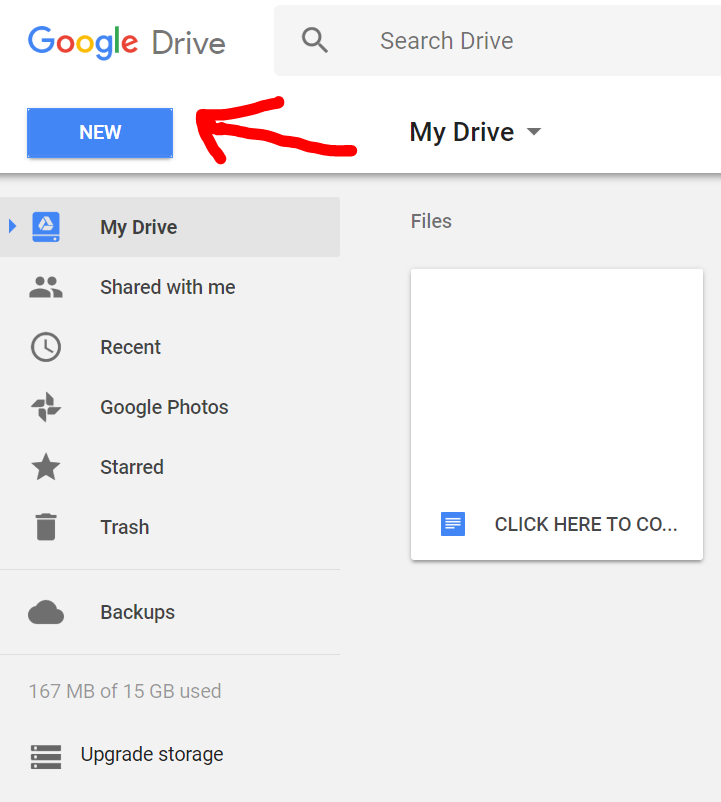
Step 1. Go to your GoogleDrive folder and click new, google document, blank document.
After you've done the above step, the rest is simple as. Basically now you're creating a "word document" but instead of it being on your computer, it's online (GoogleDrive/Docs) which you can share publicly (and it does work for YT comments, I've tested a couple of hours ago)
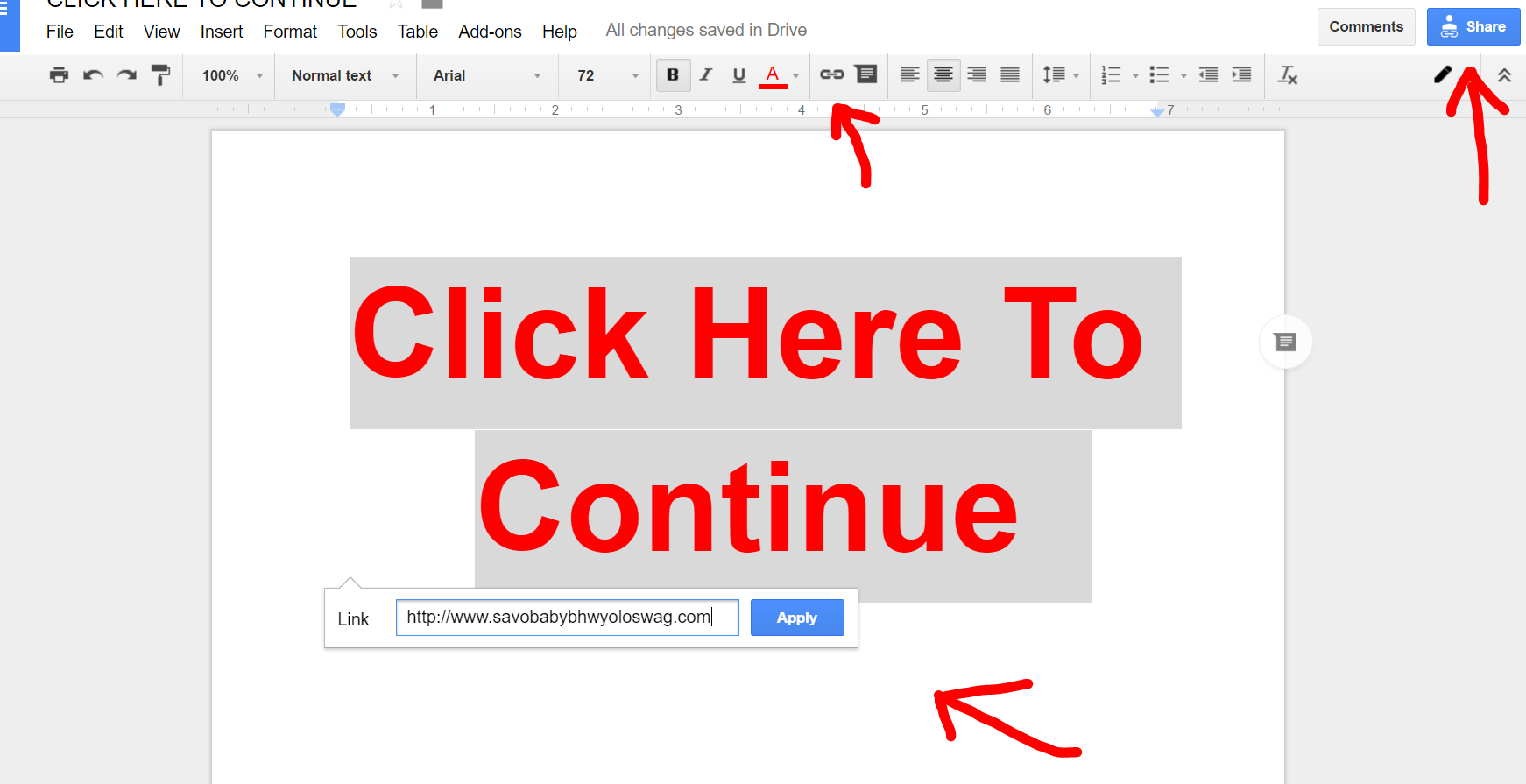
Step 2. Create a piece of test like "Click Here To Continue" or something else (mix it up, see which converts best for you), and then highlight that text and click the link button up the top on the toolbar and hyperlink it with any URL of your choice. It will save automatically. After that, click up in the top right "copy link" or "get shareable link" and that's the link that you can paste into the comments.
I know it's not the most amazing thing out there, but I guess it could help out newbies who don't have money to create a proper (pre)landing page to work with YT comments.
#getdatmoonay
Yes, it's basically the same as a few other people have mentioned, using GoogleDrive. But instead I've added a simple twist that makes it a little bit easier to (almost) direct link to a CPA offer or something similar.
Step 1. Go to your GoogleDrive folder and click new, google document, blank document.
After you've done the above step, the rest is simple as. Basically now you're creating a "word document" but instead of it being on your computer, it's online (GoogleDrive/Docs) which you can share publicly (and it does work for YT comments, I've tested a couple of hours ago)
Step 2. Create a piece of test like "Click Here To Continue" or something else (mix it up, see which converts best for you), and then highlight that text and click the link button up the top on the toolbar and hyperlink it with any URL of your choice. It will save automatically. After that, click up in the top right "copy link" or "get shareable link" and that's the link that you can paste into the comments.
I know it's not the most amazing thing out there, but I guess it could help out newbies who don't have money to create a proper (pre)landing page to work with YT comments.
#getdatmoonay


