D
Deleted member 1160015
Guest
This is great. I like Digital Ocean as a regular VPS provider too!
Love the share. Thanks !
Nice share, thank you
I'm glad you find my little script useful


This is great. I like Digital Ocean as a regular VPS provider too!
Love the share. Thanks !
Nice share, thank you


Thanks, OP for sharing
Bro, I am interested to make AWS proxy. Is it possible? If so then what is the process? Can you please elaborate it?
Thanks
@Deleted member 1160015, thank you for the share!
decided to apply your method but receive error when completing sign up process.
"your card has insufficient funds". but there are some bucks. how much i need to have on it?
anyway to enable port 25 or 465 on digital ocean??
I want to run PayPal and link bank account into PayPal without issues.. when I am using a VPN, I don't get to add the bank account easily.
1) Can this proxy from Digital ocean allow me to make PayPal and link bank accounts into it easily..?
2) Does Digital Ocean goes good along with PayPal and allows to make Transfer funds easily .. ( as it does not work easily with the USA VPN)..?
3) Can I get specific US state IPs through this process.?
Plz, answer all my queries ..

Thanks for Sharing. does it work with YouTube or porn upload niche?
I had to register an account to say THANK YOU for this

Which is best for scarping Instagram?
Wow, this is great. Thanks for sharing!

Hello bro! What happened to the FREE guide on how to create 4g proxies with Poxidize mobile app? Is it deleted or moved to VIP? Please make it public I did not take notes of the guide yet, It helps a lot especially beginners or you could pm me with the guideIPV4 is "best", but it makes a lot more sense to use IPV6 since it's cheaper.
Please note this script is for IPV4 only.
I'm happy to help
kind of a noob question but how can I use these proxies? I’ve seen in so many places saying these can be a replacement to vpn but no one ever mentions how to apply these proxies in windows to mask the ip, can anyone help thanksHi everyone!
In this thread, I want to share with you one of our free scripts and how to get free VPS servers for making proxies. Since we have automated the proxy creation in a script, this will be very easy and simple to follow.
To do this we will be using a hosting provider called Digital Ocean who offers $100 in free credit, we can use this credit to then sign up and make 20 different VPS’s and make a proxy on each. We use DigitalOcean because they're easy to use and their IPs are of good quality. AWS, Google Cloud, and others simply make the process way too complicated and their IPs are often low quality so they're not worth it.
To get the free credit, you need to click a referral link. Simply Google "Digital Ocean free $100 credit" and click any of the links (I can't add a link because that would break BHW rules). Once you sign up using a referral link you will get $100 in credit, we will then use this credit to make VPS server (Digitalocean calls them droplets) and make proxies from these servers.
NOTE: THE PROCESS IS VERY SIMPLE. THIS THREAD IS LONG BECAUSE IT'S BASICALLY SPOON FEEDING.
Once you're logged in, follow these steps:
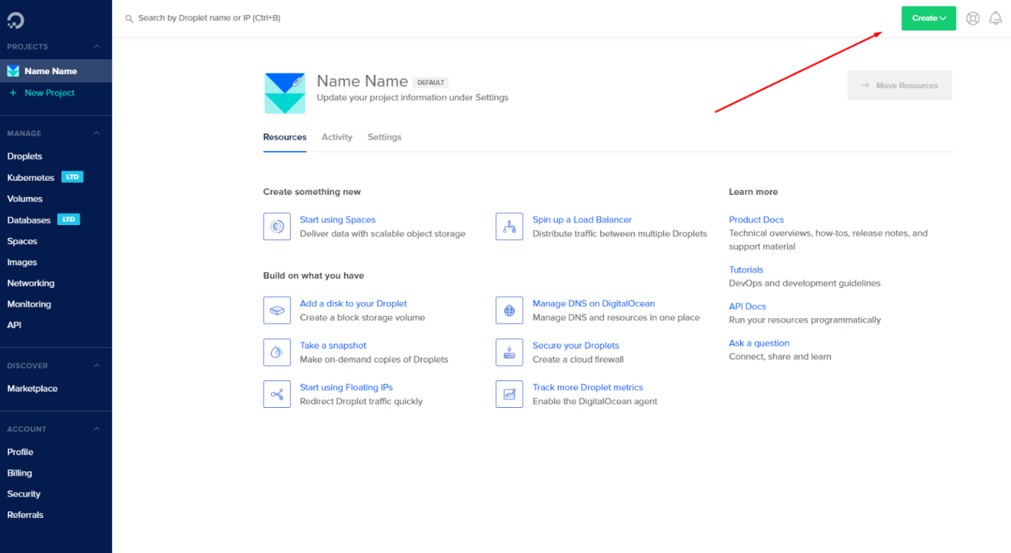
- After that, you’ll click on the top right corner, where it says create.
- And from the dropdown menu, click on droplet:
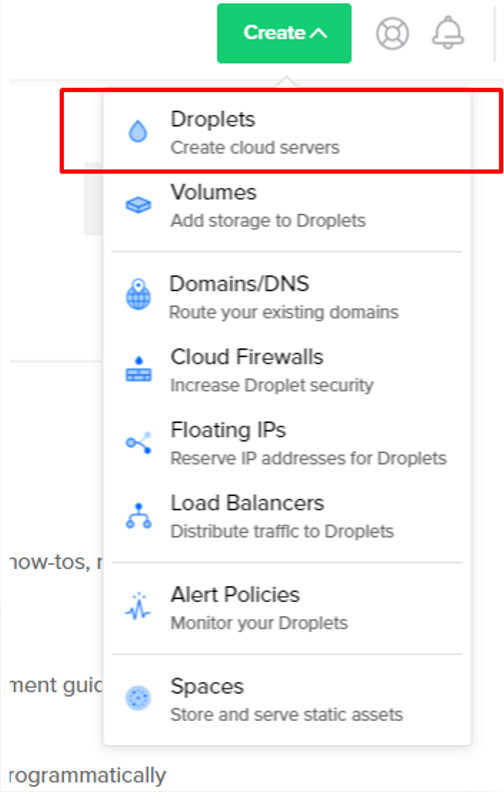
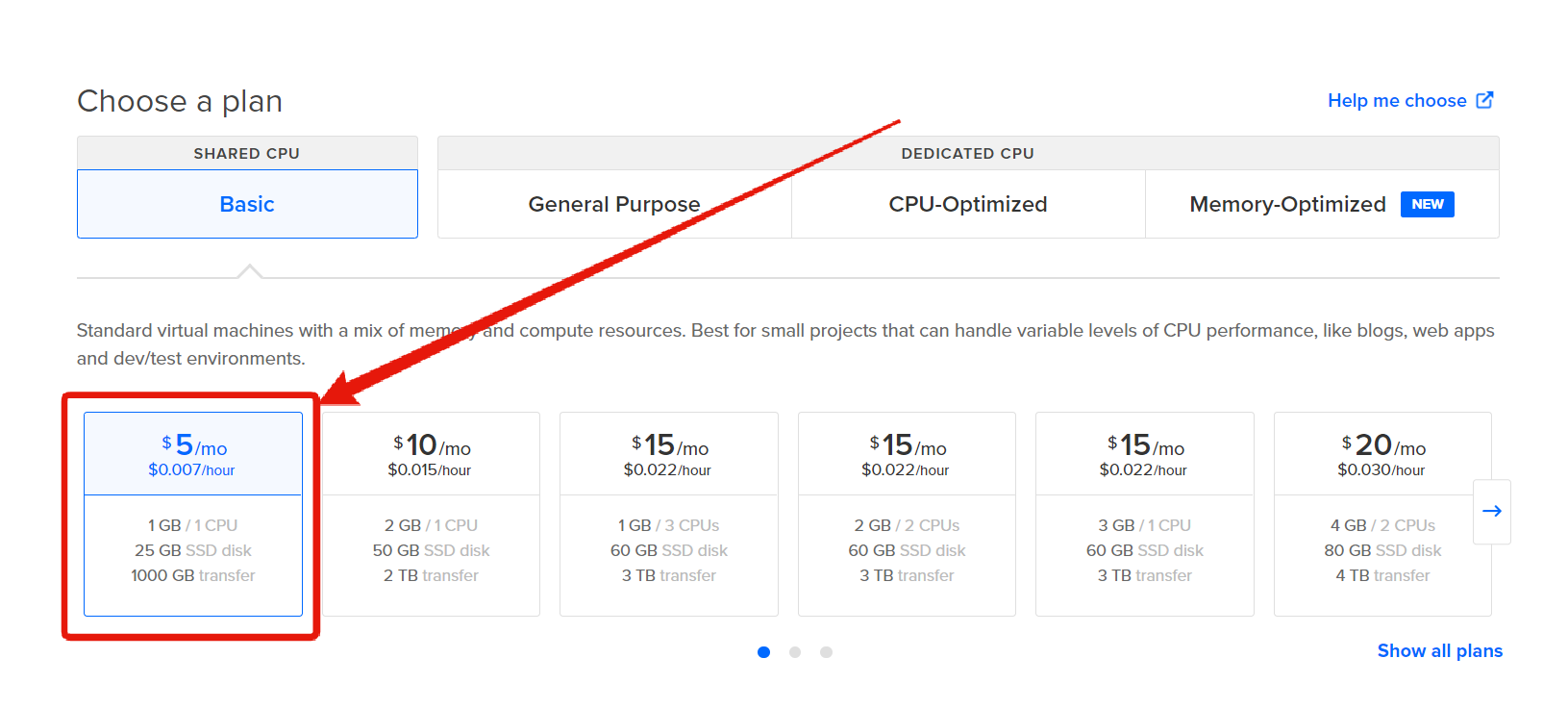
A droplet is basically a fancy way of saying VPS. You’ll see the following page:
- Select the cheapest plan "$5/Month":
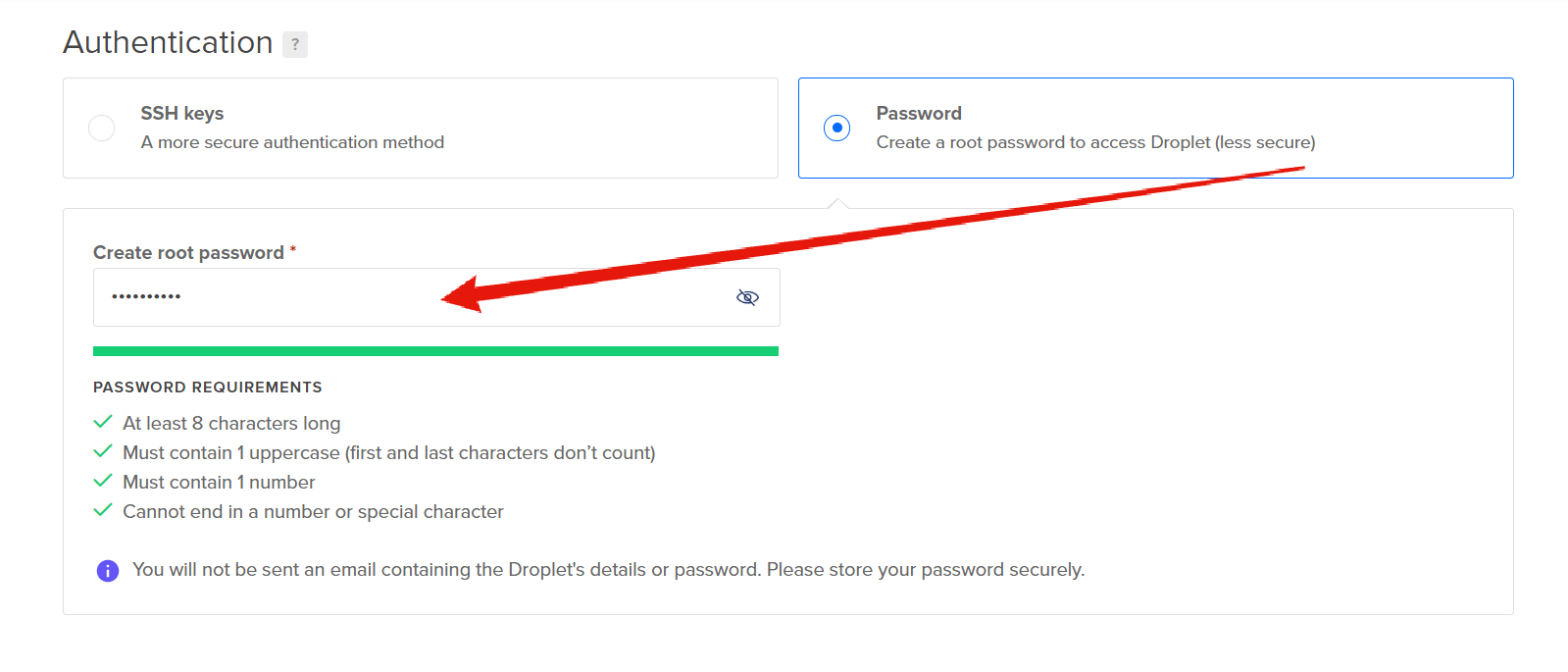
- Add your password:
- Now select the maximum allowed number of Droplets which is 10 to create 10 VPS servers:
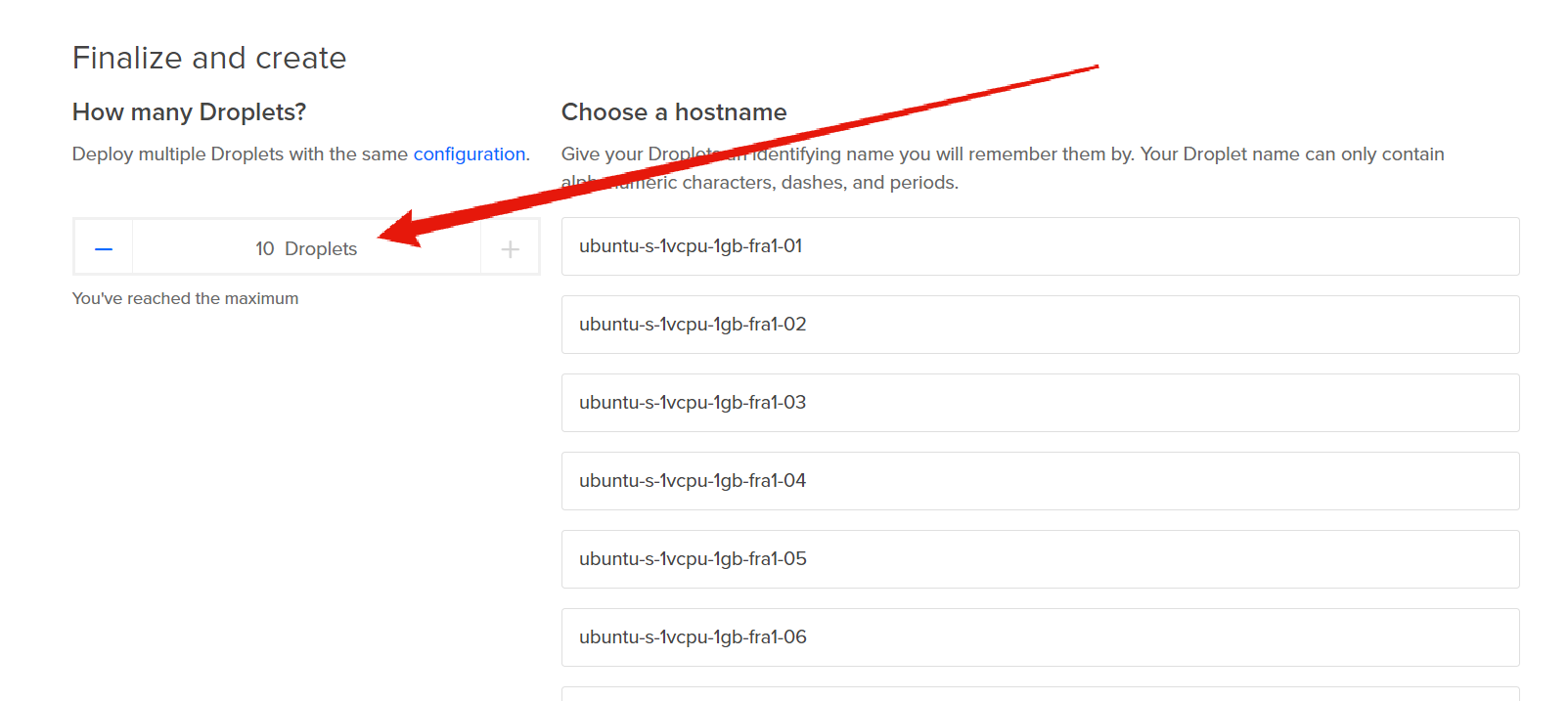
- Give it a minute or two, and your droplets/VPS servers will appear as the following:
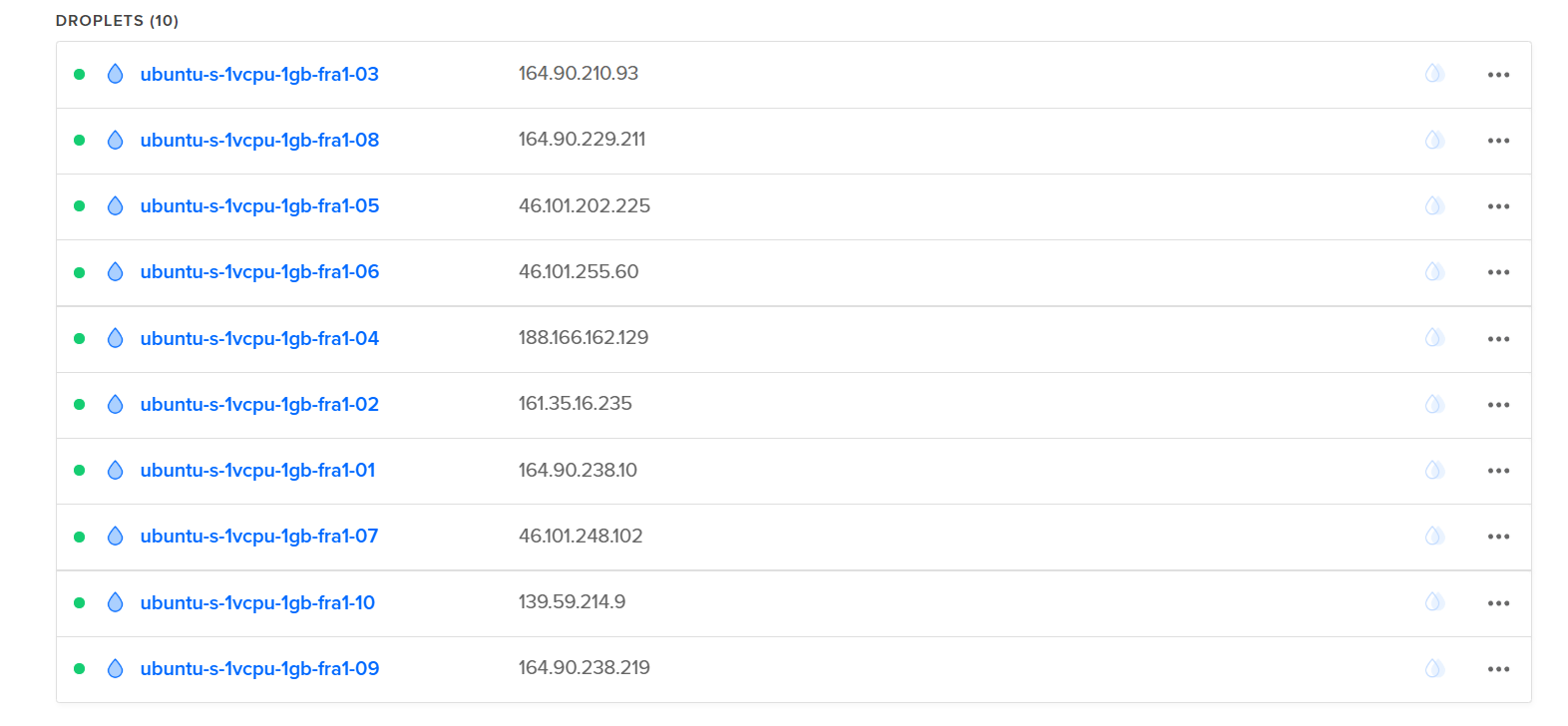
- Next, you'll need to click on every droplet and click on "Console":
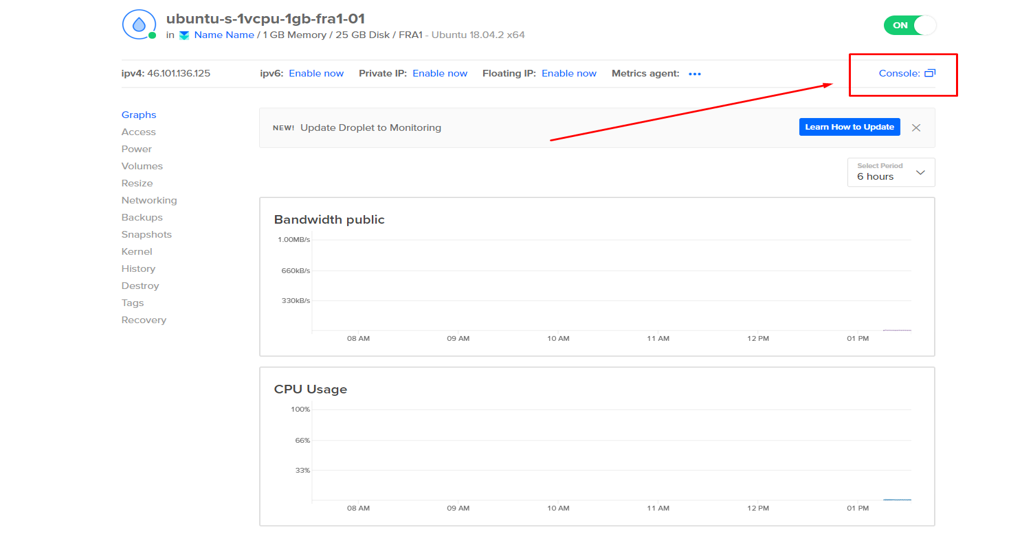
- Then, a terminal window will open:
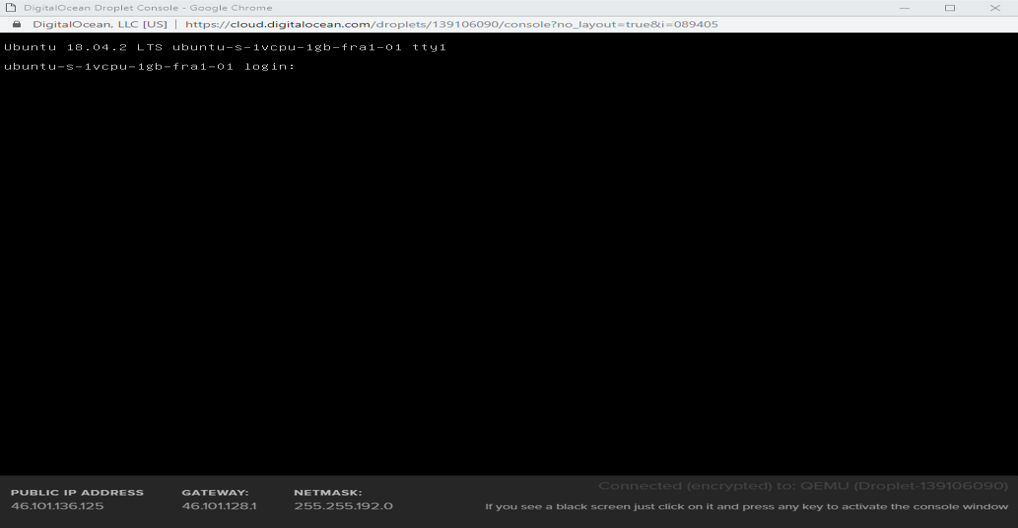
- Then to login use:
- Username: root
- Password: The password you added earlier
The console won’t show that the password was pasted, this a security feature and it’s completely fine.
- Now copy the following script, paste it in your terminal and press Enter:
Code:wget data.ProxyKnow.com/FreeScript;bash ./FreeScript
- The script will then automatically generate a proxy for you in a few seconds:
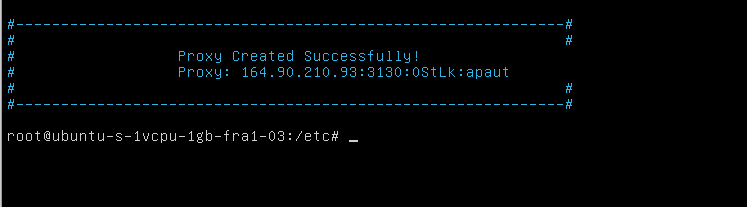
Once done, you'll need to repeat this step for every Droplet which would take around 2 minutes since it's very simple.
Anytime you run out of credit or if you want more proxies just get yourself a new VCC, my bank allows for unlimited Virtual Credit Cards, but if your bank doesn't, you can buy those from the marketplace for a few bucks. This can easily be scaled with a VA and you might never need to buy proxies again!
If you don't have a Credit Card, don't worry I'm doing a major VPS and proxy giveaway soon
Hello bro! What happened to the FREE guide on how to create 4g proxies with Poxidize mobile app? Is it deleted or moved to VIP? Please make it public I did not take notes of the guide yet, It helps a lot especially beginners or you could pm me with the guide
kind of a noob question but how can I use these proxies? I’ve seen in so many places saying these can be a replacement to vpn but no one ever mentions how to apply these proxies in windows to mask the ip, can anyone help thanks
