

- Mar 17, 2018
- 1,117
- 1,289
Hi everyone! 
In this thread, I want to share with you one of our free scripts and how to get free VPS servers for making proxies. Since we have automated the proxy creation in a script, this will be very easy and simple to follow.
To do this we will be using a hosting provider called Digital Ocean who offers $100 in free credit, we can use this credit to then sign up and make 20 different VPS’s and make a proxy on each. We use DigitalOcean because they're easy to use and their IPs are of good quality. AWS, Google Cloud, and others simply make the process way too complicated and their IPs are often low quality so they're not worth it.
To get the free credit, you need to click a referral link. Simply Google "Digital Ocean free $100 credit" and click any of the links (I can't add a link because that would break BHW rules). Once you sign up using a referral link you will get $100 in credit, we will then use this credit to make VPS server (Digitalocean calls them droplets) and make proxies from these servers.
NOTE: THE PROCESS IS VERY SIMPLE. THIS THREAD IS LONG BECAUSE IT'S BASICALLY SPOON FEEDING.
Once you're logged in, follow these steps:
A droplet is basically a fancy way of saying VPS. You’ll see the following page:
The console won’t show that the password was pasted, this a security feature and it’s completely fine.
Once done, you'll need to repeat this step for every Droplet which would take around 2 minutes since it's very simple.
Anytime you run out of credit or if you want more proxies just get yourself a new VCC, my bank allows for unlimited Virtual Credit Cards, but if your bank doesn't, you can buy those from the marketplace for a few bucks. This can easily be scaled with a VA and you might never need to buy proxies again!
If you don't have a Credit Card, don't worry I'm doing a major VPS and proxy giveaway soon
In this thread, I want to share with you one of our free scripts and how to get free VPS servers for making proxies. Since we have automated the proxy creation in a script, this will be very easy and simple to follow.
To do this we will be using a hosting provider called Digital Ocean who offers $100 in free credit, we can use this credit to then sign up and make 20 different VPS’s and make a proxy on each. We use DigitalOcean because they're easy to use and their IPs are of good quality. AWS, Google Cloud, and others simply make the process way too complicated and their IPs are often low quality so they're not worth it.
To get the free credit, you need to click a referral link. Simply Google "Digital Ocean free $100 credit" and click any of the links (I can't add a link because that would break BHW rules). Once you sign up using a referral link you will get $100 in credit, we will then use this credit to make VPS server (Digitalocean calls them droplets) and make proxies from these servers.
NOTE: THE PROCESS IS VERY SIMPLE. THIS THREAD IS LONG BECAUSE IT'S BASICALLY SPOON FEEDING.
Once you're logged in, follow these steps:
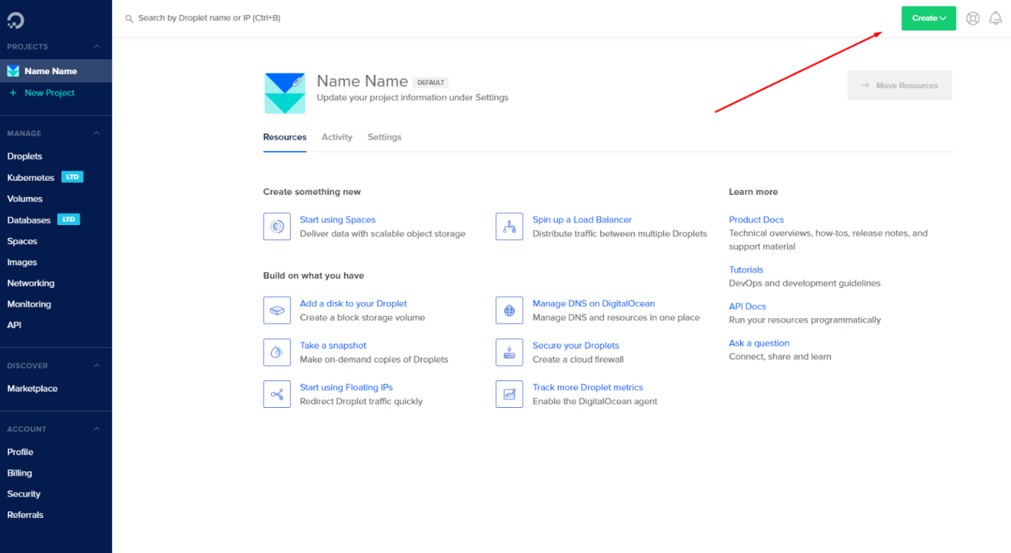
- After that, you’ll click on the top right corner, where it says create.
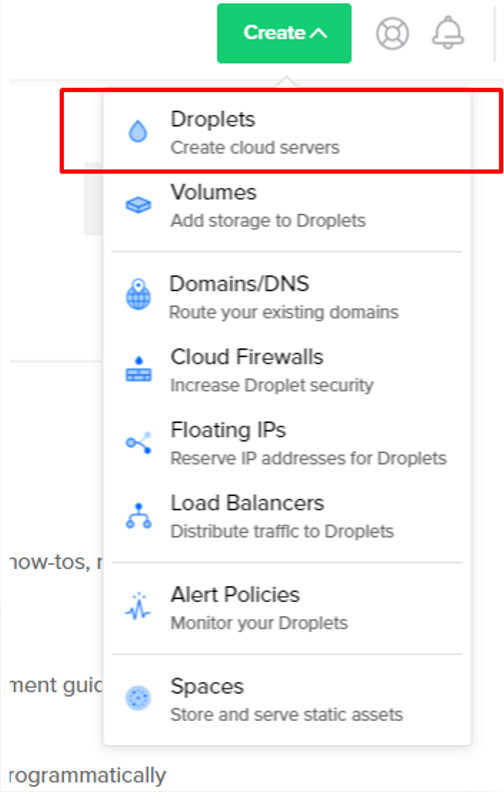
- And from the dropdown menu, click on droplet:
A droplet is basically a fancy way of saying VPS. You’ll see the following page:
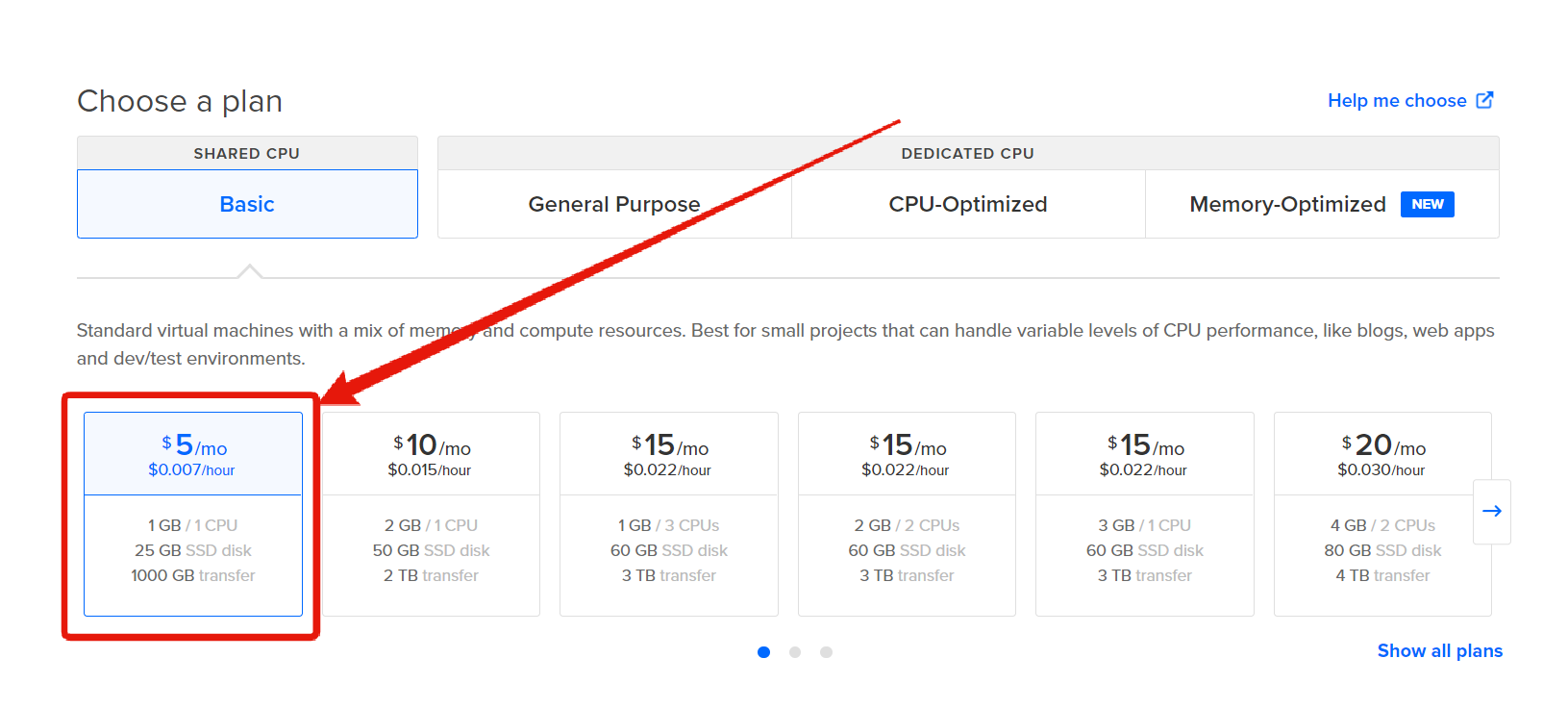
- Select the cheapest plan "$5/Month":
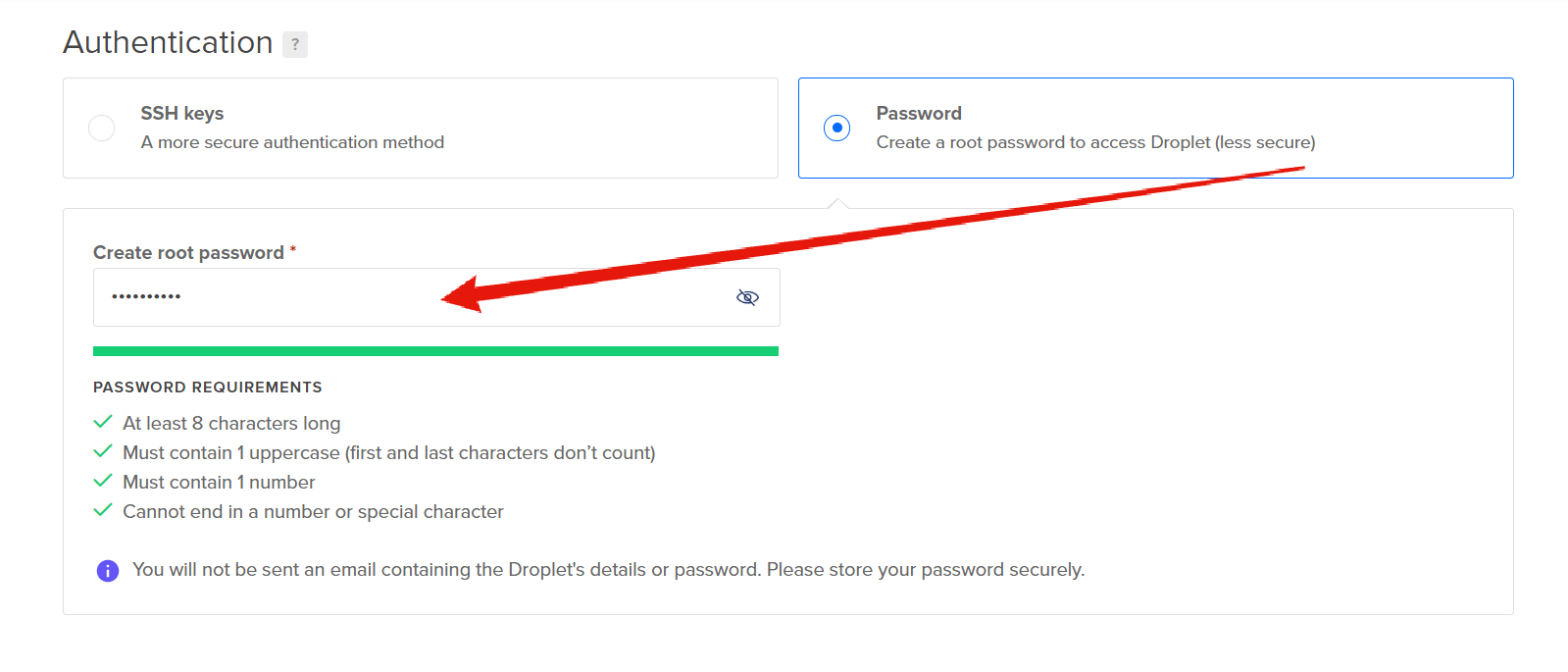
- Add your password:
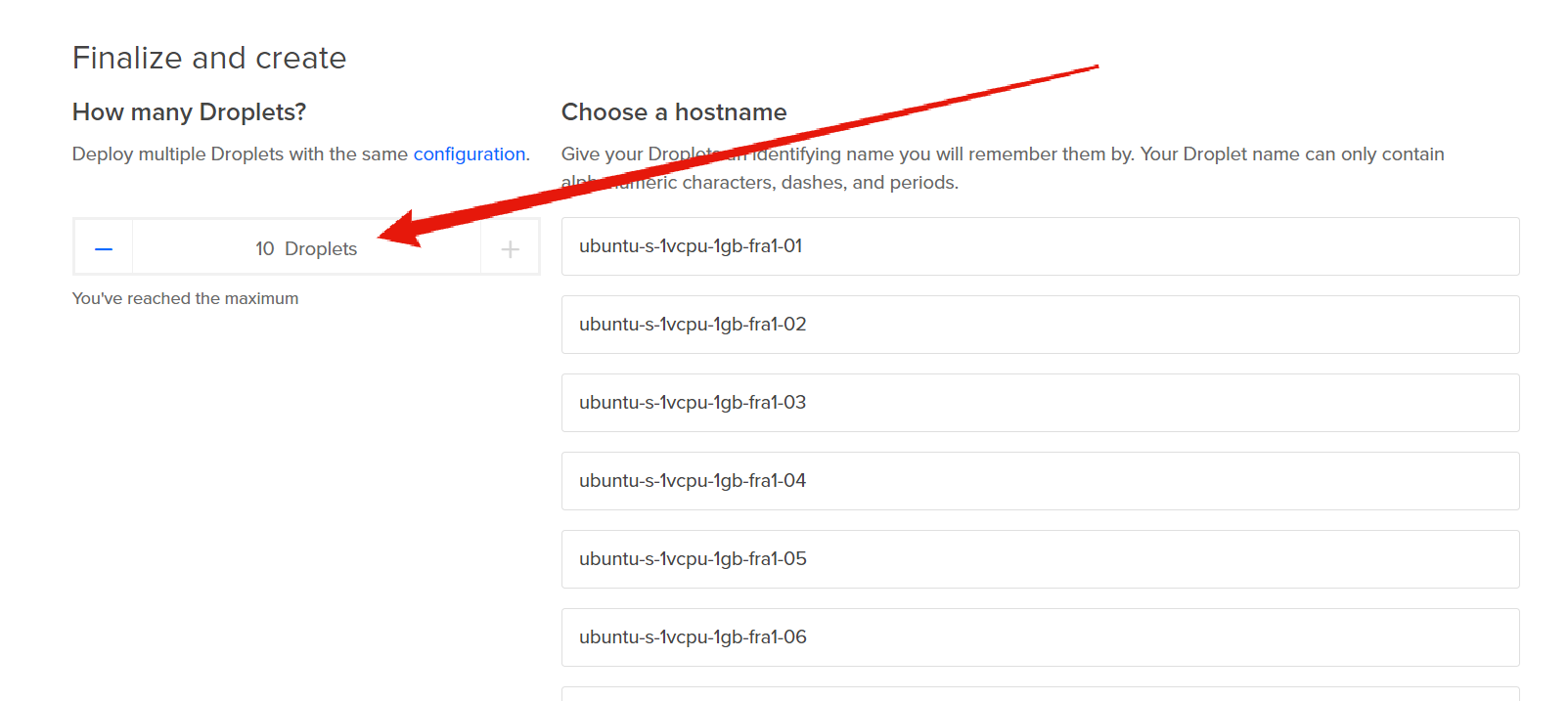
- Now select the maximum allowed number of Droplets which is 10 to create 10 VPS servers:
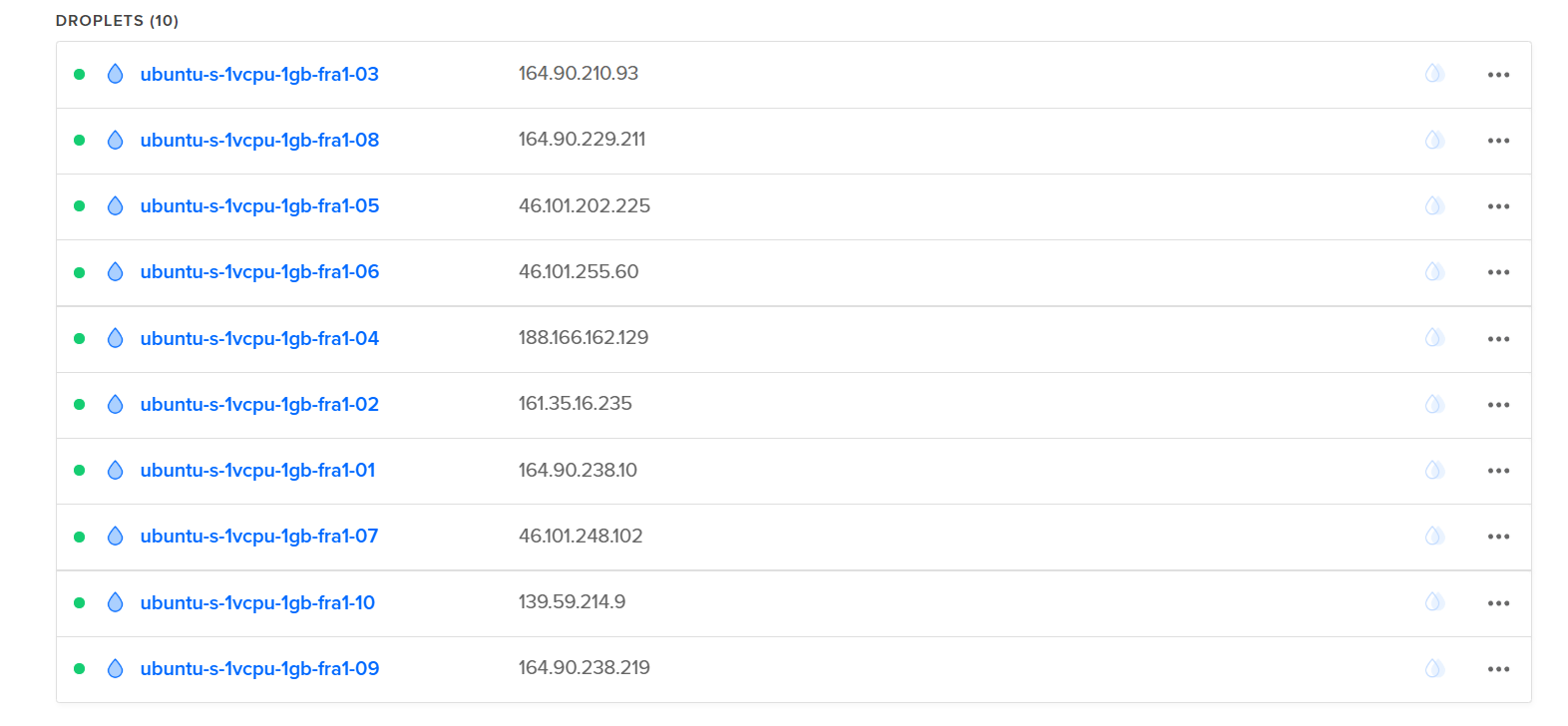
- Give it a minute or two, and your droplets/VPS servers will appear as the following:
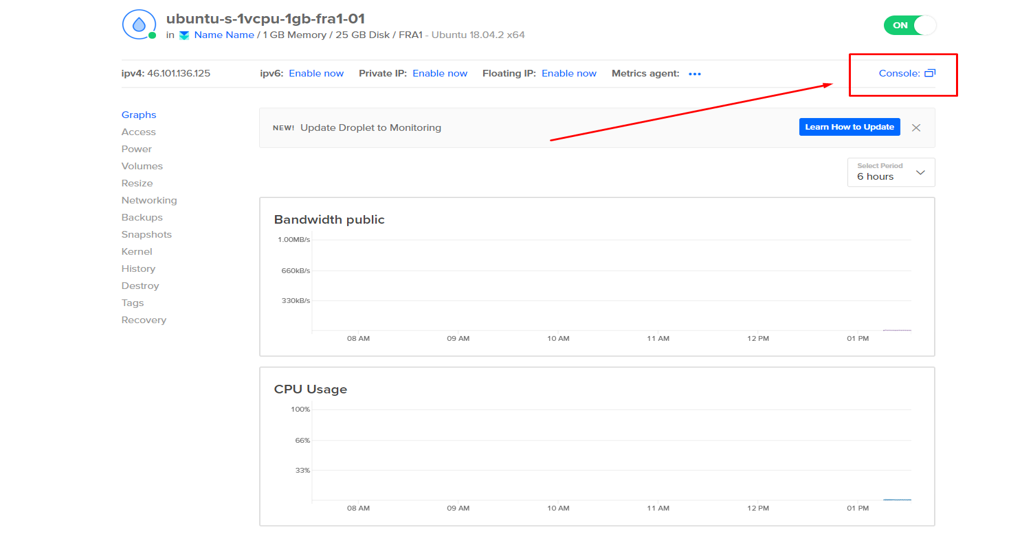
- Next, you'll need to click on every droplet and click on "Console":
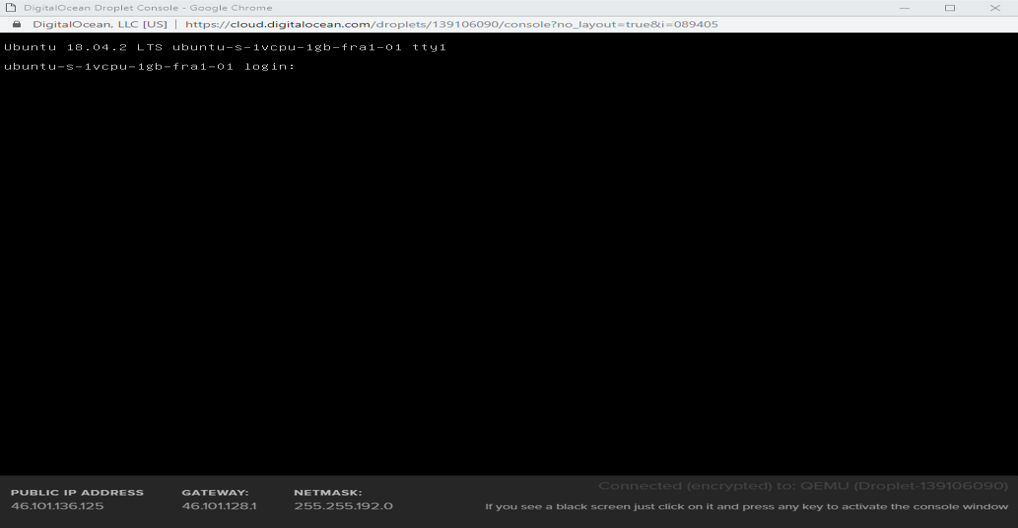
- Then, a terminal window will open:
- Then to login use:
- Username: root
- Password: The password you added earlier
The console won’t show that the password was pasted, this a security feature and it’s completely fine.
- Now copy the following script, paste it in your terminal and press Enter:
Code:
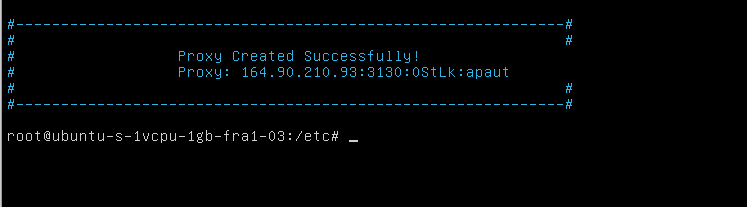
wget data.ProxyKnow.com/FreeScript;bash ./FreeScript- The script will then automatically generate a proxy for you in a few seconds:
Once done, you'll need to repeat this step for every Droplet which would take around 2 minutes since it's very simple.
Anytime you run out of credit or if you want more proxies just get yourself a new VCC, my bank allows for unlimited Virtual Credit Cards, but if your bank doesn't, you can buy those from the marketplace for a few bucks. This can easily be scaled with a VA and you might never need to buy proxies again!
If you don't have a Credit Card, don't worry I'm doing a major VPS and proxy giveaway soon


