
Lord Of SEO
Junior Member
- Dec 16, 2018
- 121
- 71
You have seen it in a beautiful way !! I like it thank you


thanks heaps for sharingHello BHW,
I will show you how to get a DA 85 backlink from bitbucket.
Go here - https://bitbucket.org/account/signup/

Fill up your email address.

Enter your name and email address, and click "Agree and Sign up"
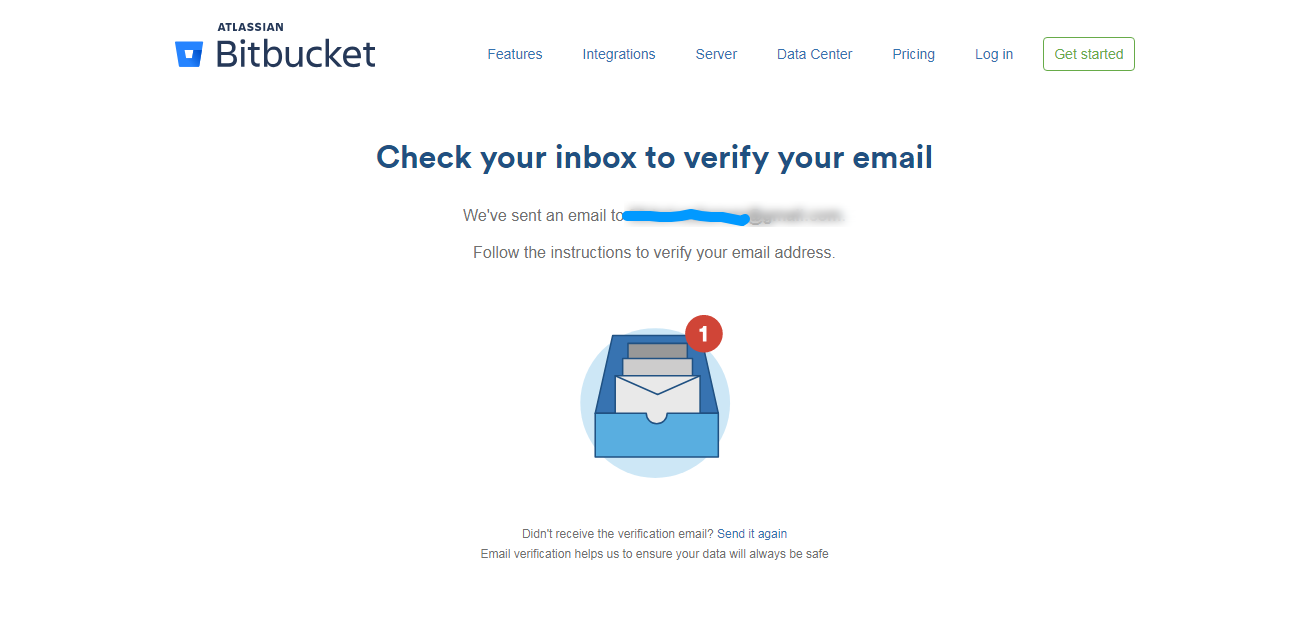
Confirm your email address.
After confirming your email address, you will see this page:-
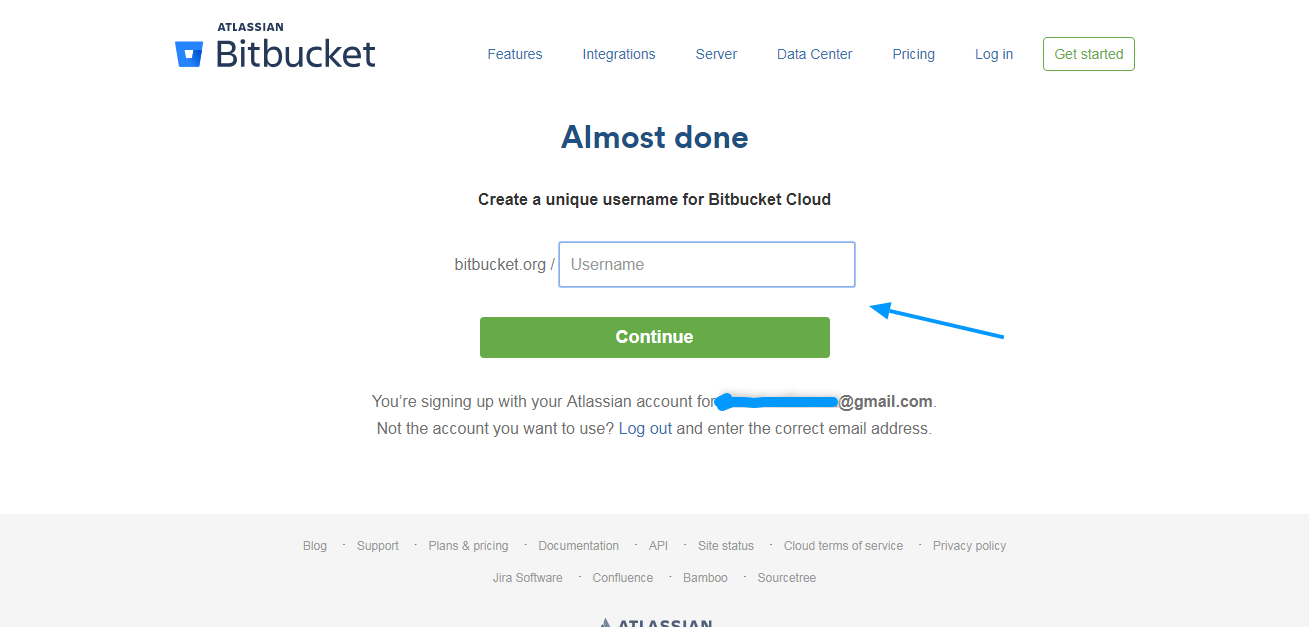
Pick a username. Choose something related to your main keyword.
On the next page, just click "skip"

You will be finally taken to your Dashboard.
Click " Create Repository "

Now you will be presented with this page.

Please follow the steps below:-
[About the screenshot above]
#1 use your main keyword
#2 Uncheck "This is a private repository"
#3 Include README - Select No
#4 Click "Advanced Settings"
#5 Write a 50-word description focused around your main keyword.
Then click "Create Repository"
On the next page:-
Click " Create a README "
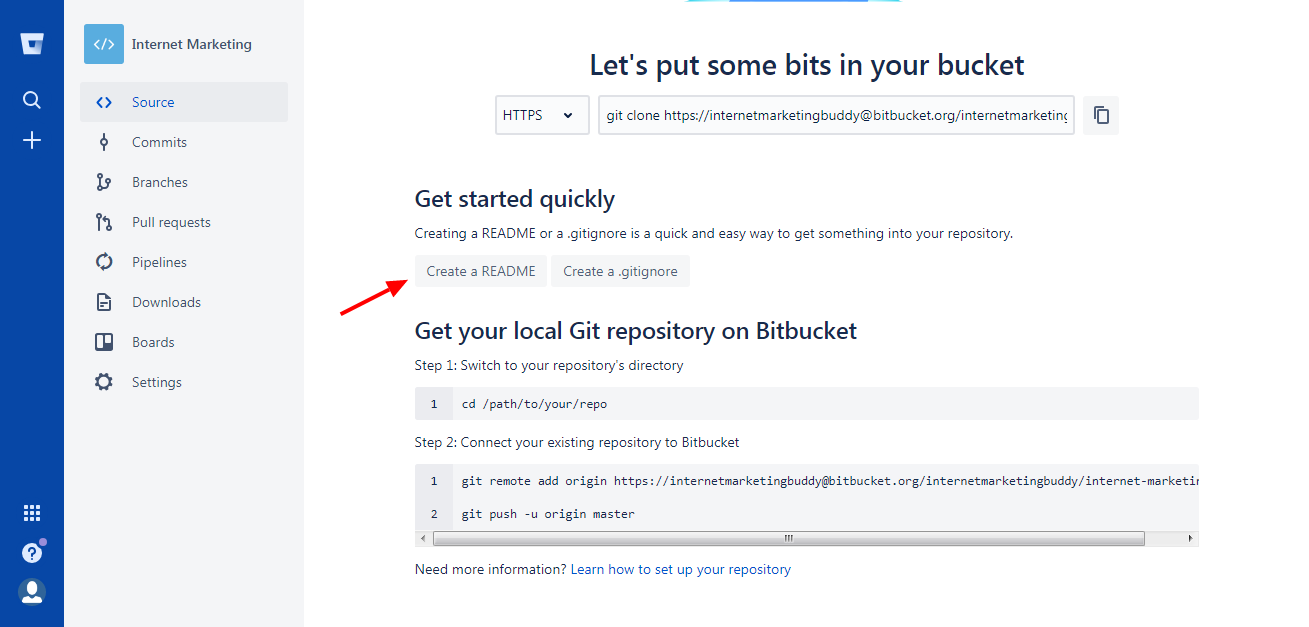
Now delete everything there and write a 500-word article around your main keyword.
Use your website link wherever you think right.

Then click "Commit"
After that, you will see a pop-up window. Just click "Commit"

On the next page, you will see your file already saved.

This is your end product.


Awesomemy backlink indexed
thanx


Link building doesn't work anymore unless you invest $1000's a week and maybe, just maybe, Google wont de-index you. What does work to rank is driving tons of traffic to your site. I use "****************" for this and have ranked 2 sites this month.


yyeaahhhh boiiiiiHello BHW,
I will show you how to get a DA 85 backlink from bitbucket.
Go here - https://bitbucket.org/account/signup/
Fill up your email address.
Enter your name and email address, and click "Agree and Sign up"
Confirm your email address.
After confirming your email address, you will see this page:-
Pick a username. Choose something related to your main keyword.
On the next page, just click "skip"
You will be finally taken to your Dashboard.
Click " Create Repository "
Now you will be presented with this page.
Please follow the steps below:-
[About the screenshot above]
#1 use your main keyword
#2 Uncheck "This is a private repository"
#3 Include README - Select No
#4 Click "Advanced Settings"
#5 Write a 50-word description focused around your main keyword.
Then click "Create Repository"
On the next page:-
Click " Create a README "
Now delete everything there and write a 500-word article around your main keyword.
Use your website link wherever you think right.
Then click "Commit"
After that, you will see a pop-up window. Just click "Commit"
On the next page, you will see your file already saved.
This is your end product.


