

- Nov 29, 2022
- 2,464
- 284

In the world of affiliate marketing, statistics are the foundation of successful decisions. Tracking user actions, collecting data, and analyzing it are the key to effectively optimizing advertising campaigns. Google Tag Manager (GTM) is an essential tool for any affiliate marketer who strives for full control over their traffic. In this article, we will explore the capabilities of this powerful tool.
GTM: The Ultimate Control Panel for All Tracking in One Place
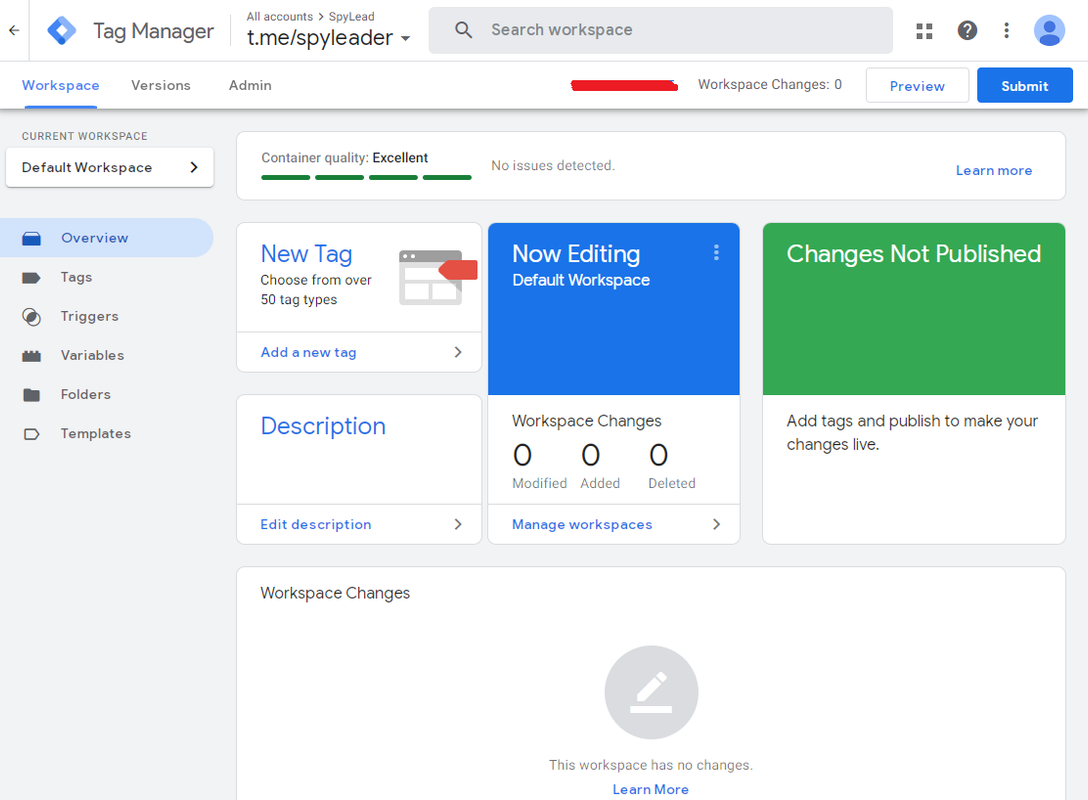
Google Tag Manager is a free service from Google that allows you to manage tags (code snippets) on a website without editing the site's code directly. In simple terms, it’s a tool that enables you to centralize the setup of various analytics systems, conversion tracking, retargeting, and integration of different services for advertising, analytics, and marketing.
GTM provides affiliates with vast capabilities for data collection, audience behavior analysis, and campaign optimization.
What Google Tag Manager Can Do and Why It’s Useful for Affiliates
GTM is a versatile tool that helps affiliates efficiently handle various day-to-day tasks.Installing and Managing Tags
GTM supports various tag types with virtually limitless functionality—from conversion tracking to chatbot script integration. Using GTM, you can set up Google Analytics, Facebook Pixel, TikTok Pixel, Yandex.Metrika, and other analytics systems.Flexible Trigger Configuration
Triggers are conditions that activate tags. They can be set up based on page views, element clicks, form submissions, time spent on a page, and more.Conversion Tracking
GTM allows you to track various types of conversions—registrations, orders, file downloads, phone clicks, and more. This helps you assess the effectiveness of your campaigns and optimize them accordingly.Collecting User Data
GTM can collect and transmit various user data to analytics systems—location, device type, browser version, language, etc. This helps you fine-tune targeting specifically for your offer or vertical.Adding Additional Features
GTM makes it easy to add tools and features to your landing pages, such as chatbot scripts, lead capture pop-ups, A/B testing scripts, and more.A Simple Interface with Great Capabilities
GTM has a clean and user-friendly interface that allows affiliates to easily set up and manage tags without deep technical knowledge.Main Sections of GTM and Their Functions
- Account Management: In one account, you can create and manage multiple containers. Containers are created and configured for websites or mobile apps.
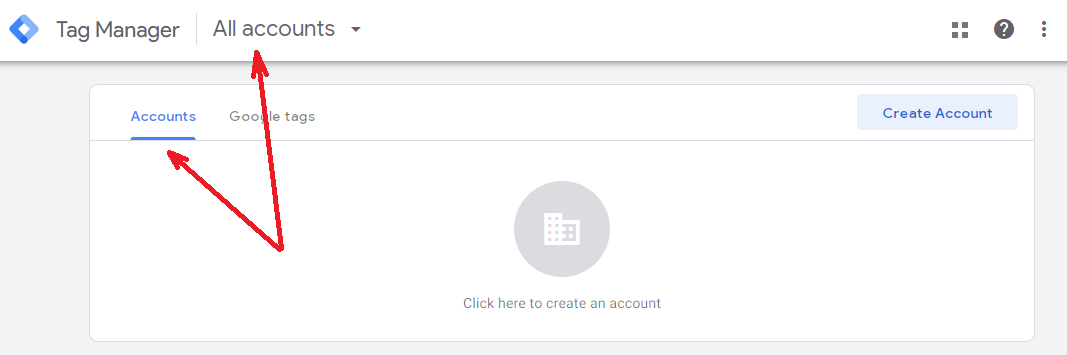
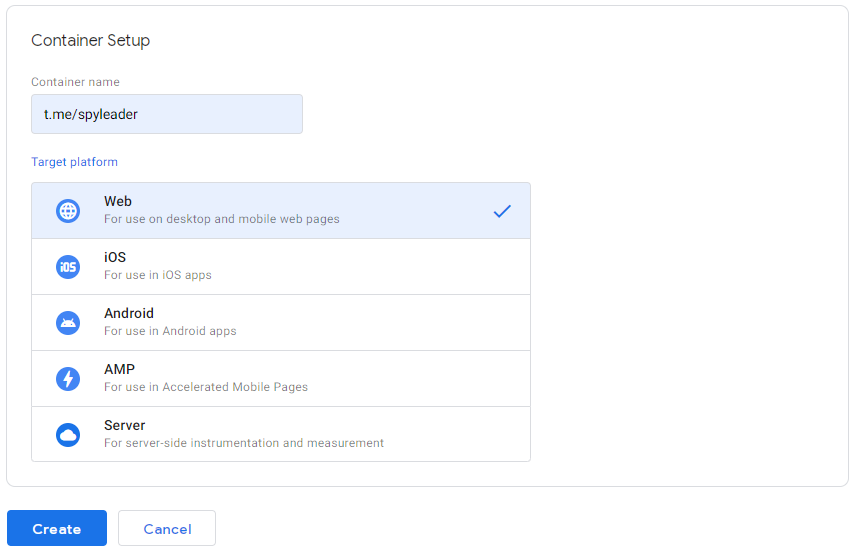
- Container: The core element of GTM, containing all tags, triggers, and variables used on a specific website or app.
- Tags: Webmasters can add and configure tags for different services. Custom tags can also be created using JavaScript or other programming languages.
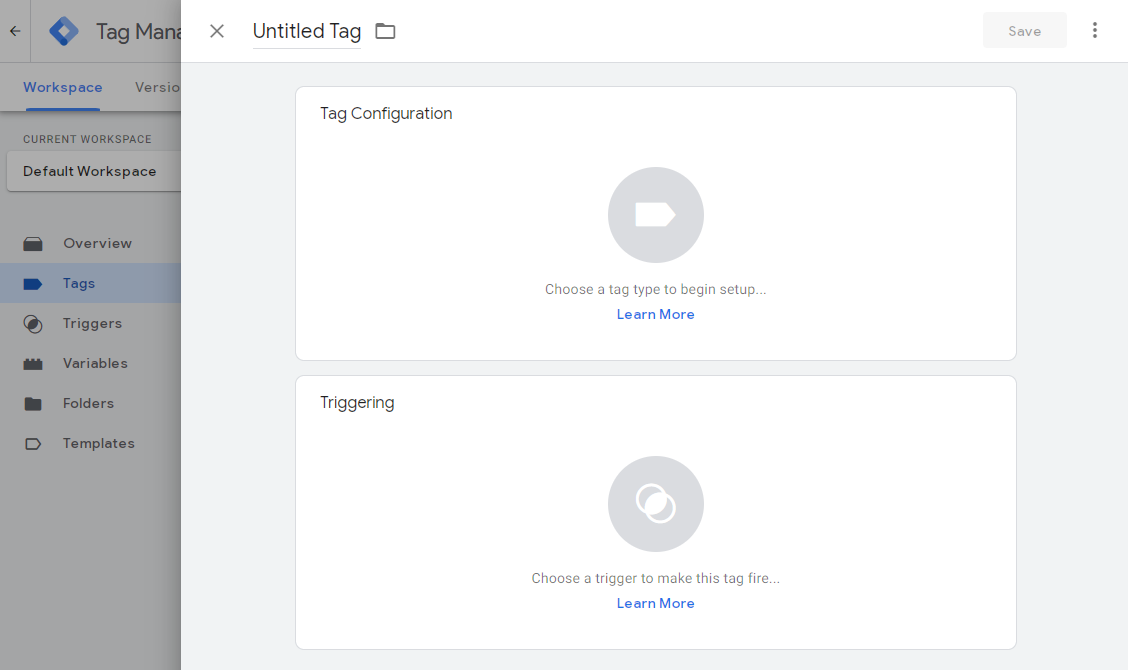
- Triggers: Triggers determine the specific conditions under which the created tags are activated. Affiliates should remember that triggers can be grouped in logical sets to activate tags under more complex conditions.
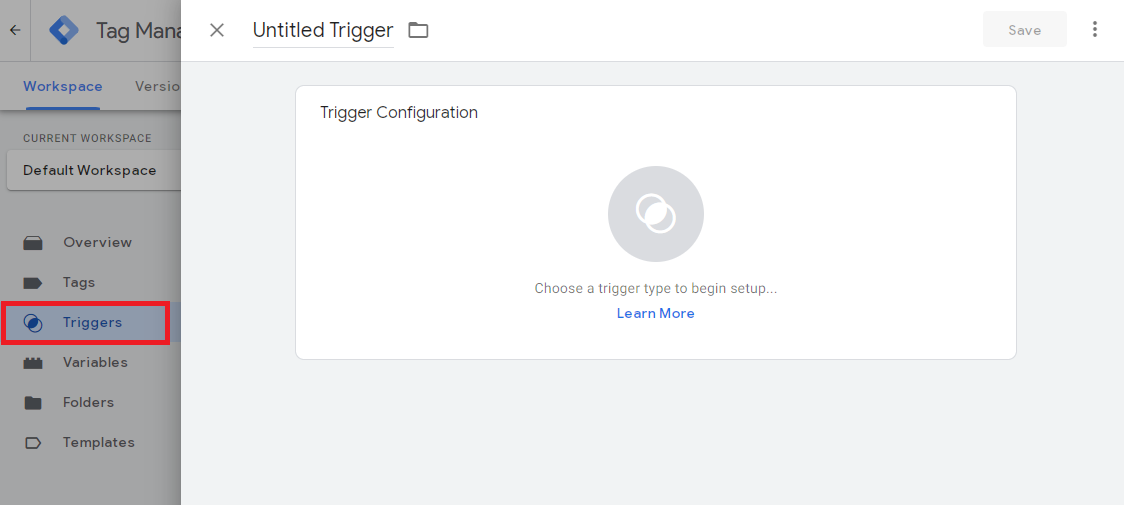
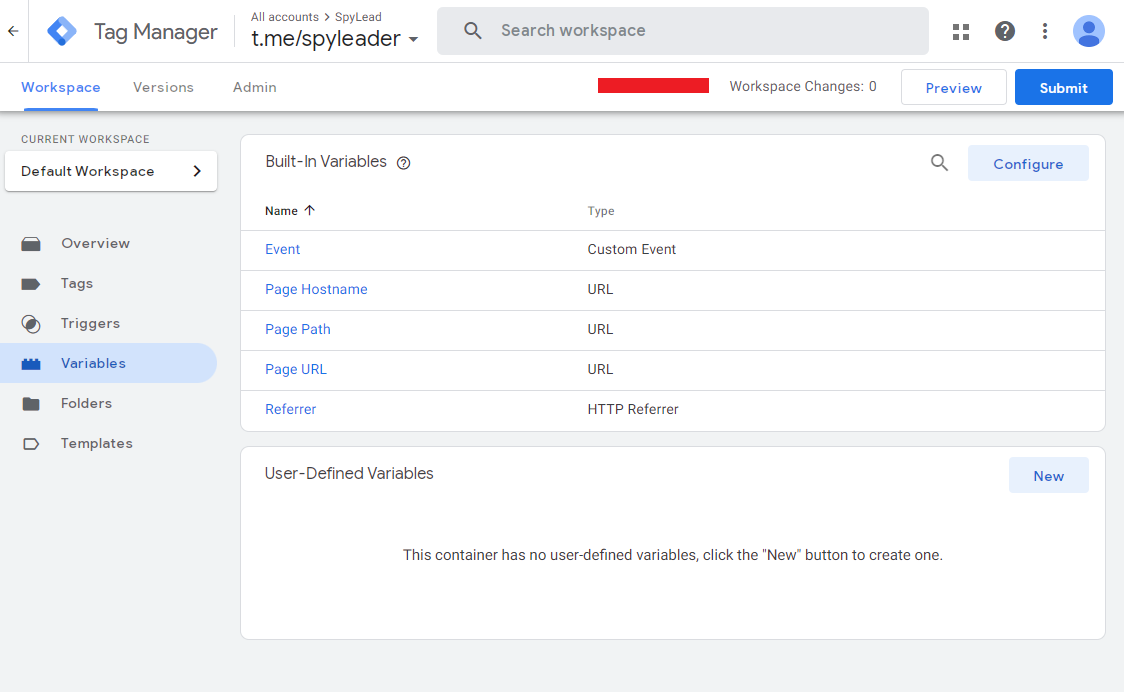
- Variables: A tool that stores and uses various data sets needed for tag and trigger activation.
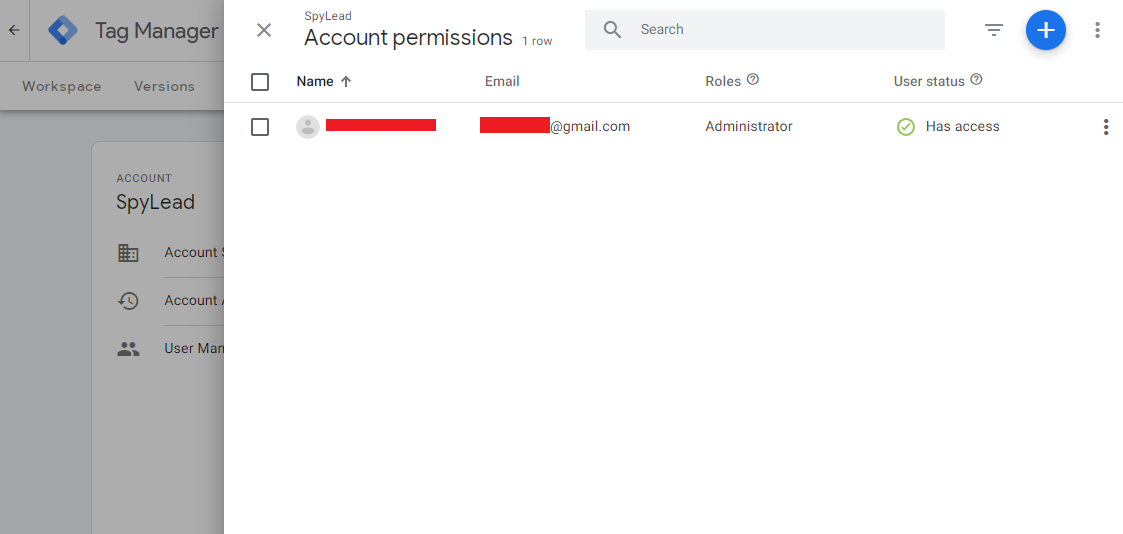
- User Management: GTM allows you to grant account access to other users, assigning different roles and permissions (such as "administrator," "editor," or "viewer").
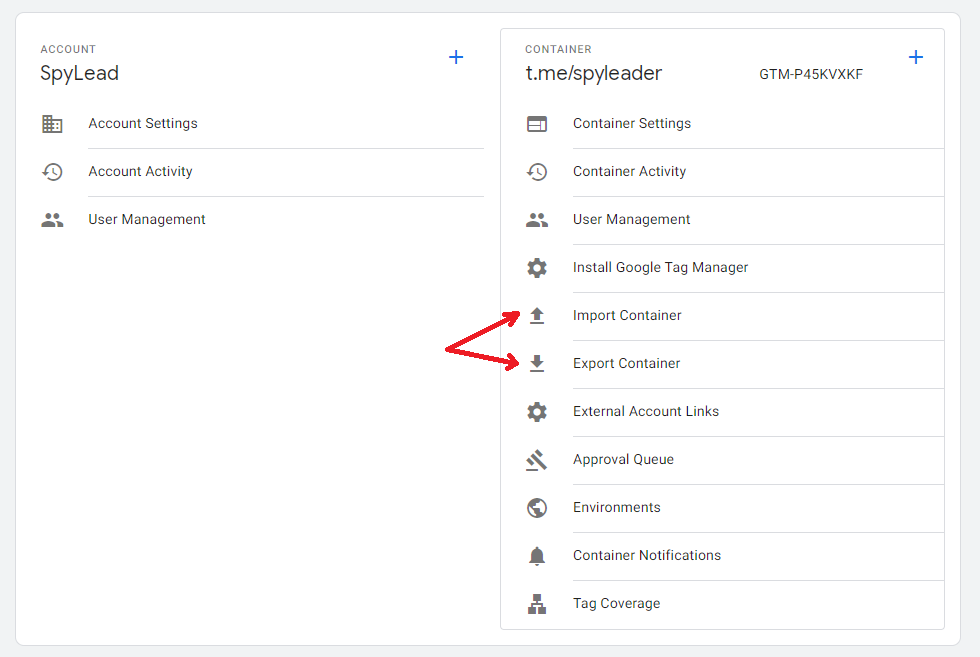
- Import and Export of Containers: Affiliates can easily transfer GTM settings between different projects.
- Competitor Tag Analysis: GTM allows you to "peek" at the tag settings on other websites. This feature can be useful for analyzing competitors or finding new ideas for your tracking setup.
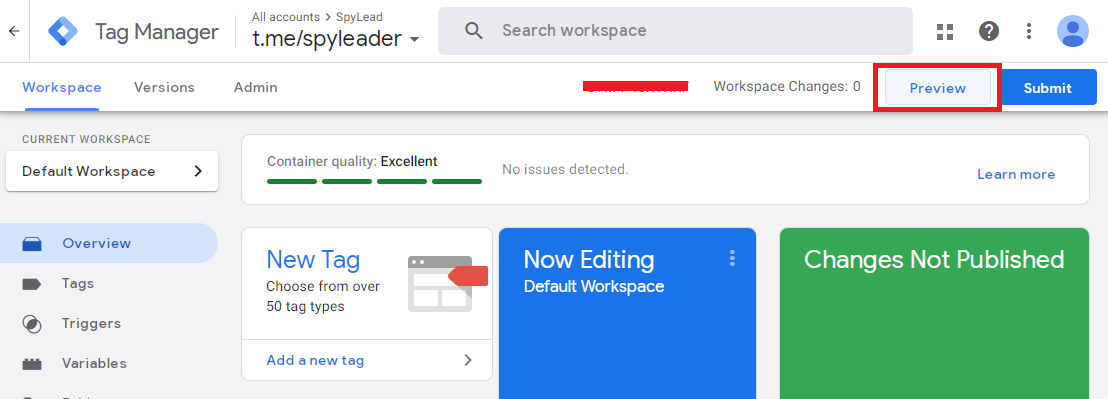
- Debugging Mode: GTM provides webmasters with a preview option. With this feature, affiliates can preview tags and triggers before publishing them on a landing page.
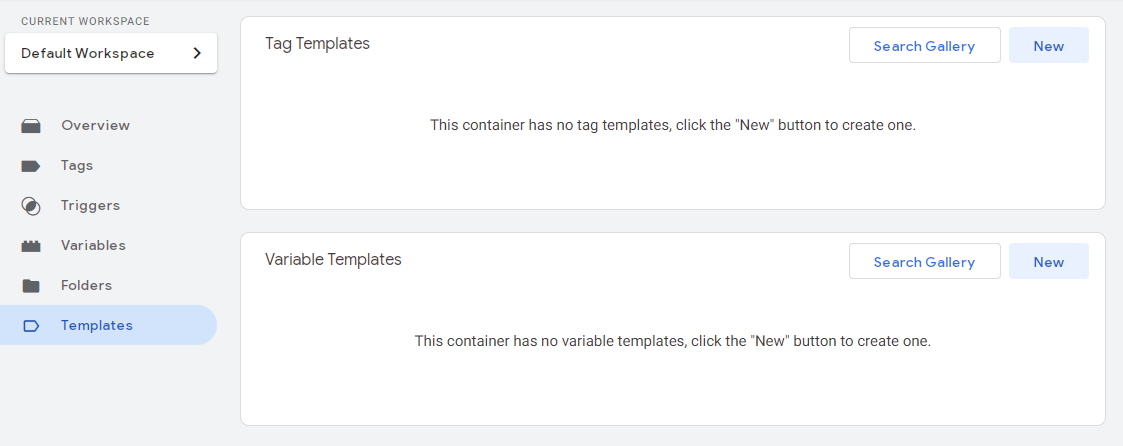
- Analytics System Configuration. GTM offers pre-built templates for setting up various analytics services and integrating with social media platforms.
- Built-in and Custom Variables and Tags. GTM provides many built-in variables (such as URL, page title, referrer, clicked element, etc.) and tags. Additionally, you can create custom variables and tags to store and utilize various data needed for tracking.
Practical Examples of GTM Use for Affiliates
Here are some relevant cases where Google Tag Manager can be particularly useful for affiliates.Conversion Tracking in Ad Campaigns
It’s crucial for affiliates to know how effective their ad campaigns are. For instance, when promoting a gambling offer via Facebook, GTM and the FB Pixel can help track not only ad clicks but also target actions on the landing page.Dynamic Retargeting
To enhance ad performance, it’s important to retarget users who have already shown interest in your offer by offering them personalized ads. GTM collects data on which pages a user visited, what products they added to their cart, and what actions they took on the site, allowing you to create target audiences for retargeting across various ad networks.Event Tracking on the Website
Understanding user behavior on your website is key to optimizing it and boosting conversions. GTM allows webmasters to track virtually any user actions: scrolling, button clicks, form submissions, video views, and more. This information helps identify weak points on pre-landers and landing pages, making them more user-friendly and effective.What’s the Difference Between Google Tag Manager and Google Analytics 4?
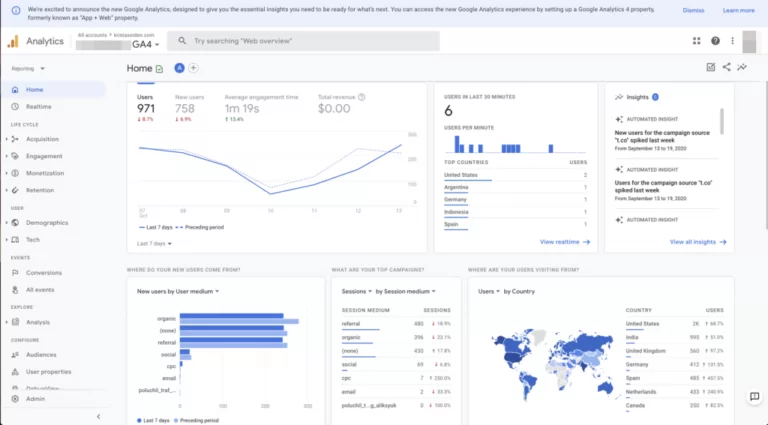
A common question arises: what’s the difference between Google Tag Manager and Google Analytics 4 (GA4)? In fact, they are two different tools that complement each other.
- GA4 is an analytics system that collects ananalyzes data about users and their behavior on the site. It provides reports, data visualizations, and other tools for studying audience, traffic, conversions, ad performance, and more.
- GTM, on the other hand, is a tool for managing tags, or code snippets, placed on the site to collect various information. GTM allows you to configure the collection and transmission of data to GA4 and other analytics systems and services.