
You are using an out of date browser. It may not display this or other websites correctly.
You should upgrade or use an alternative browser.
You should upgrade or use an alternative browser.
[Guides] Backlinks spree for a good week
- Thread starter Rachmaninoff
- Start date

Spiritualized
Newbie
- Oct 29, 2019
- 36
- 14
@Rachmaninoff Thank you for awesome share!
Why do you usually suggest to paste not only URL, but an image as well? What's the reason to do that?
And 1 more newbie question - why you don't use money site URL but use Tier1 link instead? If google won't penalize those links
Why do you usually suggest to paste not only URL, but an image as well? What's the reason to do that?
And 1 more newbie question - why you don't use money site URL but use Tier1 link instead? If google won't penalize those links
Last edited:

L1ckMyDorr1to
Junior Member
- Jun 7, 2019
- 100
- 41
amazing dude, thanks 

Mr. Meeseeks
Regular Member
- Mar 25, 2020
- 291
- 246
Slowly going through all your post making backlinks.
Thanks for sharing the information!
Thanks for sharing the information!

HustleTong
Elite Member
- May 30, 2019
- 13,466
- 10,660
JUICY SHARE, AS ALWAYS.


Robin123
Newbie
- Aug 28, 2021
- 3
- 0
It is really helpful to us and easy to making Thank youYou can use these do-follow links for any niche you like. Took me less than three days to get these bad boys indexed without links, so you better not giving me excuses.
Hub Docker DR90
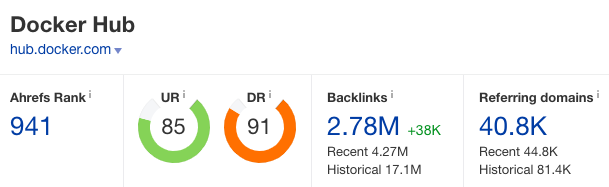
Create an account atCode:https://hub.docker.com/signup
Go to Repositories menu, then Create Repository. Fill in the details. Hit the Create button.
Click Full Description. Place your article, image and hyperlink into the field.
Click Public View button to see the result.
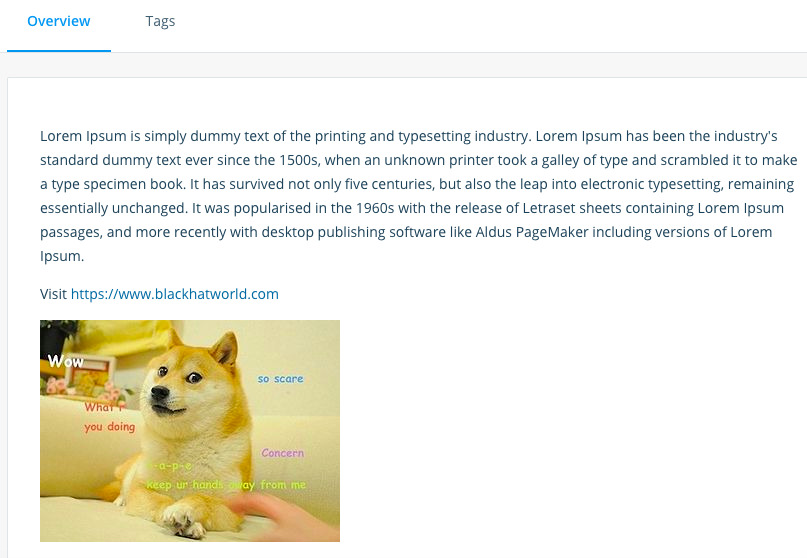
Link indexed on google

Gitbooks.io DR83

Start with a personal space. Create a new draft.
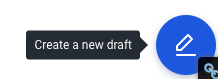
Place your article, images, and link into the field. Hit Save button.
Click the Merge blue button on the left sidebar.

Go to Settings on the left sidebar, then Space URL to change the url slug to whatever you like.

Go to Share menu and set Visibility as Public.
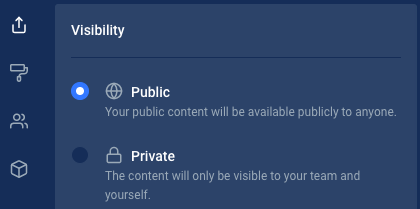
Under Shareable Link tab, copy your link. And that's it!
Link indexed on google

Headway.co DR78

Signup atCode:https://headwayapp.co/join
Click +New changelog. Add your article into the field. Use markdown to create hyperlink / images/ h2 etc like sample below

Here is what it looks like
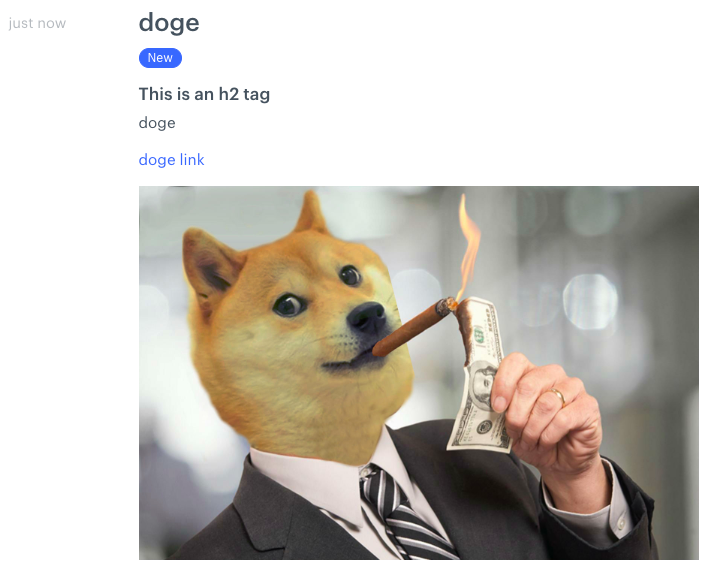
Don't forget to click the Published button then Save.
Ignore the 'Pro trial is ended' warning. It's free forever.
Link indexed on google

Startup Matcher DR56

Signup first atCode:
There are two ways to get do-follow links here. Via Edit Profile and Create Startup.
Click your profile then Create startup.

Fill in the details. Add your article, link and image into About the startup field. Then Save.
Click View Startup Profile to see the result.
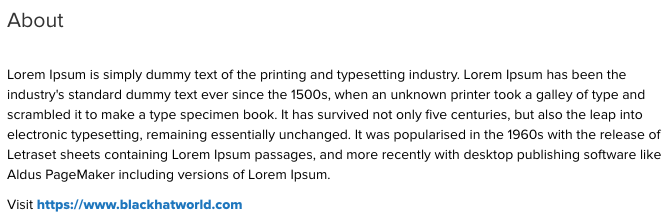
Link indexed on google

landscaperguy
Banned - Multiple Rules Violations
- Sep 6, 2021
- 109
- 56
Just a heads up: https://headwayapp.co is insta banning my articles and suspending my account before i can even post them live.


kuruptseo
Power Member
- Aug 1, 2021
- 653
- 273
i for the life of me cant get my hub docker to index after 4 monthsYou can use these do-follow links for any niche you like. Took me less than three days to get these bad boys indexed without links, so you better not giving me excuses.
Hub Docker DR90
Create an account atCode:https://hub.docker.com/signup
Go to Repositories menu, then Create Repository. Fill in the details. Hit the Create button.
Click Full Description. Place your article, image and hyperlink into the field.
Click Public View button to see the result.
Link indexed on google
Gitbooks.io DR83
Start with a personal space. Create a new draft.
Place your article, images, and link into the field. Hit Save button.
Click the Merge blue button on the left sidebar.
Go to Settings on the left sidebar, then Space URL to change the url slug to whatever you like.
Go to Share menu and set Visibility as Public.
Under Shareable Link tab, copy your link. And that's it!
Link indexed on google
Headway.co DR78
Signup atCode:https://headwayapp.co/join
Click +New changelog. Add your article into the field. Use markdown to create hyperlink / images/ h2 etc like sample below
Here is what it looks like
Don't forget to click the Published button then Save.
Ignore the 'Pro trial is ended' warning. It's free forever.
Link indexed on google
Startup Matcher DR56
Signup first atCode:
There are two ways to get do-follow links here. Via Edit Profile and Create Startup.
Click your profile then Create startup.
Fill in the details. Add your article, link and image into About the startup field. Then Save.
Click View Startup Profile to see the result.
Link indexed on google

- Jun 1, 2012
- 457
- 216
All still working as of January 2022You can use these do-follow links for any niche you like. Took me less than three days to get these bad boys indexed without links, so you better not giving me excuses.
Hub Docker DR90
Create an account atCode:https://hub.docker.com/signup
Go to Repositories menu, then Create Repository. Fill in the details. Hit the Create button.
Click Full Description. Place your article, image and hyperlink into the field.
Click Public View button to see the result.
Link indexed on google
Gitbooks.io DR83
Start with a personal space. Create a new draft.
Place your article, images, and link into the field. Hit Save button.
Click the Merge blue button on the left sidebar.
Go to Settings on the left sidebar, then Space URL to change the url slug to whatever you like.
Go to Share menu and set Visibility as Public.
Under Shareable Link tab, copy your link. And that's it!
Link indexed on google
Headway.co DR78
Signup atCode:https://headwayapp.co/join
Click +New changelog. Add your article into the field. Use markdown to create hyperlink / images/ h2 etc like sample below
Here is what it looks like
Don't forget to click the Published button then Save.
Ignore the 'Pro trial is ended' warning. It's free forever.
Link indexed on google
Startup Matcher DR56
Signup first atCode:
There are two ways to get do-follow links here. Via Edit Profile and Create Startup.
Click your profile then Create startup.
Fill in the details. Add your article, link and image into About the startup field. Then Save.
Click View Startup Profile to see the result.
Link indexed on google
Thank you


