tattooedbuddha
Senior Member
- Jul 19, 2020
- 860
- 5,717
You can now create stunning vector art using a combination of Midjourney and a bot called Tracejourney.
Don't know what vector art is? It's basically art created with mathematical equations, like connecting dots with lines. This enables resizing without the image getting blurry, since the mathematical equations are adjusted.
In other words, vector art can be scaled without losing quality, is easily editable, and is industry standard when it comes to print, logos, text, graphics, you name it.
So let's get into it, this guide requires a Midjourney subscription and a discord server of your own.
Here are the steps we are following:
1. Create a discord server of your own (unless you already have one, then skip this step)
2. Invite Midjourney bot to your server
3. Invite Tracejourney bot to your server
4. Get creative
5. Vectorize
6. Indulge in the rewards of your hard work, savor a well-deserved break, and treat yourself to a refreshing piña colada. In fact, why not go all out and enjoy a second one? There you go
 Start by clicking the plus (+) button on the left side of your Discord application, as highlighted in the image.
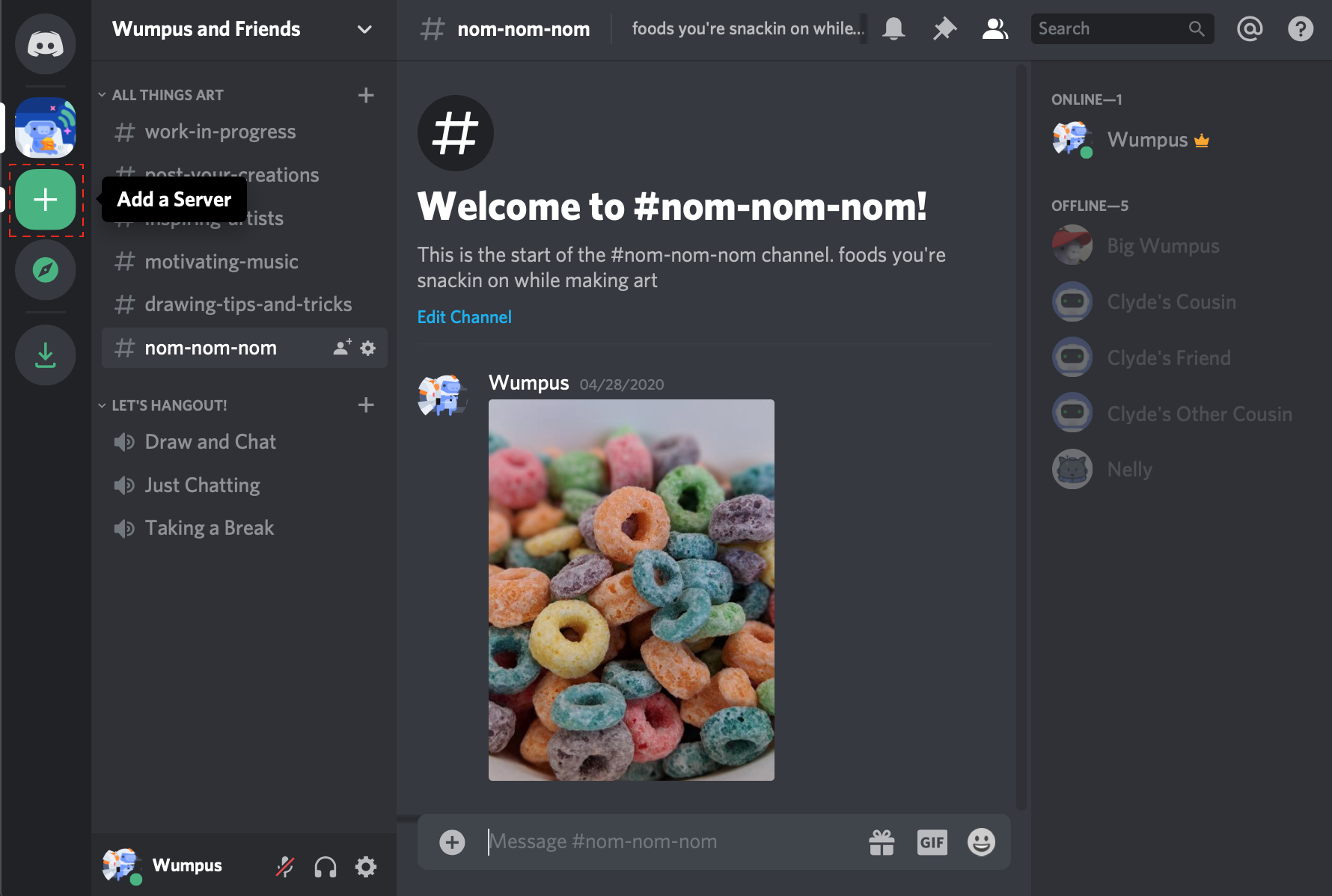
(image credit goes to discord)
Now click "Create a server"
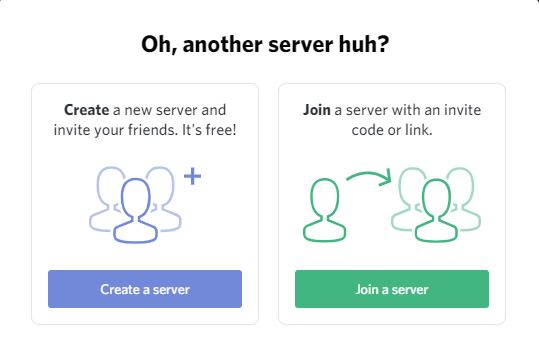
(image credit goes to discord)
Come up with an impressively cool name for your server. Think along the lines of "Exclusive Coolness" or "The Elite League." Choose a name that will leave your friends in awe of your private server. Show them who's boss.
Then once you're happy with the server name, go ahead and click "Create".
Boom! Your own private discord server, use it wisely.
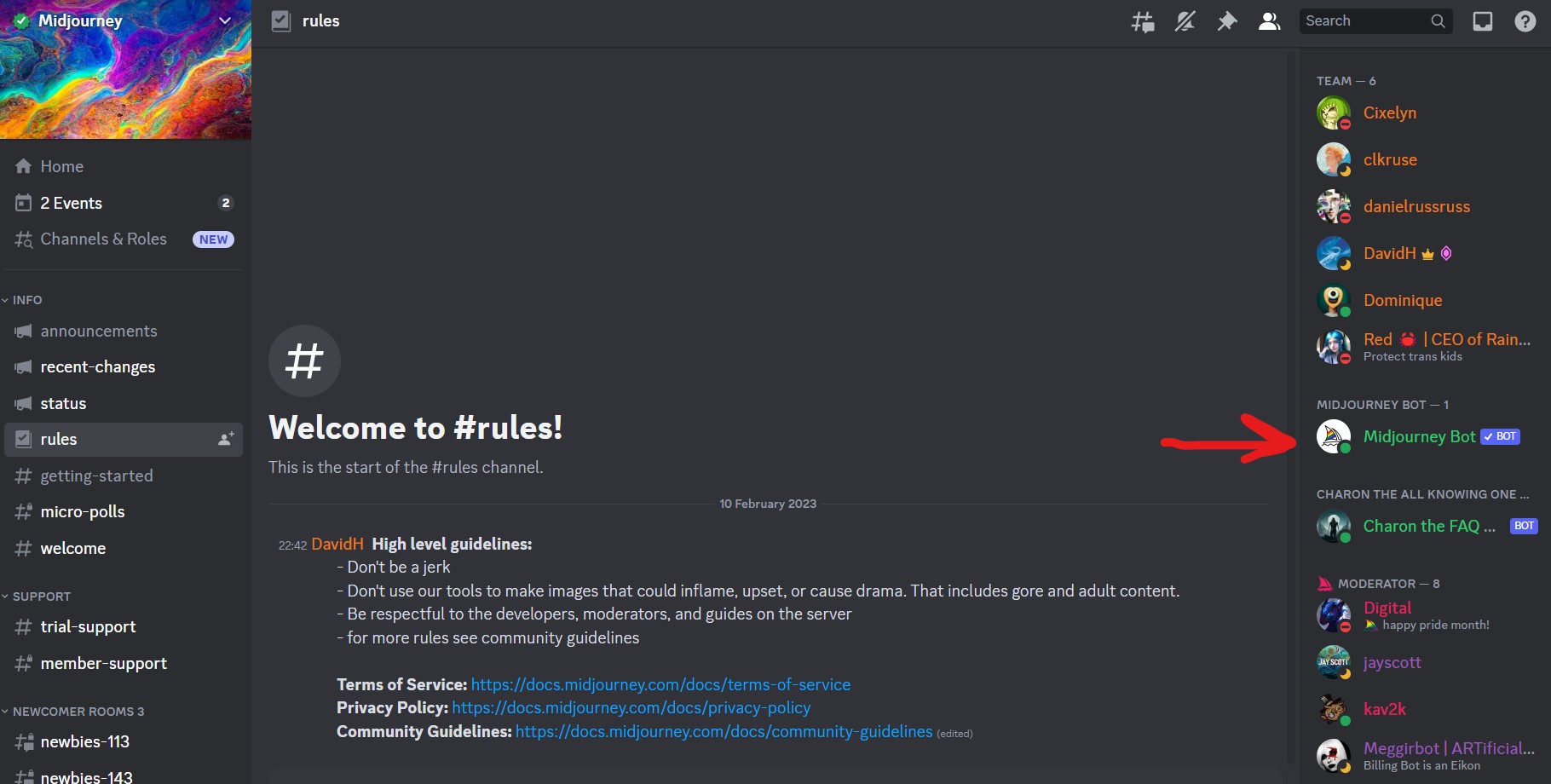
Assuming you're already got access to the Midjourney server, take a look to the right of the interface, where all the members are. Once you've spotted Midjourney Bot, left click on it, then click "add to server".

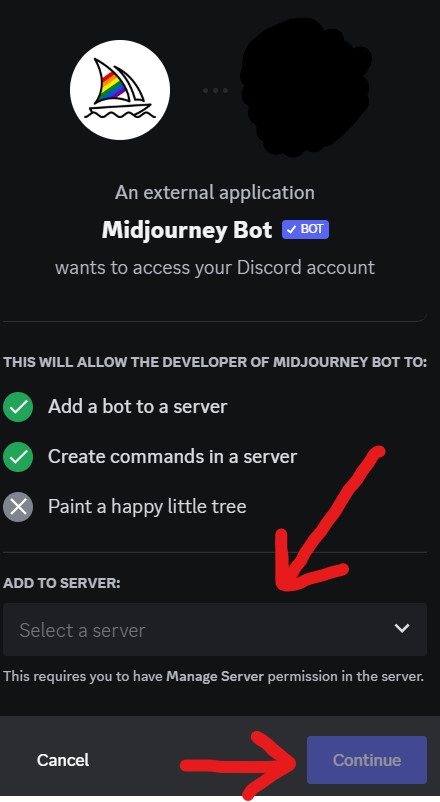
You'll now be greeted with a popup, asking you to choose which server to invite the bot to. At this point, you need to choose your own server, which I presume you have named something very cool. Let me know what you chose, would you?
Onto the next step.
This is basically the same as the last step, only this time we're going into the Tracejourney server and inviting their bot to our own server. I'm not going to share the invite link to the server here as I'm a bit behind on the rules on sharing server invitations here on the forum, but a quick Google search will let you find it. If the moderators allow it, I can share the invite later in the comment section.
Note: I am in no way affiliated with or sponsored by Tracejourney.
This is where the fun starts, let's create our amazing art. If you dont know how Midjourney works, you basically type in "/imagine " into a text channel in your server, which then allows you to input your image prompt, then simply press enter and wait.
For this guide I will prompt Midjourney to show the average BHW user (I am in no way responsible for the correctness of the output)
Here's what it gave me:
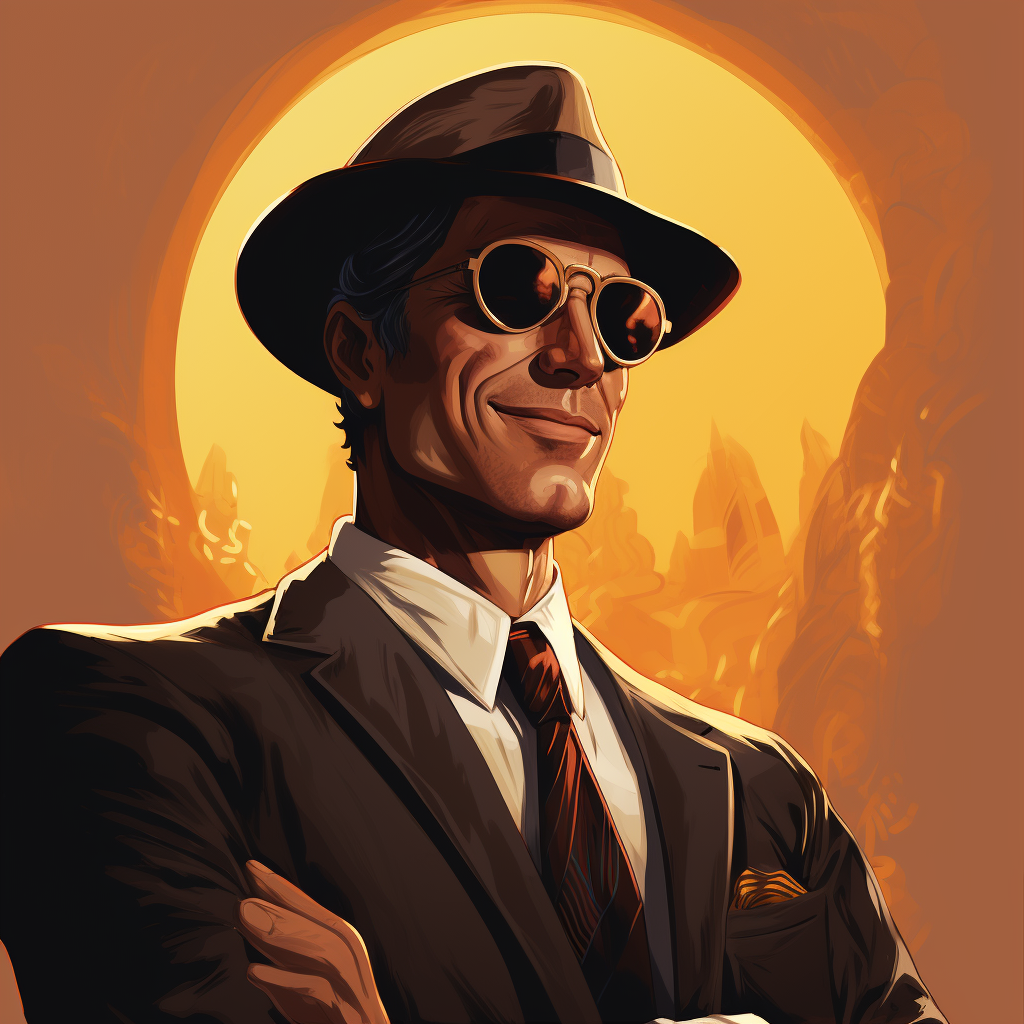
Damn, is that you @ContentExpert?
Anyways.
That's our image from Midjourney, not vectorized yet!
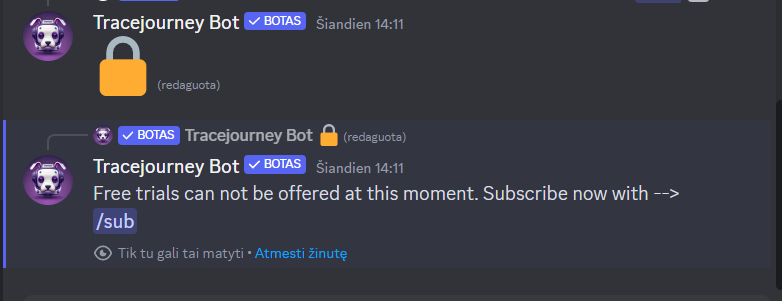
 Alright, for the final part, take a look below your output in your discord server. You'll notice a small message by tracejourney bot looking something like this:
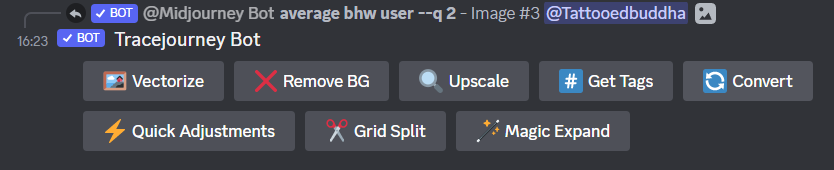
Simply press the "Vectorize" button and wait for the magic to happen. You'll then be presented with this:

Click the download button, and you have officially made your first vectorized image from Midjourney. Congratulations!
You can even open this file in Adobe Illustrator and manipulate it however you want!
Here's the average BHW user above as vector graphics!
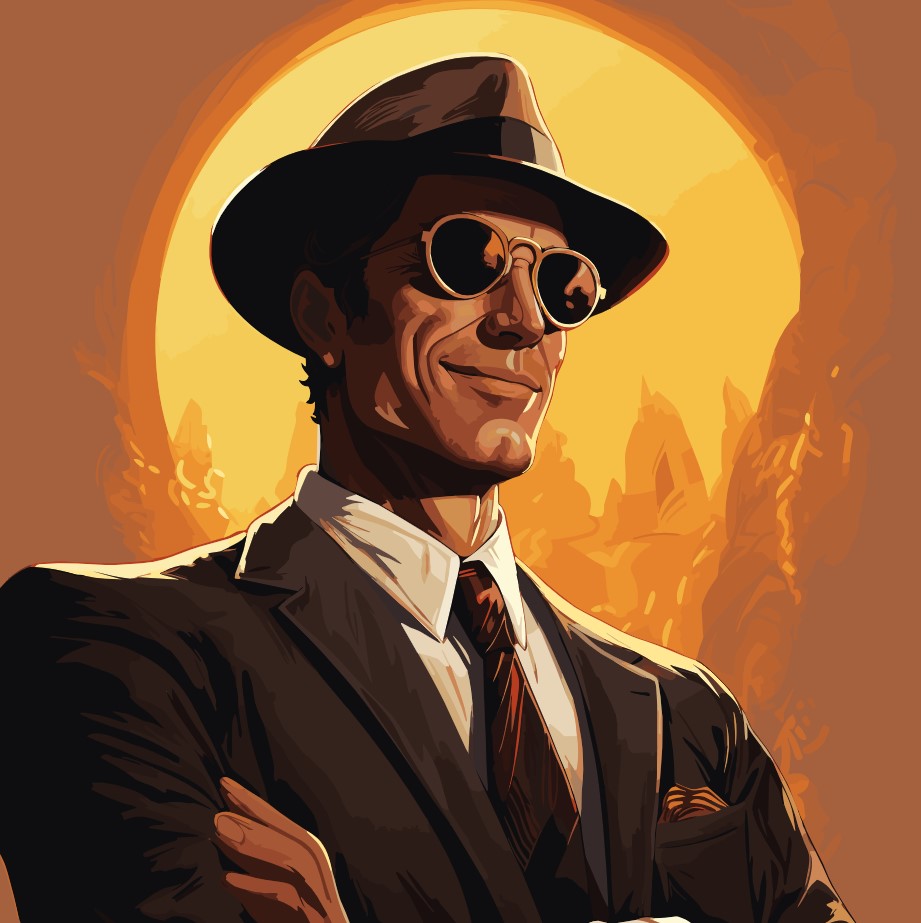
Cool right?
But don't forget the last step!
Don't know what vector art is? It's basically art created with mathematical equations, like connecting dots with lines. This enables resizing without the image getting blurry, since the mathematical equations are adjusted.
In other words, vector art can be scaled without losing quality, is easily editable, and is industry standard when it comes to print, logos, text, graphics, you name it.
So let's get into it, this guide requires a Midjourney subscription and a discord server of your own.
Here are the steps we are following:
1. Create a discord server of your own (unless you already have one, then skip this step)
2. Invite Midjourney bot to your server
3. Invite Tracejourney bot to your server
4. Get creative
5. Vectorize
6. Indulge in the rewards of your hard work, savor a well-deserved break, and treat yourself to a refreshing piña colada. In fact, why not go all out and enjoy a second one? There you go
(image credit goes to discord)
Now click "Create a server"
(image credit goes to discord)
Come up with an impressively cool name for your server. Think along the lines of "Exclusive Coolness" or "The Elite League." Choose a name that will leave your friends in awe of your private server. Show them who's boss.
Then once you're happy with the server name, go ahead and click "Create".
Boom! Your own private discord server, use it wisely.
You'll now be greeted with a popup, asking you to choose which server to invite the bot to. At this point, you need to choose your own server, which I presume you have named something very cool. Let me know what you chose, would you?
Onto the next step.
Note: I am in no way affiliated with or sponsored by Tracejourney.
For this guide I will prompt Midjourney to show the average BHW user (I am in no way responsible for the correctness of the output
)Here's what it gave me:
Damn, is that you @ContentExpert?
Anyways.
That's our image from Midjourney, not vectorized yet!
Simply press the "Vectorize" button and wait for the magic to happen. You'll then be presented with this:
Click the download button, and you have officially made your first vectorized image from Midjourney. Congratulations!
You can even open this file in Adobe Illustrator and manipulate it however you want!
Here's the average BHW user above as vector graphics!
Cool right?
But don't forget the last step!