

oren shkedi
Registered Member
- Jul 17, 2016
- 54
- 35
Hi everyone!
This is my first tutorial on BHW of a solution i found very useful, and I want to share it with you all.
Maybe some website index solution sellers will hate me(sorry mates), but this free solution works best for indexing my website pages in less than 24 hours.
This is 100% White hat, Legit and Free.
Requirements
1) Microsoft Visual Studio Code installed on the machine - Download
2) Node.js SDK installed on the machine - Download
3) GCP account - Account
4) Download code files > Download
Part 1 - The code
1) Extract the downloaded code files to a folder on your machine.

2)
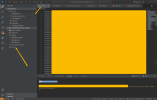
A) Open up the project folder from Visual Studio Code.
B) Paste all the website pages you want to index. (no more than 100 links per url.txt file)
Part 2 - Google API
1) First off, you will need to set up access to the Indexing API in Google Cloud Platform - follow the instructions below.
https://developers.google.com/search/apis/indexing-api/v3/prereqs
In the end you will get token access API

2) Once you have access to Indexing API you'll be able to download a public/private key pair JSON file,
this contains all of your credentials and should be saved as "service_account.json".

Part 3 - Verify site ownership
In this step, you'll verify that you have control over your web property.
To verify ownership of your site you'll need to add your service account email address (see service_account.json - client_email) and add it as an owner ('delegated') of the web property in Search Console.
You can find your service account email address in two places:
Then...
In the Visual Studio Code terminal, you must ensure the path is in your code folder. To run the indexing script, just enter
"node index.js" and you will see all the links being indexed!
So I hope you find this solution useful as I did.
Remember, you can index only 100 bulk links per session and only 200 links daily!
If you try more than those numbers, Google will not index you.
Enjoy(❁´◡`❁)
This is my first tutorial on BHW of a solution i found very useful, and I want to share it with you all.
Maybe some website index solution sellers will hate me(sorry mates), but this free solution works best for indexing my website pages in less than 24 hours.
This is 100% White hat, Legit and Free.
Requirements
1) Microsoft Visual Studio Code installed on the machine - Download
2) Node.js SDK installed on the machine - Download
3) GCP account - Account
4) Download code files > Download
Part 1 - The code
1) Extract the downloaded code files to a folder on your machine.
2)
A) Open up the project folder from Visual Studio Code.
B) Paste all the website pages you want to index. (no more than 100 links per url.txt file)
Part 2 - Google API
1) First off, you will need to set up access to the Indexing API in Google Cloud Platform - follow the instructions below.
https://developers.google.com/search/apis/indexing-api/v3/prereqs
In the end you will get token access API
2) Once you have access to Indexing API you'll be able to download a public/private key pair JSON file,
this contains all of your credentials and should be saved as "service_account.json".
Part 3 - Verify site ownership
In this step, you'll verify that you have control over your web property.
To verify ownership of your site you'll need to add your service account email address (see service_account.json - client_email) and add it as an owner ('delegated') of the web property in Search Console.
You can find your service account email address in two places:
- The client_email field in the JSON private key that you downloaded when you created your project.
- The Service account ID column of the Service Accounts view in the Developer Console.
- The email address has a format similar to the following:
Then...
- Go to Google Webmaster Central
- Click your verified property
- Scroll down and click 'Add an owner'.
- Add your service account email address as an owner to the property.
In the Visual Studio Code terminal, you must ensure the path is in your code folder. To run the indexing script, just enter
"node index.js" and you will see all the links being indexed!
So I hope you find this solution useful as I did.
Remember, you can index only 100 bulk links per session and only 200 links daily!
If you try more than those numbers, Google will not index you.
Enjoy(❁´◡`❁)


