SiddharthW
Power Member
- Jul 29, 2017
- 734
- 384
https://i.imgur.com/6TYO3vG.png
Yeah, I want this Exactly, How did you do that? I need to learn thatHere ya go: one without the blue region and the other one without any background
I asked for 1st one but 2nd One is Amazing, I try what you said, and Achieved 1st image time result, How can I achieve 2nd image type result with absolute no white background? Well, I think it'll too much time with manually deleting background.I am not exactly sure what you're looking for.
This?
![]()
Or this? (See on the White Theme)
![]()
When you're resizing the canvas in Photoshop, make sure you unlock the layer first.
When you first open your image, the layer could be locked and on resize may give you a solid background. So click on that layer and then click on the little lock icon above.
I use clipping magic, very quick and easyYeah, I want this Exactly, How did you do that? I need to learn that
I asked for 1st one but 2nd One is Amazing, I try what you said, and Achieved 1st image time result, How can I achieve 2nd image type result with absolute no white background? Well, I think it'll too much time with manually deleting background.
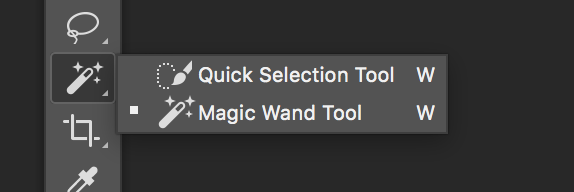
Thanks Guys and Especially @BlogPro I achieved both types of result with using Magic eraser tool and Unlock layer
Happy ???$97 payment please. You can pay at https://www.blackhatworld.com/account/upgrades![]()
Just need a help for 2 min task, Please PM me.
Or just let me ask here, I'm resizing photos for slider but result looksView attachment 106278 something like that.
I want to make the outer area (Blue region) Invisible like that So, Background automatically adjust with my site.
View attachment 106279
Ps- I'm using abode Photoshop cc 2015
Happy ???