Any Photoshop Expert ?

SiddharthW

Power Member
Joined
Jul 29, 2017
Messages
734
Reaction score
384
Just need a help for 2 min task, Please PM me.
Or just let me ask here, I'm resizing photos for slider but result looksRS1.png something like that.
I want to make the outer area (Blue region) Invisible like that So, Background automatically adjust with my site.
580b585b2edbce24c47b2b1f.png
Ps- I'm using abode Photoshop cc 2015
 
You may get banned for posting a Dallas Cowboys star on BHW.

The entire staff (well me) are not Cowboys fans.
 
I am not exactly sure what you're looking for.

This?
9wh0iOj


Or this? (See on the White Theme)

lZAVtPT


When you're resizing the canvas in Photoshop, make sure you unlock the layer first.

When you first open your image, the layer could be locked and on resize may give you a solid background. So click on that layer and then click on the little lock icon above.
 
Here ya go: one without the blue region and the other one without any background
Yeah, I want this Exactly, How did you do that? I need to learn that
I am not exactly sure what you're looking for.

This?
9wh0iOj


Or this? (See on the White Theme)

lZAVtPT


When you're resizing the canvas in Photoshop, make sure you unlock the layer first.

When you first open your image, the layer could be locked and on resize may give you a solid background. So click on that layer and then click on the little lock icon above.
I asked for 1st one but 2nd One is Amazing, I try what you said, and Achieved 1st image time result, How can I achieve 2nd image type result with absolute no white background? Well, I think it'll too much time with manually deleting background.
 
Last edited:
2K4vv.jpg
 
Yeah, I want this Exactly, How did you do that? I need to learn that

I asked for 1st one but 2nd One is Amazing, I try what you said, and Achieved 1st image time result, How can I achieve 2nd image type result with absolute no white background? Well, I think it'll too much time with manually deleting background.
I use clipping magic, very quick and easy
https://clippingmagic.com
 
Thanks Guys and Especially @BlogPro I achieved both types of result with using Magic eraser tool and Unlock layer
 
I asked for 1st one but 2nd One is Amazing, I try what you said, and Achieved 1st image time result, How can I achieve 2nd image type result with absolute no white background? Well, I think it'll too much time with manually deleting background.

If all your images are as clear as that with a solid background color (white or any other) and no gradience or anything else, then you don't need anything else.

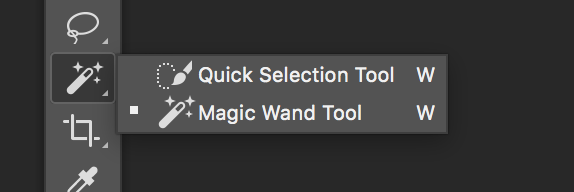
Simply select the "Magic Wand Tool"

TCsdY6U


Then at the top you'll see certain settings. Make sure "Anti-Alias" and "Contiguous" are checked.

5yT2daV


The Tolerance number defaults to 32 - but I keep it between 12 to 25 (You can play around with these settings)

Once done, simply click on the background and it will select the entire background, leaving your image intact. Then hit the "Delete" key and the background will disappear.

To give it a shadowy effect, right click the layer, goto "Blending Options" and select "Drop Shadow" - play around with the settings until you achieved the desired effect.
 
Just need a help for 2 min task, Please PM me.
Or just let me ask here, I'm resizing photos for slider but result looksView attachment 106278 something like that.
I want to make the outer area (Blue region) Invisible like that So, Background automatically adjust with my site.
View attachment 106279
Ps- I'm using abode Photoshop cc 2015

You can do that with snipping tool, right?

Comes with Windows.
 
Back
Top