moosicles
Registered Member
- Sep 19, 2013
- 83
- 44
Hey guys, I just thought I'd give back some to this great community that's helped me learn so much.
This is a simple little python script to help you quickly search for new domains. I call it domainer It takes an input of keyword(s) in a comma seperated list, and merges each one with a preset list set in the script. It then takes the new created list and copies it to your clipboard so you can paste it into a bulk domain name checker.
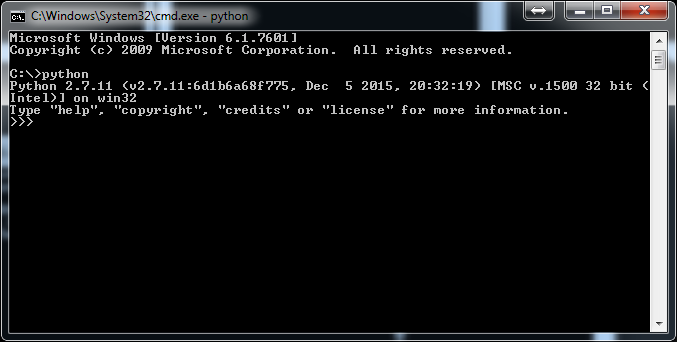
In order to use it you will need some version of python and the library pyperclip. If you dont have python, google "how to install python" and follow a tut. You can use 3.x if you want, but for the sake of this post I will be using 2.7 If you dont have pyperclip, open your cmd and run pip install pyperclip,
Here is the code. Hopefully it is readable enough for anybody to grasp exactly what is going on under the hood.
As you can see there is plenty of room for improvement and tweaks, so feel free to run with it and make it your own!
BONUS!
You can make this script execute from your run console! That means you push WinKey+R and type "domainer" and it automatically executes without having to navigate to your directoy and typing the usual "python scriptName". This is a neat little trick that you can use with any python script.
To do this, copy the domainer.py script into your python path. For most people, its C:\Python27 or something similar. Then make a new bat file with this code:
and save it in your python path as well. Obviously adjust this for your python version.
once you have that saved there hit WinKey+R and type domainer, or whatever you've named your files. Congrats! You now have a handy little domain hunting script to help you on your future ideas.
Hopefully this will help somebody out. If you have any suggestions for edits, feel free to post them. Or you can try to learn some python and make them yourself
This is a simple little python script to help you quickly search for new domains. I call it domainer
It takes an input of keyword(s) in a comma seperated list, and merges each one with a preset list set in the script. It then takes the new created list and copies it to your clipboard so you can paste it into a bulk domain name checker.In order to use it you will need some version of python and the library pyperclip. If you dont have python, google "how to install python" and follow a tut. You can use 3.x if you want, but for the sake of this post I will be using 2.7 If you dont have pyperclip, open your cmd and run pip install pyperclip,
Here is the code. Hopefully it is readable enough for anybody to grasp exactly what is going on under the hood.
Code:
#domainer.py
import pyperclip

mergeList = ["marketing", "design", "web", "webdesign", "websolutions", "solutions", "agency", "360", "emarketing", "digital", "digitalmarketing", "digitalmedia", "media", "network", "net"]
endlist = []
endstring = ""
keyword = raw_input("input comma seperated keyword(s) to merge:")
keywords = keyword.split(",")

for keyword in keywords:
  for item in mergeList:
  endlist.append(keyword + item + ".com")

  for item in endlist:
  endstring = endstring + item + "\n"
pyperclip.copy(endstring)
print "The list has been copied to your clipboard"
As you can see there is plenty of room for improvement and tweaks, so feel free to run with it and make it your own!
BONUS!
You can make this script execute from your run console! That means you push WinKey+R and type "domainer" and it automatically executes without having to navigate to your directoy and typing the usual "python scriptName". This is a neat little trick that you can use with any python script.
To do this, copy the domainer.py script into your python path. For most people, its C:\Python27 or something similar. Then make a new bat file with this code:
Code:
@python.exe C:\Python27\domainer.py %*
@pause
and save it in your python path as well. Obviously adjust this for your python version.
once you have that saved there hit WinKey+R and type domainer, or whatever you've named your files. Congrats! You now have a handy little domain hunting script to help you on your future ideas.
Hopefully this will help somebody out. If you have any suggestions for edits, feel free to post them. Or you can try to learn some python and make them yourself