- Aug 25, 2015
- 5,523
- 2,859
Been using GSA Search Engine Ranker for a couple of years now and wanted to write a quick guide on how I usually create mass articles quickly in GSA Content Generator. Hope some of you guys find it useful.
For the keywords try to go with as many possible related to your niche. You can use ChatGPT to do this if you'd like or select Add - Find related Keywords button and use any search engine like Google. In this example I used Search Engine Optimization.
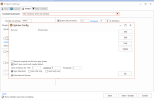
For the Keyword Setting I select "Keyword for Scraping" and "Keyword must be in URL" (this helps keep the final articles relevant to your keyword/topic"

Then click on the Links tab in the top left corner and paste all your URLs that you'll be building links to in GSA SER here. This helps at the end when exporting articles so that your URLs are already embedded in the articles and the anchor text comes out with a higher percentage of random words/phrases.
Also helps when pasting the articles into certain form fields in GSA SER as sometimes the %article% macro gets broken on certain platforms. For anchors on the right side I leave it empty. Like I said I want the anchor text to be random words/phrases.

For sources if you want to keep it simple just select search engines. If you want a lot more articles then you can select individual article directories and sites. Make sure to keep an eye on the options at the top "Use previously collected data" and "Use only fresh data" when creating new article creation campaigns so that the new campaign doesn't end up creating articles from the data collected in the previous one. You can also change the language to other languages of your choice.
The Output tab has the most options you can tweak. I've played around with this a lot over the years and have stuck to the options shown below in the screenshot. Here you can select how many URLs you want embedded per article and spin settings.

I use the internal GSA Content Generator spinner as it's really fast and in the configuration options uncheck "Remove original words from spin syntax" and select "Don't spin words with capital letters" to help keep the article readable.

I also use "Insert HTML Variations" (only changes are light, bold and italic decorations) and "Insert random paragraph spoilers/decorations" with the settings below.

If you want to insert images and videos you can select those in this tab. For videos I recommend Youtube platform and for images make sure the sizes aren't huge since sometimes GSA SER has a hard time settings image size restrictions in the HTML on certain platforms.
For the Filter/Modify tab I usually leave the default unless you want to protect certain words or phrases from being spun. You can do that by clicking Add - Batch Skip Words and pasting your words here. That will prevent them from being spun.
After everything is setup just click Save + Scrape button on the bottom right and let the software run. When completed you can select to export to "GSA Search Engine Ranker" option and select your campaign. Or select "HTML (with spin) - Title as First line" to export the raw HTML articles into a folder.
I'll write another guide on how I import the text into the form fields in GSA Search Ranker to increase contextual links on platforms like forum and others.
That's it guys tried to keep it as simple as possible but I always encourage you to tweak the settings to your liking.
For the keywords try to go with as many possible related to your niche. You can use ChatGPT to do this if you'd like or select Add - Find related Keywords button and use any search engine like Google. In this example I used Search Engine Optimization.
For the Keyword Setting I select "Keyword for Scraping" and "Keyword must be in URL" (this helps keep the final articles relevant to your keyword/topic"
Then click on the Links tab in the top left corner and paste all your URLs that you'll be building links to in GSA SER here. This helps at the end when exporting articles so that your URLs are already embedded in the articles and the anchor text comes out with a higher percentage of random words/phrases.
Also helps when pasting the articles into certain form fields in GSA SER as sometimes the %article% macro gets broken on certain platforms. For anchors on the right side I leave it empty. Like I said I want the anchor text to be random words/phrases.
For sources if you want to keep it simple just select search engines. If you want a lot more articles then you can select individual article directories and sites. Make sure to keep an eye on the options at the top "Use previously collected data" and "Use only fresh data" when creating new article creation campaigns so that the new campaign doesn't end up creating articles from the data collected in the previous one. You can also change the language to other languages of your choice.
The Output tab has the most options you can tweak. I've played around with this a lot over the years and have stuck to the options shown below in the screenshot. Here you can select how many URLs you want embedded per article and spin settings.
I use the internal GSA Content Generator spinner as it's really fast and in the configuration options uncheck "Remove original words from spin syntax" and select "Don't spin words with capital letters" to help keep the article readable.
I also use "Insert HTML Variations" (only changes are light, bold and italic decorations) and "Insert random paragraph spoilers/decorations" with the settings below.
If you want to insert images and videos you can select those in this tab. For videos I recommend Youtube platform and for images make sure the sizes aren't huge since sometimes GSA SER has a hard time settings image size restrictions in the HTML on certain platforms.
For the Filter/Modify tab I usually leave the default unless you want to protect certain words or phrases from being spun. You can do that by clicking Add - Batch Skip Words and pasting your words here. That will prevent them from being spun.
After everything is setup just click Save + Scrape button on the bottom right and let the software run. When completed you can select to export to "GSA Search Engine Ranker" option and select your campaign. Or select "HTML (with spin) - Title as First line" to export the raw HTML articles into a folder.
I'll write another guide on how I import the text into the form fields in GSA Search Ranker to increase contextual links on platforms like forum and others.
That's it guys tried to keep it as simple as possible but I always encourage you to tweak the settings to your liking.