Permanently Closed Marketplace Sales Thread

Status
Not open for further replies.
Of course, you can set up a separate proxy in each browser profile. Moreover, we have a separate menu for managing proxies, in which you can create a large number of proxies, check or delete them.

Of course, you can also use mobile proxies and change their IP on request with just one click.

View attachment 253925
You mean I'd need to click it manually? To clarify, my question was how to make the ip auto rotate upon each request, not manually.. Any suggestions?
 
You mean I'd need to click it manually? To clarify, my question was how to make the ip auto rotate upon each request, not manually.. Any suggestions?
That's right, you need to do it manually when you need to change the proxy IP address. For example, this is done before opening a new profile or before switching to another account. The frequency of proxy IP changes depends on the provider, this cannot be configured in the browser.
 
How can I install a Chrome extension on Dolphin?
I keep getting a "virus scan failed" error message.

thanks
 
How can I install a Chrome extension on Dolphin?
I keep getting a "virus scan failed" error message.

thanks
To install the chrome extension you need to go to the special "Extensions" tab. Here you can manage all extensions: remove them, install them in all or certain profiles in a couple of clicks. You can install both from the chrome store and from the zip file. If you are experiencing difficulties and cannot add it for some reason, you should contact the support service to resolve this problem.
Снимок экрана 2023-05-10 в 09.54.39.png Снимок экрана 2023-05-10 в 09.55.02.png
 
⚡Benefits of using Dolphin{anty}

Hi, we're starting a new column where we're going to talk about the functionality of Dolphin{anty}.
In these posts, you'll find cool features you might not have known about before.

And today we want to tell you about the Browsing Time column.
This is a metric that is reflected on the main screen of Antic.
It's great for teamwork and for keeping track of farming accounts.
Thanks to this feature, you will be able to understand how much time you or a member of your team spent in a certain browser.

✅How do I make the time column appear on the main screen?
To do this, go to the column settings (the gear icon in the upper right corner) and put a check mark next to the time column.
In the same settings, you can rank the columns in the order you like.

Do you know about this feature? ;)

IMAGE-2023-05-11-140036.jpg
 
❗️{Important change}

We've updated our password policy. Dolphin{anty} account now only allows you to set a complex password,
qwerty123 won't work anymore, which will significantly increase account security.

What is this for?

The higher password requirements are needed in order to establish a fundamental security to save your data.
The more complex the password, the better your account, profile data, and personal information is protected.

Read our article to learn about the new rules for creating passwords.
You'll also find useful tips and tricks to help you create strong passwords easily.

Best wishes, Dolphin{anty} :rolleyes:

IMAGE 2023-05-15 16:44:55.jpg
 
I am interested But I want to know about the price
Thank you for your interest! After registration, you will immediately receive 1000 profiles for four days, along with access to all features. After this period, you will have only 10 profiles that you can use permanently. More details about prices can be found here.
 
Hi,
I want to use dolphin on top of proxifier or add proxifier as sw inside proxy tab. Is there a way to add it?
Thank you
 
Hi,
I want to use dolphin on top of proxifier or add proxifier as sw inside proxy tab. Is there a way to add it?
Thank you
Hi! In our browser, you can configure the proxy for each profile separately. Without using proxifier. It's much more convenient and easier.
However, if it is fundamentally important for you to use an additional proxifier. You can easily use it in conjunction with a browser. :)
 
Hi! In our browser, you can configure the proxy for each profile separately. Without using proxifier. It's much more convenient and easier.
However, if it is fundamentally important for you to use an additional proxifier. You can easily use it in conjunction with a browser. :)
Thank you for your answer. It would be convinient for me to use it with proxifier software. When I create a new profile I suppose I should somehow see the proxifier proxy directly? Or at least connect somehow the two softwares? Maybe throught calling dolphin's API?
Thank you again for assistance
 
Great software. I have used it.
Thank you! Let us know if you need anything.
Thank you for your answer. It would be convinient for me to use it with proxifier software. When I create a new profile I suppose I should somehow see the proxifier proxy directly? Or at least connect somehow the two softwares? Maybe throught calling dolphin's API?
Thank you again for assistance
You can use Dolphin{anty} however you like. I think that you do not need additional integration of the two programs. You can use the proxifier with some proxies, as well as add other proxies in the profile settings. Thus, the browser will use and display those proxies that are configured in the profile.
 
When I open a profile I get the error message "manifest-file missing" but I looked it up and the manifest.json file is there. When I click OK the profile seems to work as it should.

What can be the issue and does it have any effects on the functionality of my profile?
 
When I open a profile I get the error message "manifest-file missing" but I looked it up and the manifest.json file is there. When I click OK the profile seems to work as it should.

What can be the issue and does it have any effects on the functionality of my profile?
This can be fixed quickly. Just delete the extensions folder and restart the browser client. After restarting, the browser will re-create all the necessary folders and files and the error will disappear.
 
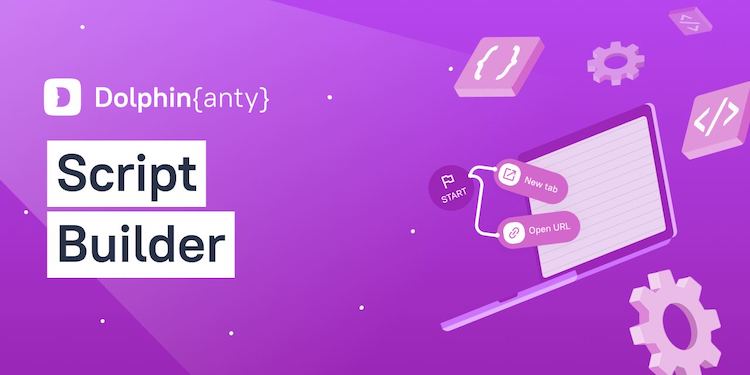
Tired of wasting time on routine tasks?
We have a solution - Dolphin{anty} Script Builder!

Script Builder is a browser automation that is created with an interactive map.
Imagine every click, button click, login/password input and other actions you perform in the browser.
This work can be delegated to a robot.

We've prepared an article describing the functionality of the script builder and providing an overview of each block.
With its help you will easily write your first script and forget about the routine.

✅ Read the article ✅

⚡️ Skill the script builder and automate your work with Dolphin{anty}

IMAGE-2023-05-24-125608.jpg
 
Status
Not open for further replies.
Back
Top