

Game of Squid
Banned - Shitlisted and did not do the right thing
- Dec 16, 2021
- 295
- 129
Hello BHW,
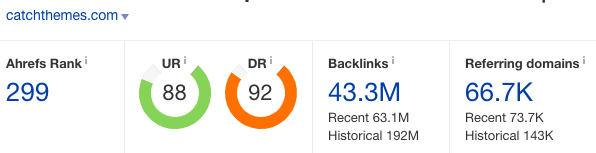
What's up guys? i am going to share another free method on how to create do follow link indexable method 2022, i have seen many of you had a problem regarding on this indexable so, i will share to you guys.
If you missed my 1st thread regading on Free Link Building Method DR 90 indexable backlink you can go https://www.blackhatworld.com/seo/how-to-create-a-dr90-do-follow-indexable-from-teachable.1404829/#post-15241136
*Method*
* Register your account here:
just remove "( )"
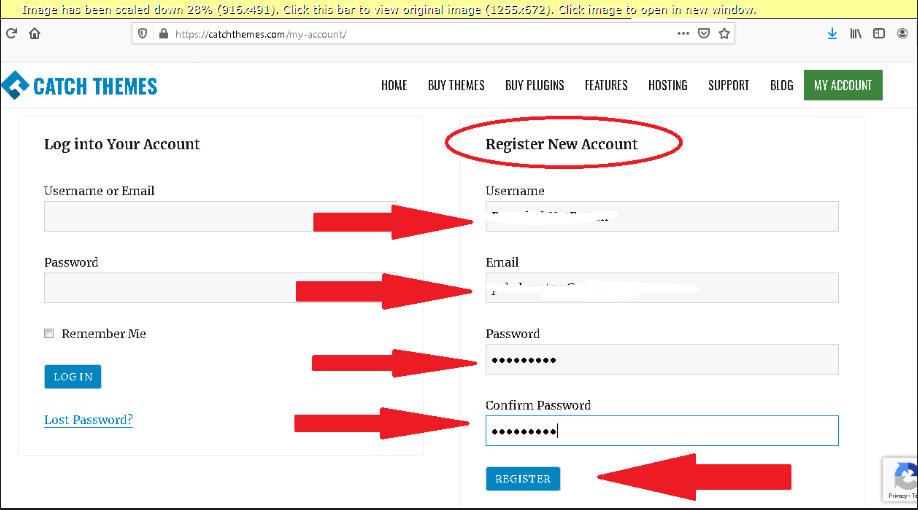
* Fill up with your own username, email, password, then when your done, click the [register] button
Note:
I used a temporary disposable email
* After registration, this is the exact thing that will appear:
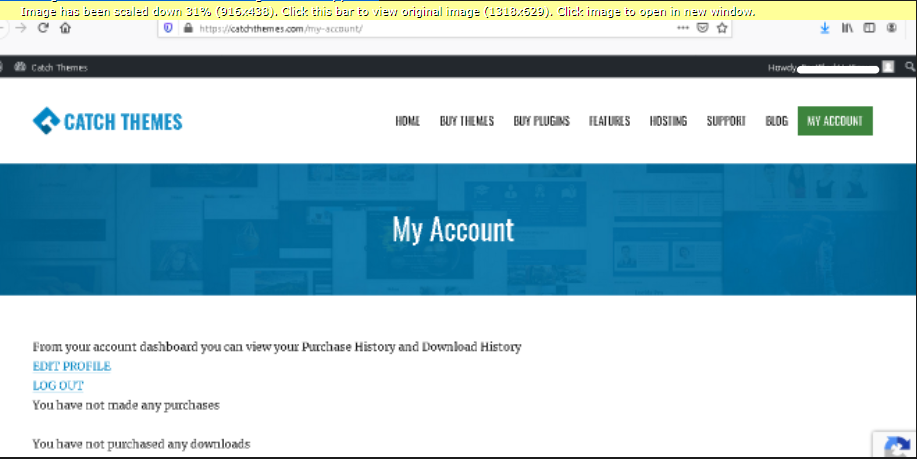
Just IGNORE THAT!
* On the same tab, copy this exact link:
and replace it, or open new tab and go to that link
just remove "( )"
Super IMPORTANT!!!
you will replace that link with the username you register on step#1,
so in my case the link would be:
just remove "( )"
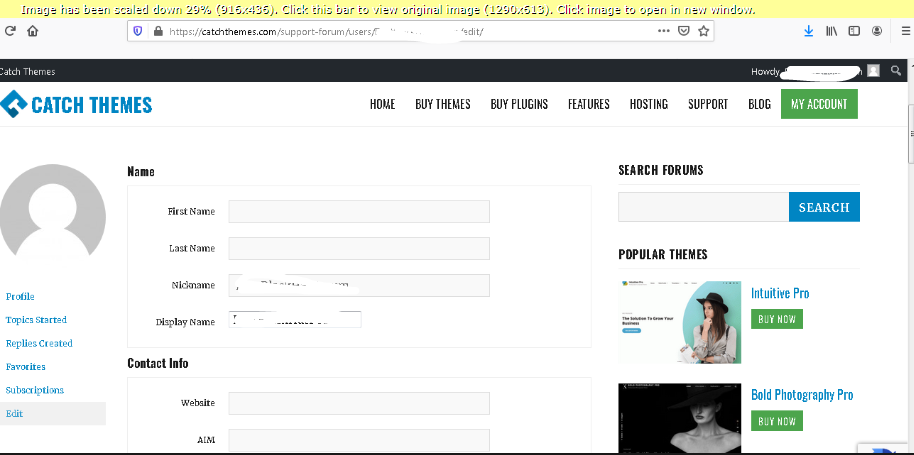
* On the same tab, just scroll down, and look for "Biographical Info" and put your article link on that field,
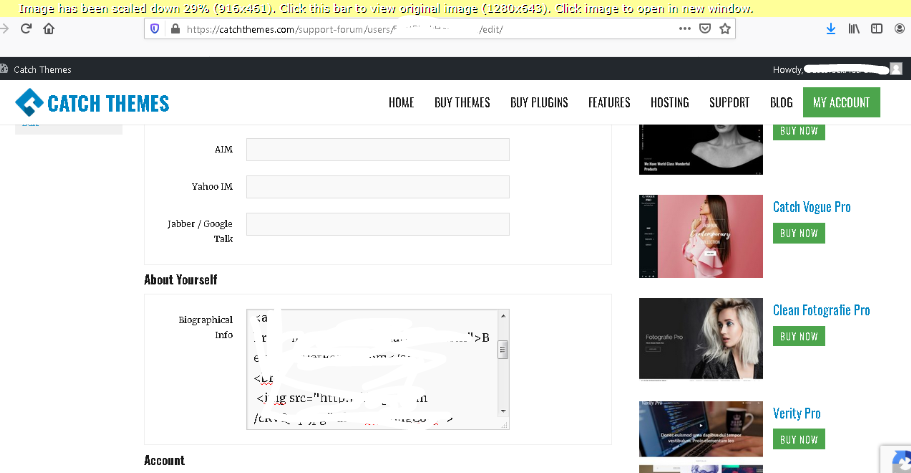
*Now if your done click the [Update Profile] button below. and your done
To see the result, click the Profile link on the left sidebar.
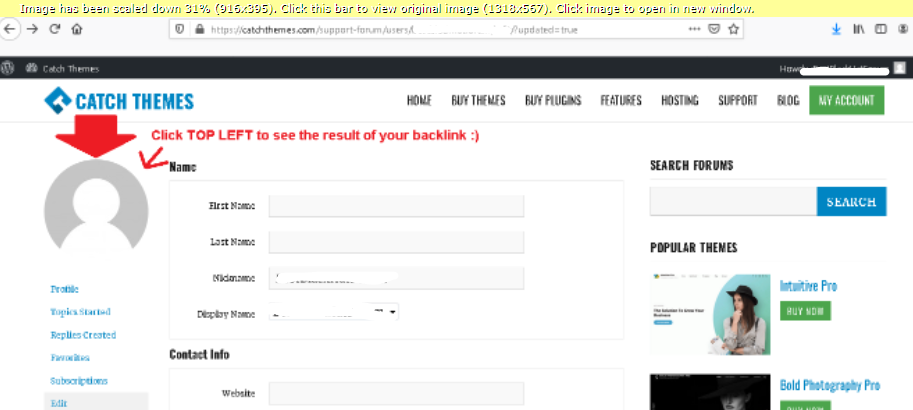
* and this is my exact result:
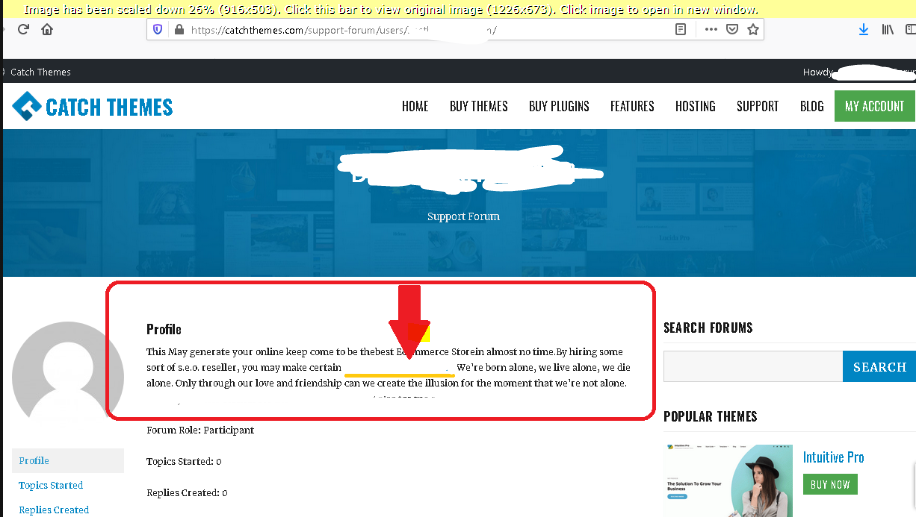
Let me know if it works for you
Happy Sunday,
Your friend dwardzzzz,
What's up guys? i am going to share another free method on how to create do follow link indexable method 2022, i have seen many of you had a problem regarding on this indexable so, i will share to you guys.
If you missed my 1st thread regading on Free Link Building Method DR 90 indexable backlink you can go https://www.blackhatworld.com/seo/how-to-create-a-dr90-do-follow-indexable-from-teachable.1404829/#post-15241136
*Method*
* Register your account here:
https://catchthemes.()com/my-account/
* Fill up with your own username, email, password, then when your done, click the [register] button
Note:
I used a temporary disposable email
* After registration, this is the exact thing that will appear:
Just IGNORE THAT!
* On the same tab, copy this exact link:
https://catchthemes(.)com/support-forum/users/yourusername/edit/
just remove "( )"
Super IMPORTANT!!!
you will replace that link with the username you register on step#1,
so in my case the link would be:
https://catchthemes(.)com/support-forum/users/yourusername/edit/
* On the same tab, just scroll down, and look for "Biographical Info" and put your article link on that field,
*Now if your done click the [Update Profile] button below.
and your done To see the result, click the Profile link on the left sidebar.
* and this is my exact result:
Let me know if it works for you
Happy Sunday,
Your friend dwardzzzz,

