✈️ Scaling up to $20,000 month using free traffic | ⛔ Passive income on autopilot

You should know that when I joined BHW, I did read all your posts and I did learn a lot from you so hearing that I can give back some bits that you find useful - makes me happy.

Puppeteer is great! Combine it together with a stealth browser like Anty and you can have a pretty decent setup!


Sorry, it's not available for sell. But if you go through the journey thread, you should get pretty good understanding of the basics. For full method you should have deep technical skills of software engineering.

Happy that you found some of my posts useful. Thanks for the tip, just downloaded Anty browser and looking to implement it into puppeteer.
 
Use puppeteer and fly under the radar

For some this is common knowledge, feel free to skip this then. :)

If you don't want to pay for a stealth browser(just like me, I'm cheap af) but you want to automate your tasks, what can you do?

You can use puppeteer and still have a good stealth,

1. avoid basic fingerprinting, use mac m1 machines, which can be rented from hetzner for as low as $55/month
2. important to have a custom remote-debugging-port instead of 0 (which is set by the puppeteer)
3. disable default pptr/playwright args and set your own, my example could be not enough for your use case
4. do not use headless mode, only headful. headless is too hard to spoof and its not worth the hussle
5. do not try to emulate windows user agent on mac machine and vice-versa. (or windows on linux, etc). if you use windows os, you must stay with windows useragents.

These settings are not meant for massive scale, for that, you will need to work on more fingerprinting evasions but to run a few dozen of accounts, this is completely enough.

Simplified examples with puppeteer and playwright:

JavaScript:
const puppeteer = require('puppeteer-core');

(async () => {

  const browser = await puppeteer.launch({
    headless: false,
    executablePath: '/usr/bin/google-chrome-stable',
    ignoreDefaultArgs: true, 
    args: [
      '--remote-debugging-port=9444',             
      '--user-data-dir=~/chrome-profiles/test-account-1',
      '--no-first-run',
      '--no-default-browser-check',
    ]
  });

  await new Promise(r => setTimeout(r, 2000));


  const pages = await browser.pages();
  const page = pages[0];

  await page.goto('https://www.google.com/');

})();

})();


const { chromium } = require('playwright');

(async () => {
  const browserServer = await chromium.launchServer({
    executablePath: '/usr/bin/google-chrome-stable',
    port: 9444,
    headless: false,
    ignoreDefaultArgs: true,
    args: [
      '--no-first-run',
      '--no-default-browser-check',
      '--user-data-dir=~/chrome-profiles/test-account-1',
    ]
  });

  const wsEndpoint = browserServer.wsEndpoint();

  const browser = await chromium.connect(wsEndpoint);

  const page = await browser.newPage()

  await page.goto('https://google.com');

  await browserServer.close();
})();

1663823205207.png


1663823225578.png

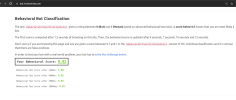
Recaptcha scoring(0.9 = bypassed all captchas with a green checkbox instead of the challenge)
1663823508216.png


1663823728978.png
 
Do you have to install desktop environment on mac m1 machines? If so, which operate system you install on? Thanks
Its literally mac as macintosh from apple. You know? the overpriced shit everyone loves so much?

they comes with mac os installed so you do not need to worry about that.
 
I want to Start my Journey too. But Im a newbie.

I know a litle bit of programming and for that I can replicate your nodejs code.

My questions is:

I have one 4g sim Card that I can rotate to get a new IP. Could I use it for how Many accounts ?

I need to use my own CPA webpage ? In WordPress or something like that ?
 
@lucky.sparks

I've used your code above and it's opening chrome + browser profile but then it doesn't do anything else. I'm wondering what I'm doing wrong here.
Works fine when there is no loaded profile.

Code:
const puppeteer = require('puppeteer');
(async () => {
    const browser = await puppeteer.launch({
        headless: false,
        executablePath: 'C:/Program Files/Google/Chrome/Application/chrome.exe',
        ignoreDefaultArgs: true,
        args: [
            '--remote-debugging-port=9444',
            '--user-data-dir=C:/Users/user/AppData/Local/Google/Chrome/User Data',
            '--profile-directory=Profile 71',
            '--no-first-run',
            '--no-default-browser-check',
        ]
    });
    await new Promise(r => setTimeout(r, 2000));

    const pages = await browser.pages();
    const page = pages[0];
    await page.goto('https://www.google.com/');
})();
 
I've used your example above and it's opening chrome + browser profile but then it doesn't do anything else. I'm wondering what I'm doing wrong here.
Works fine when there is no loaded profile.
--user-data-dir make this to any path where you want to store your temp profiles, e.g. C:/projects/test-chrome/profile-1

I wouldn't use --profile-directory, no need.
 
Use puppeteer and fly under the radar

For some this is common knowledge, feel free to skip this then. :)

If you don't want to pay for a stealth browser(just like me, I'm cheap af) but you want to automate your tasks, what can you do?

You can use puppeteer and still have a good stealth,

1. avoid basic fingerprinting, use mac m1 machines, which can be rented from hetzner for as low as $55/month
2. important to have a custom remote-debugging-port instead of 0 (which is set by the puppeteer)
3. disable default pptr/playwright args and set your own, my example could be not enough for your use case
4. do not use headless mode, only headful. headless is too hard to spoof and its not worth the hussle
5. do not try to emulate windows user agent on mac machine and vice-versa. (or windows on linux, etc). if you use windows os, you must stay with windows useragents.

These settings are not meant for massive scale, for that, you will need to work on more fingerprinting evasions but to run a few dozen of accounts, this is completely enough.

Simplified examples with puppeteer and playwright:

JavaScript:
const puppeteer = require('puppeteer-core');

(async () => {

  const browser = await puppeteer.launch({
    headless: false,
    executablePath: '/usr/bin/google-chrome-stable',
    ignoreDefaultArgs: true,
    args: [
      '--remote-debugging-port=9444',            
      '--user-data-dir=~/chrome-profiles/test-account-1',
      '--no-first-run',
      '--no-default-browser-check',
    ]
  });

  await new Promise(r => setTimeout(r, 2000));


  const pages = await browser.pages();
  const page = pages[0];

  await page.goto('https://www.google.com/');

})();

})();


const { chromium } = require('playwright');

(async () => {
  const browserServer = await chromium.launchServer({
    executablePath: '/usr/bin/google-chrome-stable',
    port: 9444,
    headless: false,
    ignoreDefaultArgs: true,
    args: [
      '--no-first-run',
      '--no-default-browser-check',
      '--user-data-dir=~/chrome-profiles/test-account-1',
    ]
  });

  const wsEndpoint = browserServer.wsEndpoint();

  const browser = await chromium.connect(wsEndpoint);

  const page = await browser.newPage()

  await page.goto('https://google.com');

  await browserServer.close();
})();

View attachment 226271


View attachment 226272

Recaptcha scoring(0.9 = bypassed all captchas with a green checkbox instead of the challenge)
View attachment 226273


View attachment 226274
Interesting. Following this thread closely.
 
I have one 4g sim Card that I can rotate to get a new IP. Could I use it for how Many accounts ?
Depending on which social and how many subnets you have available under that carrier in your location.

I need to use my own CPA webpage ? In WordPress or something like that ?
No, you can follow my example of how to make CPA landing using cloudflare workers few posts back.
 
Where did you downloaded (bought) girls image packs for adult and dating niche, that look naturally of course
 
Can you tell some more about it...maybe it will more helpful for everyone..like which bot you are using and do you drive comment traffic if yt or insta or Twitter... thanks
 
Depending on which social and how many subnets you have available under that carrier in your location.


No, you can follow my example of how to make CPA landing using cloudflare workers few posts back.
How can I check how Many subnet I have ?
 
You can working on:

[Journey] passive income $1000/day with dead youtube method | autopilot?

Maybe it can be more easy to Start earning Money online ? Or its dead ?
 
How can I check how Many subnet I have ?

On Linux, you can use whois for your IP address.

Code:
[root@root ~]# whois 8.8.8.8

#
# ARIN WHOIS data and services are subject to the Terms of Use
# available at: https://www.arin.net/resources/registry/whois/tou/
#
# If you see inaccuracies in the results, please report at
# https://www.arin.net/resources/registry/whois/inaccuracy_reporting/
#
# Copyright 1997-2022, American Registry for Internet Numbers, Ltd.
#


# start

NetRange:       8.0.0.0 - 8.127.255.255
CIDR:           8.0.0.0/9
NetName:        LVLT-ORG-8-8
NetHandle:      NET-8-0-0-0-1
Parent:         NET8 (NET-8-0-0-0-0)
NetType:        Direct Allocation
OriginAS:
Organization:   Level 3 Parent, LLC (LPL-141)
RegDate:        1992-12-01
Updated:        2018-04-23
Ref:            https://rdap.arin.net/registry/ip/8.0.0.0

Once you know the net range or CIDR, you can use a calculator like

Code:
https://account.arin.net/public/cidrCalculator

This will give you the IP numbers.

For subnets, once, you know the AS, you can use:

Code:
https://ipinfo.io/AS15169
 
Hi @lucky.sparks ,
I'm impressed with your journey.
In the past I tried something similar (without A.I), but I didn't get results (maybe one of the flaws was the inconstancy), however you are killing it. I wish you the best!

I would like to know your opinion about CEF for web automation. I used it years ago and it worked fine.
I recently discovered Playwright, but I haven't tried it yet so I don't know what the anti-bot systems will think.

I have a question about your AI, when you send the link (to the landing page) to your potential client, is this also determined by the AI or do you do it programmatically? For example: The A.I sends 4 messages and then the link to the landing.

By the way, I have read 4 of your threads (the one on YouTube and the 3 about your "dead" traffic source). There is a lot of information in them, thanks for share it.
 
Last edited:
Back
Top