

- Aug 9, 2017
- 5,561
- 6,852
I've posted a few guide threads in the past for various posting milestones or just for the hell of it:
https://www.blackhatworld.com/seo/guide-building-contextual-links-on-the-webvent-platform.1420362/
https://www.blackhatworld.com/seo/guide-contextual-links-on-experiment-com.1349068/
https://www.blackhatworld.com/seo/guide-df-contextual-links-on-slides-com.1403346/
For my 500th post here's another guide - Haiku Deck is an online presentation platform, and we're going to leverage it for do-follow contextual links. For those interested in third party metrics, Haiku Deck has DR75, DA69 (nice).
Guide
1) Sign up for a free account
The site tries to push a paid account on you straight away, and have tucked away the link to sign up for the free version of the app. Visit this url to access it:
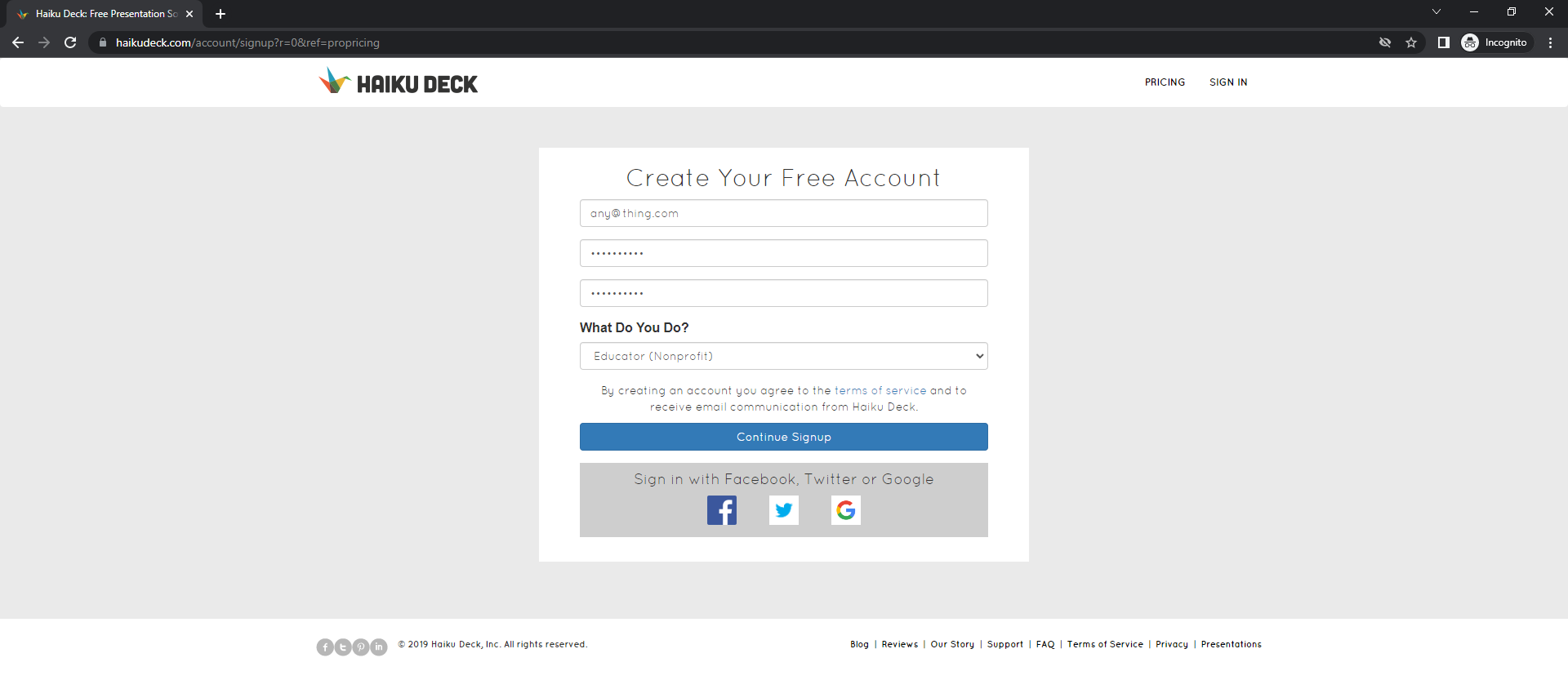
Fill in the form with your details. No email verification is performed, so you can sign up with any random email address, but take note of it because you will use it to log into your account should you wish to change anything. You probably want to select Educator or another non-profit role from the dropdown list. Next click on 'Continue Signup'. All being well you should be presented with a welcome page.
2) Create a deck
Visit the url below to create your first deck
You should be presented with a screen similar to the image below:
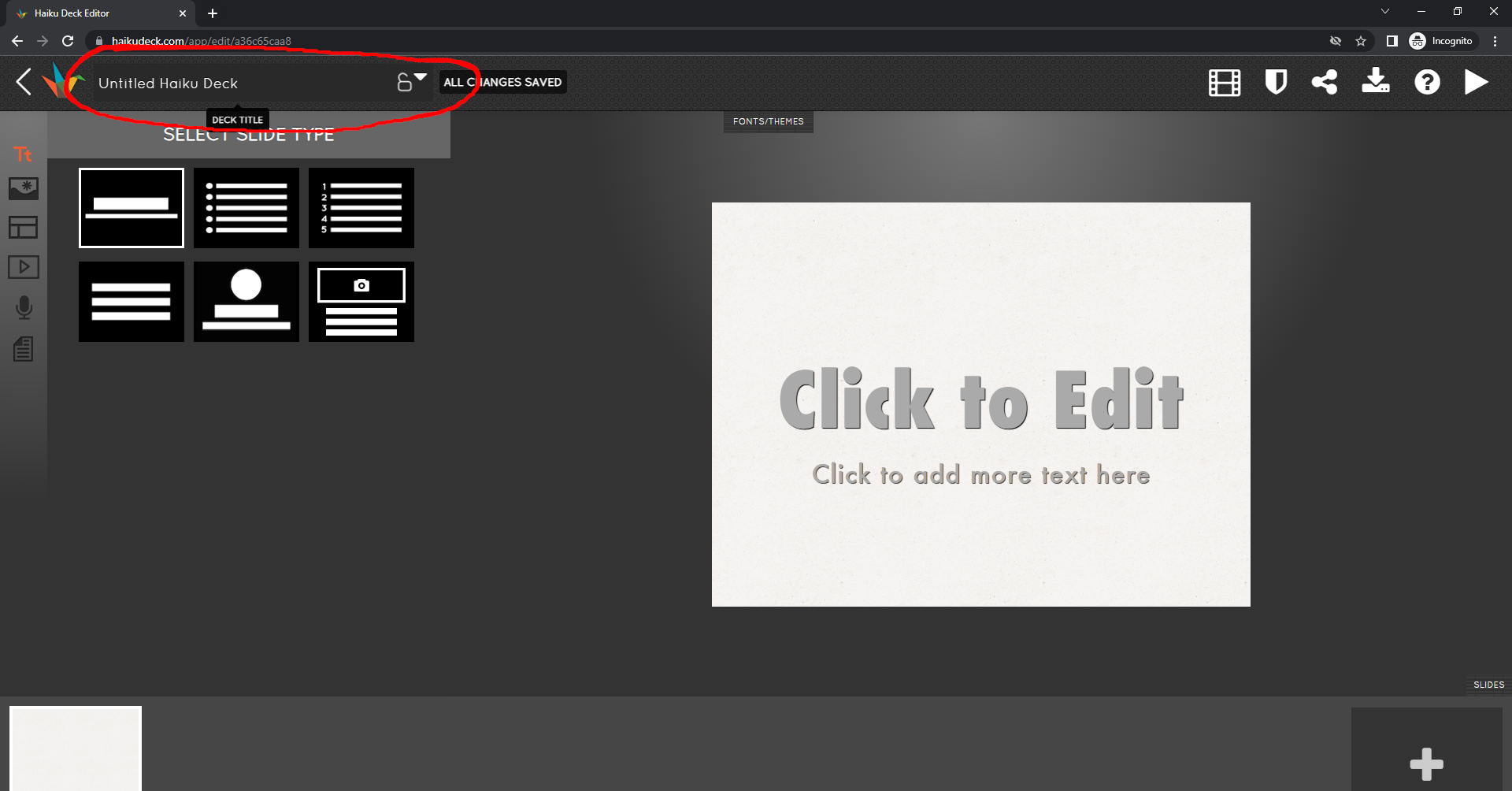
Input your article title in the box currently saying 'Untitled Haiku Deck' and wait for a little message appearing on the right side of it saying 'all changes saved'. Next, visit this url
You should see a screen similar to the image below:
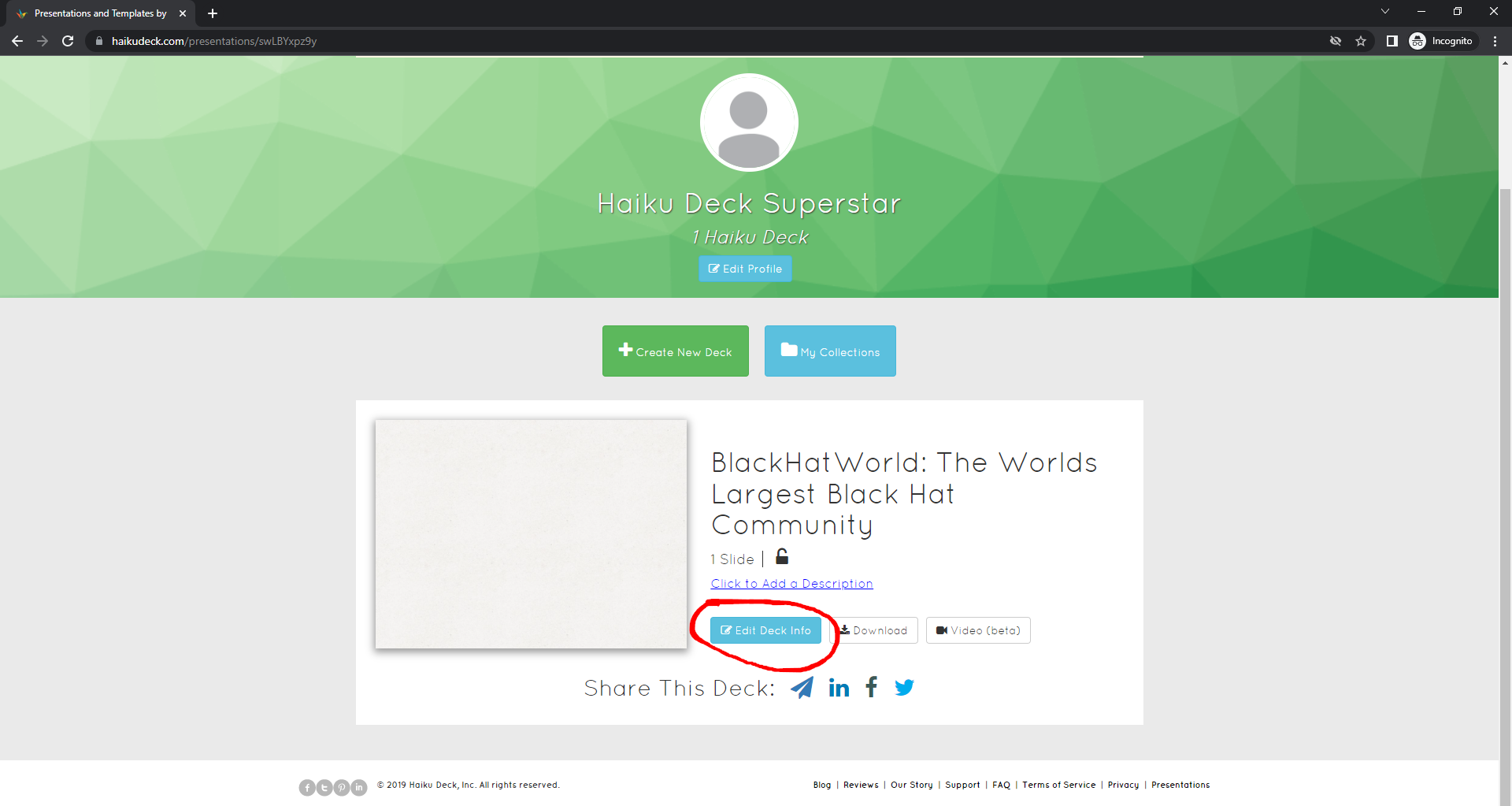
Click the 'Edit Deck Info' button, and paste your article into the 'Description' field. To include links and additional formatting, you'll need to use Markdown syntax in the article. Basically, instead of using
to create links, you'll be using
instead. For more information on Markdown syntax look here: http://five.squarespace.com/display/ShowHelp?section=Markdown
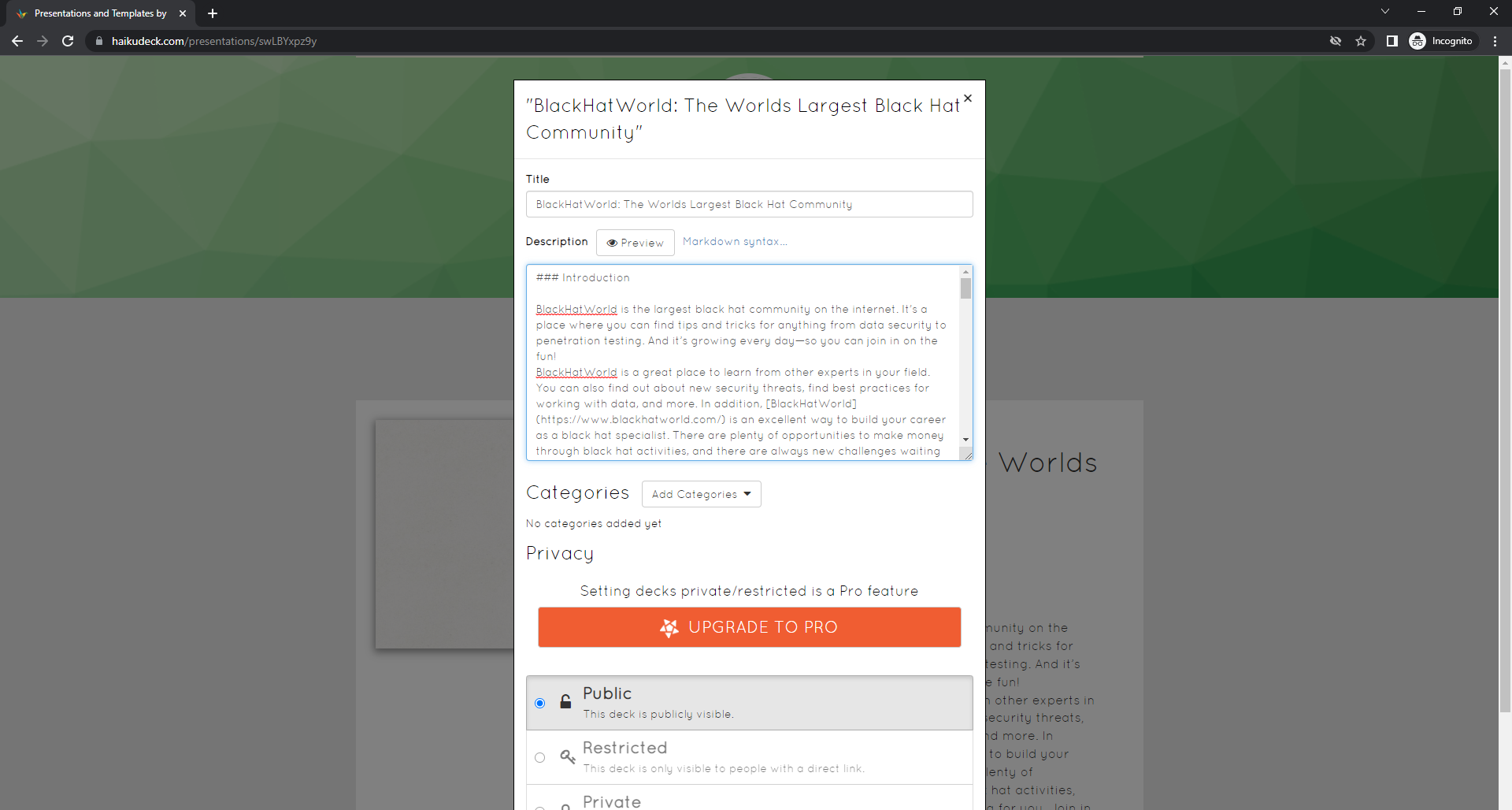
Once you've got your article formatted to your specifications, make sure the 'Public' option is selected, and click 'Close'.
3) View the deck
Now, click on the big 'play' icon next to the deck's title. This will redirect you to your created page, along with full article, with your embedded do-follow contextual links.
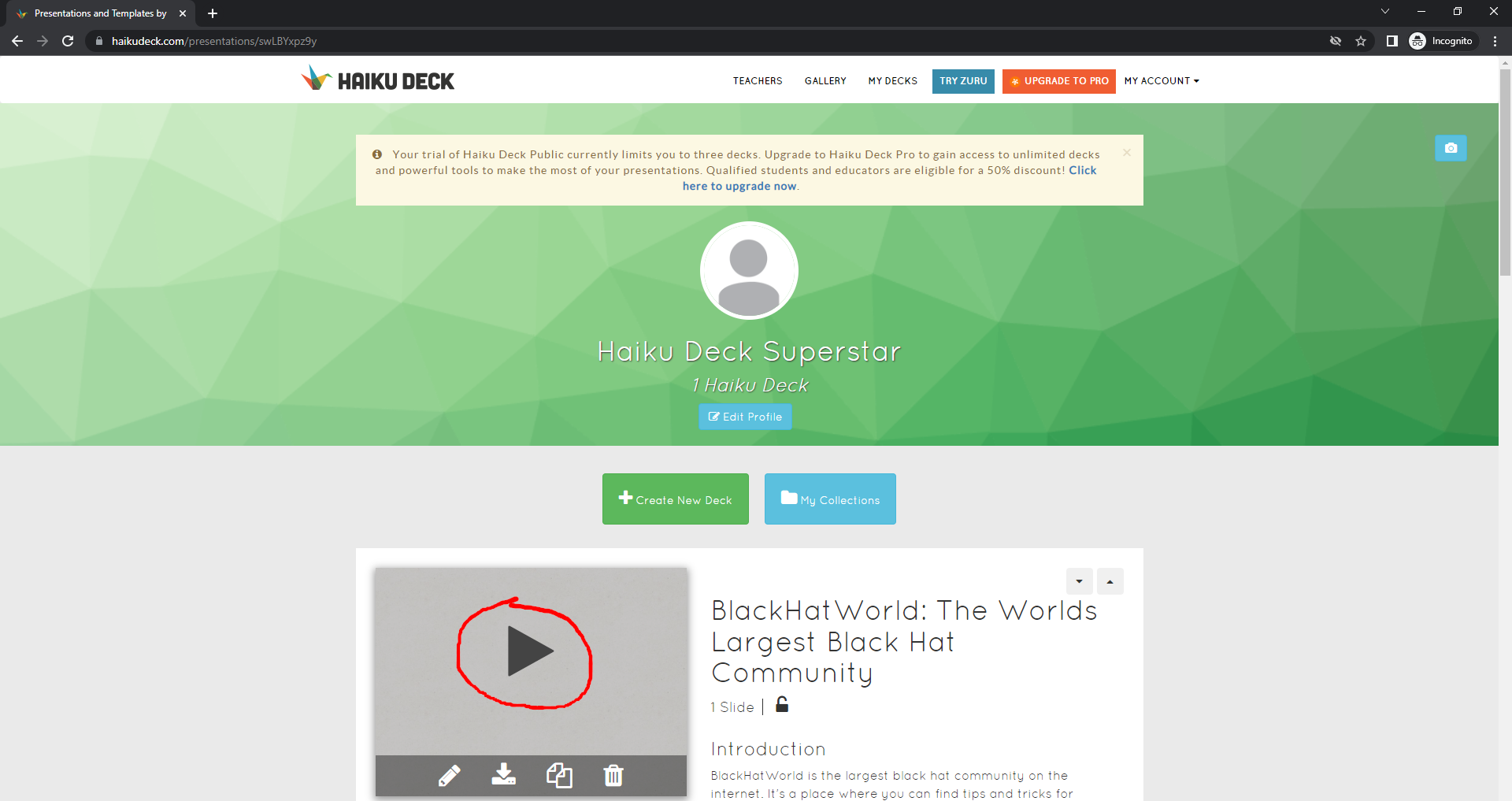
However, if you look in the html of this page you'll see the canonical tag actually points at the www version of this page, so add www. to haikudeck.com and reload the page. We do this because trying to index a page with a different canonical url specified is not recommended. If your browser keeps redirecting you to the non-www version of the url, either log out of your haikudeck account and try again, or just load it in a different browser.
This is the url you then want to build your tiers to, and it can be indexed and cached pretty easily.
Extra Steps
If you want, you can add more content such as images to your slide deck using the Edit button, though you'll have to rely on the site's documentation to guide you through this. You can also add some content to your user profile too if you want to bulk it out.
Happy backlinking!
https://www.blackhatworld.com/seo/guide-building-contextual-links-on-the-webvent-platform.1420362/
https://www.blackhatworld.com/seo/guide-contextual-links-on-experiment-com.1349068/
https://www.blackhatworld.com/seo/guide-df-contextual-links-on-slides-com.1403346/
For my 500th post here's another guide - Haiku Deck is an online presentation platform, and we're going to leverage it for do-follow contextual links. For those interested in third party metrics, Haiku Deck has DR75, DA69 (nice).
Guide
1) Sign up for a free account
The site tries to push a paid account on you straight away, and have tucked away the link to sign up for the free version of the app. Visit this url to access it:
Code:
https://haikudeck.com/account/signup?r=0&ref=propricingFill in the form with your details. No email verification is performed, so you can sign up with any random email address, but take note of it because you will use it to log into your account should you wish to change anything. You probably want to select Educator or another non-profit role from the dropdown list. Next click on 'Continue Signup'. All being well you should be presented with a welcome page.
2) Create a deck
Visit the url below to create your first deck
Code:
https://haikudeck.com/app/editInput your article title in the box currently saying 'Untitled Haiku Deck' and wait for a little message appearing on the right side of it saying 'all changes saved'. Next, visit this url
Code:
https://haikudeck.com/gallery/mygalleryClick the 'Edit Deck Info' button, and paste your article into the 'Description' field. To include links and additional formatting, you'll need to use Markdown syntax in the article. Basically, instead of using
Code:
<a href="url">link</a>
Code:
[link](url)Once you've got your article formatted to your specifications, make sure the 'Public' option is selected, and click 'Close'.
3) View the deck
Now, click on the big 'play' icon next to the deck's title. This will redirect you to your created page, along with full article, with your embedded do-follow contextual links.
Code:
https://haikudeck.com/blackhatworld-the-worlds-largest-black-hat-community-uncategorized-presentation-a36c65caa8However, if you look in the html of this page you'll see the canonical tag actually points at the www version of this page, so add www. to haikudeck.com and reload the page. We do this because trying to index a page with a different canonical url specified is not recommended. If your browser keeps redirecting you to the non-www version of the url, either log out of your haikudeck account and try again, or just load it in a different browser.
Code:
https://www.haikudeck.com/blackhatworld-the-worlds-largest-black-hat-community-uncategorized-presentation-a36c65caa8This is the url you then want to build your tiers to, and it can be indexed and cached pretty easily.
Extra Steps
If you want, you can add more content such as images to your slide deck using the Edit button, though you'll have to rely on the site's documentation to guide you through this. You can also add some content to your user profile too if you want to bulk it out.
Happy backlinking!


