
sparkh
Junior Member
- Apr 25, 2020
- 118
- 77
Do not you guys use CDN? After a free CDN, my mobile speed was jump from 40 to 70..
Paid one?

Do not you guys use CDN? After a free CDN, my mobile speed was jump from 40 to 70..

Same, my traffic dropped but my rank is increasing thoDid anyone who use it get negative impact? Since i use this plugin, my traffic is dropped. I use on 4 website. After i installed it, all of my site have a great load time. Mostly below 1s. But my traffic dropped. I install it on 11 may and yesterday. But all of them show negative result. I try it on different website and server. I do not know what is the problem. I use rank tracker too to check my rank and it shows my traffic dropped after i install this plugin

Another run gave me these numbers:
View attachment 135259View attachment 135260
The numbers vary every time you check, not that reliable of a tool the page insights.

I was looking for a plugin that allowed me to do just that.What I usually like to do is install perfmatters and optimize each page separately by deactivating certain thing that load but the page doesn't need.
This with WP rocket and I usually get 90 score for phone and PC on insights.


I've just been dabbling on 3 test sites using different option.
Used this on one site and did nothing else.
View attachment 134857

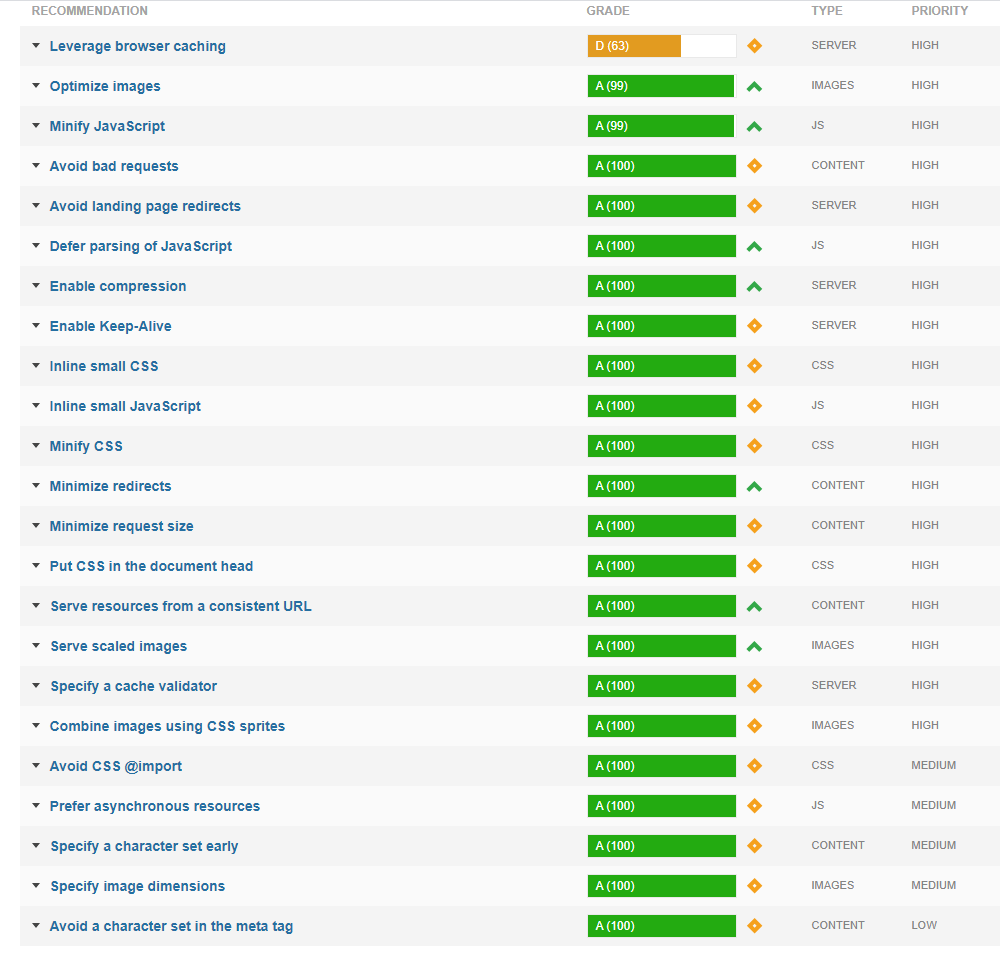
It is reliable, if it is fluctuating then you got a problem. Check your CPU usage, check what google complains each time and check what the difference is. Do you really think google made pageinsights and dont care about the numbers that show there?Another run gave me these numbers:
View attachment 135259View attachment 135260
The numbers vary every time you check, not that reliable of a tool the page insights.
3.2 load time is a bit high imo3.3 seconds seems long ... 50 request is huge too. Can't you merge CSS and Javascript?
I use Fast Velocity Minify which allows it, if you give me the test site I want to compare to see.
EDIT:
Slower but heavier, however the server makes fewer requests.
3.2 load time is a bit high imo

Dont use two cache plugins, use wp-rocket and check the gtmetrix waterfall to see whats slowing you down and then fix thatYes it's not great, I just installed WP cache in addition to try:
Dont use two cache plugins, use wp-rocket and check the gtmetrix waterfall to see whats slowing you down and then fix that
Ok thank you for the advice, I will look at that later (the weather is nice outside)
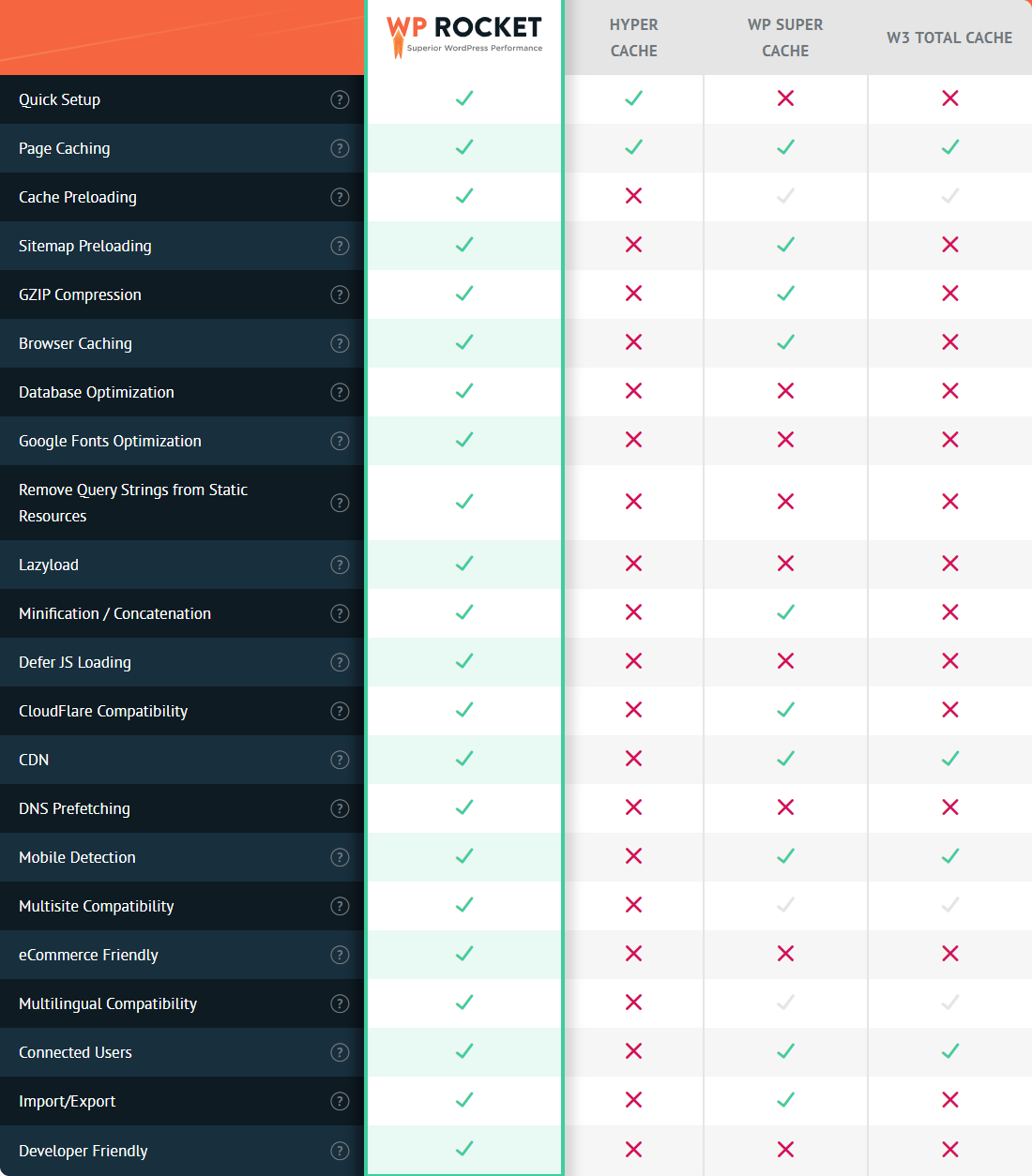
Wp-rocket is better than Wp cache? It seem to be complete, it would be necessary to bench to compare.
This image is so fake... WP Super cache is e-commerce friendly, has quick setup and it's developer friendly too...
You add an optimization plugin in combination and you have almost all functions of WP Rocket FOR FREE
After using w3, total cache, litecache WP-Rocket took the prize for meOk thank you for the advice, I will look at that later (the weather is nice outside)
Wp-rocket is better than Wp cache? It seem to be complete, it would be necessary to bench to compare.
Same, my traffic dropped but my rank is increasing tho
I have 2 website and mostly get visitor from pinterest. After i installed phastpress, my traffic dropped 90 percent. I check it on my adsense dashboard too. It shows the same result. My web view also dropped. My another website which use phastpress also get a same problem. Mostly my rank drop since i use this plugin. It is my first time get a problem like this. Previously i think my sites were hacked.
After using w3, total cache, litecache WP-Rocket took the prize for me

