WordPress Web Design Advice?

GadgetsDome

Registered Member
Joined
Mar 17, 2013
Messages
91
Reaction score
11
Hi BHW,

I'm having a few issues editing a WordPress Blog.

The Theme being used is 'Total', I'm wondering how I'd remove a blank/white area as well as making a box thicker/darker.
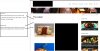
WordPress Web Design.jpg

I have attached pictures with annotations.

I'd really appreciate the help! :)

Thanks.
 
I'm not familiar with your theme, but if you right mouse over the spot and pick inspect element in firefox a box will open at the bottom of your screen with the relevant css. You can change css in that window and see the effects in your browser.
 
Honestly without owning the theme, looking at the CSS, or looking at the source of your site, it's impossible to say what you would have to change.

I'd suggest right clicking on your site and "View Source". Locate the proper "id" or "class" element for post title (usually an H2) and adjust the margin or padding settings.
 
select the blank space, hit the F12 and find the corresponding html or css element.

with making the box thinner-thicker, it's it table tag border properties, if the theme uses <td>-<tr> stuff
 
This is quite an old post, but OP if you still need help, PM me your link and I'll help you out.
 
right click on the particular place and choose inspect element.that will help you out to find the exact css class/id name...you can modify the height/margin at the class/id name in style.css
 
Back
Top