Website Redirect that keeps original domain?? Help Please

TBolts20

Junior Member
Joined
Sep 12, 2018
Messages
143
Reaction score
79
Hi Friends,

My company recently acquired a Website Design client and they have a strange configuration with their domains. I will present the example below using made up domains. Looking for some guidance on what this method is called and what the SEO effects of it are!

So, their main website domain is CanadaCompany.com. They also have redirecting websites with the domains TorontoCompany.com and OntarioCompany.com.

However, when you go to TorontoCompany.com the domain doesn't redirect to CanadaCompany.com for any pages on the site. It remains TorontoCompany.com but the site is identical.

CanadaCompany.com used to be an HTML site and we overhauled it into a WordPress site without touching the other sites but they all now resemble the new site on their unique domains.

Our team is a little confused, any thoughts? Apparently this has been the configuration for about 10 years.

Cheers,
TBolts20
 
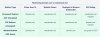
Sounds like a masked redirect to me. What that does is it masks the new URL to which it should be redirected (in your case CanadaCompany.com) and doesn't change the URL but displays the content of the website you're redirecting to.

So using your examples it would go something like this:

User tries to access TorontoCompany.com or OntarioCompany.com and gets redirected to the CanadaCompany.com site but instead of displaying CanadaCompany.com in the address bar, it will display the URL user initially accessed.

I'll add a photo from Namecheap so you can understand it easier. Feel free to Google it for more info, I just laid out the basic concept. Hope this helps.

1606426241445.png
 
Go on the CanadaCompany.com and check site source and look after <link rel="alternate" and if exist you can find your answers pretty fast!
 
the site is probably loaded in a frame.
Sounds like a masked redirect to me. What that does is it masks the new URL to which it should be redirected (in your case CanadaCompany.com) and doesn't change the URL but displays the content of the website you're redirecting to.

So using your examples it would go something like this:

User tries to access TorontoCompany.com or OntarioCompany.com and gets redirected to the CanadaCompany.com site but instead of displaying CanadaCompany.com in the address bar, it will display the URL user initially accessed.

I'll add a photo from Namecheap so you can understand it easier. Feel free to Google it for more info, I just laid out the basic concept. Hope this helps.

View attachment 153129
from these two, seems more like a masked redirect. It would be easier to implement and makes more sense for the company that owned all of them..
 
Could be a IFRAME.
on the domain posable.

SEO effect that all content and link and social .
 
Sounds like a masked redirect to me. What that does is it masks the new URL to which it should be redirected (in your case CanadaCompany.com) and doesn't change the URL but displays the content of the website you're redirecting to.

So using your examples it would go something like this:

User tries to access TorontoCompany.com or OntarioCompany.com and gets redirected to the CanadaCompany.com site but instead of displaying CanadaCompany.com in the address bar, it will display the URL user initially accessed.

I'll add a photo from Namecheap so you can understand it easier. Feel free to Google it for more info, I just laid out the basic concept. Hope this helps.

View attachment 153129
Check out this article from namecheap and read the URL FRAME section
https://www.namecheap.com/support/k...ts--301-302-url-redirects-url-frame-and-cname

Thanks a lot guys! Very helpful
 
Go on the CanadaCompany.com and check site source and look after <link rel="alternate" and if exist you can find your answers pretty fast!

Hey Luc,
can you msg me here please. I want to talk with you.. Stop being a child.
 
Last edited:
Back
Top