
Dilipkumar01
Regular Member
- Jul 12, 2017
- 270
- 111
https://css-tricks.com/wp-login.php?action=register
Then on the right sidebar, click Your Profile. Then on the left sidebar, click Edit.
I think CSS-Tricks removed profile edit settings.

https://css-tricks.com/wp-login.php?action=register
Then on the right sidebar, click Your Profile. Then on the left sidebar, click Edit.


 Thank you
I have multiple websites, is it a problem to give every website the same backlinks?
I think CSS-Tricks removed profile edit settings.
Thank you for the share...i am very happy i saw this thread. BTW link css-trick (couldnt find the edit profile after registration) and also nfomedia (rejecting all emails i input) Thank you once again... if you have links from health/sport i will be happy
https://css-tricks.com/forums/users/your_username
You are the best!! I wonder how you manage to find all those links

It still works. Go to this url and replace username with yours
one like from my sideWhat you'll get:
Do-follow
Sorry, no doge this time. He's on a cruise...
Blogger DR95

It's an alternative method of this thread by @Pavan Teja 1
Instead of getting a no-follow profile link as described on his thread, you can get a contextual do-follow link there too.
Once you signed up, open the edit profile setting. First, change your Display Name with your article title (not your name). Add a Profile photo too.
DO NOT place your moneysite link into the Homepage URL field. Just leave it blank.
Scroll down the page, under Additional Information, place your article and naked URL into Introduction field. It can fit up to 1,200 characters. Then hit the Save button. And that’s it!

Link indexed on google

CSS-Tricks DR89
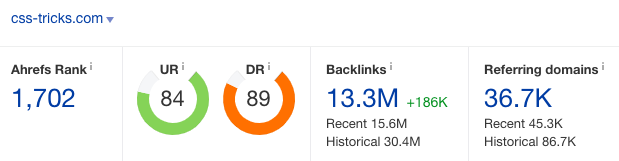
It’s almost impossible to create a do-follow link on this site unless you are an authorized author who knows a bit about css, html, javascript stuff. And their guest post submission required you to have a deep knowledge on the topic itself (if you do have one, you can submit it). Also their forum external link is set as no-follow. So how can you get a nice do-follow contextual link there?
Register first at
Code:https://css-tricks.com/wp-login.php?action=register
Then on the right sidebar, click Your Profile. Then on the left sidebar, click Edit.
Leave the Contact Info empty. Place your article into About Yourself field. Use hyperlink <a href=”..”> to create links. Hit the Update profile button.
Click the Profile menu to see the result. That’s it!
This link has a quick indexing rate. And if you have a blog in tech niche, this will add a nice relevancy juice as well.
Link indexed on google

MathWorks DR85

Signup first at
Code:https://www.mathworks.com/mwaccount/register
On the top bar, click Profile, then Edit Profile. Select Community tab.
Add your article title into Nickname field. DO NOT put your name here.
Place your article and naked URL into Personal bio field. Upload your profile picture. You can add social media links too if you have one.
To see the result, click your profile on the top right bar. Then My Community Profile. And check out your article on the left sidebar.

Link indexed on google

HerCampus DR79
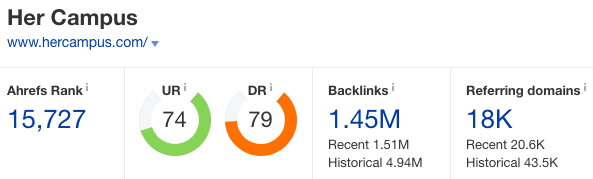
Signup at
Code:https://www.hercampus.com/user/register
Select Edit tab, change your First name and Last name with your article title.
Place your article and naked URL into Biography. You can also add social media links if you have any. Then Save.
Select View tab to see the result.
Link indexed on google

Nfomedia DR64

This site is an online course platform that would fit into any niche imo.
To get started, register first at
Code:http://www.nfomedia.com/createsite
Fill in your details. Select any region you like. Then choose any university you like.
Add a Course title (your article title), course abbreviation (any four characters), and course number (any four digits number you like) then Continue. Add password. And create my course site. Click your site link.
Scroll down to the end, and click edit.
Place your article under Course Description or you can delete everything there and create your own from scratch. To create a link, click the external link button, and it will show up like this [[http://www.example.com title]] Replace the URL with yours, and title with your anchor text. You can also add images too.
Link indexed on google

Let me know what niche relevant links you're interested in? I might have some goodies to share


