
- Jun 1, 2012
- 453
- 216
As of today (August 3 2020), this method is still working.
Thank you kn1ves for the tip
Thank you kn1ves for the tip


is that indexable...As of today (August 3 2020), this method is still working.
Thank you kn1ves for the tip
work guys. but how can publish ?I was recently playing around with Jupyter Notebook for one of my projects in college and found Google Colab. Here's how you can use it to get a DA 70 contextual backlink from Google's subdomain.
First, go to https://colab.research.google.com
If you're signed in to a Google account, you'll see something like this

On the top left of your screen, click on File > New Python 3 notebook
Now, click on the 3 dots and remove the code block as shown

Click on the +Text button and add your link by highlighting the text and clicking the link icon.
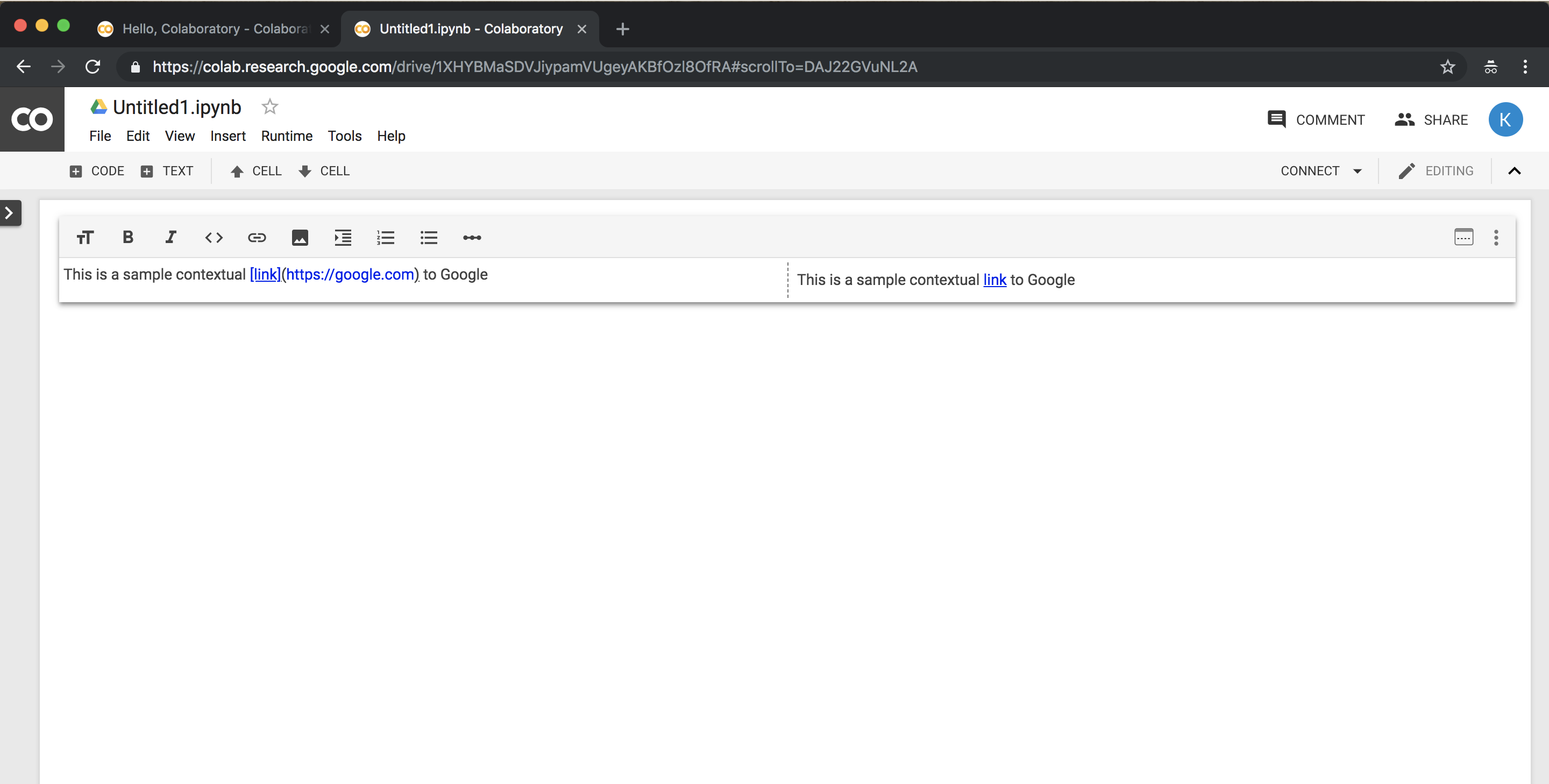
Now click on the 'Share' button on the top right corner of your screen and click 'Advanced'.
In the who has access portion click 'Change...' button and set it to Public
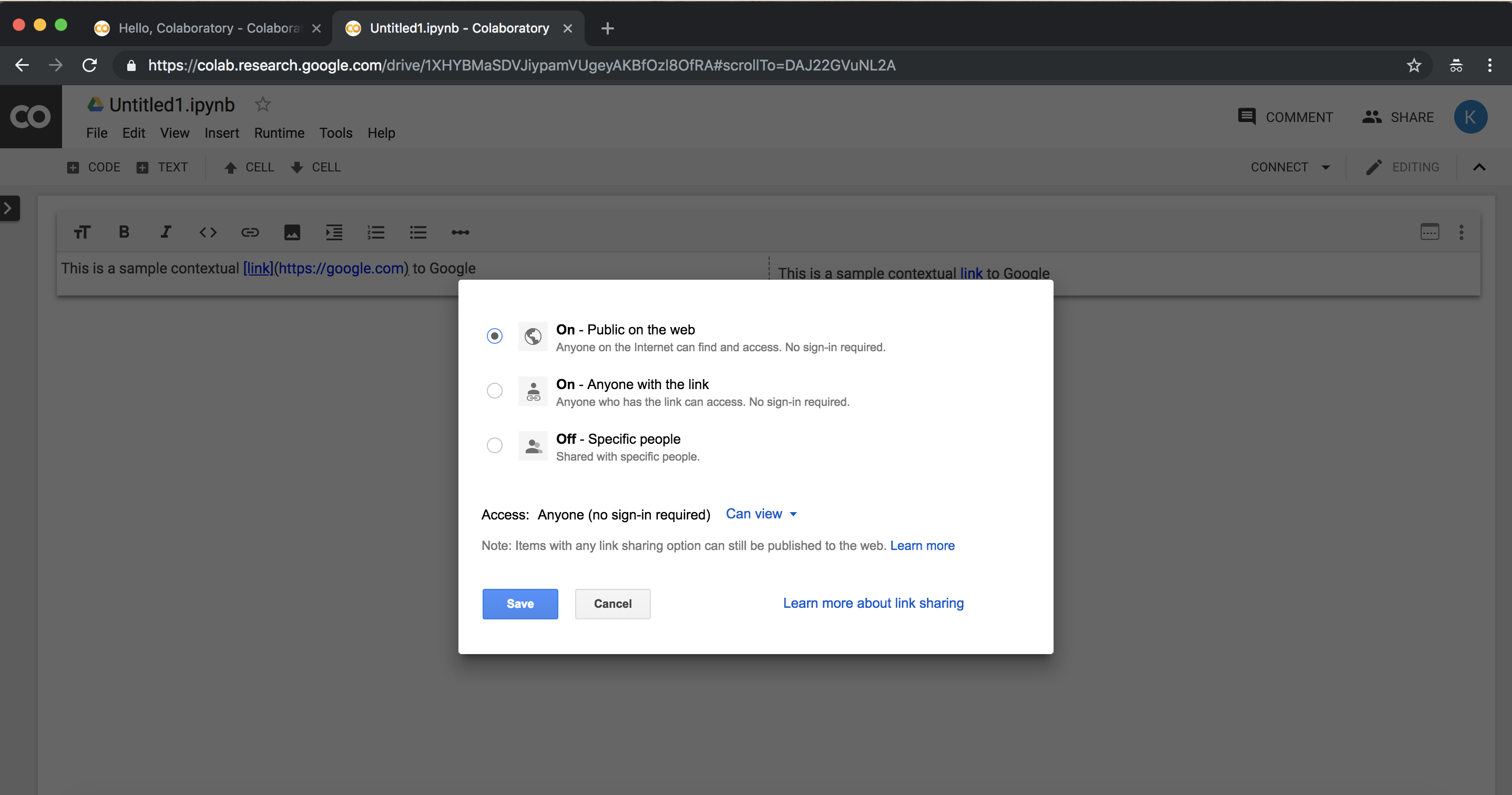
Hit save and you're done!
This link won't get you ranking but is a fine addition to your backlink profile. It can be indexed by spamming some 301 shorteners and blog comments.


That's on 2020Indexable but nofollow... Thanks for sharing

It sometimes amazes me how some members manage to bump years old threads without even noticing it.That's on 2020
How did you find that thread

