[Tool] Create Facebook Live Streaming Reactions Poll

The problem with this is if you share the post it will not count the reactions of the shared posts because the post id for that post is different. I am currently working on a script that will also count reactions on shared posts so small pages can use this method. I will share that soon.

That would be really awesome because for my small page, I got only 1/3 of reactions on the real stream and rest was on the groups/pages I posted on. It will help snowball the stream! :D
 
The problem with this is if you share the post it will not count the reactions of the shared posts because the post id for that post is different. I am currently working on a script that will also count reactions on shared posts so small pages can use this method. I will share that soon.

ah. My shares to big groups don't matter then. I only have a small page. Must be the reason why reaction is not that great.

Hope reactions from shares can be consolidated and counted also on the livestream. That would be great.
 
@waqas_ibrahim - This might help.

I have found that you can get the # of reactions from other post shares by using profileID_postID instead of just postID.

Also, you can query several posts in a single API query by using "v2.8/?ids=profileID1_postID1,profileID2_postID2&fields" instead of just "v2.8/postID?fields".

You just have to find a way to get the list of "shares", the facebook id of profile who shared the post, and the id of shared post. hehe
 
@waqas_ibrahim - This might help.

I have found that you can get the # of reactions from other post shares by using profileID_postID instead of just postID.

Also, you can query several posts in a single API query by using "v2.8/?ids=profileID1_postID1,profileID2_postID2&fields" instead of just "v2.8/postID?fields".

You just have to find a way to get the list of "shares", the facebook id of profile who shared the post, and the id of shared post. hehe
Yes i can get all the shares by /sharedposts endpoint. I am working on it. :) Also I am doing this already for share counter, I get the page id from the post id on first request then for every other request i use them both. :)
 
Site looks to be offline

Server is dead :p
Working for me :)

Edit: I looked at the server resource usage
"You have reached entry processes (number of simultaneously running php and cgi scripts, as well as cron jobs and shell sessions) limit 236 times"
So that caused the problem.
 
Last edited:
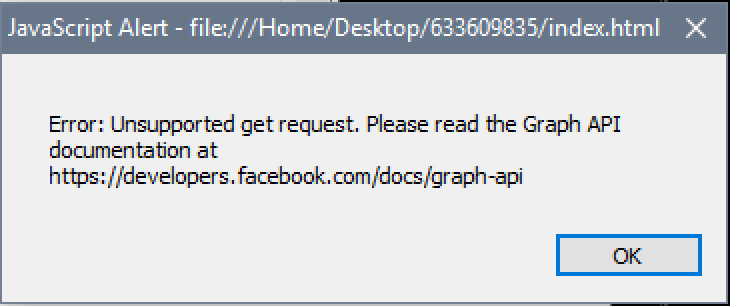
Whenever I add the html file to Xsplit, it says:

k1HTcT2


Whenever I try to stream the html file, it says:

iodO0je


The first stream was successful, but after that I keep getting these warning message and the counts stopped working.

Any suggestion?
 
Last edited:
Whenever I add the html file to Xsplit, it says:

k1HTcT2


Whenever I try to stream the html file, it says:

iodO0je


The first stream was successful, but after that I keep getting these warning message and the counts stopped working.

Any suggestion?
That error occurs because the post id you provided does not exist (the post does not exist). Please check your post id.
 
Whenever I add the html file to Xsplit, it says:

k1HTcT2


Whenever I try to stream the html file, it says:

iodO0je


The first stream was successful, but after that I keep getting these warning message and the counts stopped working.

Any suggestion?

In each new stream you must restart the entire process. All codes must be regenerate in OBS AND in the HTML file
 
Got the counter to work again. I was trying to test the streams on my profile but using the APP and "Page" extended token instead of the my PROFILE.
Just thought I should leave and update.
 
I have added a new feature to download blank script (counters only) So you can create any template, images, videos and use them in OBS Studio and just put the counters over them. You can postions the counters, change font colors and size from OBS Studio. Watch this video

 
Back
Top